also @ TechSpot: Nvidia GeForce GTX 780 Review

Budget Sub-$150 Solid State Drive Round-up

By

On September 8, 2010, 6:40 AM

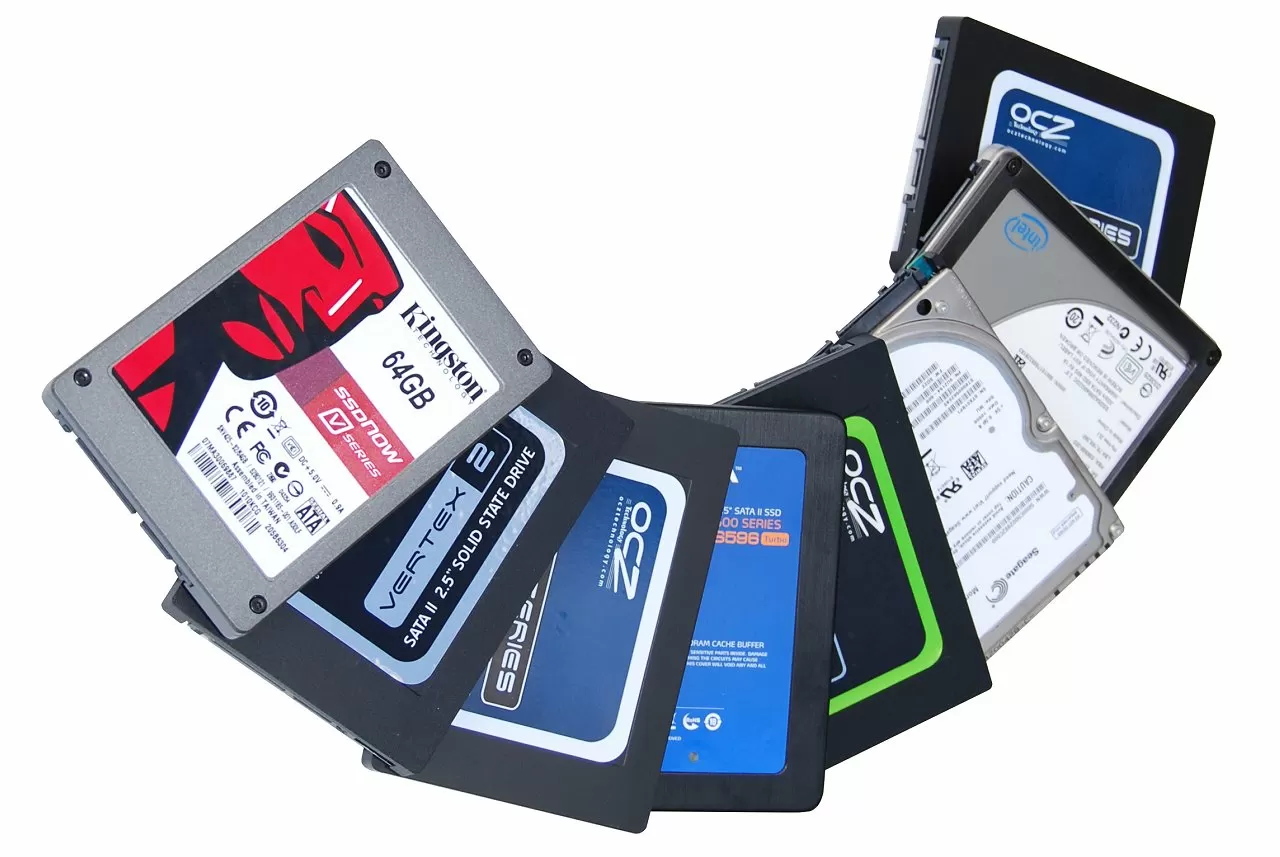
Recently there has been a surging demand for solid state drives that sacrifice space for speed and more affordable price tags, and manufacturers have been racing to deliver just that. Most of the drives featured in this round-up offer 32GB - 40GB capacities, while a few others top out at 64GB. As limiting as a 32GB drive might appear, they can still be extremely useful in enhancing a PC's performance when set to run as the boot drive. These smaller drives can also accommodate for select programs where they can greatly speed up the use of the application, for example, Adobe Photoshop.

Today's round-up is comprised of the following contenders: OCZ Agility 2 40GB ($135), OCZ Vertex 2 40GB ($124), OCZ Onyx 64GB ($130), OCZ Onyx 32GB ($85), ADATA S596 Turbo 32GB ($83), Intel X25-V 40GB ($100), and the Kingston SNV425-S2 64GB ($125). In addition to these affordable SSD offerings we have added to the mix the Seagate Momentus XT ($135), a highly-touted hybrid drive that attempts to deliver the best of both worlds by offering huge storage capacity at a reasonable price, with the added performance boost of NAND flash memory for caching data.


We'll be putting each drive through a set of tests including four synthetic benchmark programs plus our own file copying and load time tests.

Read the complete review.

,

User Comments: 61

Got something to say? Post a comment
  1. , post: 934555"]It is used for comparison in future reviews and gaming articles. Basically I have a truck load of hardware waiting to be tested again. Some of it also finds its way into my PC

    Lucky sod!

    Man I'd love to have a storage room full of computer components.

  2. Staff

    You get over it, especially when its mostly for work

  3. True, but I'd still have a field day myself, it takes me forever to save up for PC parts these days.

  4. The C300 does quite well in practical tests done by other reviewers. You might want to double-check your tests on the 256GB C300 if it is not doing well.

    http://www.bit-tech.net/hardware/storage/2010/07/07/crucial-
    ealssd-c300-256gb-ssd-review/7

    http://www.behardware.com/articles/794-12/ssd-2010-report-13
    models-compared.html

  5. This is an intriguing review of SSD's, but I do want to ask about one thing: reliability. Especially with the SandForce SSD's, has their lifespans actually become better? I was reading through your site's reviews of the larger OCZ Vertex 2 drives and saw that, at least, the first two drives you reviewed had died within three months. So, by now, do you have any better idea about how long the drives last, especially the production models? I am hoping they are proving more durable, because I am thinking of getting one of the OCZ Vertex 2's through a package deal on newegg (with an i7 860, I think), as I try my hand at building the enthusiast's computer outlined on this site.

  6. I got my Kingston SNV425 new for $69. So if you are alert and watch for deals, you can definately get it way way cheaper.

  7. I bought Kingston SNV425-S2 64GB ($125), pretty decent for what you obtains. I use this drive for boot, windows and softwares mostly used (photoshop + games). The only negative thing I have to say about this drive is that it only carries 64GB so I have to switch the recent/older games from my 1TB HDD (used for storage) to my SSD used to run the actual thing I need.

    Can't wait for a better day where capacity is not affected by performance.

  8. The capacity of each is very less to even attract us to buy them.

  9. I bought two Kingston 64GB V-series after reading this review. Great drives. I planned on putting one in my netbook and desktop. While a great, fast, drive, the only issue I had with it was its power consumption. While the Kingston V+ drives are power sipping, this drive consumes power worse than many others I've read about or used in real life. As an example, I had an Intel 40GB in my netbook, which gave me about five hours of battery life, the hard drive that was in there previously gave me just over four hours, but the Kingston runs about four hours and twenty minutes. Better than a hard drive, but not as good as other SSD's Just something to consider.

  10. Very good article.

  11. So according to your test results A-DATA S596 Turbo 32 GB seems like an optimal system drive for desktop:

    * 32 GB is far enough as a system takes just a few GB (say 3-4 GB), so total retail price is more important, than per GB

    * notably speeds up boot-up and also makes applications start faster

    * write speed is not an issue, as there are virtualy no writes (most writes goes to ramdisks or to conventional data disk, not to system disk)

    * concurrent read is not an issue at all (not many parallel reads)

    Can anybody either confirm or refute this feeling?

Recently commented stories

Post a new comment

Social Login & Guest Posting TechSpot Members
Login here or sign up for free,
it takes about a minute.
Get complete access to the TechSpot community. Join thousands of technology enthusiasts that contribute and share knowledge in our forum. Get a private inbox, upload your own photo gallery and more.
TechSpot on:

Subscribe to TechSpot

Get free exclusive content, learn about new features and breaking tech news.