The takeaway: Apple is making a fresh pitch to Chrome users: switch to Safari and spend less time plugged in. Its newly launched "Stay on Safari" campaign promises up to five additional hours of video streaming on a Mac, faster page loads, and stronger default privacy protections. The question is whether these gains in efficiency and privacy are enough to lure users away from the tools and features that keep them loyal to Chrome.
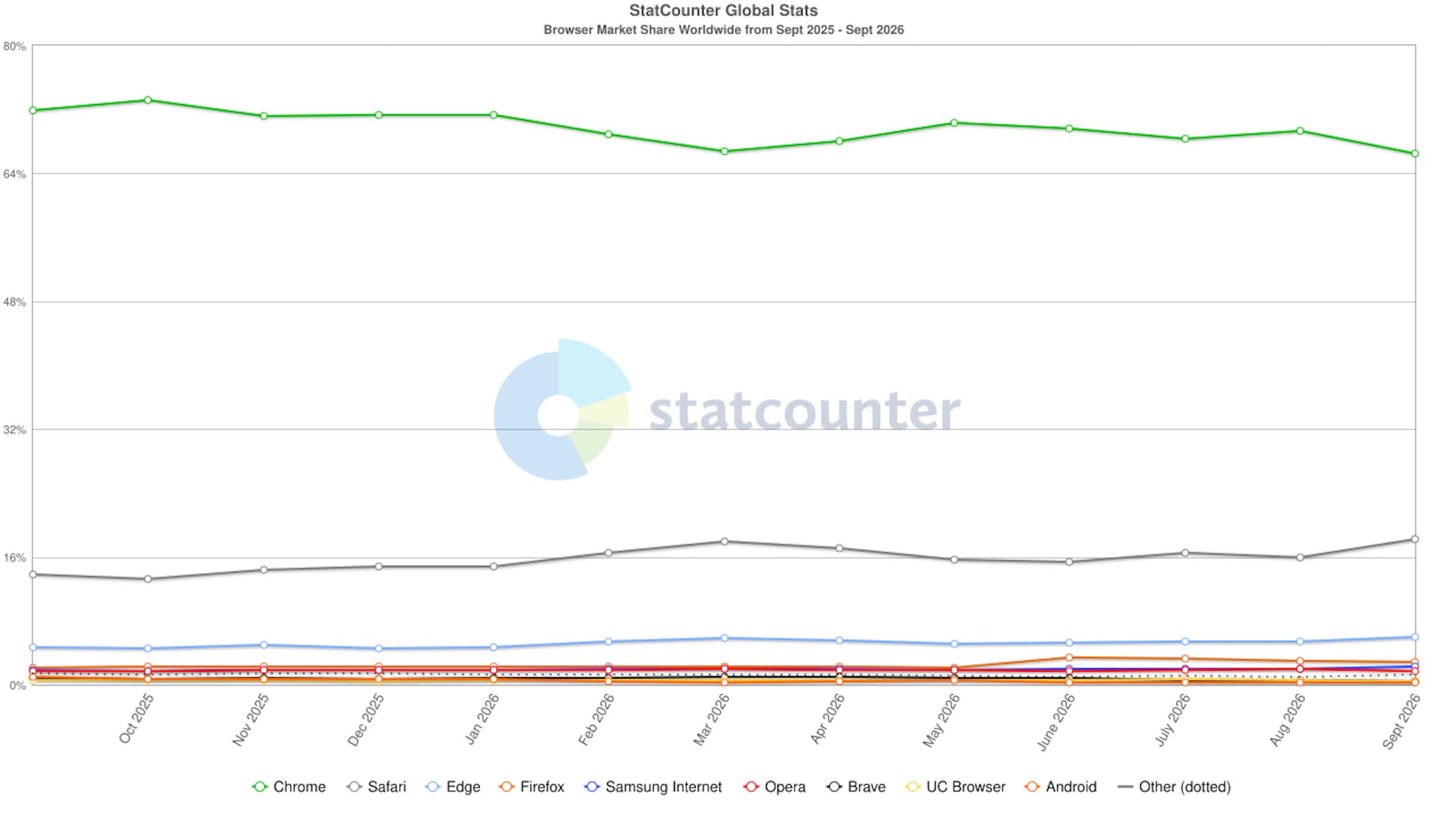
StatCounter figures put Chrome's browser market share at 66.36%, compared with Safari's 18.27%. Apple's campaign aims to narrow that gap by making browser efficiency a more prominent consideration.
The campaign challenges Chrome's dominance with an argument rooted in Apple's control over its hardware and software. Apple develops Safari's WebKit engine for its devices, allowing it to optimize the browser for its own chips. That gives the company a direct way to improve power efficiency and performance, although its advertised results apply to specific tasks rather than every type of browsing.
Apple claims Safari loads frequently visited websites up to 35% faster than Chrome on macOS. Its test used snapshot versions of 12 popular websites under simulated network conditions. The computers were 15-inch MacBook Air laptops equipped with M5 chips and 16GB of unified memory.
Those details limit what the figure tells us about everyday use. The comparison does not establish a 35% improvement across all websites, Macs, or internet connections. Instead, it measures performance across a selected group of sites on a specific hardware configuration.
The battery-life claim requires a similar caveat. Apple advertises up to five additional hours of video streaming on a single charge, not five extra hours for every browser task. Streaming video and loading web pages are different workloads, and the campaign makes separate claims for each.
Safari's close integration with Apple's hardware is central to its pitch. Its developers can optimize WebKit for Apple silicon. Chrome, which is built on Chromium, uses a multi-process architecture that has drawn criticism for its memory consumption.
That architectural difference helps explain the technical debate, but it does not, by itself, prove Apple's advertised gains. The campaign's figures remain Apple's own measurements, and their relevance depends on how closely a user's activity matches the tested workloads.
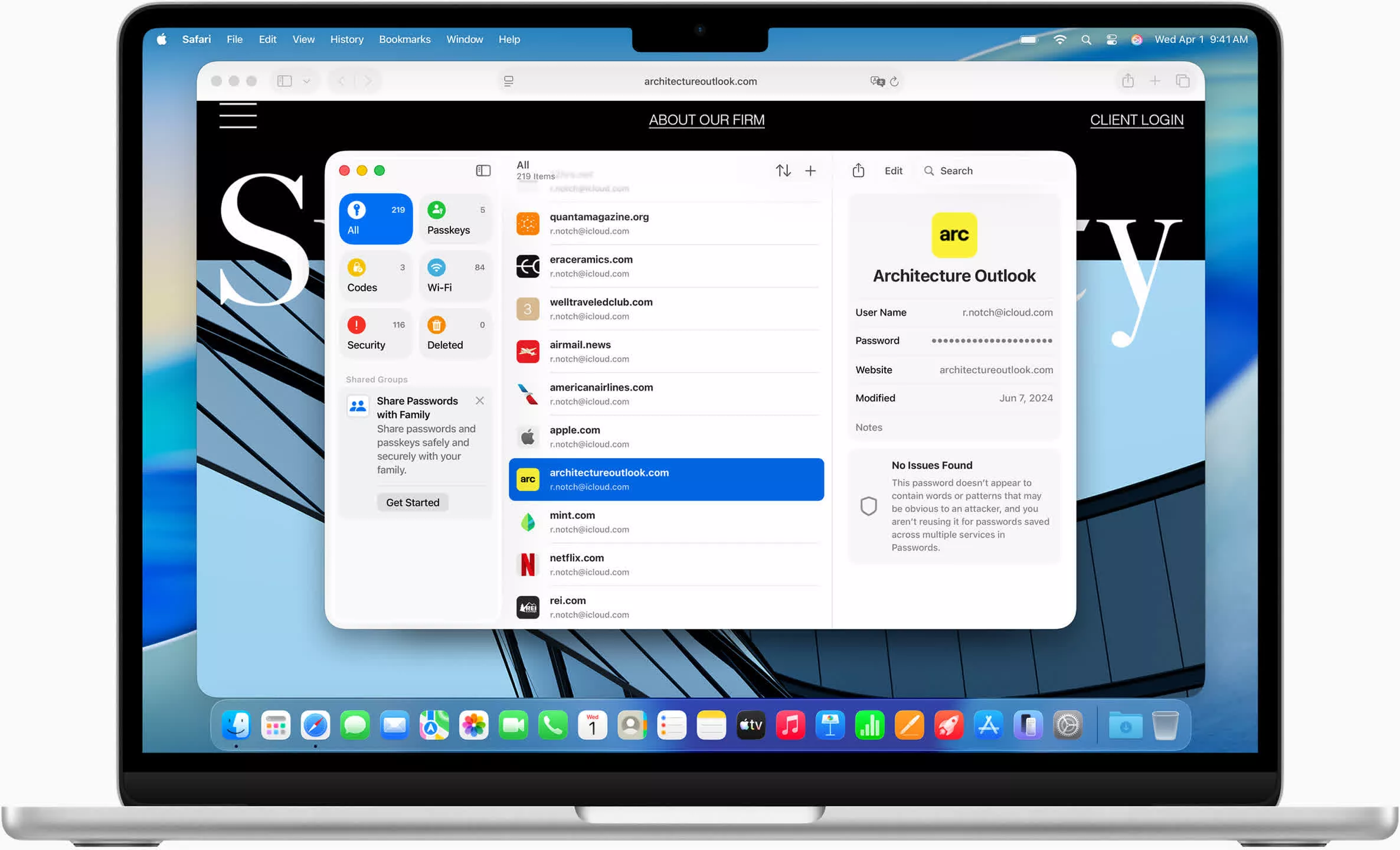
Safari's privacy pitch focuses on its default settings. The browser automatically blocks third-party cookies and includes Intelligent Tracking Prevention. Apple presents these built-in protections as an advantage over Chrome, without requiring users to adjust their settings.
Google has also faced criticism over Chrome's AI features, including the browser's automatic download of a 4GB Gemini Nano model. That issue adds to the scrutiny surrounding Chrome, but it is separate from the tests underpinning Apple's speed and battery-life claims.
Safari also includes Reader Mode, Profiles, and native Apple Pay support, along with integration across Apple devices. These features give users additional reasons to consider switching.
Chrome has its own practical advantages. Its extensive extension ecosystem and synchronization across Windows and Android help users work across different operating systems. Someone who relies on a particular Chrome extension or regularly switches between a Mac and a Windows computer may have less reason to switch, even if Safari consumes less power.
Apple's strongest claims are specific enough to test: longer video playback and faster loading of frequently visited websites. For Mac users, the question is whether those gains hold up in their own browsing and whether they outweigh the extensions and cross-platform features they would leave behind.


