
At TechSpot, we've always strived to give our readers the best possible insight into PC hardware, through in-depth reviews, comprehensive benchmarks, and long-term testing data. Our goal has been simple: to help you make informed decisions about the gear that powers your PC.
Today, we're excited to introduce a major step forward in that mission: TechSpot DB – an improved and expanded evolution of our Product Finder section.
The original Product Finder was designed to complement our reviews and buying guides with quick access to pros and cons, a metascore from external reviews, and price tracking across many tech product categories we simply can't cover as deeply, like smartphones or laptops.
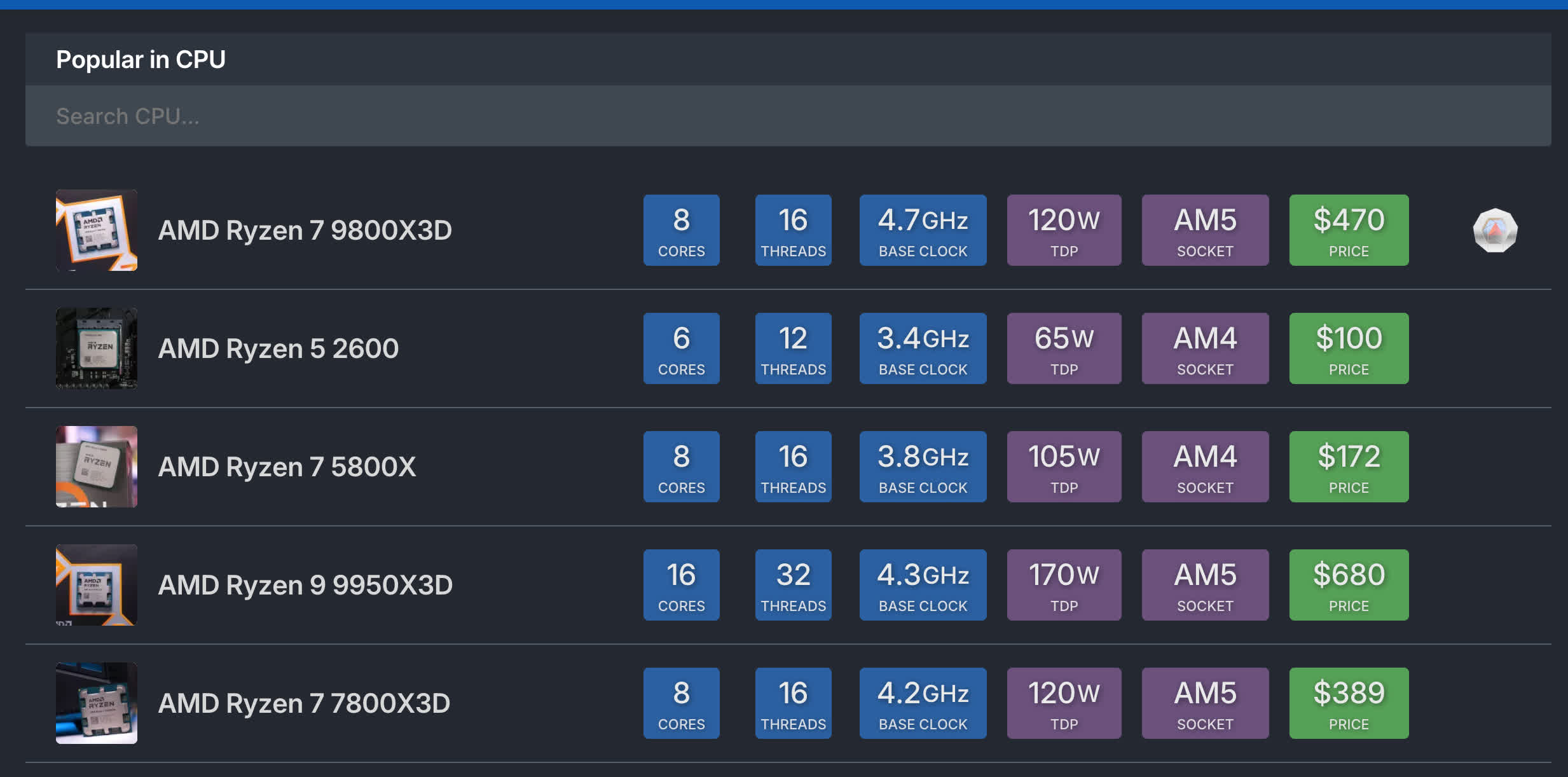
But with TechSpot DB, we're combining the editorial expertise and benchmark data that power our core reviews with a robust database that makes it easier than ever to compare and understand hardware. At launch, TechSpot DB focuses on CPUs, with full coverage of most AMD and Intel desktop processors released over the last eight years (and growing). In the coming months, we'll expand it to include GPUs – the other cornerstone of our testing and analysis.
What's New in TechSpot DB
#1 Performance Metrics
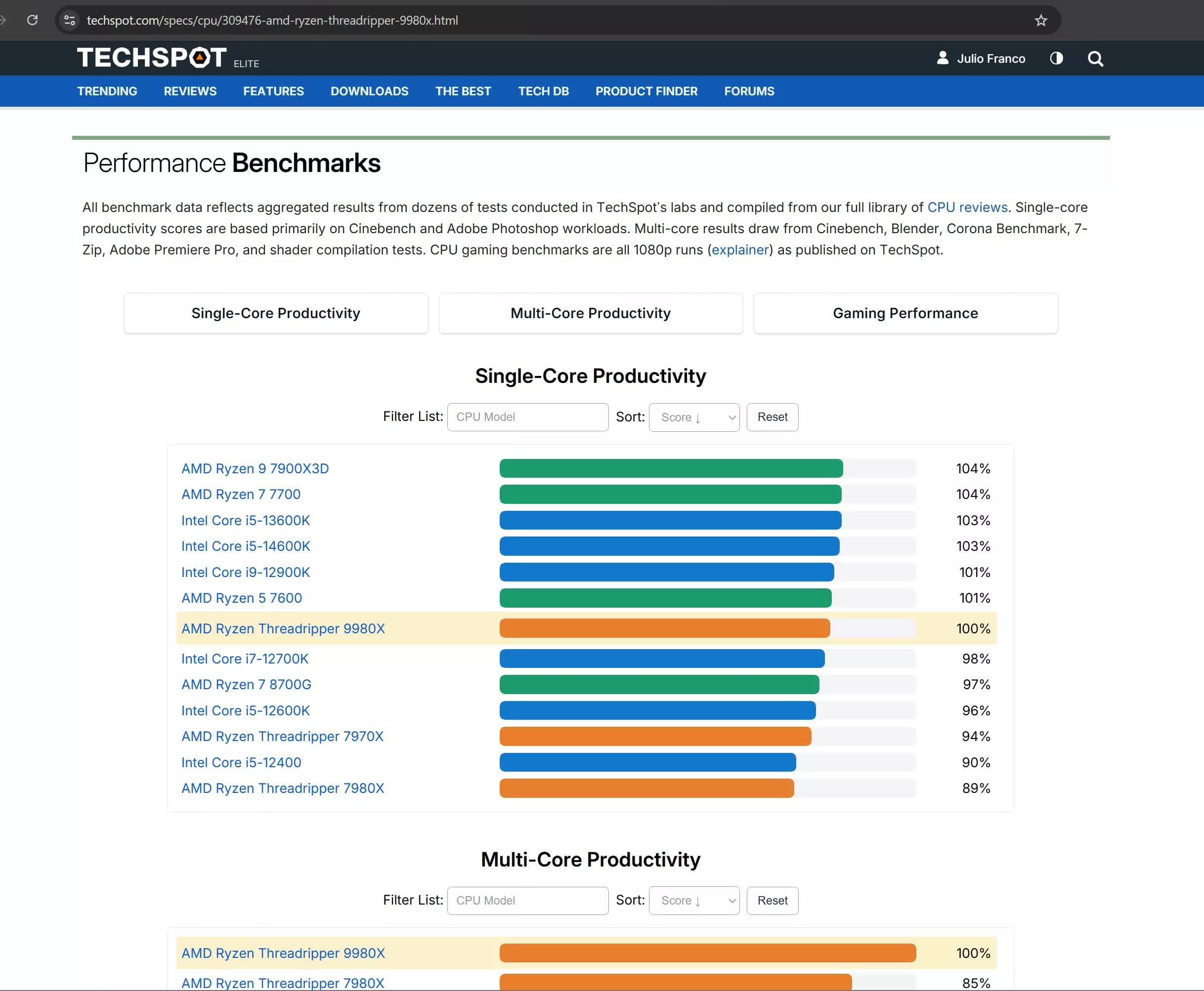
We've taken years of benchmark data, from tests like Cinebench, Blender, Adobe Premiere Pro, and our extensive gaming suite and built three key performance indexes: multi-thread, single-thread, and gaming performance. Each CPU now includes a set of relative performance metrics based on real, aggregated data from our test results.
#2 Price History and Tracking
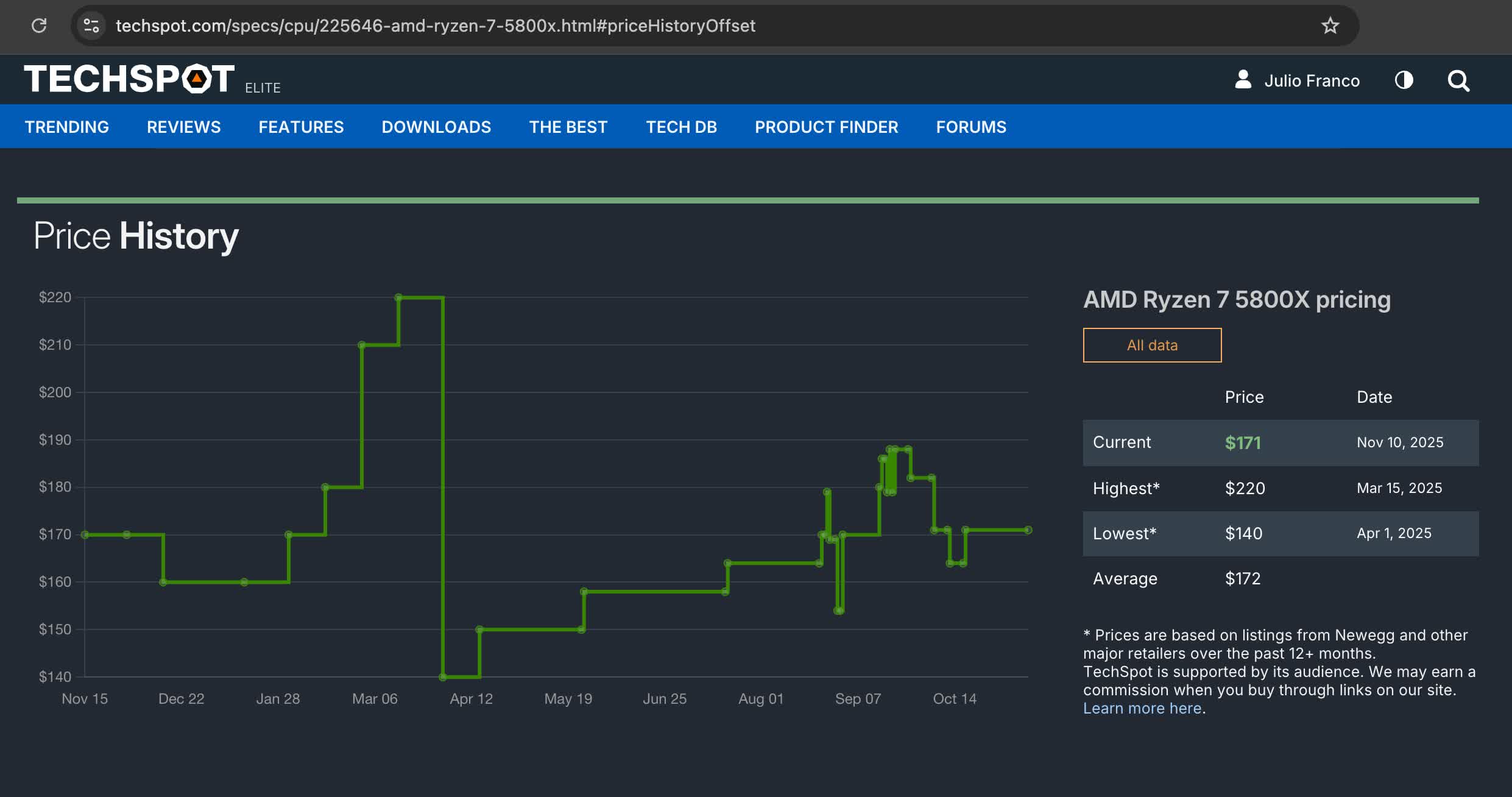
We've also retooled and brought back price history tracking, so you can see how CPU prices fluctuate over time, and whether that sale you're eyeing is actually a good deal. It's a feature many readers missed, and we're happy to say it's back and better integrated than it was before.
#3 Full Tech Specs and Side-by-Side Comparisons
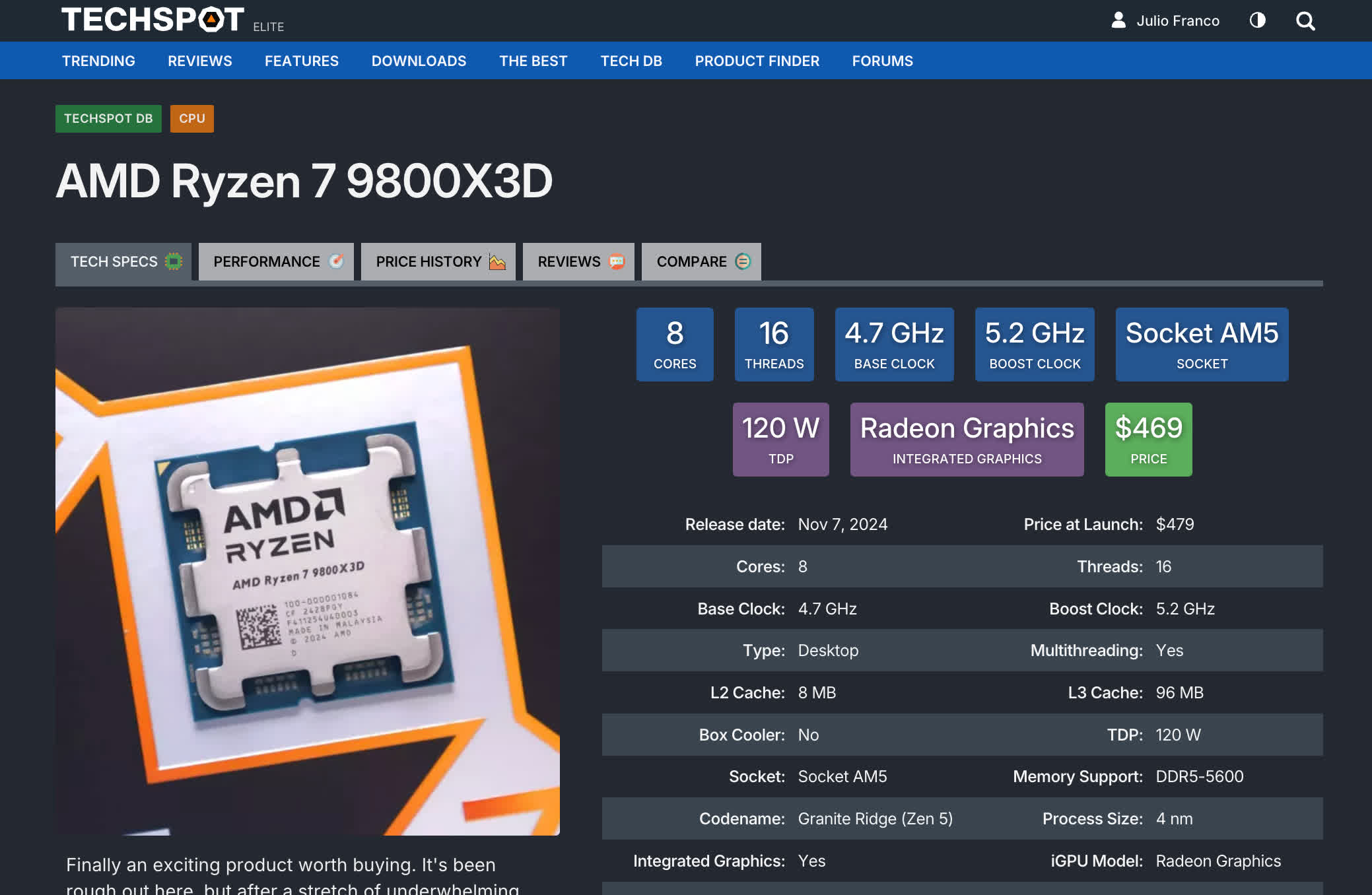
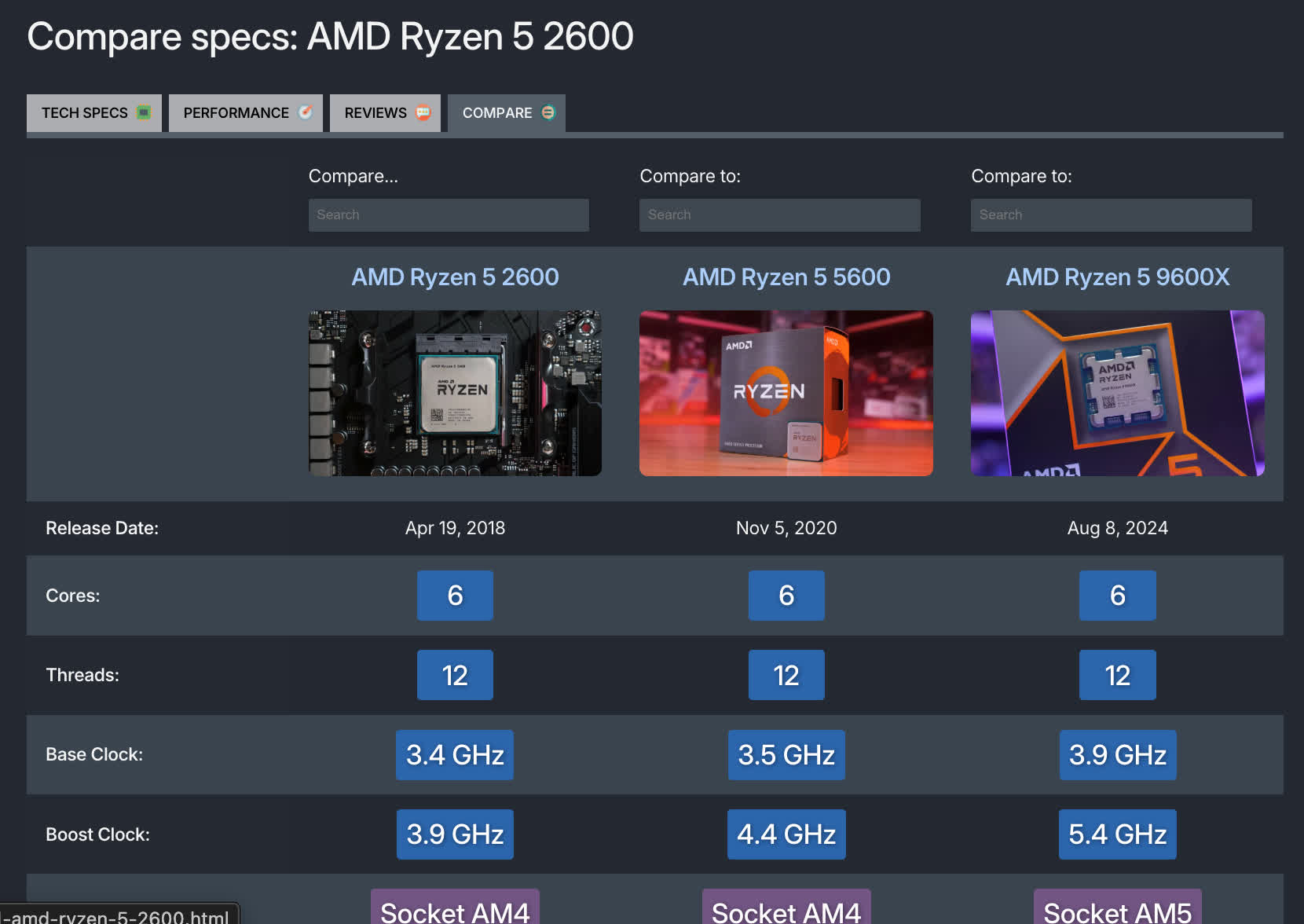
Each CPU page features a detailed spec sheet, covering everything from process node and core count to socket type and integrated graphics – along with a comparison tool that lets you put up to three processors side by side. Instantly compare features, pricing, and platform support between AMD and Intel options.
Built on What Makes TechSpot, TechSpot
Between the tech specs data, comparison tool, price history, and relative performance graphs, we believe TechSpot DB offers a much more intuitive way to explore potential upgrade paths.
For example, if you're using an older CPU like the Ryzen 5 2600X, current reviews rarely look back that far – but with our TechSpot DB product page, you can easily gauge the kind of performance jump you'd get by upgrading to something like the Ryzen 5 7600, and see how that translates to both gaming and productivity workloads.
TechSpot DB isn't replacing our hardware reviews or roundups – it's built to enhance them.
Our CPU and GPU reviews, led by Steve Walton of Hardware Unboxed fame, remain the definitive source for accurate performance testing and buying advice. TechSpot DB complements that work by giving you a living, evolving resource for specs, benchmarks, and prices – all in one place.
We're starting with CPUs, but GPUs are next. Expect to see similar data-driven coverage of graphics cards soon, with performance metrics based on our own testing and new tools to help you research your next upgrade.
Introducing TechSpot DB: A smarter way to explore hardware performance


