Nvidia DLSS 4.5 improved visuals come at a 20%+ performance cost on RTX 30 and RTX 20 GPUs

midian182

Posts: 11,735   +177
Staff member
The takeaway: One of the many announcements Nvidia made at CES this week was the arrival of DLSS 4.5. The latest version of the upscaling tech can be enabled ahead of its official launch, which many users have done. The good news is that you can expect a higher level of graphical fidelity, as Nvidia promised. The less welcome part is that it comes with a performance hit compared to its predecessor, one that rises to over 20% when using a previous-gen RTX 3000 or RTX 2000 GPU.
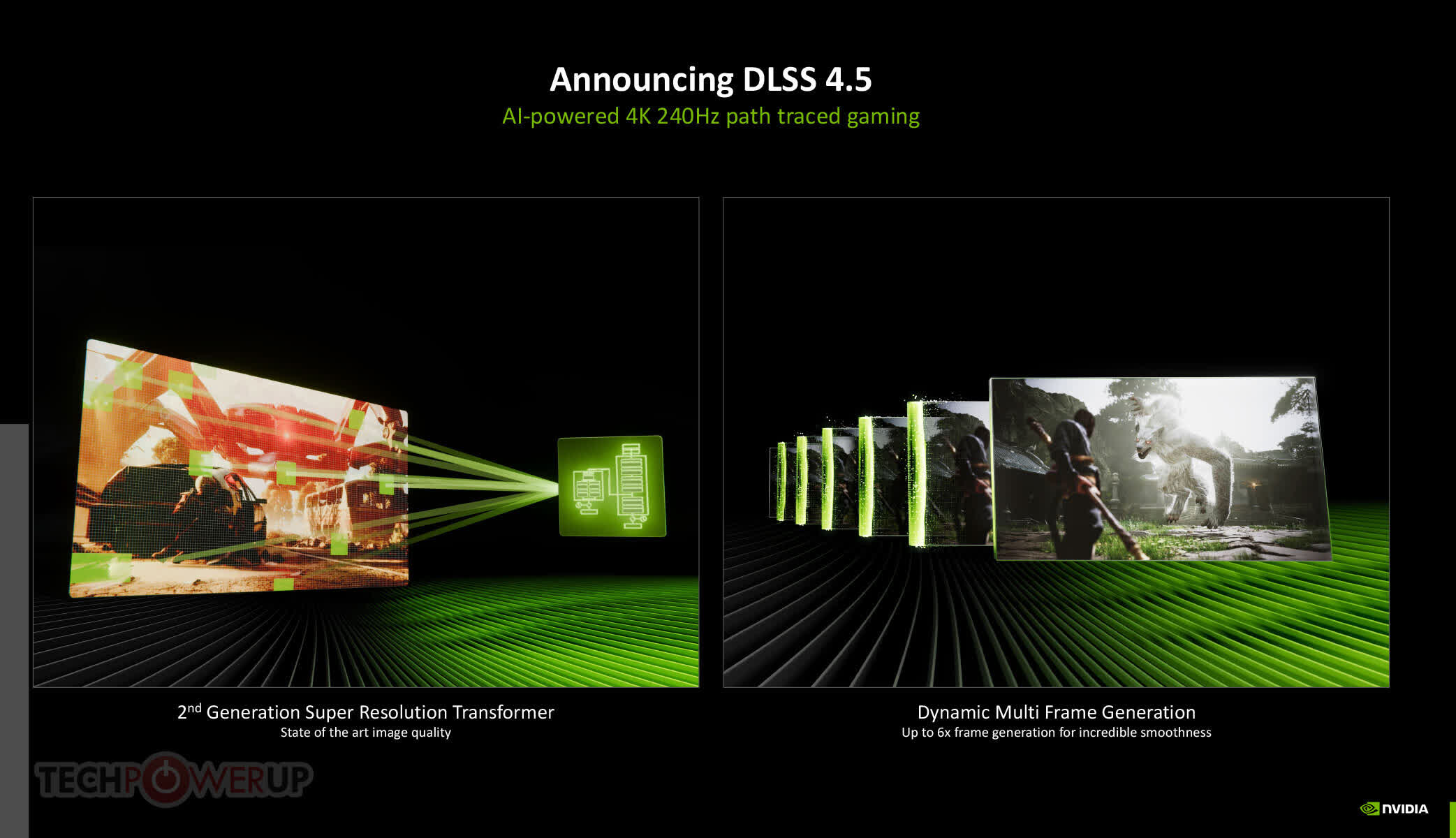
Nvidia announced the DLSS 4.5 Super Resolution model with its second-generation transformer architecture this week. The company did admit that the latest version will be more demanding, but support for accelerated FP8 processing in the RTX 4000 and RTX 5000 GPUs' tensor cores should lighten the load. However, it made no guarantees about performance for those using RTX 3000 and RTX 2000 GPUs.

As it can be accessed now, there have been several early DLSS 4.5 benchmarks posted on X. Using the RTX 3080 Ti, Mostly Positive Reviews found that DLSS 4.5 Quality Mode on Cyberpunk 2077 at the RT Ultra preset in 4K saw a 24% drop in FPS compared to DLSS 4 – down from 42 FPS to 32 FPS.

The same test at 1440p saw the frame rate drop from 72 FPS to 61 FPS, a 14% fall. With ray tracing disabled, performance fell by 20%, from 108 FPS to 86 FPS.

It was a similar story with The Last of Us Part 2. At 1440p high settings with DLSS Quality mode, DLSS 4.5 performance was down 14% compared to its predecessor, falling from 154 FPS to 135 FPS.

Nvidia rep Jacob Freeman said that DLSS 4.5 uses five times more compute and is just 2-3% slower on RTX 5000 GPUs. However, some RTX 4000 and RTX 5000 users have reported performance drops of around 14-16% with DLSS 4.5 vs DLSS 4.

Nvidia said during its announcement that DLSS 4.5 was best used in Performance and Ultra Performance modes. The company also suggests in its DLSS programming guide for game developers that DLSS 4.0 presets J and K be used for DLAA, Quality, and Balanced modes, while DLSS 4.5 preset M is the default for Performance mode, and preset L is best used with Ultra Performance mode.

Despite the varying performance impacts, many say they are pleased with their early testing of DLSS 4.5, claiming that better image quality, textures, and other visual improvements outweigh any marginal performance hits – these are people with RTX 4000 and 5000 GPUs, presumably.

Have you tried DLSS 4.5 yet? Let us know what you think in the comments below.

Permalink to story:

 
Letters were fine when it was simply the newest is best.

But Nvidia is now recommending different presets for different levels of DLSS so the preset names need to improve. I don’t want to google what letter to use when.
 
It seems that all games use their own version of DLSS.
Files are stored in directories
...<game>\Engine\Plugins\Runtime\Nvidia\DLSS\Binaries\ThirdParty\Win64
...<game>\Engine\Plugins\Runtime\Nvidia\StreamlineCore\Binaries\ThirdParty\Win64

I thought that if they were not redefined globally, then they would be used.
My games are not linked to Steam and the files don't update themselves, so I'm curious.
 
Last edited:
Disable it as many of the other fake enhancing features.

This tech actually makes VR usable in a way it was not before. In MSFS 2024 in particular, it is possible to crank render resolution to a point where all cockpit gauges are far more readable than without DLSS. Turning on DLSS Performance and cranking res as high as possible for the target framerate always looks far better than hitting that target framerate without it at a lower res.
 
I'm more interested in the trade-offs than in the performance hit of any option. For example, the transformer model allowed me to move to a more aggressive upscaling mode (e.g., quality to balanced) for a new FPS and IQ gain.

I'm excited for DLSS4.5 to throw at some games where I have GPU to spare and can eke out more IQ with that capacity. E.g., Darktide.

As always, pick the best setting for your hardware and needs.
 
With TM v.1 you could pick lower quality upscaller to get higher fps.
With TM v.2 you ... have to.
You should be able to force a letter version in the Nvidia App last I checked, even by game.

There is also the option of incrementing your DLSS strength based on the current model, like what I did when the transformer model came out. For example, if you were happy with the old DLSS Quality and the new DLSS Balanced delivers that IQ, then you swap yo Balanced.

According to Digital Foundary the hit to 5xxx and 4xxx GPUs is <5%, so these tradeoffs only apply to 3xxx and earlier.
 
DLSS costing you 20% performance on older RTX cards is a brutal reminder that “AI upscaling” still needs a lot of actual horsepower. Turns out the free frames were on a limited-time offer.
 
DLSS costing you 20% performance on older RTX cards is a brutal reminder that “AI upscaling” still needs a lot of actual horsepower. Turns out the free frames were on a limited-time offer.

Not really, DLSS 4 using Transformer model is already insanely good and works well on any RTX card with little performance hit compared to CNN. Better looking graphics, usually is more demanding yeah?

DLSS 4 is better than FSR 4 for sure, and has massive support in games as well, plus tons of mods for the few games that don't. DLSS 4 is very good, DLSS 4.5 is just even better. People are free to choose between performance and image quality. It is just tools.

RTX 2000 is from 2018 and RTX 3000 is from 2020, do you people expect old hardware to keep getting all the new stuff? Haha. How does this look on the AMD side? Ah yes, FSR 4 only works on Radeon 9000/RDNA4 and FSR 4 has limited game support.

DLSS 4.5 is still supported on all RTX cards. Obviously newer cards does it better. Native FP8 on 40/50 series is a must to limit performance hit. 20/30 owners can just stay on DLSS 4 and enjoy. Bruteforcing FP8 emulation is no joke, even 7900 XTX can't do it well and loses major performance. RTX 2000 series does it way better, due to Tensor cores being a thing even back in 2018. Took AMD almost 8 years to match this, with Matrix cores in RDNA 4 and this is the sole reason FSR 4 runs proper on RDNA 4 but won't work well on RDNA 3 and older. No true dedicated cores to offload the chip and FP8 emulation is so taxing, that RDNA 3 don't gain performance with FSR 4 at all. Meaning RDNA 3 and older will never get full blown FSR 4 support ever. That is the opposite of longevity. I know people with 2080 Ti and RTX 3000 GPUs that still enjoy their cards bigtime here 6-8 years later, due to DLSS. Upscaling is gold for longevity.

Good upscaling that is. Bad upscaling, is generally not worth using and ruins the image quality too much, this is FSR 3.1 and older + XeSS for the most part, even XeSS can beat FSR in many games. Both are years behind DLSS 4 and FSR 4 in terms of image quality. Even DLSS 2 from 2020 is better than FSR 3.1... Sad but true.


Meanwhile... People still insisting on raster only, not using upscaling or any of these new features, are using terrible AA solutions like TAA which is pure trash in most games. Native res gaming with no good AA looks bad. NoAA looks horrible as well. Result: End-quality is worse.

Besides, no older GPU will run new demanding games on high settings anyway. Even 7900 XTX feels dated in high res on high settings with no good upscaling to help. 6800/6900 XT feels like a joke in 2026 for new AAA games. What does 16-24GB VRAM matter, when chip is not capable? VRAM means little for longevity, if GPU can't do good upscaling and won't get hammered when a few RT elements are forced (most new AAA games/engines will do that - and have done for years now)

DLSS 4 and FSR 4 has built in top tier AA, with sharpening applied and a free performance boost on top of it all. It is a 100% nobrainer for people that have access to stuff like this. Others, will complain, as usual.

RTX users, can also just enable DLAA if they prefer peak visuals, with extremely low performance hit compared to MSAA or other extremely taxing AA solutions, but only these will even come close to DLAA and FSR Native image quality.

I have a feeling that most people complain about upscaling, never tried actual good upscaling. Clueless about model presets as well. I use DLSS 4, DLAA or FSR 4 / FSR Native in pretty much all games. The alternative is not better, it is worse. Way worse actually.
 
Last edited:
The reason nVidia recommends different profiles depending on the internal rendering resolution is that, for instance, preset L is much harder to run than preset M. Therefore, you need to really lower the rendering resolution to not eat up that addition load. Hence use L for ultra-performance or DLAA for MAXIMUM quality. Preset M is easier to run, so it offers a better performance increase when using a higher render resolution (use if for balanced or quality).

You can force L for the other levels, but again, you won't increase as much performance as using M.

L and M are the latest 4.5 profiles.
 
You should be able to force a letter version in the Nvidia App last I checked, even by game.
Why one should to force anything?

One may or may not:
- pick the native
- pick CNN and get higher fps with small loss of Image quality
- pick TM1 and get higher fps with small to no-loss of Image quality or small loss of quality and even higher fps gain
- pick TM2 and small increase in quality but fps lose or keep fps and lose some quality
- pick to not poke the setting

TL;DR - TM2 came too soon and it is not "The Ultimate Choice ™" is some cases
 
This is hilarious lol. In order to fix the issues, DLSS now takes an enormous performance hit, which defeats the purpose of the tech in the first place.
And we're back to square one xD

I can use shader injection if I want to enhance my final image. (or as they like to say 'better than native').

What a joke. Been playing at native since dlss's inception. Couldn't stand the glitches and sometimes oversharpened look.


Back