

GParted is the Gnome Partition Editor application. Before attempting to use it, here is some basic background information. GParted Live is a small bootable GNU/Linux distribution for x86 based computers. It enables you to use all the features of the latest versions of the GParted application.
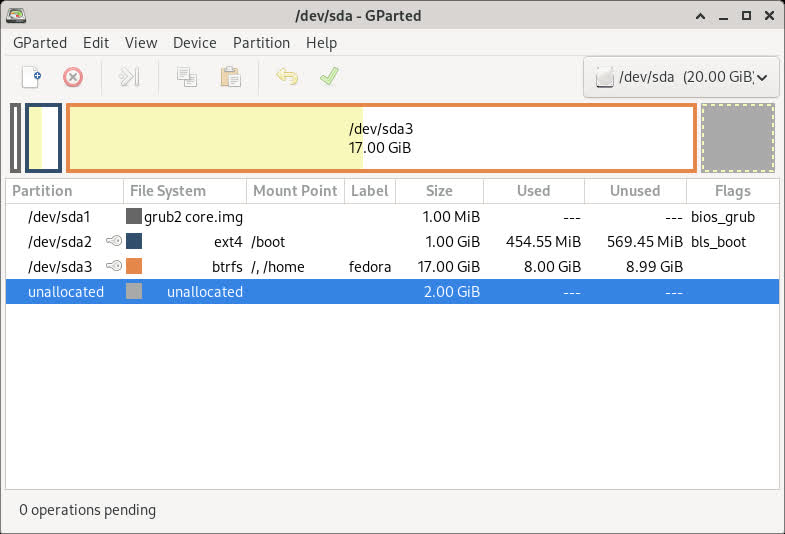
A hard disk is usually subdivided into one or more partitions. These partitions are normally not re-sizable (making one smaller and the adjacent one larger). The purpose of GParted is to allow the individual to take a hard disk and change the partition organization therein, while preserving the partition contents.
GParted is an industrial-strength package for creating, destroying, resizing, moving, checking and copying partitions, and the file systems on them. This is useful for creating space for new operating systems, reorganizing disk usage, copying data residing on hard disks and mirroring one partition with another (disk imaging). See Features, before using it.
GParted uses GNU libparted to detect and manipulate devices and partition tables.
Several (optional) file system tools provide support for file systems not included in libparted. These optional packages will be detected at runtime and do not require a rebuild of GParted.
GParted is written in C++ and uses gtkmm for its Graphical User Interface (GUI). The general approach is to keep the Graphical User Interface as simple as possible. Every attempt was made to conform to the GNOME Human Interface Guidelines.
GParted comes under the terms of the General Public License
What's New
Key changes include
- Fix crash due to not checking for failure to load icon
- Fix hangs setting FAT label when matches a root folder entry
- Erase file system signatures before all FileSystem copies
Bug Fixes
- Move FileSystem::execute_command() to OperationDetail class (!132)
- Fix Google Test compilation against GCC 15 libstdc++ (#281, !133)
- Fix crash in CommandStatus when compiled without optimization (#283, !134)
- Refactor DMRaid to static class, make mutating getters ret-by-val (!135)
- Fix crash due to not checking for failure to load icon (#282, !136)
- Fix hangs setting FAT label when matches a root folder entry (#272, !137)
- Require C++14 compilation and update to Google Test 1.16.0 (!138)
- Create mount points in a private temporary working directory (!139)
- Fix GParted displays error messages along with the FAT label (#286, !140)
- Fix configure script detect of C++14 without AX_CXX_COMPILE_STDCXX_14 (!141)
- Fix UI label not updated if newer job queued for same partition (#117, !142)
- Convert SupportedFS to smart pointers, remove empty class destructors (!143)
- Replace all uses of malloc() with vector(char) (!144)
- Convert Operations to smart pointers (!145)
- Fix GPT partition type GUID not copied in copy/paste (#288)
- Maintain EFI System Partition type when copying to new partition (!146)
- Fix expansion of details in Applying pending operations dialog (#168, !147)
- Display a warning for logical EFI System Partitions ESPs (#291, !148)
- Use fixed width font to show command output in operation details (#72, !149)
- Stop disabling 64-bit on ext4 file systems < 16 TiB (#295, !150)
- Convert Dialog_Base_Partition to use smart pointers (!151)
- Update main window screenshot in GParted Manual and its translations (!152)
- Erase file system signatures before all FS copies (#297, !153)
- Set LBA flag for create FAT16/32, extended part on MSDOS table (#300, !154)
