

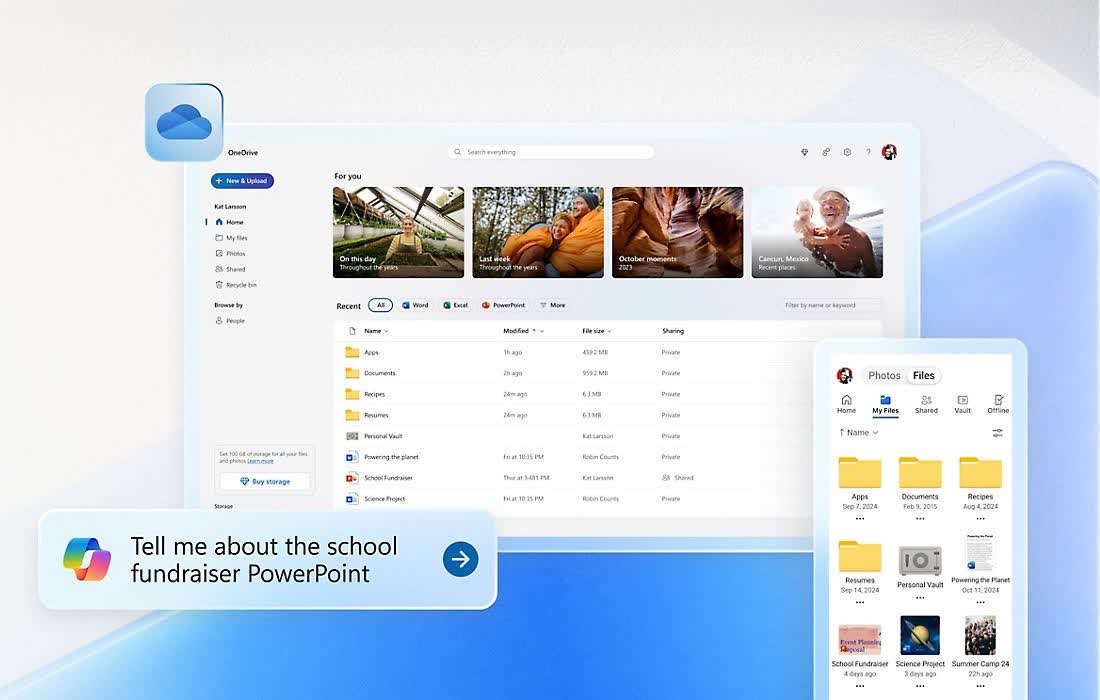
Easily store and share photos, videos, documents, and more. When you upload photos or videos from your mobile device or computer to OneDrive, you can get to them when you're on your PC, Mac, tablet, or phone. With OneDrive you can easily get to, manage, and share files anywhere you are.
Is OneDrive free?
OneDrive offers a free plan with 5GB of cloud storage, allowing you to sync and access your files from multiple devices including PCs, phones, and tablets. The free plan syncs your files with an unlimited number of devices. Paid plans that offer more storage start at $2 per month.
Is OneDrive better than Dropbox?
Both cloud services are similar, Dropbox and OneDrive offer 5GB of cloud storage on its free plan, both pack a robust infrastructure to store and sync your files, are plenty fast, and have sharing management built-in.
Because OneDrive is a Microsoft product, it integrates more deeply with Windows and Office applications. In terms of free plan advantages, OneDrive syncs your files across an unlimited number of devices while Dropbox only allows three devices on its free plan.
What are the best OneDrive alternatives?
In addition to Dropbox, Google Drive offers 15GB on its free plan, though it shares that storage with other Google services such as Gmail or Google Photos. For a complete look at alternatives, check out our guides comparing mainstream cloud storage services and secure cloud storage services.
How secure is OneDrive?
OneDrive files are encrypted using 256-bit Advanced Encryption Standard (AES). During transit between applications and OneDrive servers, SSL/TLS is used to protect data. All these security measures keep your files private and secure, unless you deliberately share links to files or folders with others.
Features
- Automatically upload photos and videos to OneDrive using Camera Backup.
- Browse all your OneDrive files and files shared with you.
- Share files by sending a link in email or getting a link to copy and paste.
- Move, delete, and rename files, and create new folders.
- Open your OneDrive files in other apps, including Office Mobile for iPhone.
- Quickly get to documents you've recently opened.
What's New
- Windows version updated to 26.095.0519.0003
- Mac version updated to 25.216.1104
- Android version updated to 7.57.1
OneDrive for Mac Now Supports Removable Drives
Earlier this year, we announced support for several improvements to OneDrive for Mac, including support for external, non-removable drives.
We've heard feedback about the differences between "non-removable" and removable drives, and wanting the flexibility to sync OneDrive to any external drive – no matter the type. Now, with our latest Insiders update, you can seamlessly sync your OneDrive files to any external drive, including removable ones.
Syncing to a removable drive works just like any other drive, except that if you unplug your drive, OneDrive will stop syncing and show an error. You'll need to plug your drive back in and restart OneDrive to resume syncing. There's a short grace period between when a drive gets disconnected and when OneDrive shows an error to handle drives that sporadically disconnect.
There are a few requirements your system must meet to use this feature:
- Starting today, Insiders can try out this feature (you'll need build 25.097 or later), with broader availability coming soon.
- You also need to be running macOS 15.0 or later.
- The drive you select must meet the following requirements:
- Formatted for APFS
- Protected by FileVault (see below for instructions)
- Not read-only, a network drive, or marked as quarantined by macOS.
Just like before, you'll need to manually set up a new sync relationship on the new drive. Sync settings won't transfer automatically.
You cannot use OneDrive by moving your external drive between Macs; you must set up OneDrive again on each new Mac with the external drive.
To protect a drive with FileVault:
- Format the drive for case-insensitive APFS, if it is not already.
- Find the drive in the Finder.
- Option/right click the drive and choose Encrypt.
- Follow the prompts.
- That's it!
We'd love to hear your feedback about this change! The best way to do that is to click on the OneDrive icon in the macOS Menu bar (near the clock), click the gear icon, and choose Send Feedback.
Updated file picking experience for Yammer
When users upload files to a Yammer community they will now have access to the files structure and capabilities consistent with OneDrive.
By default, the Pick files window displays your OneDrive folders and files as well as your Document libraries in SharePoint and Teams, including the shortcuts to shared folders that have been added using the Add to OneDrive feature, so you can easily navigate to the documents to select and upload.
Immersive reader in OneDrive and SharePoint
Users can now open documents directly in the Immersive Reader from inside OneDrive and SharePoint and leverage learning tools to change the appearance of your document by using Text options, set Text Size, Spacing, Font, and Themes that suit your learning needs , select Play at the bottom of the window to hear your document read aloud and to see the text highlighted simultaneously change the fonts , etc.
The Immersive Reader features help everyone on any device improve their reading skills, including those with dyslexia, dysgraphia, ADHD, emerging readers or a combination of the broad range of unique student abilities.
Link settings to the quick permissions
Over the next year, we're using an incremental, data-driven approach for rolling out updates to improve the sharing experience across all Microsoft 365 and Office applications for all platforms (desktop, web, and mobile).
Recently we released Quick Permissions - a more intuitive and discoverable drop-down menu to help you easily select a permission levels( Can edit or Can view ) . We are now adding an additional entry point to Link settings from the Quick permissions dropdown that provide more granular sharing control, so you easily can change link types and sharing permissions.
Expiring access for external users
To protect shared files, administrators can set a mandatory expiration period to ensure access doesn't last forever and help avoid leaking organization data by accident. This policy can be enabled in the SharePoint admin center (both modern and classic) and applies to both OneDrive and SharePoint. Once the policy is implemented, external users will automatically lose access to content on the site-by-site level (or OneDrive-by-OneDrive level). SharePoint site administrators and OneDrive owners will have the authority to extend or remove access for the selected users.
Exclude specific files from sync on macOS
We enabled functionality in OneDrive for macOS that allows IT admins to prevent the OneDrive sync app from uploading certain files to OneDrive or SharePoint. IT admins who are managing macOS devices in their organizations can enable this setting using the prescribed plist file entry to prevent users from uploading specific file types such as .exe or .mp3 when they sync their OneDrive files.
When this setting is enabled, the sync app doesn't upload new files that match the specified keywords, and the files remain in the local OneDrive folder.
In Finder, the files will appear with an "Excluded from sync" icon in the Status column, and users will see a notification in the OneDrive activity center explaining why the files aren't syncing.
PDF viewing updates on iOS and Android
Users of OneDrive for iOS and Android will be able to to navigate quickly to specific pages in PDFs . When viewing a PDF, users can tap on the page number at the bottom of the screen for the "Jump to Page" dialog to appear and then enter any page number to move to that page.
