
Nvidia has finally updated Ray Reconstruction with the latest DLSS 4.5 technology, and we've spent the past week testing it. The new model improves upscaling quality when using Ray Reconstruction, further reduces some of the artifacts we see when ray tracing is enabled, and Nvidia claims it does all of this with virtually no impact on performance. Best of all, GeForce RTX owners can try the feature right now.
DLSS 4.5 Ray Reconstruction is the next iteration of Nvidia's AI-based denoiser for ray tracing. It's been updated to use the second-gen transformer architecture that first debuted with DLSS 4.5 Super Resolution earlier this year, making this the third iteration of Ray Reconstruction. Nvidia claims the new model is more efficient, delivering "35% more compute capability" while processing "20% more parameters" than the previous model, and it has also been trained on a larger dataset.
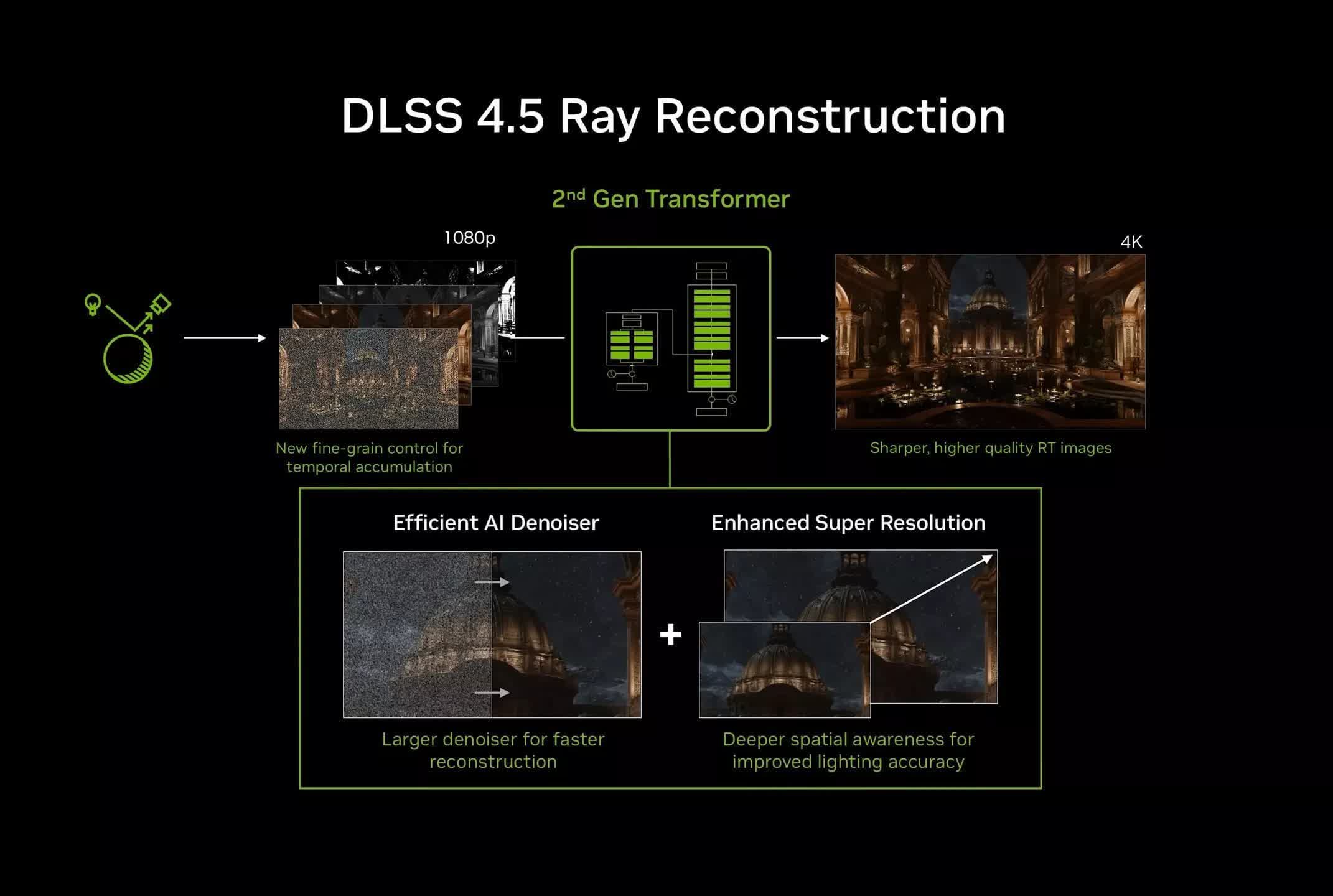
The DLSS 4.5 update to Ray Reconstruction is an important step forward because Ray Reconstruction isn't simply a denoiser. It effectively combines an upscaler and denoiser into a single model. When you enable Ray Reconstruction alongside DLSS upscaling, the normal DLSS upscaling pass is bypassed, and Ray Reconstruction handles both upscaling and denoising at the same time.
TL;DR: What is ray reconstruction and why is it an important upgrade?
This is a neat and efficient approach, but it has a drawback: whenever Nvidia releases a new DLSS upscaling model, the improvements in that model aren't immediately available when Ray Reconstruction is used.
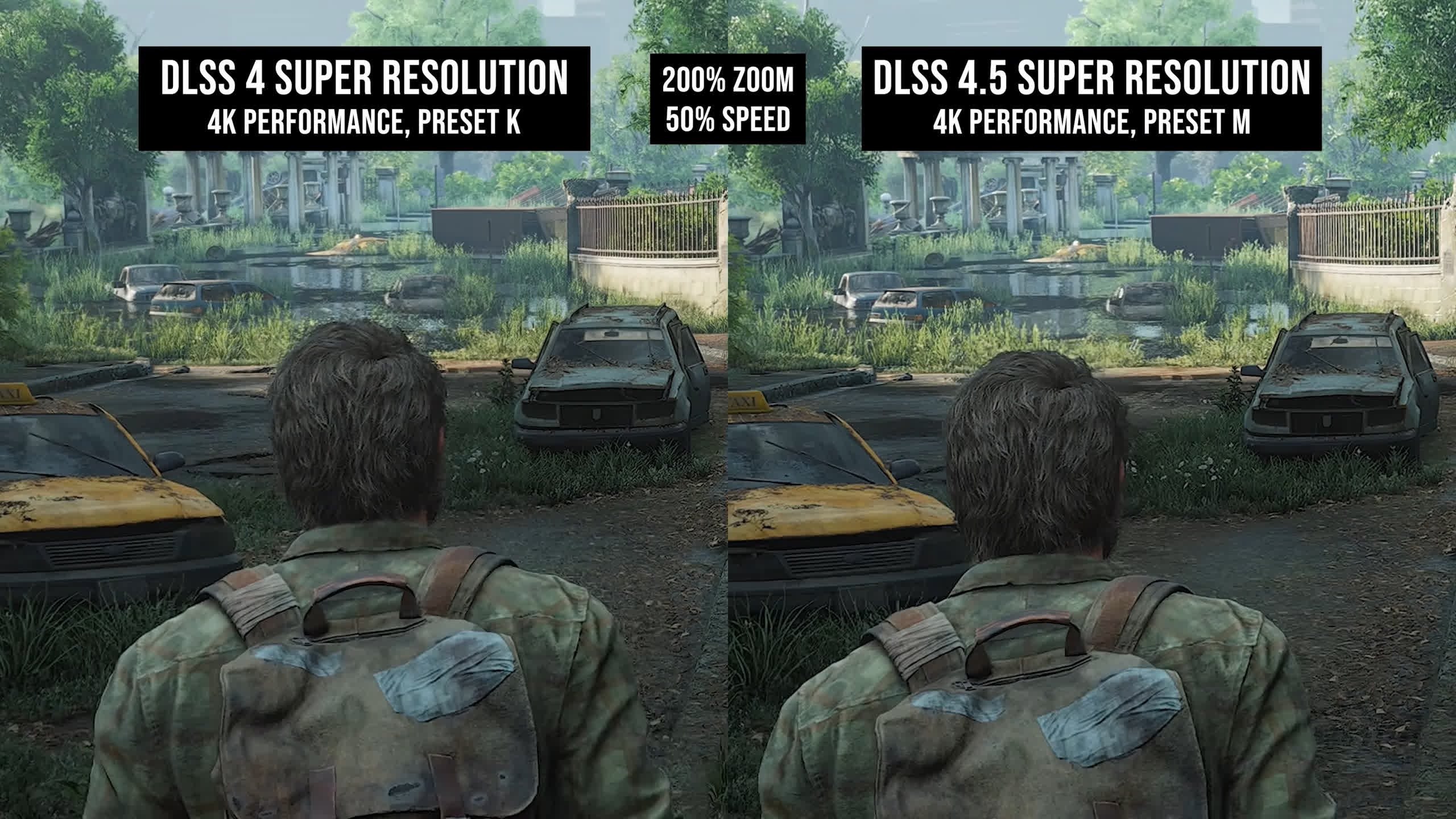
This happened earlier this year when Nvidia launched DLSS 4.5 Super Resolution. You got all the benefits of the new DLSS 4.5 models when using upscaling on its own, but the moment Ray Reconstruction was enabled in a supported game, DLSS 4.5 was effectively replaced by the upscaler built into the Ray Reconstruction model. At the time, that meant falling back to DLSS 4.0-era tech using the first-gen transformer model.
That created a strange disconnect within the DLSS feature set. You could choose the new DLSS 4.5 upscaler, or choose Ray Reconstruction for denoising, but you couldn't use both at the same time.
That's been resolved with the release of DLSS 4.5 Ray Reconstruction. The upscaling component now uses the second-gen transformer architecture, so there's no longer a quality gap between Super Resolution and Ray Reconstruction.
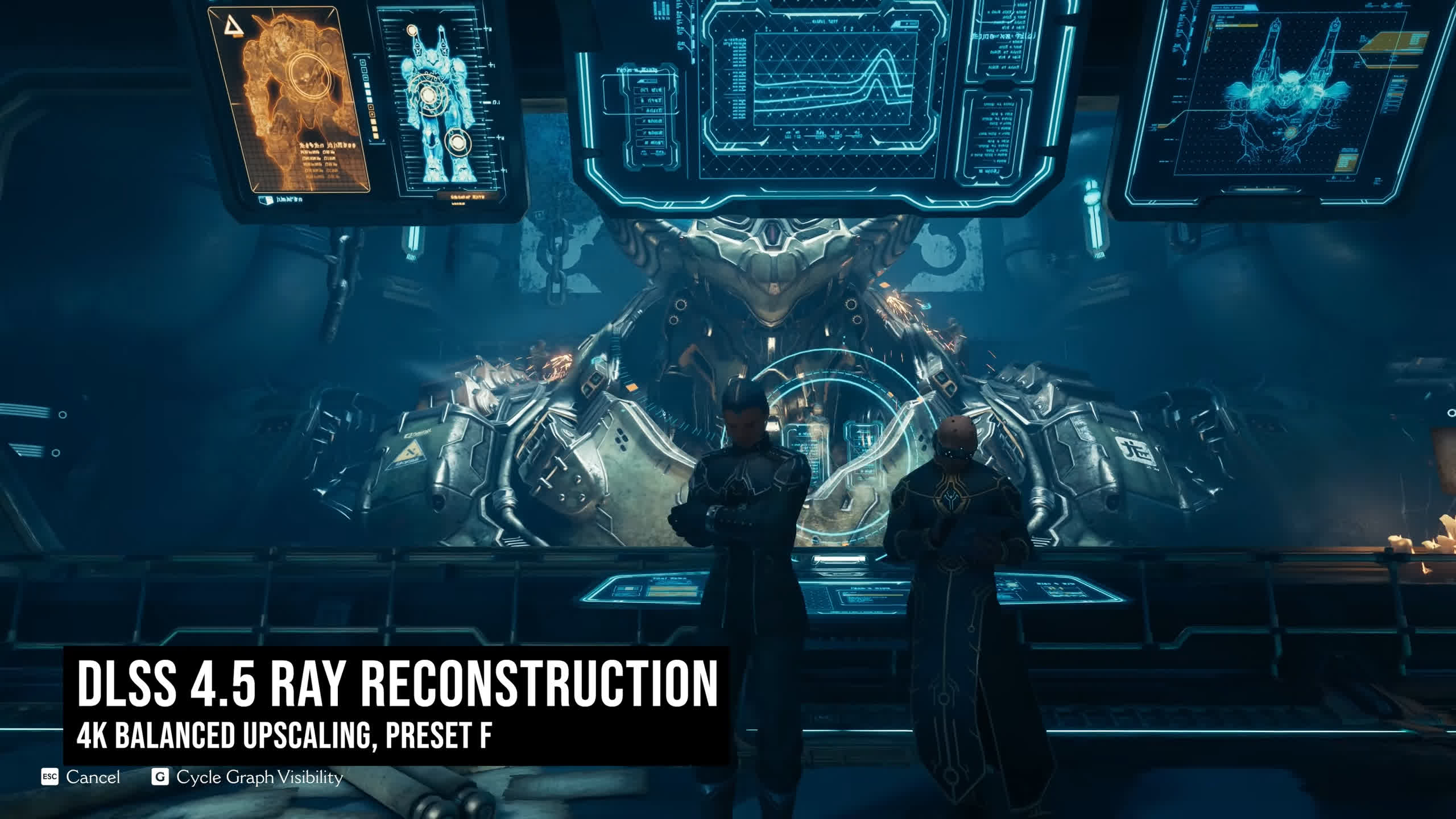
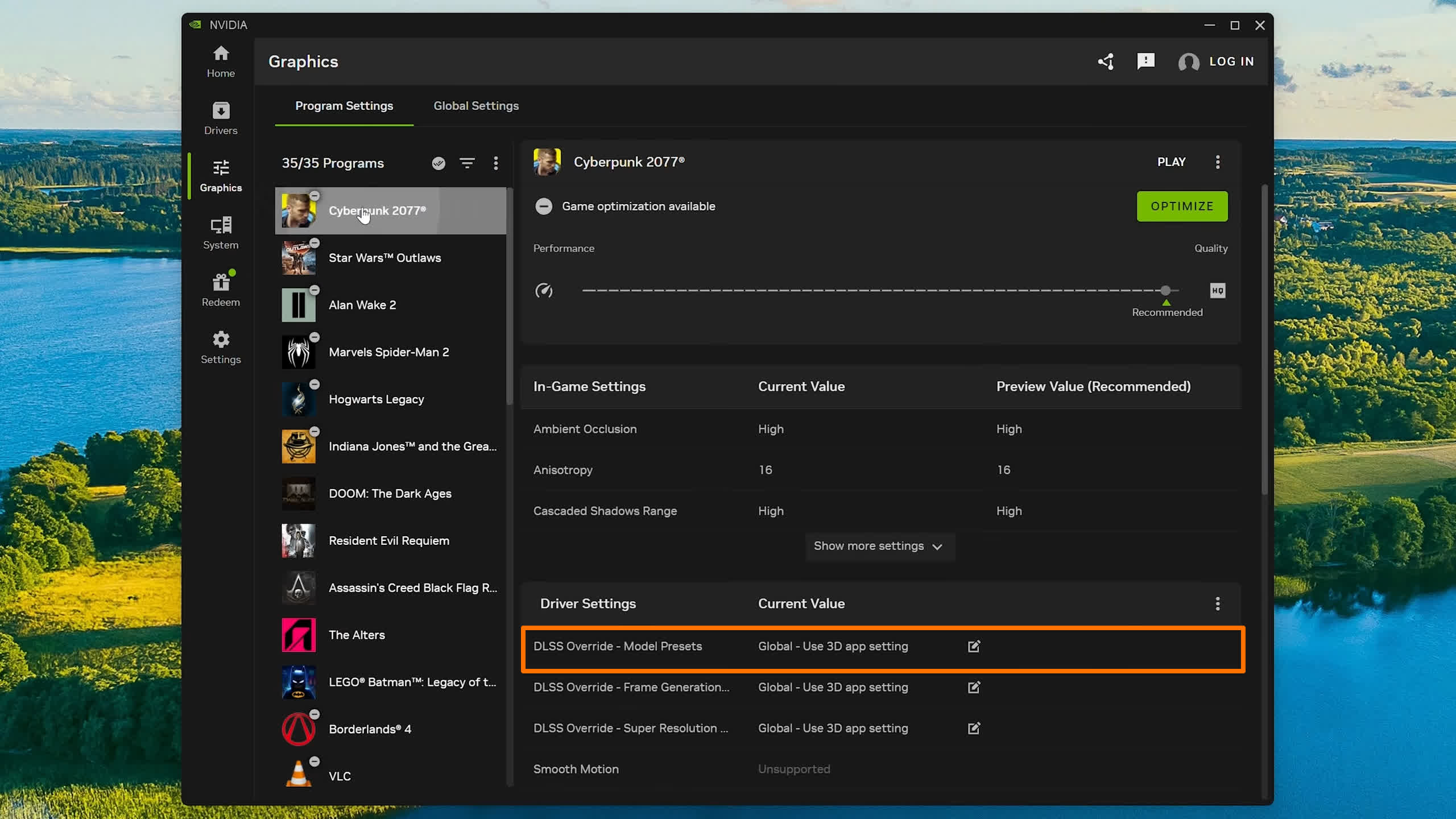
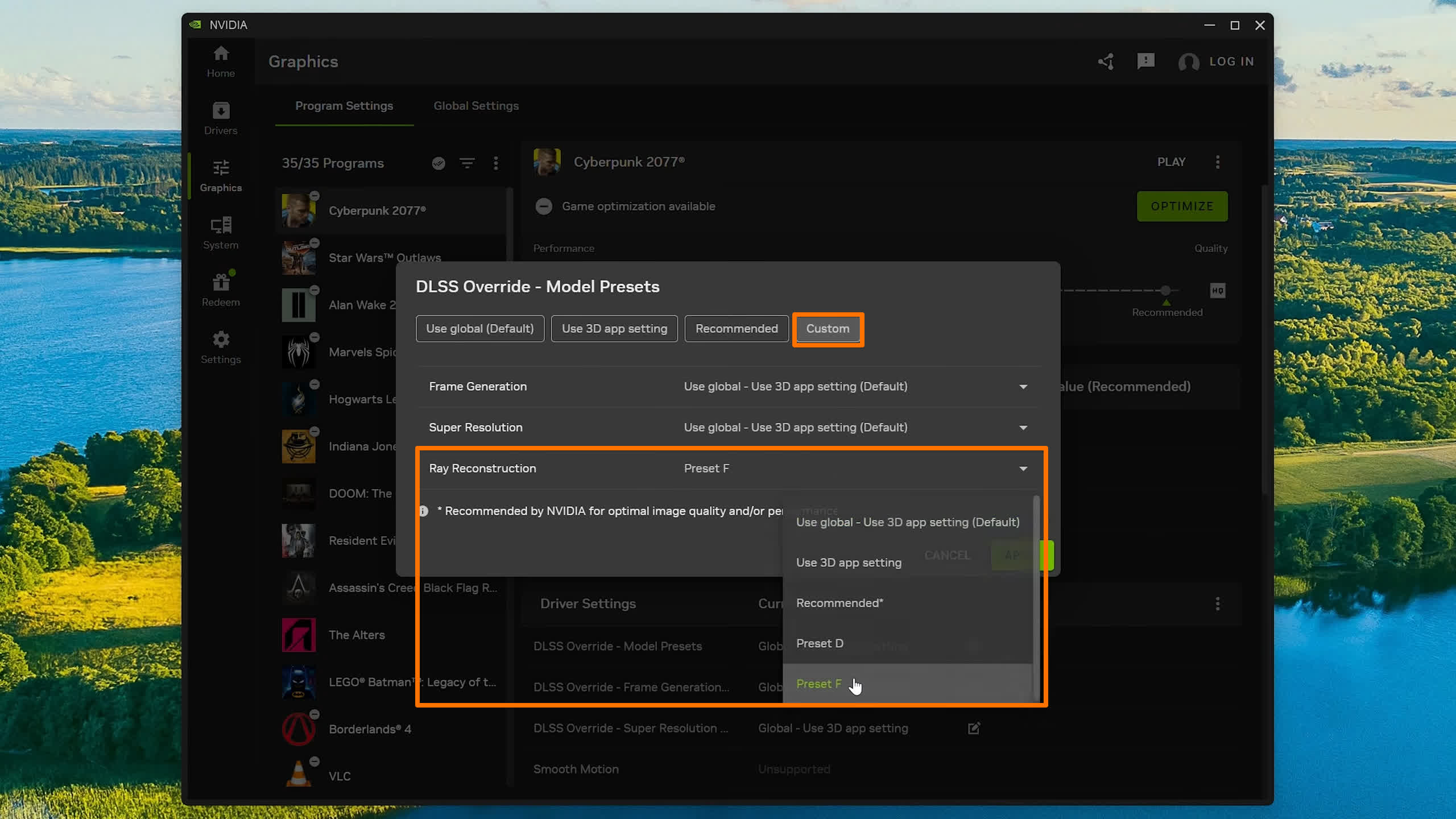
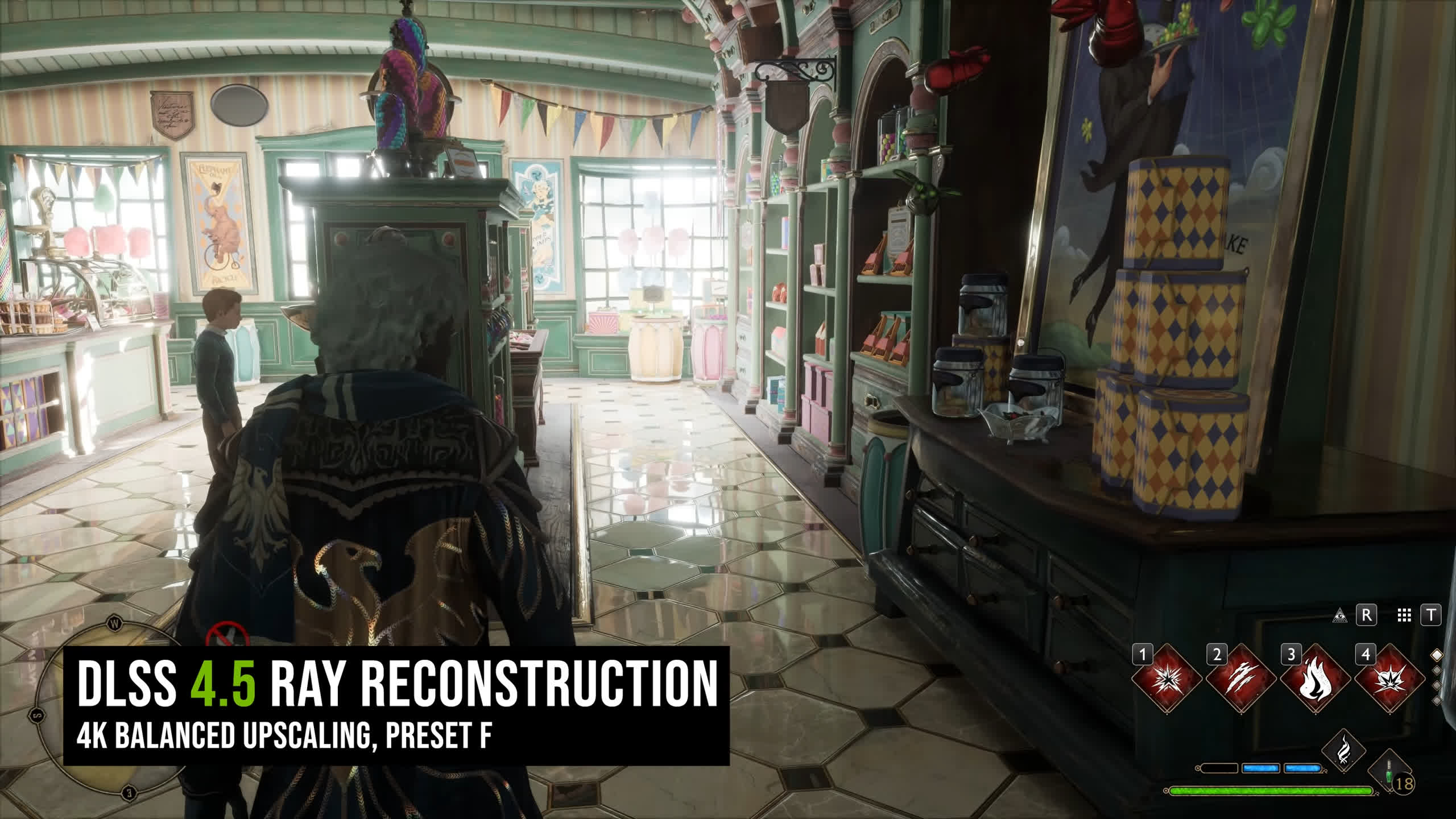
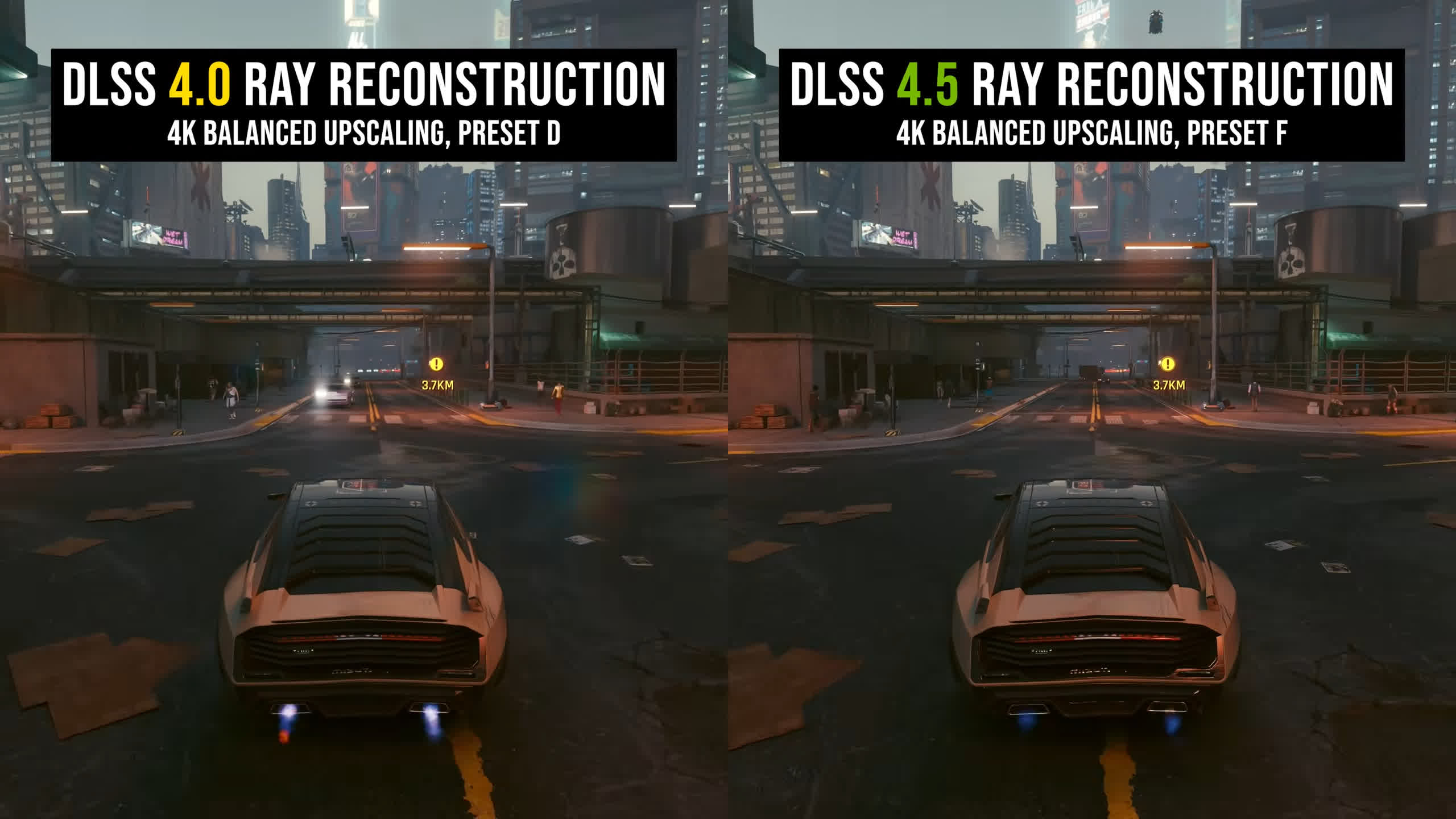
As before, Ray Reconstruction is available across all RTX GPUs, including the RTX 20 and RTX 30 series. The main way to enable it right now is through the Nvidia App's DLSS override settings. Browse to a supported game, head to the DLSS override options, and change the Ray Reconstruction model preset to Preset F, which is the new DLSS 4.5 model. The other main option is Preset D from DLSS 4.0. There's no option to select Preset E or the original DLSS 3.5 models.
Upscaling Now Matches DLSS 4.5
When using DLSS 4.5 Ray Reconstruction in combination with upscaling, upscaling quality is improved to roughly match DLSS 4.5 Super Resolution. All the benefits we discussed earlier this year in our DLSS 4.5 testing apply here, so there's no longer a downgrade in upscaling quality when switching from DLSS 4.5 Super Resolution to Ray Reconstruction.
For a better representation of image quality comparisons, check out the HUB video below:

The most obvious improvement is the increase in sharpness across the board. DLSS 4.5 Ray Reconstruction looks sharper than the previous model despite the in-game sharpness settings being identical across our comparisons, and the level of sharpness is similar to the regular Super Resolution model.
Sometimes it can look a little oversharpened in my opinion, though on the whole I prefer the way the second-generation transformer model looks. Other improvements to the upscaling side include better handling of disocclusion, which is particularly useful in third-person games, along with superior foliage reconstruction.
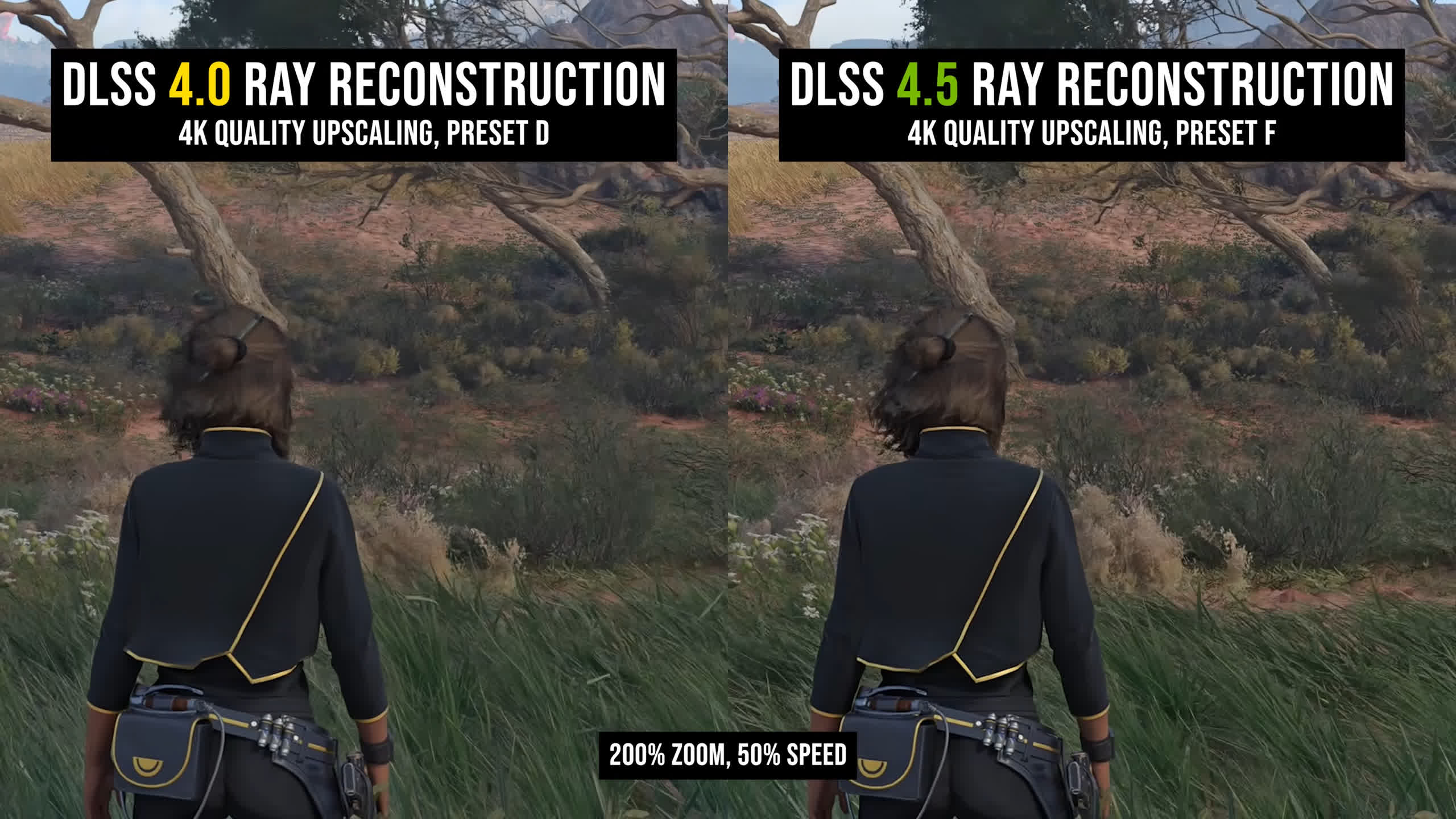
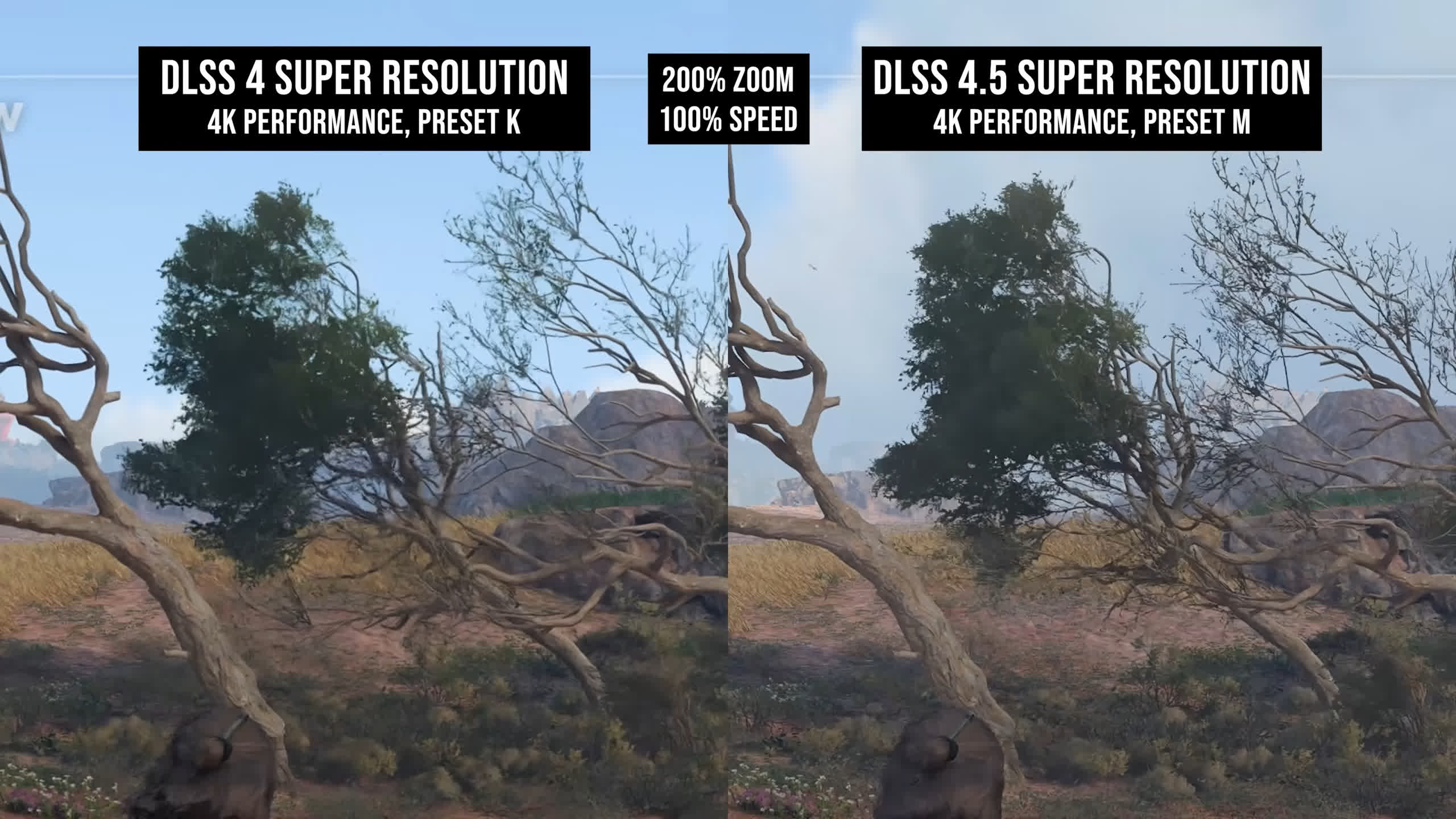
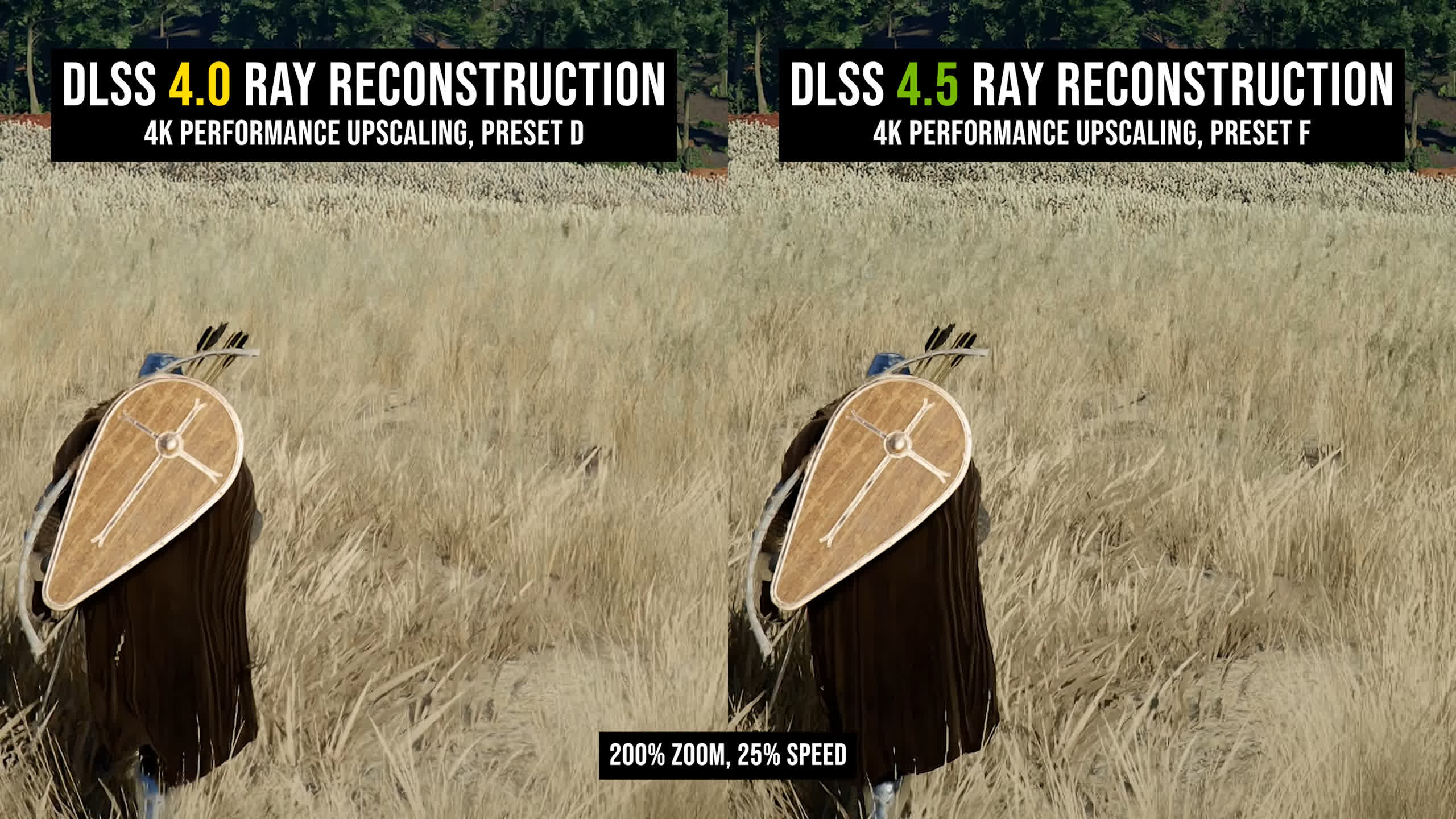
In our Star Wars Outlaws example, which we've used previously to highlight these issues, DLSS 4.5 Ray Reconstruction is less blurry when displaying shrubs and tree detail in motion, while grass appears sharper and more defined. An even more extreme example from Crimson Desert highlights the gains made to foliage reconstruction with the DLSS 4.5 model, although image/video compression can make some of the finer differences difficult to showcase here.
There are also improvements to lighting quality, with better accuracy and brighter highlights that are typically superior to previous models, though this can sometimes come at the cost of additional flicker. Ghosting is reduced, while fine detail reconstruction is more of a sidegrade.
In other words, the improvements we previously discussed with DLSS 4.5 Super Resolution largely apply here as well, which is great.
That said, there's only one new model to choose from with Ray Reconstruction, unlike DLSS 4.5 Super Resolution, which offers Preset M and Preset L. Ray Reconstruction's upscaling output isn't a perfect match for either preset and looks slightly different, though we'd say it's closer to Preset L.
Boiling Artifacts Are Dramatically Reduced
One of the most frustrating aspects of ray tracing over the years has been noise. In many games, enabling ray tracing significantly increases the amount of visible noise, whether that's grain from low-resolution effects, temporal accumulation issues that cause blur in motion, or unstable surfaces even when nothing is moving.
Ray tracing is supposed to improve the visual quality of games, yet these artifacts and stability issues can sometimes hurt the overall experience.
For a better representation of image quality comparisons, check out the HUB video below:

Ray Reconstruction has attempted to address these problems with superior denoising technology, though previous versions sometimes replaced one problem with another, introducing unsightly boiling artifacts or a loss of texture detail. The DLSS 4.0 version made progress in these areas but still suffered from a variety of issues, including a strange grid-pattern artifact in some situations.
DLSS 4.5 Ray Reconstruction makes significant gains in reducing boiling and improving ray tracing stability.
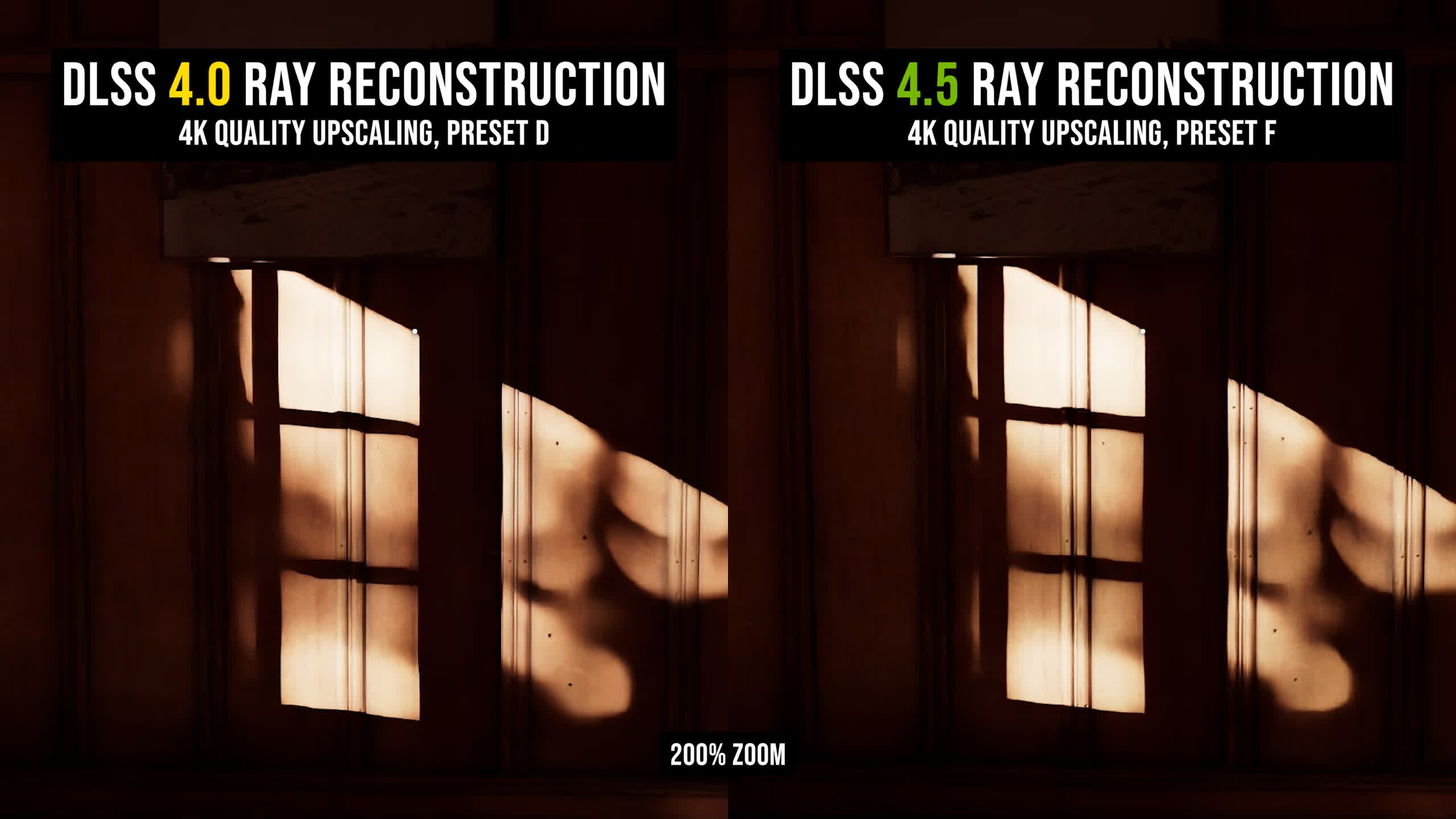
In many of the situations where DLSS 4.0 showed severe boiling, the issue was largely or completely resolved with DLSS 4.5. That's a huge improvement for these ray-traced titles.
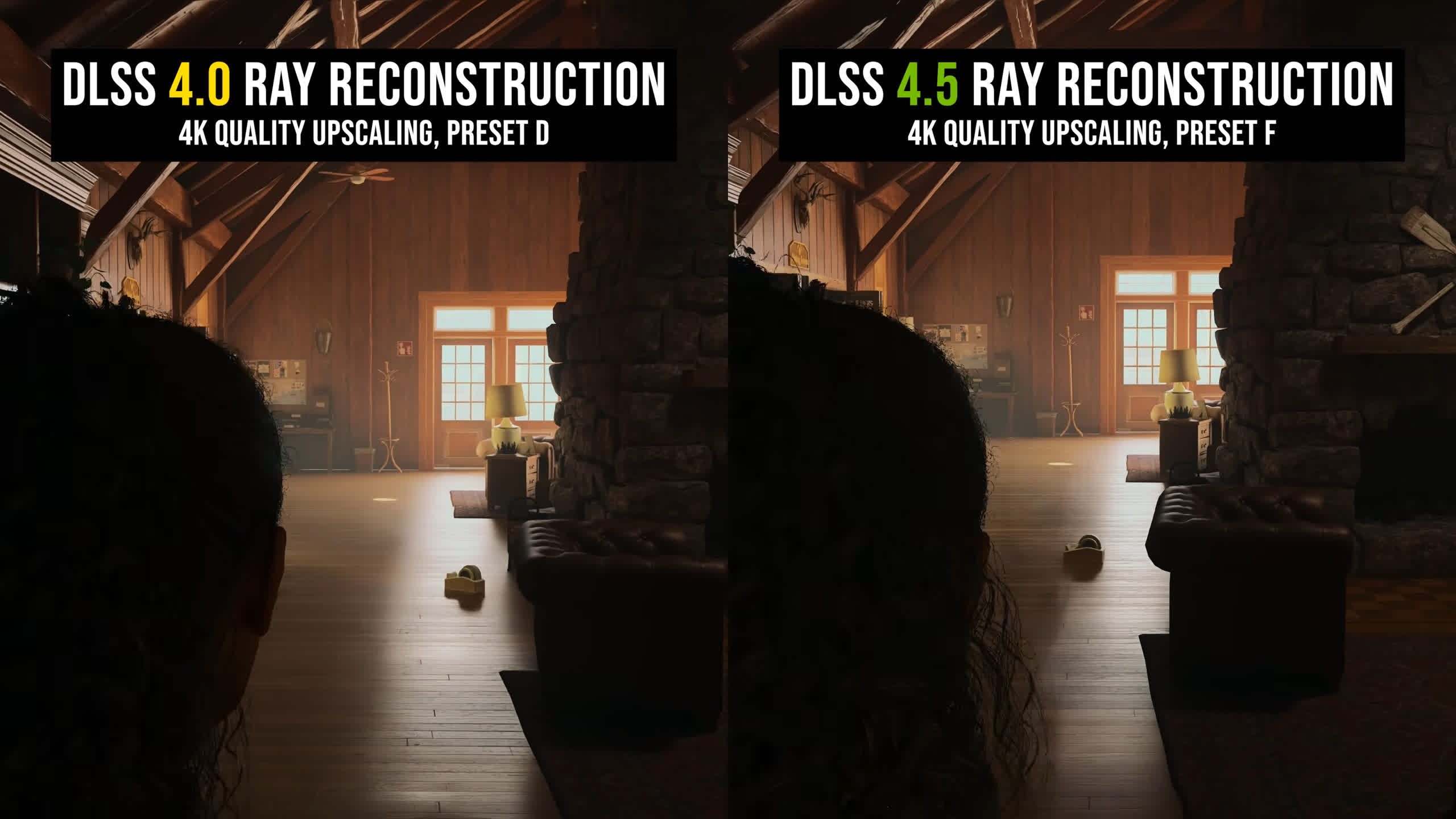
Alan Wake II provides a great example. Small character movements can trigger an ugly, patchy boiling effect with DLSS 4.0. With DLSS 4.5, the same scene looks smoother and more natural, while also preserving more texture detail in the wooden floor during motion. It's a night-and-day improvement in my opinion, with DLSS 4.5 looking far better.
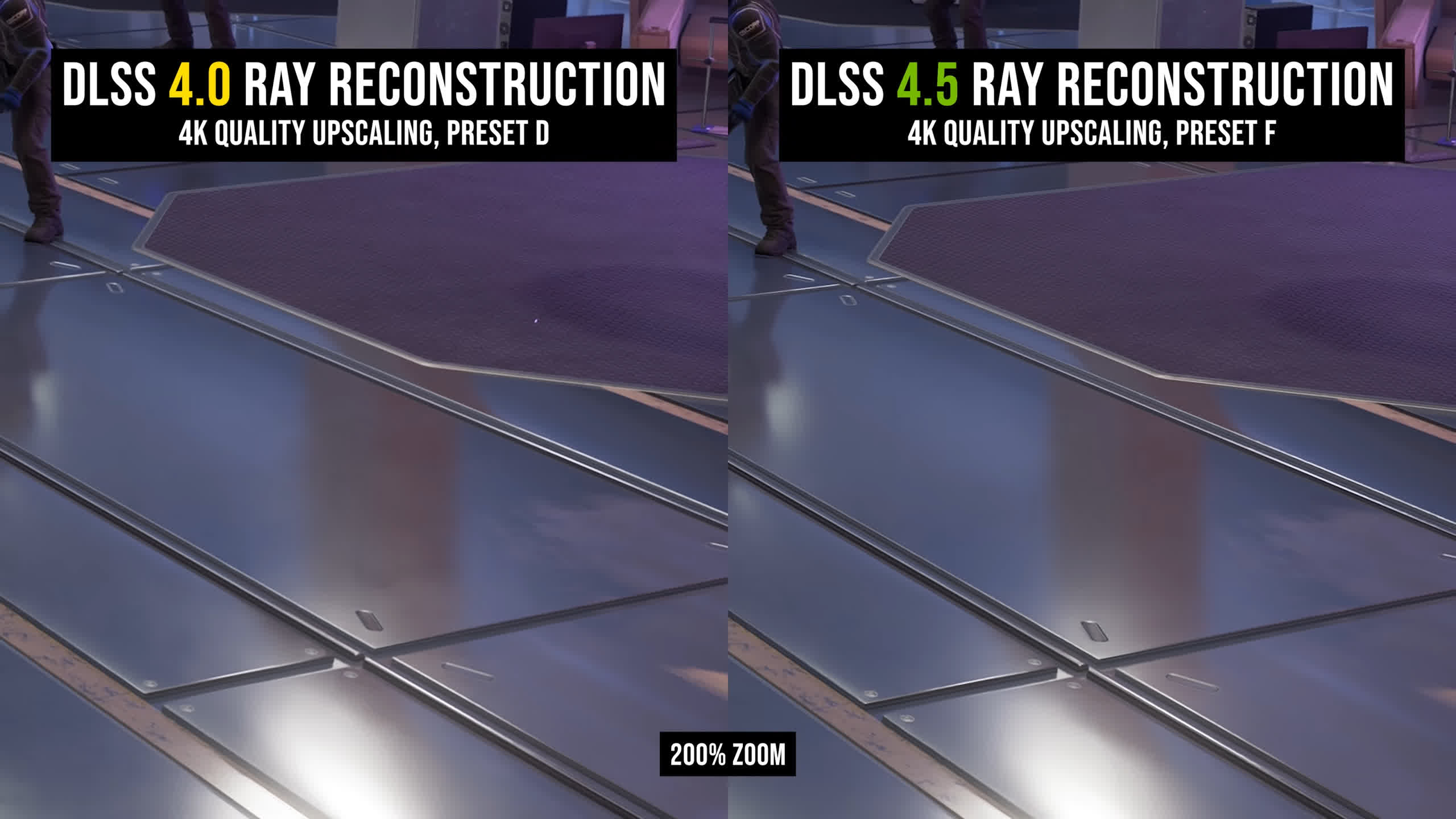
These problems were especially common on gray metallic surfaces, where reflections or lighting could become noticeably unstable. In Spider-Man 2, for example, the metal floor shows obvious boiling with DLSS 4.0, which is dramatically reduced and much more stable using DLSS 4.5.
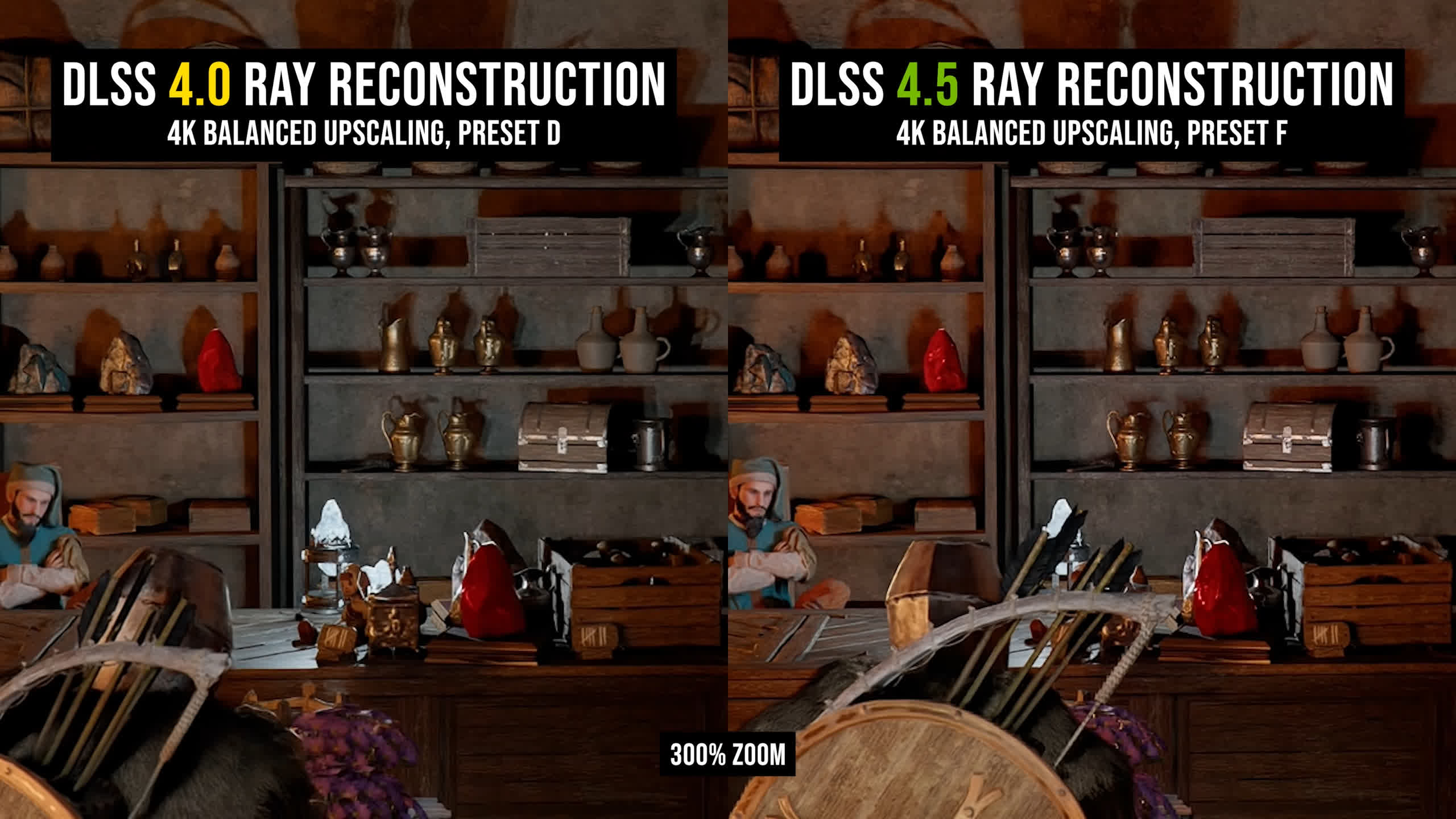
There's another example in Crimson Desert, where several objects in the environment, especially the red stones, boil and shimmer despite there being virtually no motion on screen. Again, DLSS 4.5 is considerably more stable, and this is using Balanced upscaling.
A particularly difficult test for DLSS 4.0 was a floor surface in Star Wars Outlaws, which became significantly blurred under relatively slow camera movement. The surface contains a lot of fine texture detail and isn't flat, yet much of that detail was lost during a simple panning motion.
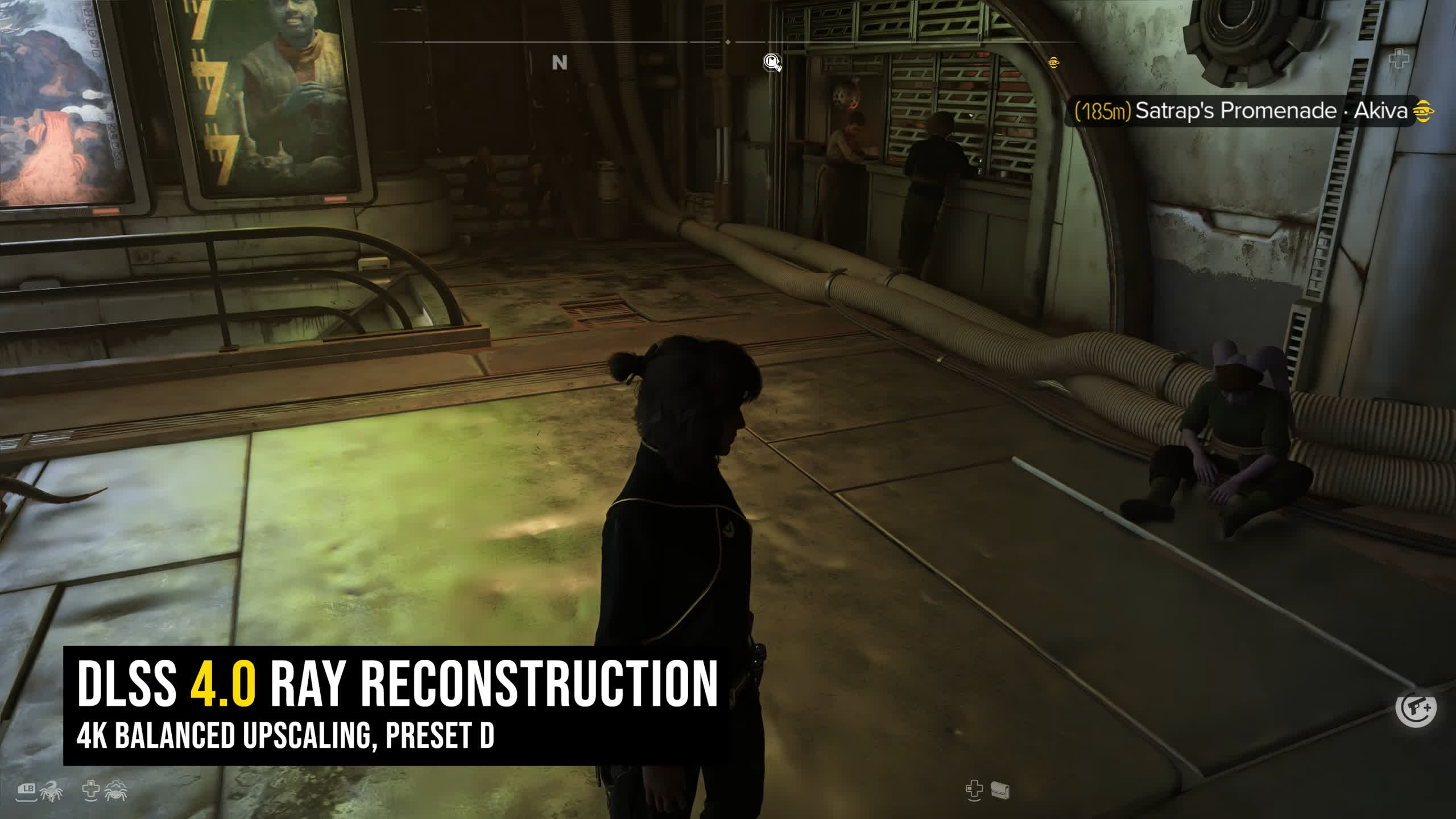
DLSS 4.5 doesn't completely fix the blur, but it looks significantly better and nowhere near as soft as the previous version. The strange grid-pattern output is also gone entirely in the latest model, so that artifact is no longer visible when standing still.
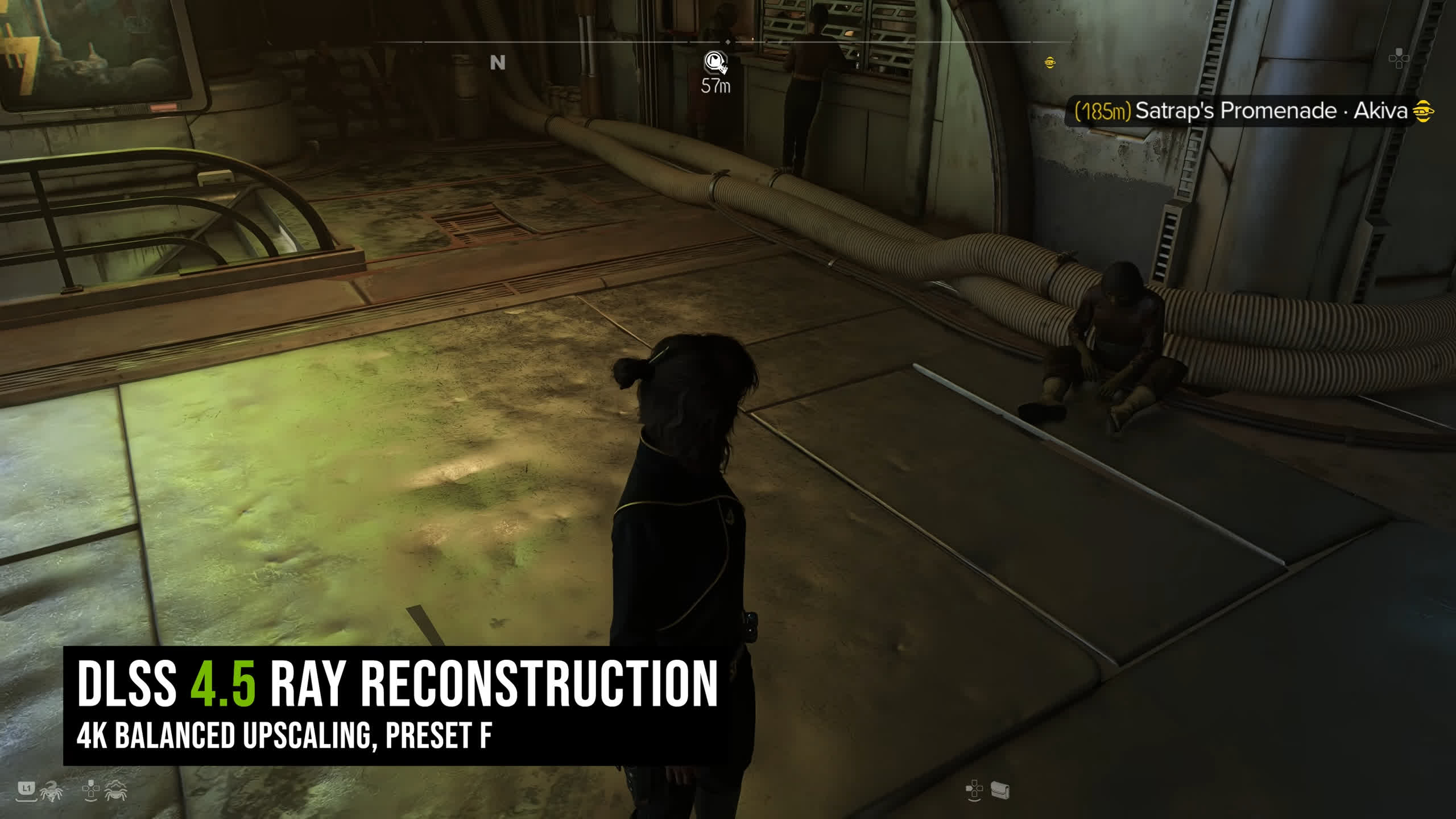
DLSS 4.5's ability to reduce boiling artifacts, and in some cases remove them entirely, makes ray tracing much more pleasant to use. There's far less of the "downgraded resolution" look that can accompany heavy ray tracing, which was previously caused by aggressive denoising paired with an insufficient denoiser.
The level of detail is improved across most surfaces with DLSS 4.5 Ray Reconstruction, and that alone makes it the obvious choice in supported games.
Ray Tracing Effects Look Better
The second-gen transformer also improves the quality of the ray tracing effects themselves. The gains aren't as significant as the reduction in boiling artifacts, but higher-resolution reflections are visible in a number of scenes.
This isn't the result of using higher ray tracing settings, but it's superior denoising making those reflections look less blurry, and the improvements remain visible even in motion, as our Doom: The Dark Ages example demonstrates.
For a better representation of image quality comparisons, check out the HUB video below:

There has been a continued evolution in how Ray Reconstruction handles reflections across different surfaces.
The original version struggled to preserve reflections and texture detail simultaneously, so fine texture detail was often lost on surfaces with significant ray-traced reflections. DLSS 4.0 improved this, allowing the denoiser to better preserve texture detail while reducing some of the clarity loss in motion and addressing many of the annoying temporal issues seen with the original release.
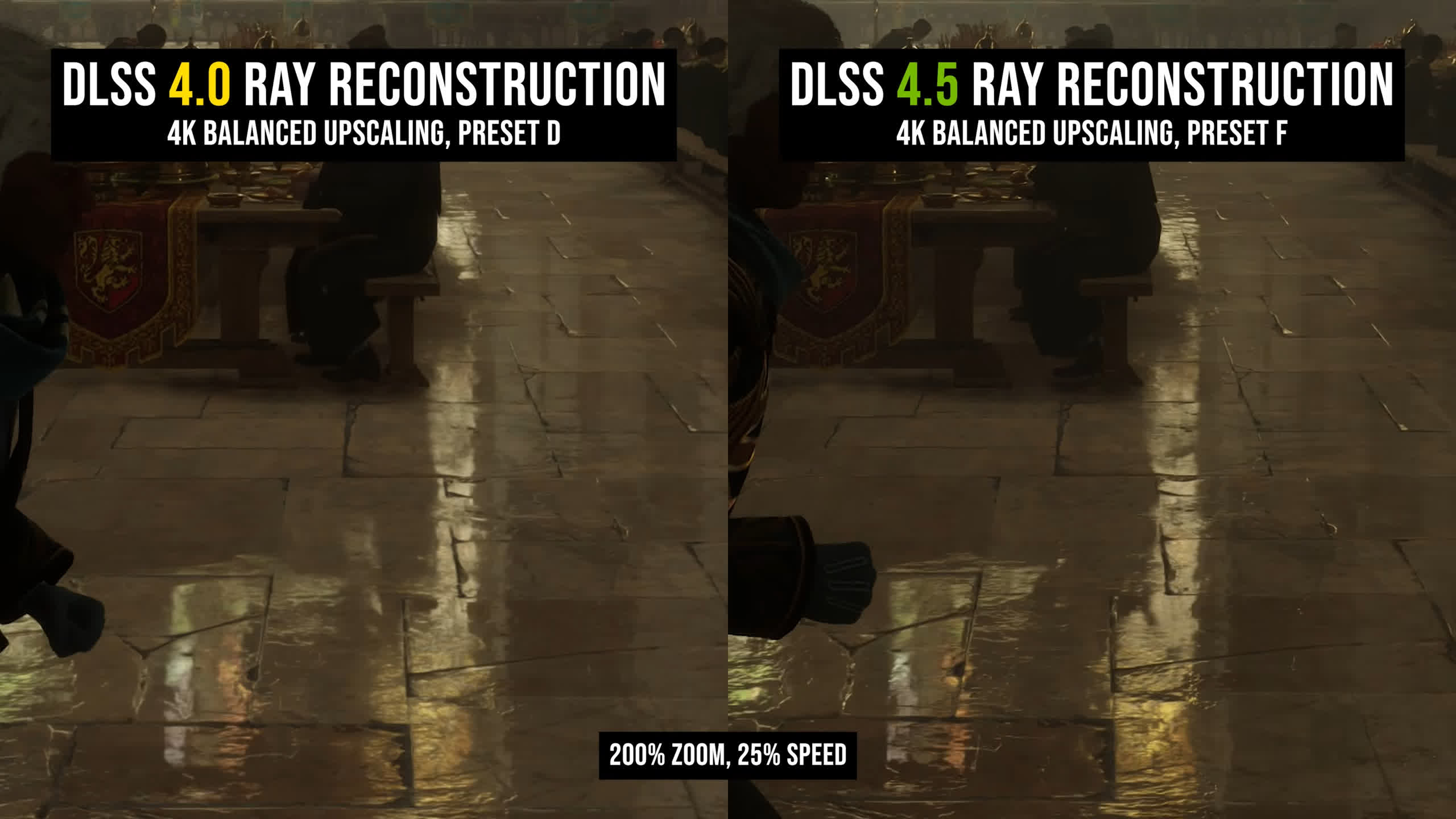
DLSS 4.5 builds on those improvements, further improving texture preservation while increasing the apparent resolution of reflection effects. The second-generation transformer model is even better at distinguishing noise from genuine detail, resulting in higher-quality lighting and reflections.
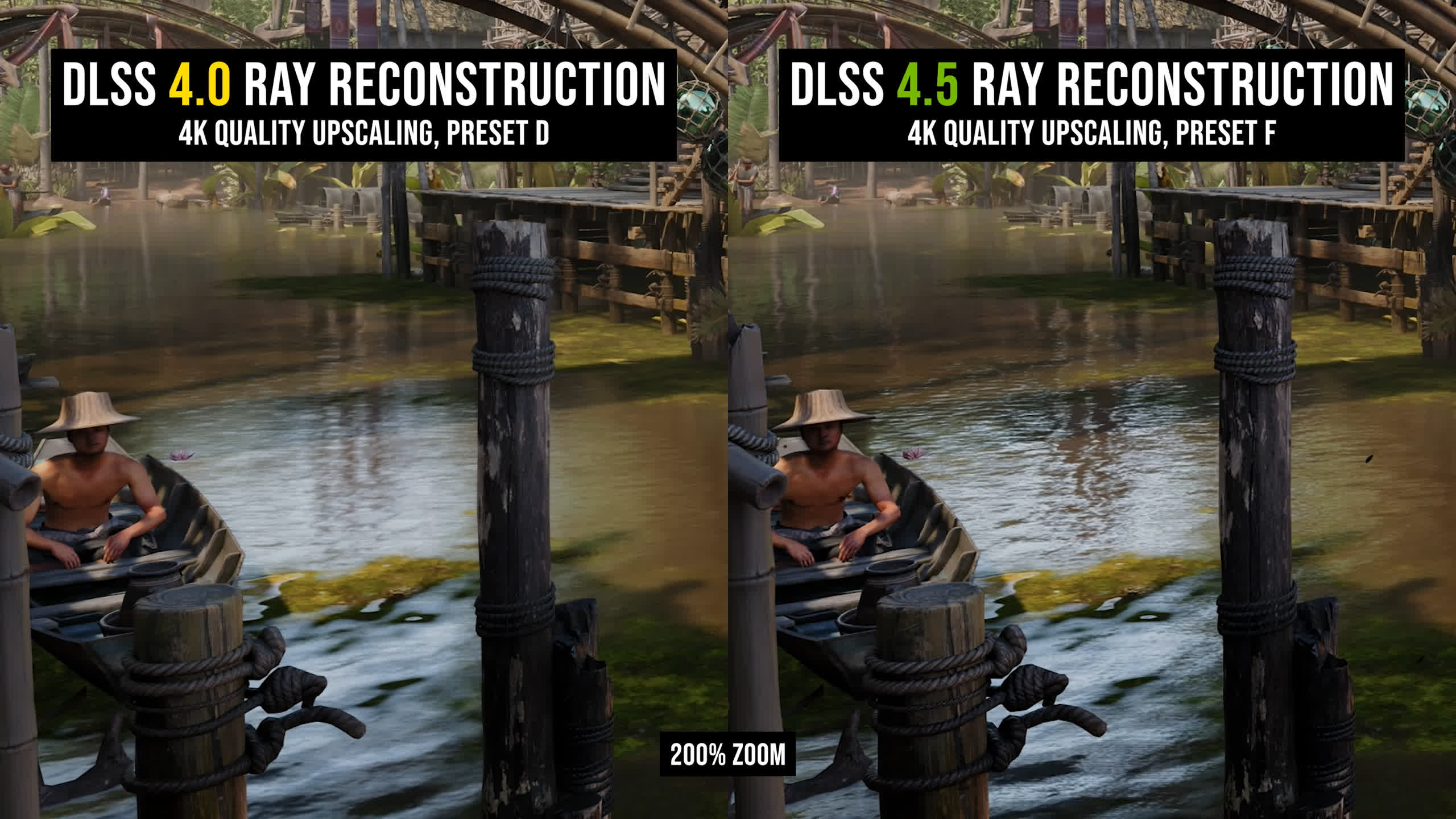
In Indiana Jones and the Great Circle, for example, reflection quality on the surface of the water is improved. Ripples are better preserved, whereas the DLSS 4.0 image looks somewhat blurry.
On the side of a refrigerator in Resident Evil Requiem, the metallic surface texture is also better preserved with DLSS 4.5.
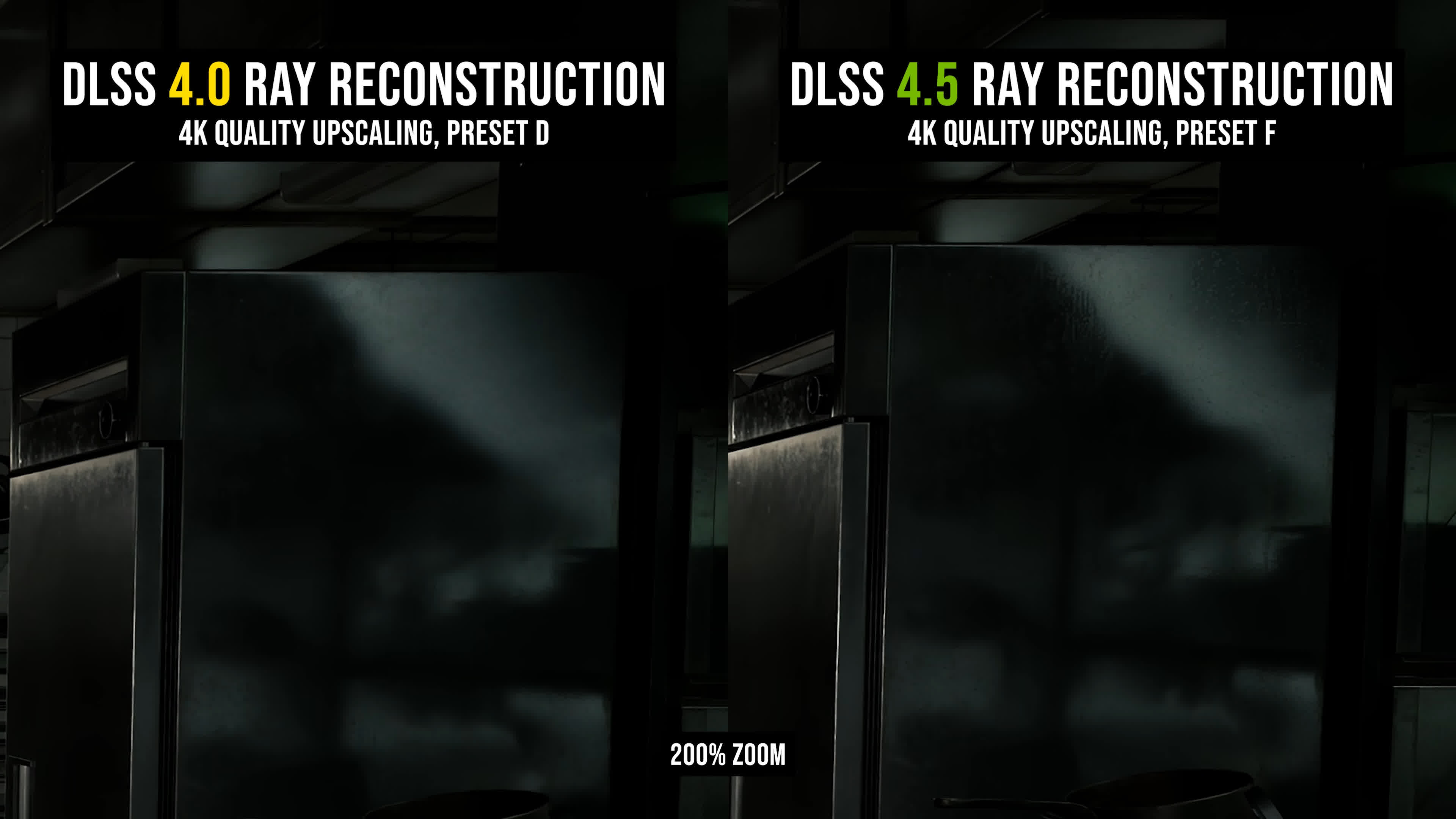
There is still some loss of reflection quality in motion, however, so these effects can look noticeably better when the camera is stationary. This remains an area that needs further work. DLSS upscaling has already made significant progress in resolving TAA-style blur, so ensuring visual effects remain similarly consistent whether stationary or in motion feels like the next step.
We also saw some minor improvements to shadow quality with DLSS 4.5. When the denoising system can better distinguish between noise and a genuine lighting effect, it can produce more accurate lighting, something we've seen improve with previous versions of Ray Reconstruction.
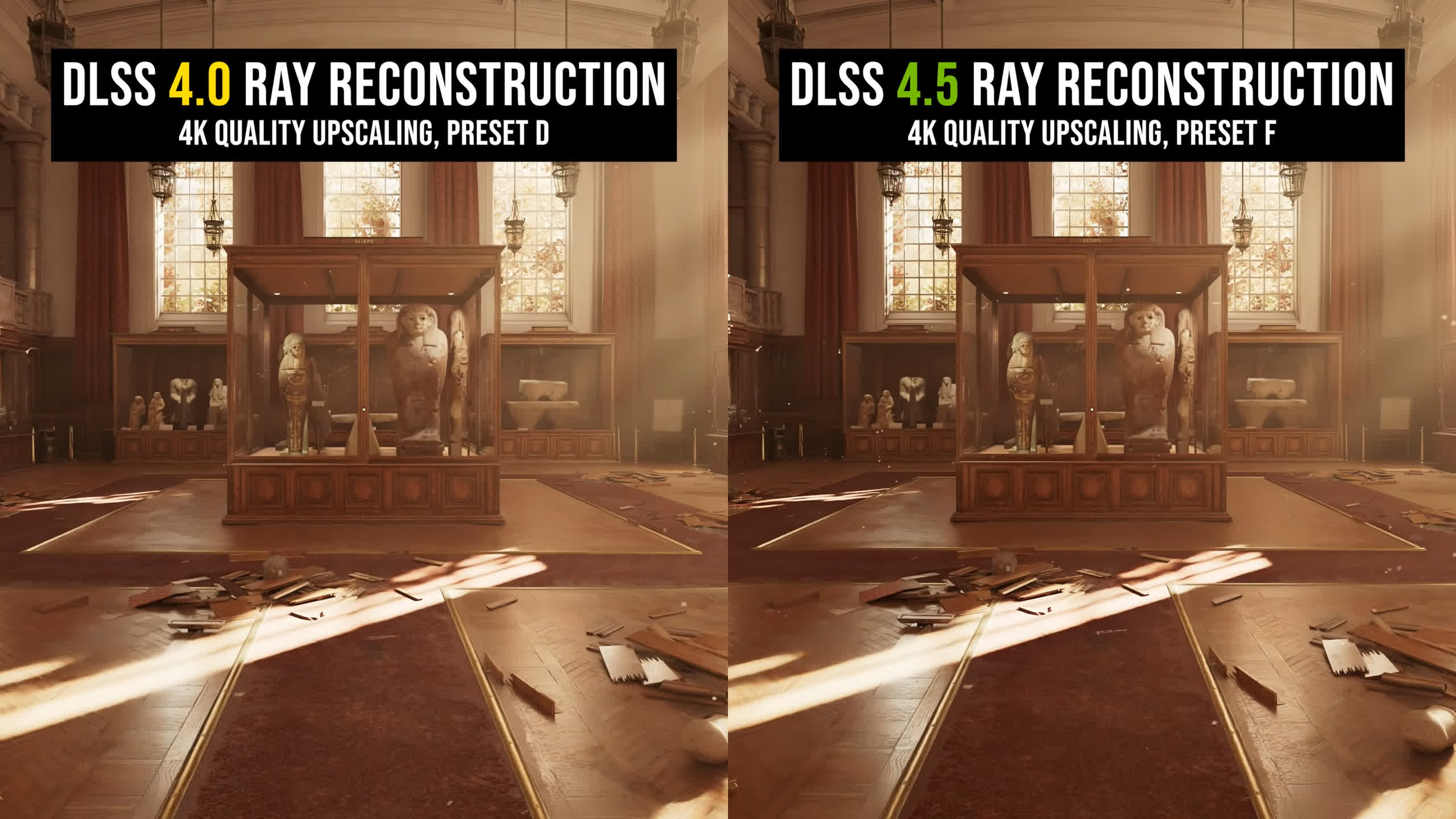
There are further small gains with the DLSS 4.5 model, though in most situations the difference isn't significant. We also get the improvements to overall lighting accuracy first introduced with DLSS 4.5 Super Resolution, as DLSS 4.5 now processes the image in linear light space before tone mapping. This results in better highlights in many situations and can make the way light interacts with surfaces appear more natural.
Ghosting Is Reduced
Ghosting is also reduced with DLSS 4.5, particularly when characters or objects move across surfaces illuminated using ray tracing. The Alan Wake II example from earlier illustrates this well. With DLSS 4.0, a noticeable ghost trail can be left across the floor as the character moves. The same issue is obvious when NPCs walk through certain scenes, with artifacts appearing around them.
DLSS 4.5 Ray Reconstruction reduces this significantly, making these ray tracing artifacts less distracting.
For a better representation of image quality comparisons, check out the HUB video below:

The new model is also better equipped to handle more challenging environments. A dark street scene in Resident Evil Requiem, with heavy rain pouring down, creates noticeable blur in some areas with DLSS 4.0, particularly around the phone box on the left, which is poorly reconstructed. DLSS 4.5 improves this significantly, though not everything in the scene is better.
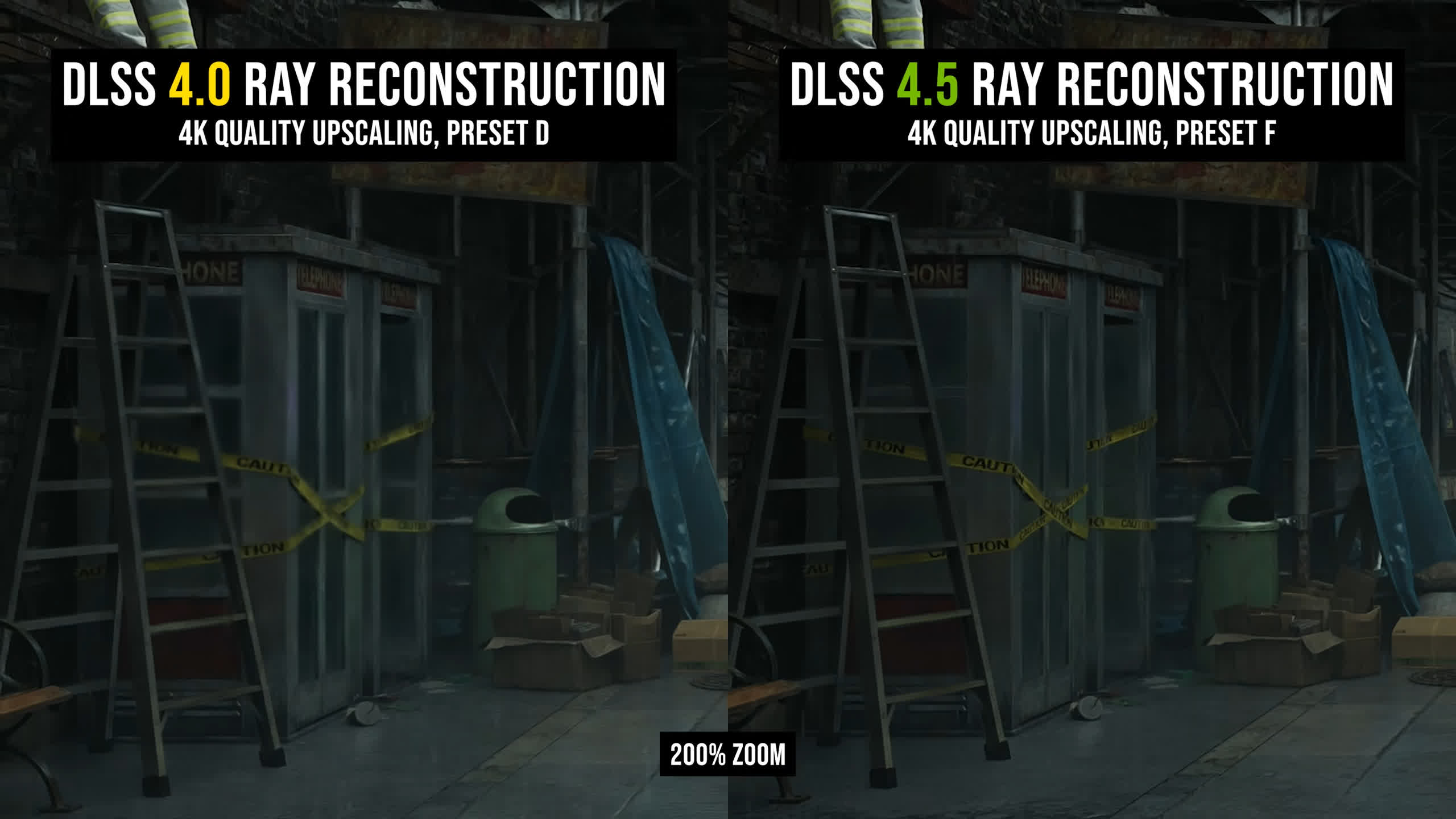
Raindrops hitting the footpath appear noisier with DLSS 4.5. This seems to be a consequence of the new model attempting to improve the clarity of the splashes, with the more visible highlights ultimately creating additional grain and flicker.
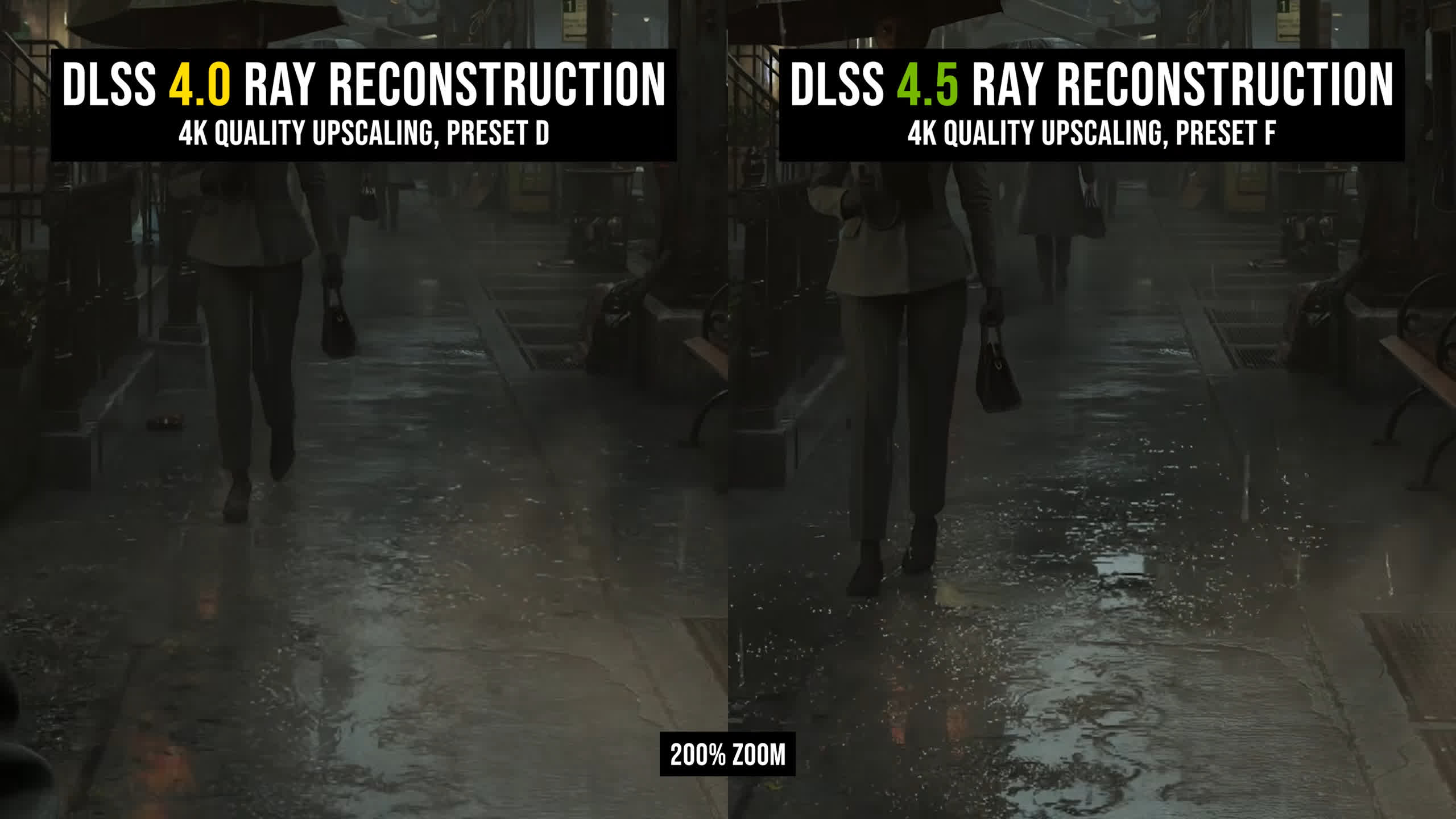
We still strongly prefer DLSS 4.5 in this game because DLSS 4.0 Ray Reconstruction struggles with noise and boiling in many of the darker areas. DLSS 4.5 doesn't completely resolve these problems, but the final image is higher quality in most situations.
Performance: DLSS 4.5 vs. DLSS 4.0
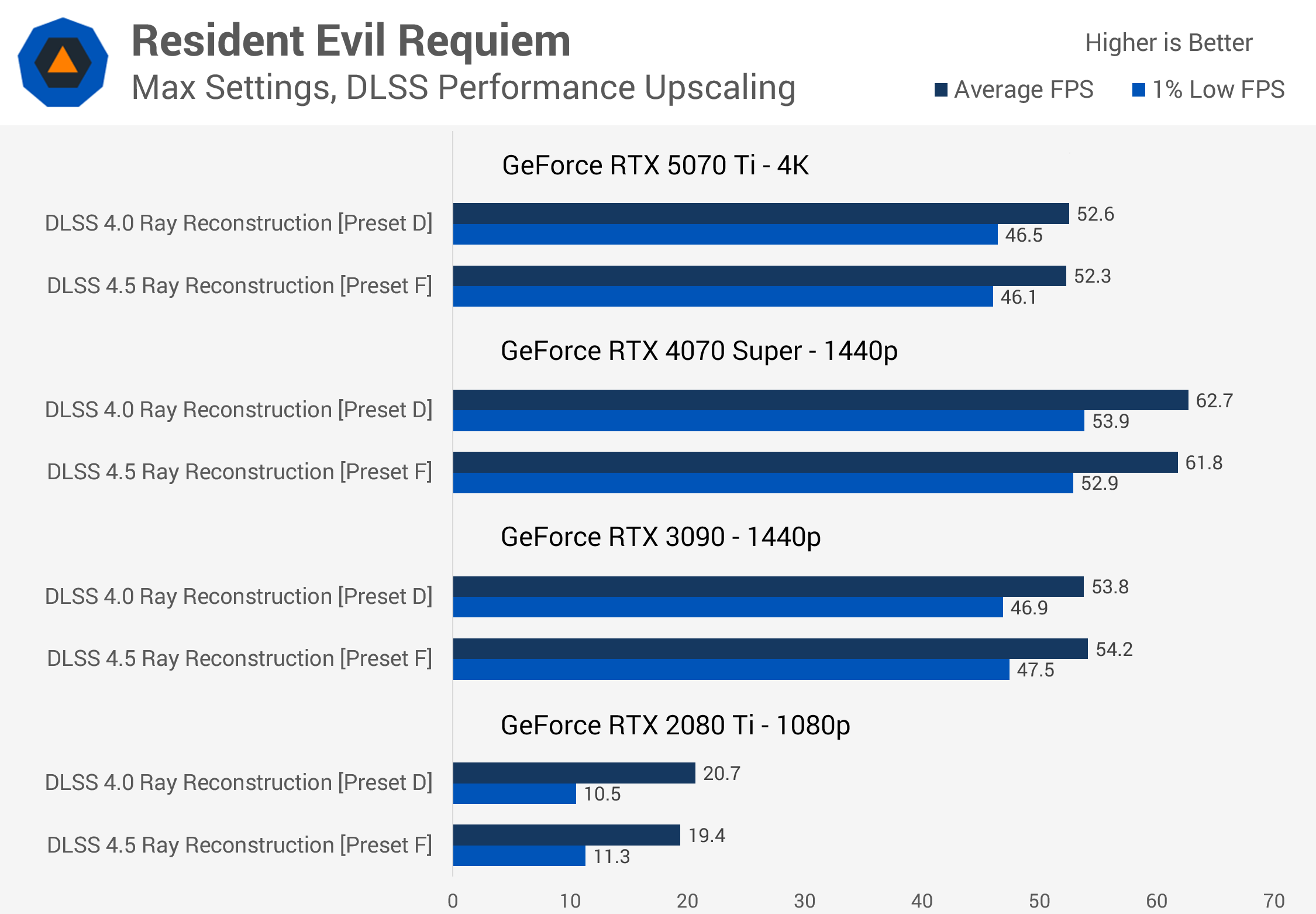
In terms of performance, DLSS 4.5 Ray Reconstruction was a bit of a surprise. We benchmarked five games for this review and didn't see any major performance difference compared with DLSS 4.0 Preset D, even on older GPUs. In the vast majority of tests, DLSS 4.5 Preset F ran within 1 fps of Preset D, and in some cases it was actually slightly faster.
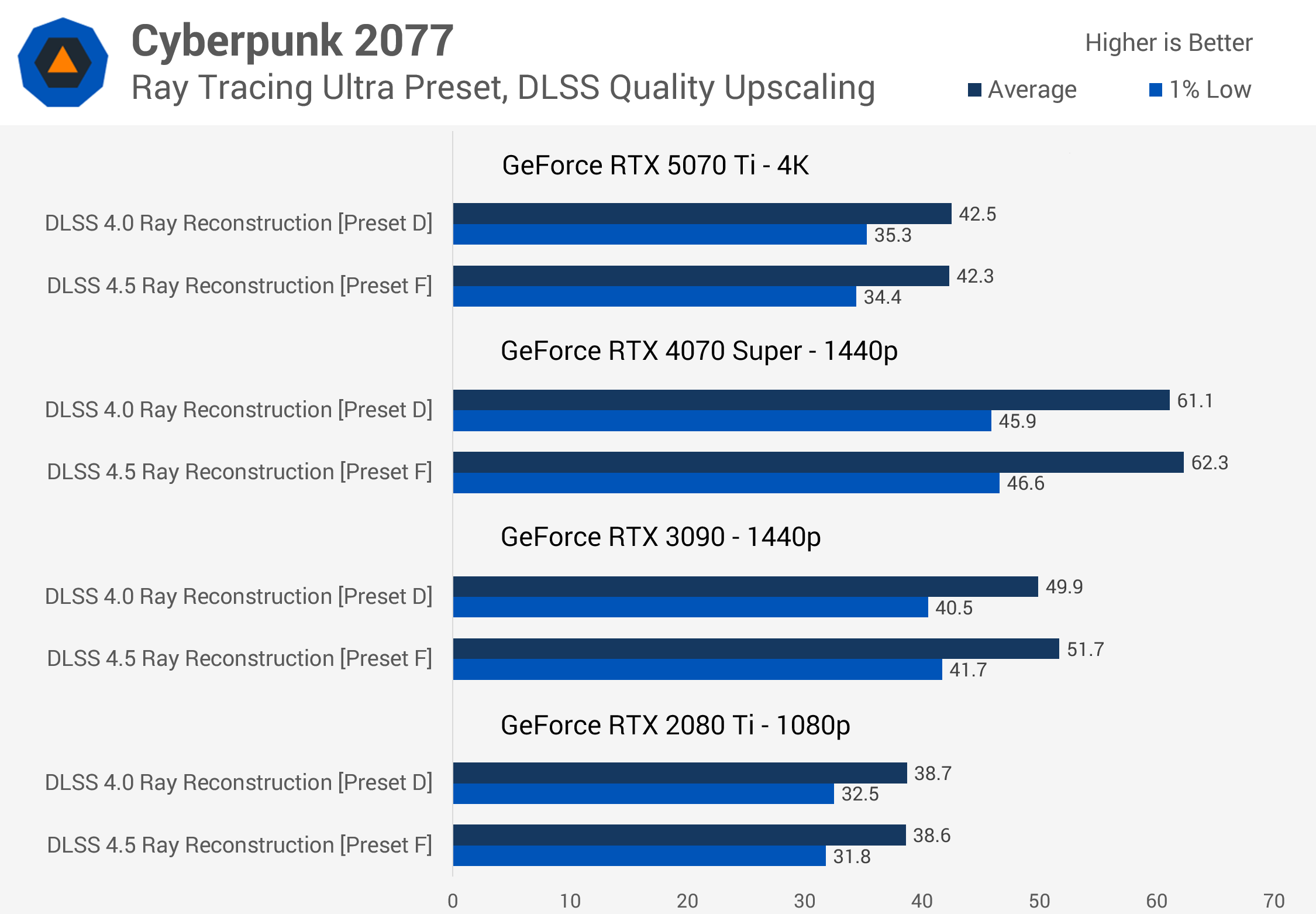
On newer architectures like Blackwell, this is perhaps to be expected given what we saw when testing DLSS 4.0 versus DLSS 4.5 Super Resolution earlier this year.
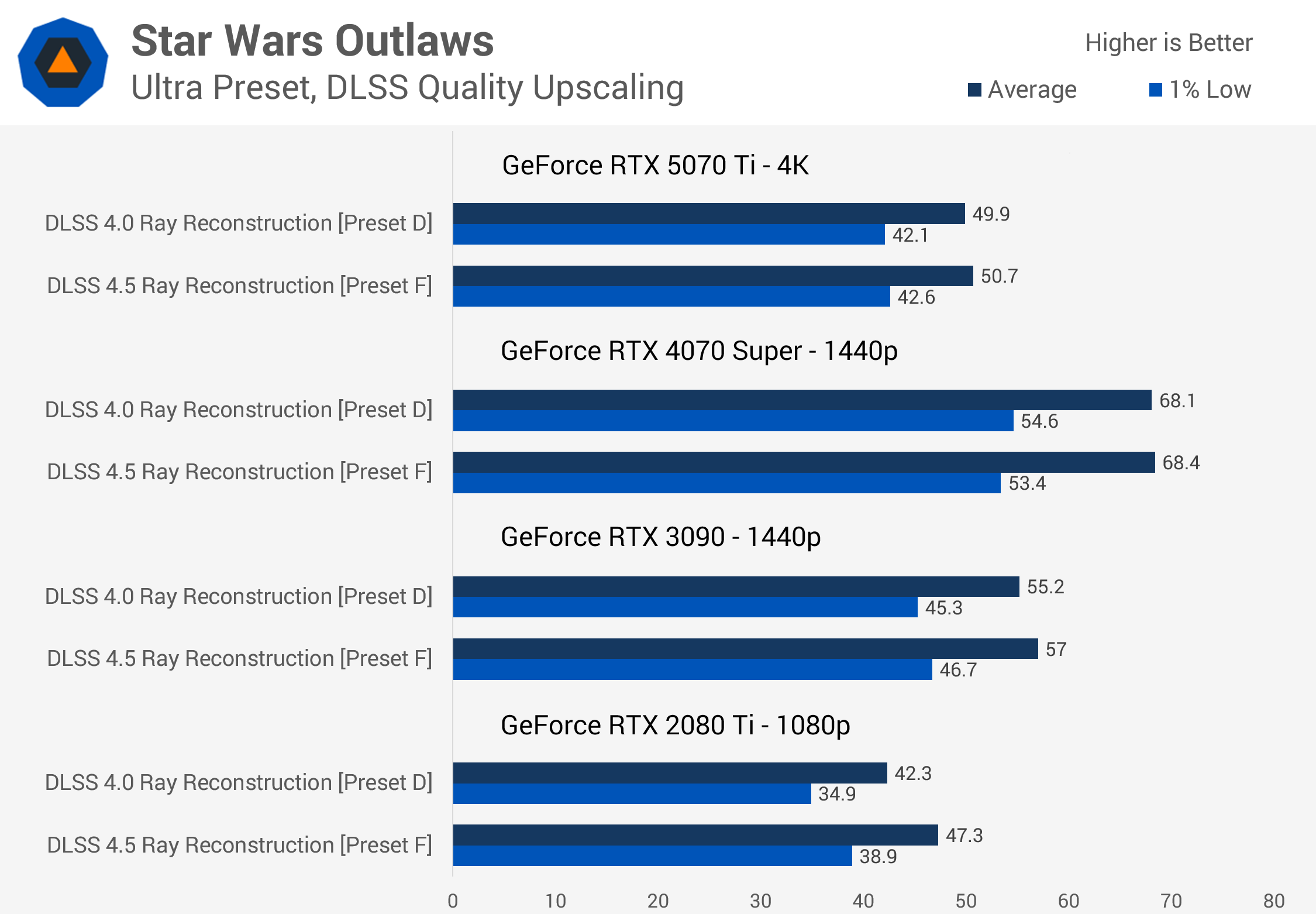
DLSS 4.5 Preset M typically ran around 5% slower than DLSS 4.0 Preset K on newer architectures, which was already a relatively minor performance hit. Moving from DLSS 4.0 to DLSS 4.5 Ray Reconstruction doesn't even incur that sort of penalty, which is excellent.
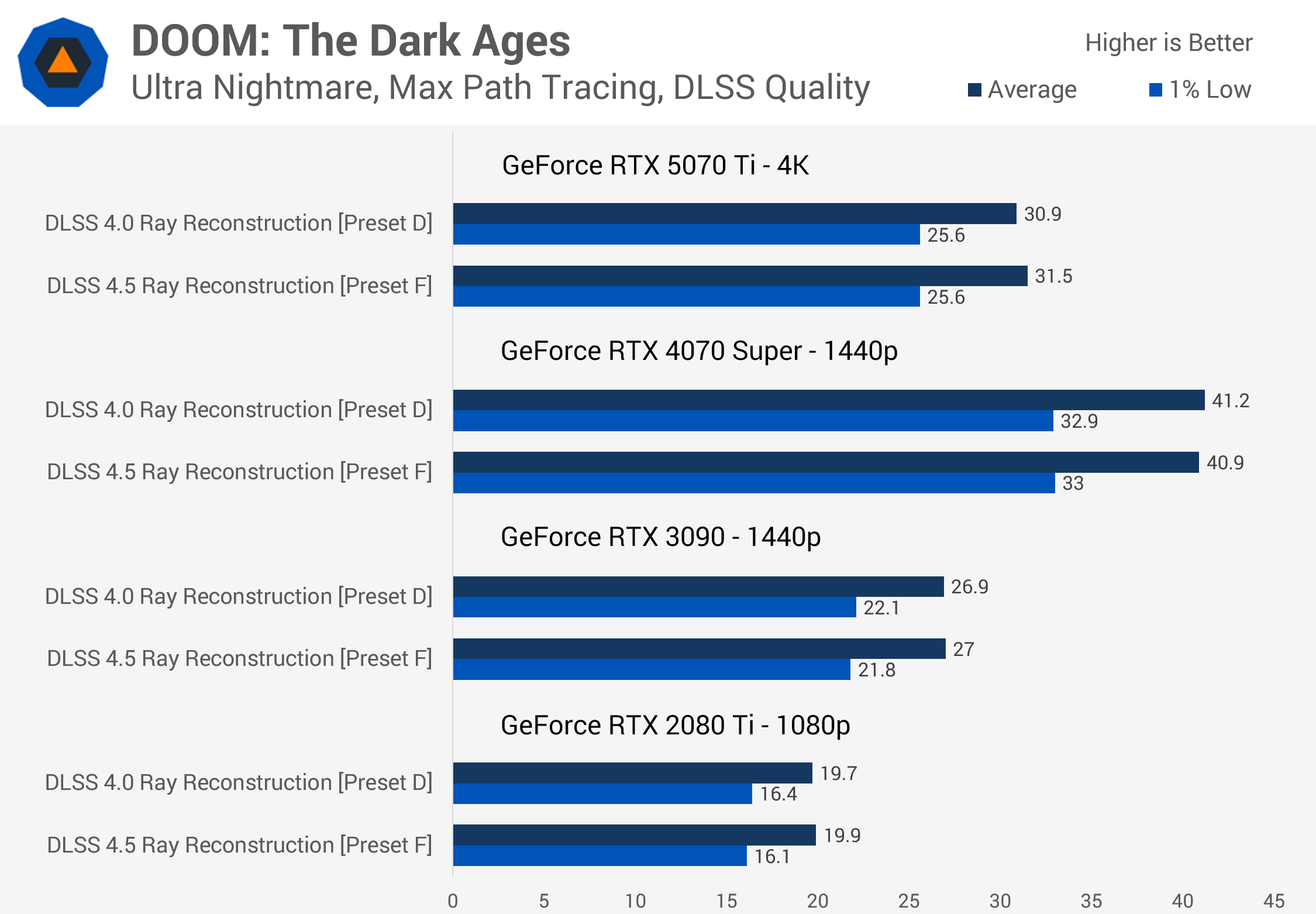
The bigger surprise came when testing older architectures. DLSS 4.5 Super Resolution can be quite slow on RTX 30 and RTX 20 series GPUs. The performance loss can exceed 20% in some situations, particularly at higher render resolutions. But we didn't see anything close to that performance impact when using DLSS 4.5 Ray Reconstruction on the RTX 3090 and RTX 2080 Ti. Older architectures appear just as capable of running the new Ray Reconstruction model as newer architectures.
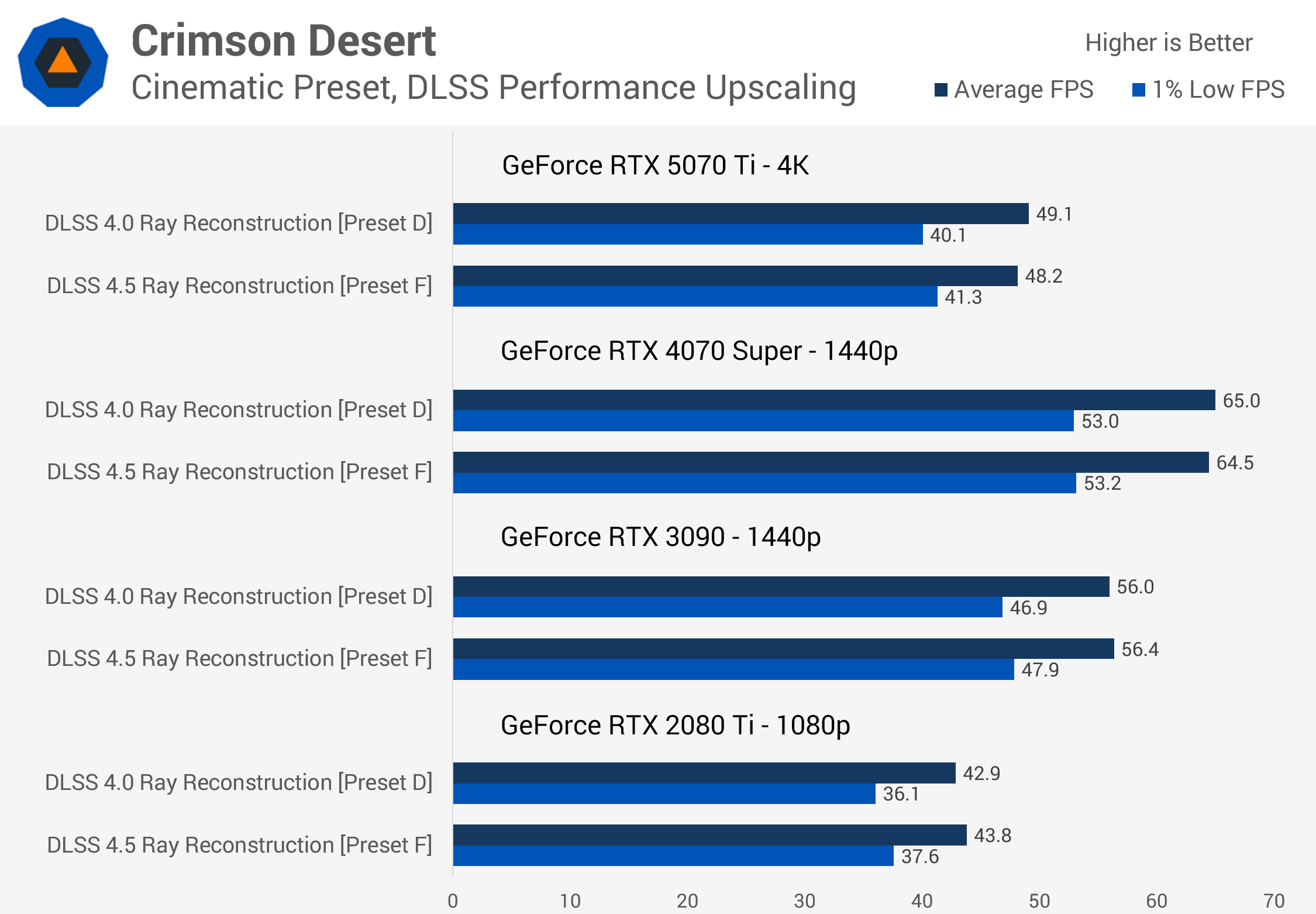
This means there's little reason to use DLSS 4.0 Ray Reconstruction instead of DLSS 4.5. Whether you've got the latest GeForce RTX GPU or a card from several generations ago, both models deliver roughly the same performance, and there's no need to worry about the new version crippling older Ampere or Turing GPUs. It's not entirely clear why there's such a difference between Ray Reconstruction and Super Resolution in this regard, but it's good news for owners of older RTX GPUs.
We also found an interesting scaling result in Cyberpunk 2077 when looking at Ray Reconstruction performance across different DLSS render modes.
DLSS 4.5 Preset F was slightly easier to run and delivered somewhat higher performance relative to Preset D when using higher-quality modes such as DLAA or Quality, while running slightly slower with lower-quality modes such as Performance and Ultra Performance.
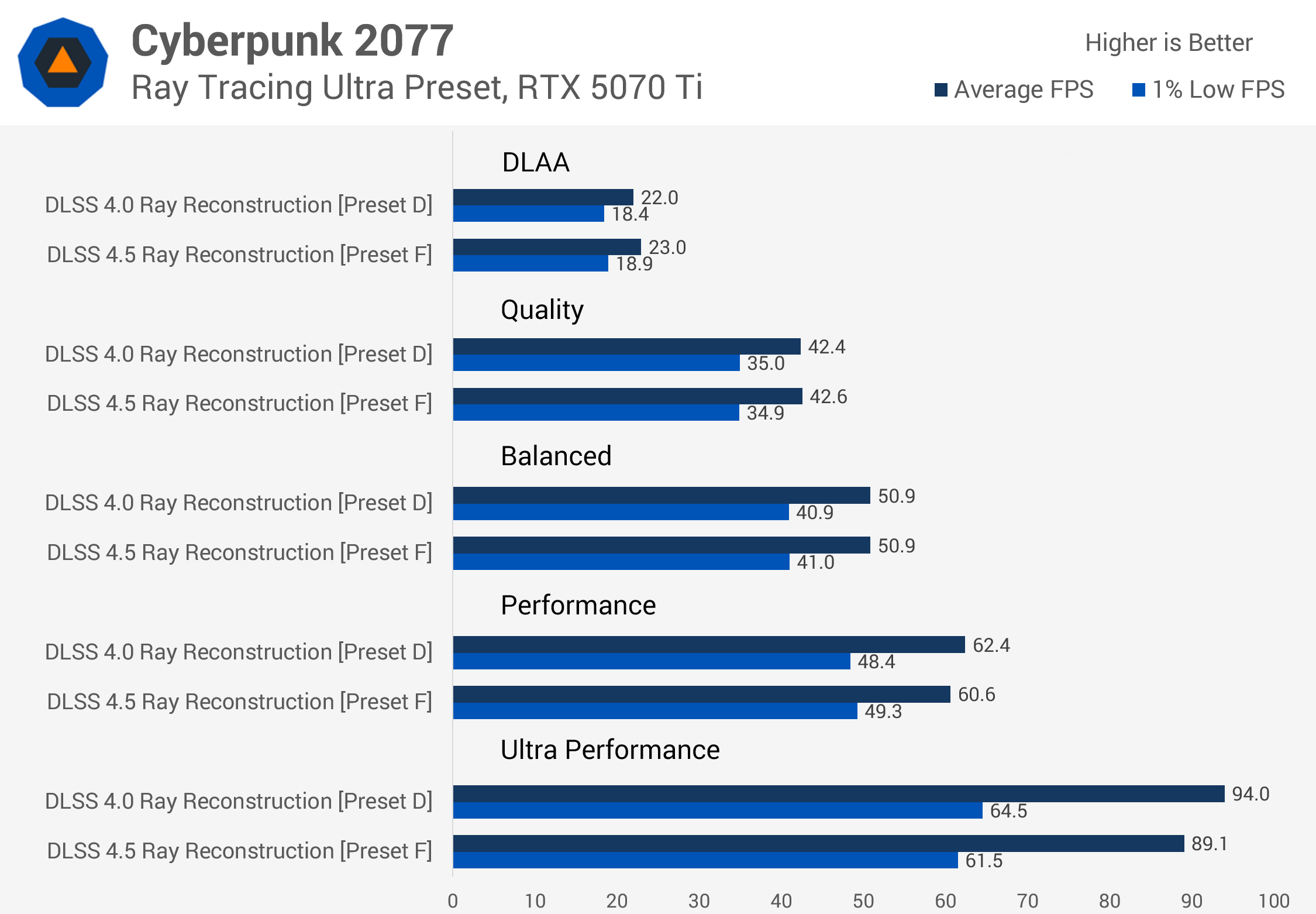
This is essentially the opposite of what we usually see with DLSS 4.5 Super Resolution, where higher-quality modes tend to be more demanding and run comparatively slower than DLSS 4.0.
With Ray Reconstruction, Preset F compares most favorably against the previous model when using DLAA, while Ultra Performance shows the largest regression. Perhaps Nvidia has prioritized different optimizations with this Ray Reconstruction model, which could also help explain why it runs so well on older architectures.
Either way, you can generally expect the same level of performance when enabling DLSS 4.5 Ray Reconstruction. Performance isn't something you need to worry about with this update.
Ray Reconstruction Finally Comes Together
So that's DLSS 4.5 Ray Reconstruction. With this update, Nvidia is delivering better image quality at essentially the same level of performance as the previous iteration. Many of the issues we had with DLSS 4.0 Ray Reconstruction have been addressed. There's significantly less boiling in problematic scenarios, better handling of fine detail, improved stability, no strange grid-pattern artifacts, and the upscaling component has finally been updated to DLSS 4.5-era tech.
This is a big win for gamers who like to use ray tracing because one of the technology's most persistent issues since its debut has been noise.
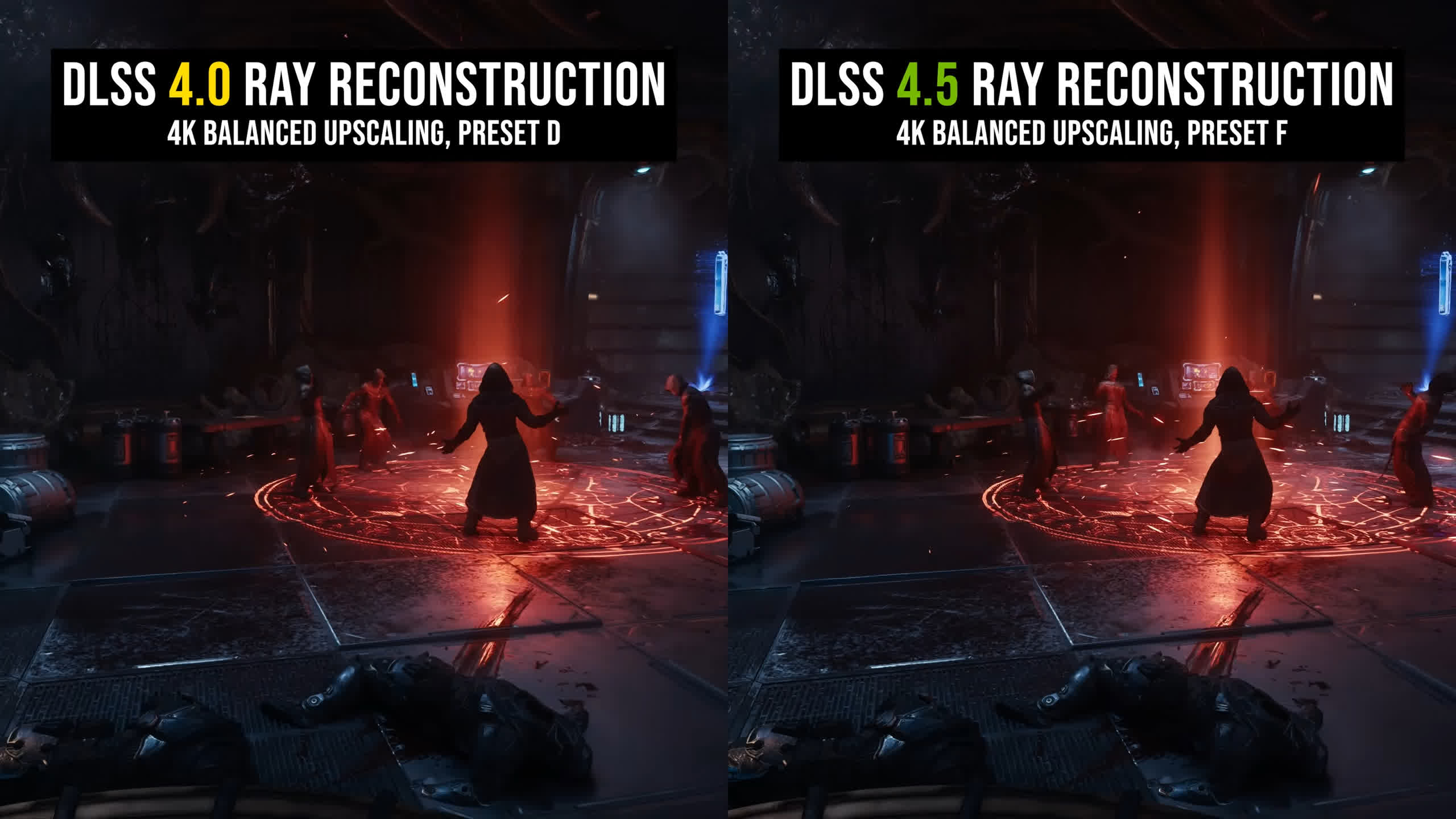
Ray tracing on current hardware is typically performed using relatively low ray counts. The result is noisy and requires significant levels of denoising, and if those denoisers aren't good enough, you end up with artifacts or a low-resolution appearance. Ray tracing is supposed to improve the overall visual experience, not degrade it with artifacts that weren't present in the first place.
DLSS 4.5 Ray Reconstruction is clearly Nvidia's best denoiser yet, and the way the company combines upscaling and denoising into a single model remains effective and efficient. In games that support Ray Reconstruction, there's little reason not to use the latest DLSS 4.5 version. Set Ray Reconstruction to Preset F in the Nvidia App and you should get better image quality at essentially the same level of performance.
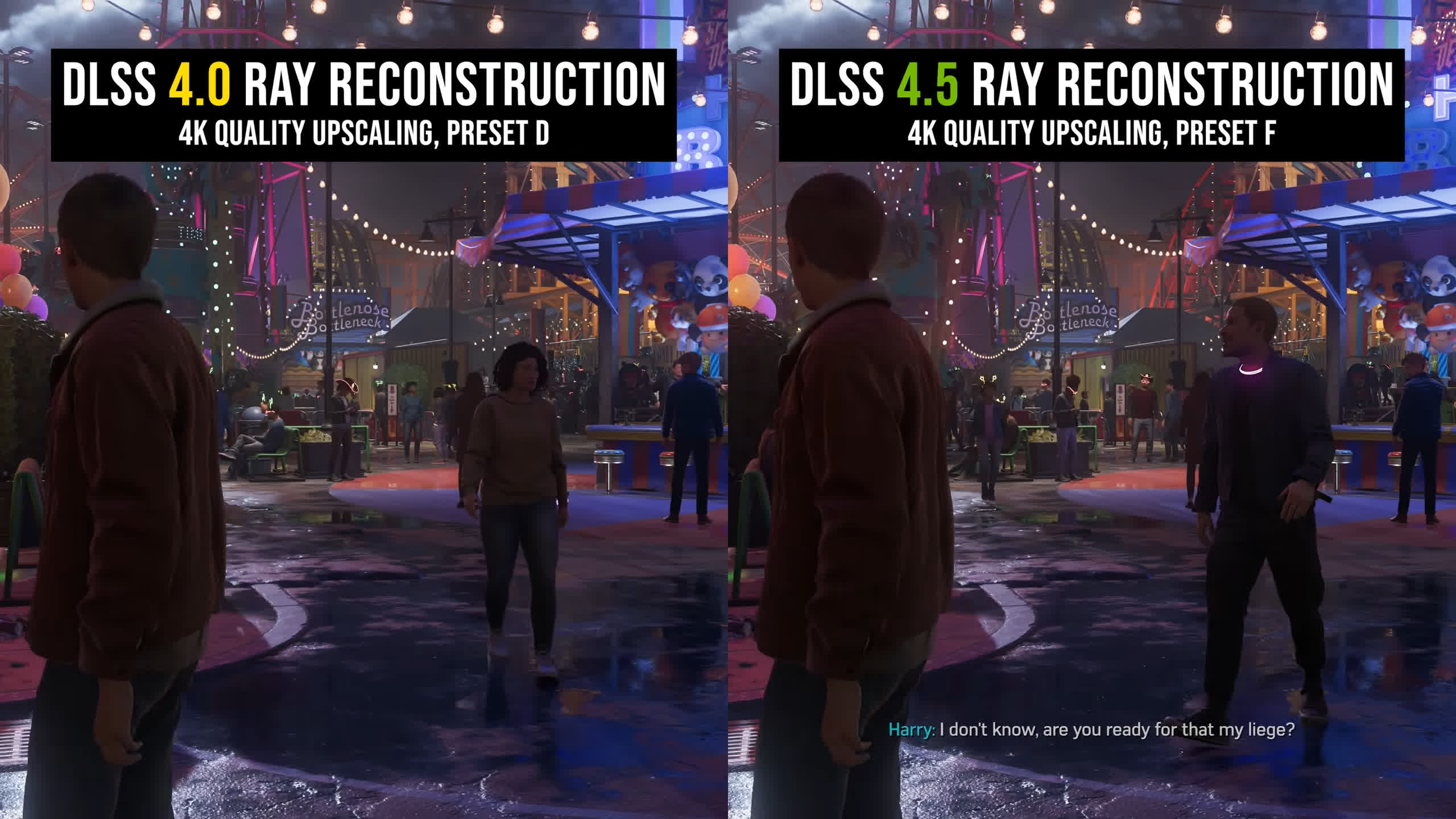
We rarely saw image quality become worse after upgrading to the new model, so DLSS 4.5 Ray Reconstruction gets a straightforward recommendation from us.
You may have noticed that we haven't compared Ray Reconstruction against AMD's competing Ray Regeneration technology. That's because we wanted to cover a broad selection of games for this review, and Ray Regeneration is currently available in just two titles: Crimson Desert and Call of Duty: Black Ops 7. Most of the games we wanted to examine don't support AMD's technology at all.
Ray Reconstruction isn't available in a huge number of games either. Right now, at launch, DLSS 4.5 Ray Reconstruction support stands at around 30 titles, which is still considerably more than the two on AMD's side. For now, AMD's competing solution feels more like a technology showcase than something gamers can widely use, whereas Ray Reconstruction is supported in many of today's premium ray-traced titles.