Adobe brings pro-level computational photography to iPhone users with Indigo

Skye Jacobs

Posts: 1,916   +58
Staff
What just happened? Adobe has introduced Indigo, a new computational photography app for iPhone that aims to bring pro-grade image processing to everyday users. Developed by a team led by Marc Levoy, a pioneer in computational photography, Indigo is designed to push the boundaries of what smartphone cameras can achieve by leveraging advanced algorithms and years of research.
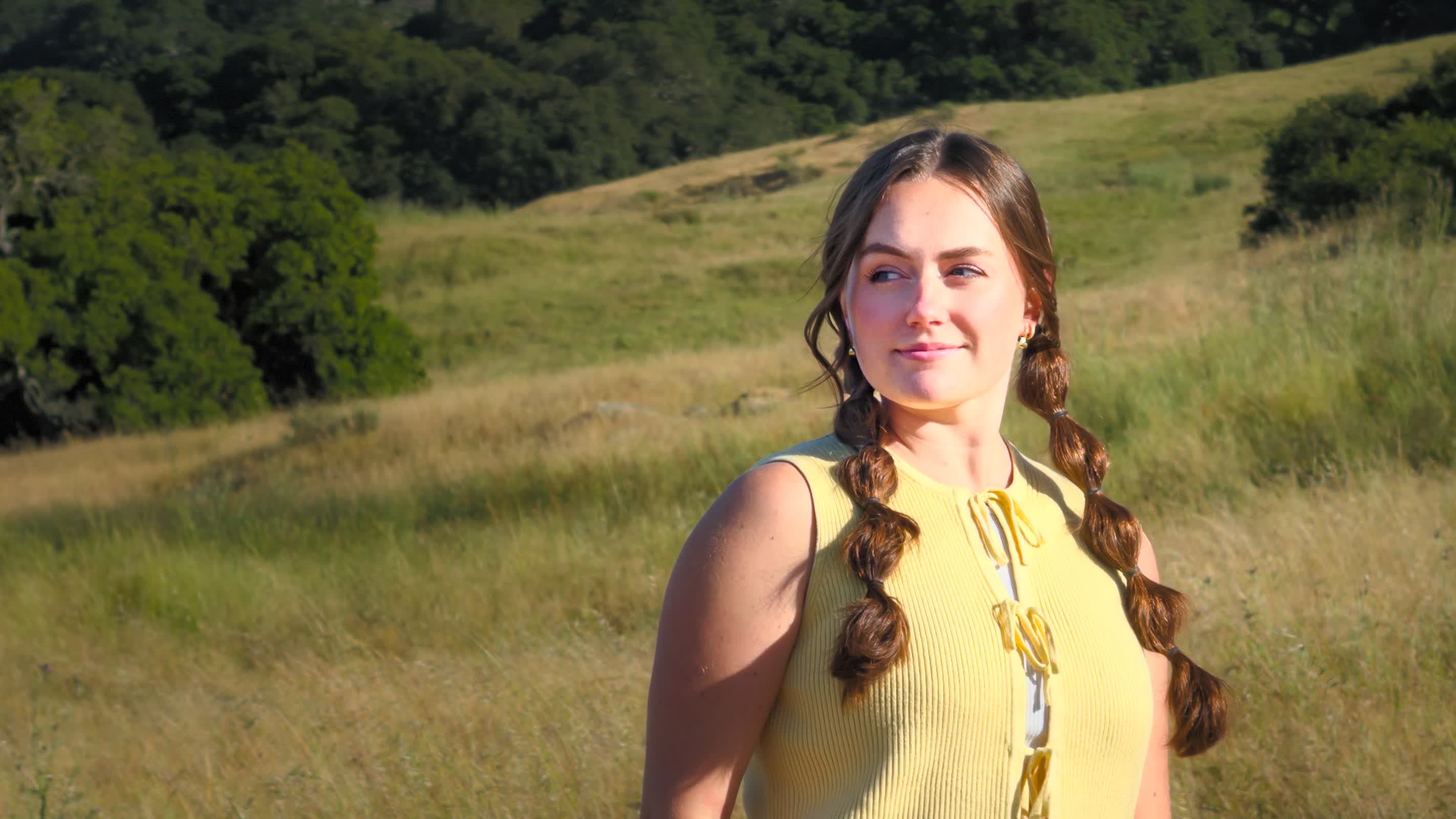
Indigo distinguishes itself through its unique approach to image capture and processing. Unlike most camera apps that rely heavily on the iPhone's built-in imaging pipeline, Indigo processes raw sensor data directly, giving users greater control over the final image. This method enables the app to produce photos with improved dynamic range, more accurate colors, and enhanced detail, particularly in challenging lighting conditions.

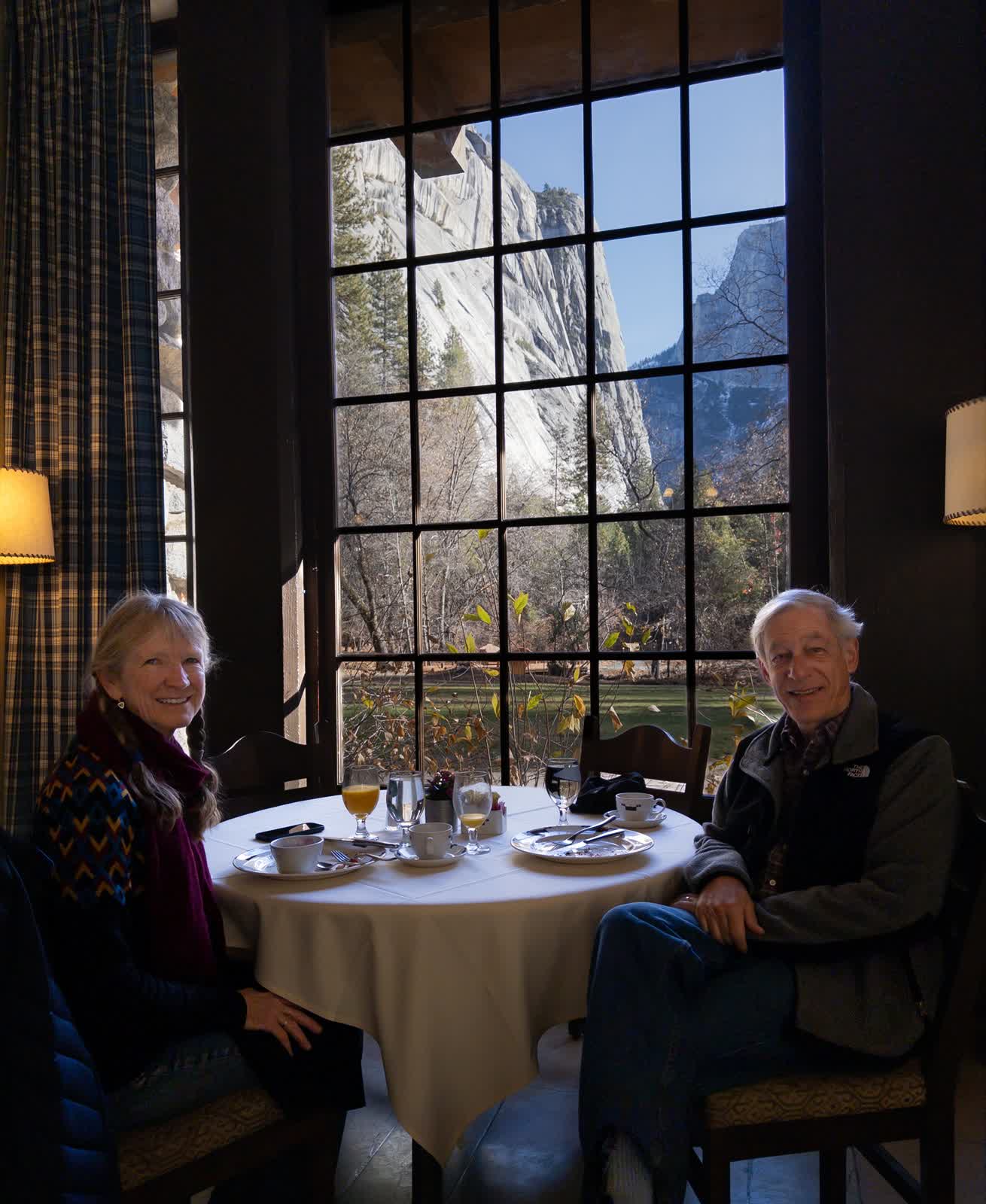
One of Indigo's standout features is its advanced capture and processing technique. Instead of taking a single photo, Indigo quickly snaps up to 32 underexposed frames each time you press the shutter. These frames are then merged to reduce noise and preserve detail, especially in bright highlights and deep shadows. This approach helps prevent blown-out skies and keeps shadow areas clean, making photos look more like they were taken with a high-end camera.

Levoy notes that while the process can take a few seconds, it yields images with fewer blown-out highlights and significantly reduced noise.
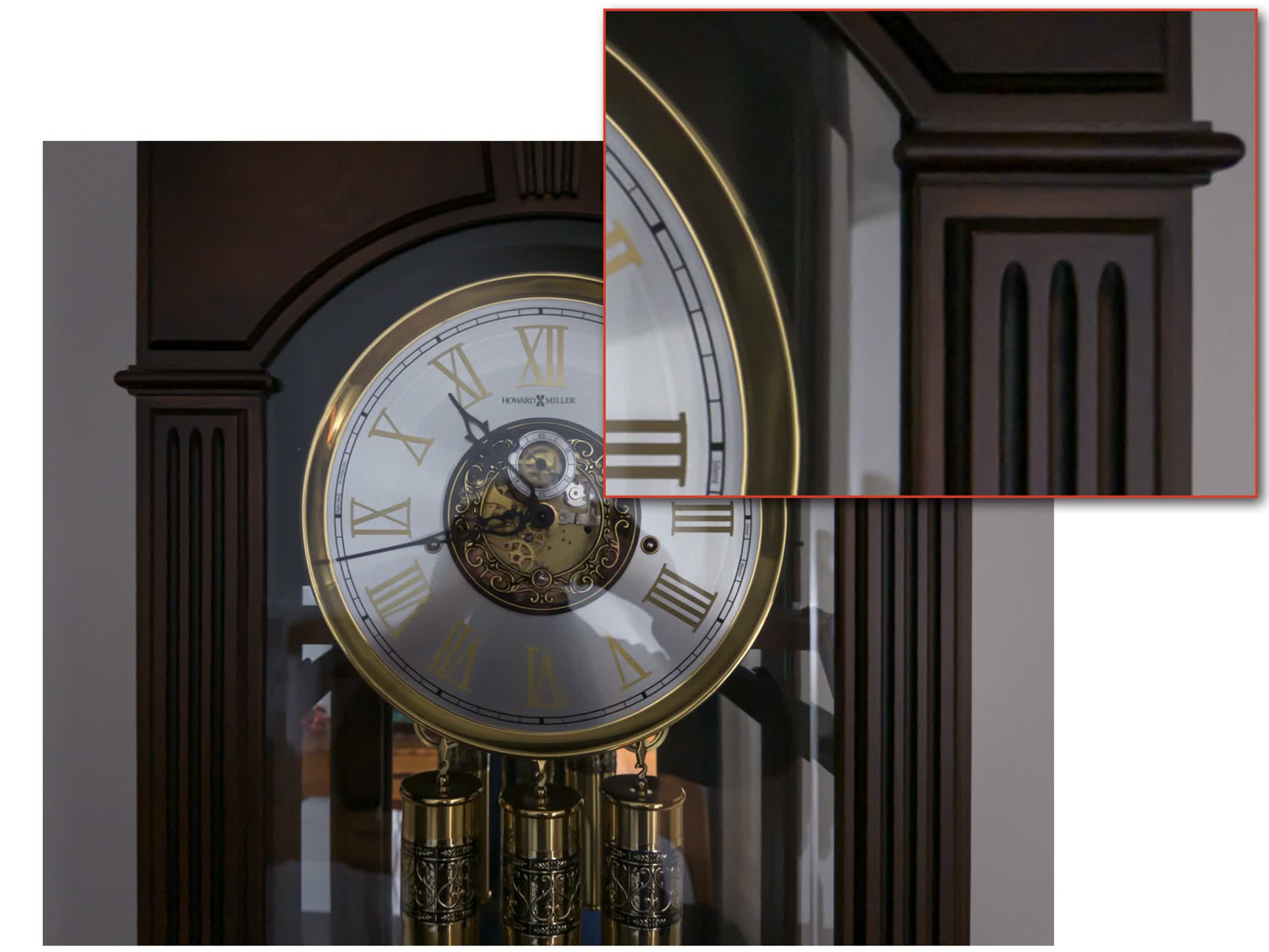
Indigo also avoids the heavy smoothing that many phone cameras apply to hide noise. Instead, it preserves natural textures, even if that means allowing a slight grain in the image. This choice makes photos look more realistic and less artificial. For those who want to edit their pictures further, Indigo saves RAW files with all enhancements included as metadata, making them easy to work with in Adobe Camera Raw or Lightroom.

Photographers who like to fine-tune their shots will appreciate Indigo's manual controls. The app lets users adjust focus, shutter speed, ISO, exposure compensation, and white balance, plus separate temperature and tint settings. Indigo even lets you choose how many frames to combine in a burst, so you can decide how much noise reduction you want versus how long you're willing to wait for processing.
Zooming is another area where Indigo stands out. When you zoom in past 2x, Indigo uses the slight movements of your hand to capture multiple images from slightly different angles. It then combines these images to create a sharper, more detailed zoomed-in photo. Levoy explains that this method ensures the extra detail is real, not just invented by software.

Indigo offers different shooting modes for various situations. Photo mode is ideal for everyday shots and features almost no shutter lag, while Night mode is designed for low-light scenes and uses longer exposures to enhance dark images. There's also a Long Exposure mode for creative effects like motion blur.

For those interested in trying out new technology, Indigo includes a Technology Previews section where users can test experimental features, such as AI-powered noise reduction and a tool for removing reflections from photos taken through glass.
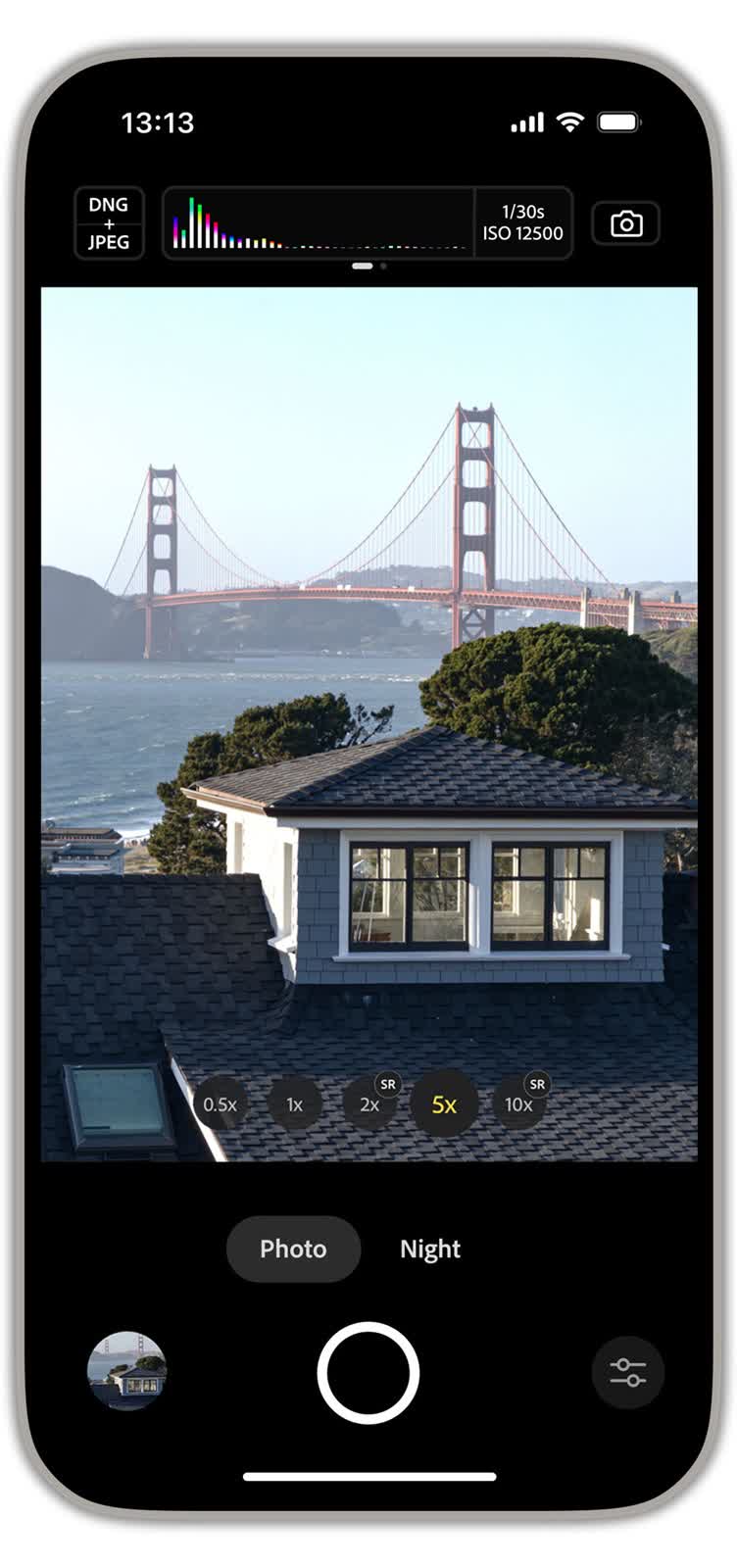
Indigo also introduces a new level of transparency and control for users interested in the technical aspects of photography. The app provides detailed feedback on exposure, focus, and processing choices. Levoy emphasizes that Indigo isn't just about automation, it's about empowering users to make informed decisions regarding their images.

While Indigo is currently available only for iPhones, its launch signals Adobe's commitment to advancing computational photography on mobile devices. The app's development represents a collaboration among engineers, scientists, and artists, all working to redefine what's possible with a smartphone camera. As Levoy writes, the goal is to "democratize high-quality photography," putting powerful tools in the hands of anyone with an iPhone.

The app is free to download and doesn't require an Adobe login. It works on iPhone 12 Pro and newer models, with the best performance on the latest iPhones. An Android version is also in the works.

Permalink to story:

 
If you can't undo the "enhancements" does it technically count as RAW?
Indigo saves RAW files with all enhancements included as metadata
 
If you can't undo the "enhancements" does it technically count as RAW?
Indigo saves RAW files with all enhancements included as metadata
I was wondering the same thing, actually. Its basically doing automatic bracketing to get a higher dynamic range - your typically DSLR or mirrorless can do this these days, though you'll still get better results manually doing it yourself with a tripod & photo processor. But when you do it with your DSLR/mirrorless, you get one image for every exposure and you could edit each on individually if you so choose.

I doubt they are seriously doing a 32-bracket HDR photo, because they would just be excessive. Instead, I bet they are doing either a 5- or 7-bracket photo, and then just playing with the extra exposures like puzzle pieces. I.e. they're doing 7 exposures at 5 different f-stops each, and then picking the best one-of-five in each of the 7 sets, based on which ones line up the best.

The zoom feature also seems interesting. Not sure what the small changes in photo angles from hand motion will really change, or improve, so I would be interested to see what typical results look like. Or at least a little more detail behind the theory itself.
 
I was wondering the same thing, actually. Its basically doing automatic bracketing to get a higher dynamic range - your typically DSLR or mirrorless can do this these days, though you'll still get better results manually doing it yourself with a tripod & photo processor. But when you do it with your DSLR/mirrorless, you get one image for every exposure and you could edit each on individually if you so choose.

I doubt they are seriously doing a 32-bracket HDR photo, because they would just be excessive. Instead, I bet they are doing either a 5- or 7-bracket photo, and then just playing with the extra exposures like puzzle pieces. I.e. they're doing 7 exposures at 5 different f-stops each, and then picking the best one-of-five in each of the 7 sets, based on which ones line up the best.
Most of this seems like it would only work, or at least work best, with static subjects. Considering the time and latentcies involved, which are necessarily present in a series of 32 exposures, this seems like it would be, or next to being useless, for subjects like wildlife, birds in particular..

In those instances, you set the shutter speed where you think it needs to be, and "take your best shot". You know, what that guy whose name I forget called, "the decisive moment".

But hey, this makes me insecure and forward thinking enough to want to get rid of my archaic D-7200 & 100 to 400, and go to a wildlife preserve with the iPhone I don't yet own. :rolleyes:
 
Most of this seems like it would only work, or at least work best, with static subjects. Considering the time and latentcies involved, which are necessarily present in a series of 32 exposures, this seems like it would be, or next to being useless, for subjects like wildlife, birds in particular..

In those instances, you set the shutter speed where you think it needs to be, and "take your best shot". You know, what that guy whose name I forget called, "the decisive moment".

But hey, this makes me insecure and forward thinking enough to want to get rid of my archaic D-7200 & 100 to 400, and go to a wildlife preserve with the iPhone I don't yet own. :rolleyes:
Probably, yeah. The only thing I can think of is this app may require camera hardware capable of 120 or 240 FPS. It might be taking a very short video, and at 240FPS, that's 2/15th of a second for the total exposure. Still kinda slow, but 'workable' for subjects that aren't completely static, especially if the app is automatically identifying the subjects, aligning them, cropping, filling (generative or otherwise), etc, all automatically as part of the process. Since Adobe is advertising this as a "computational imaging" app, I suspect that there is more than what is usual going on under the hood here.
 
@mbrowne5061 I think it was Henri Cartier Bresson, which came to me about 3 hours or so, after I made that post. (From memory though, I didn't cheat with the internet).

Granted, 60 FPS video is easily workable for wildlife. I doubt if you could compress it into a single exposure that made a whole hell of a lot of sense though.

Adobe just shortened the license term on Photo Shop Elements to 3 years instead of lifetime. I imagine with this, they're trying to get their hooks into what's become a huge segment of the photo market.

Heintz Refuge just, "drained the swamp" literally. No water, so no fish, begets no ospreys. Maybe I should look into an iPhone. Phooey.
 
Back