Alas, poor Yorick!

neeyik

Posts: 2,962   +3,650
Staff
Well it's lasted 3.5 years but today it finally croaked.

yorick.jpg

My computer shall never see its like again. Thankfully actually, because £1200 is far too much a graphics card!
 
Pax vobiscum..:(

Rest in peace, sir VGA

"Polvo eres, y polvo volveras". (You might have to look that one up, or possibly ask Julio).

(I could do a page and a half on the trouble I've had with video cards recently. But since it was at a much lower price point, I won't interrupt your mourning with trivia).
 
To be honest, it was mine own fault. It was a Titan X (Pascal) and I hated the default cooler: a desperately useless blower unit that couldn't keep it under 80 degrees C, even at 100% fan speed. I did consider getting an EVGA or NZXT hybrid cooler, but availability was poor and the cost a little too high.

So I went with the Arctic Accelero Xtreme IV - a pig to fit, but utterly silent (even at 100% fan speed) and the GPU never exceeded 58 degrees C. However, the memory and VRM components weren't covered by a heatsink, and despite running on full fans all the time, I'm not convinced they were ever cooled properly.

Signs of RAM artifacts appeared around 8 months ago, followed by random spots of it just cutting out. Eventually, it cut out once more, but never came back to life again: not even at the BIOS stage.

Mourning lasted a week (7 days of experimenting with gaming via an Intel Graphics UHD 630...) before the new puppy-in-the-house arrived: an MSI RTX 2080 Super Ventus XC OS (stupid name). Back to noisy fans and a hot GPU again, though. Must. Resist. Changing. The. Cooler!

"Silicon a te factum est, ut materies silicea natura vos revertetur"
 
"Silicon a te factum est, ut materies silicea natura vos revertetur"
????
I sort of have the opposite "problem". I built my last machine, (last ever due to Windows 10), with an i5-6600K and Gigabyte Z170 board (low end), for about $240.00 for the combo on closeout. I felt unfulfilled with it as a "real computer", so I added an EVGA "FTW" 1050 ti in an attempt to legitimize it.

Since I don't game, the fans haven't ever started to turn. It supposedly takes a VGA temp of 50 C to start them. So as of yet, I don't know if the card's fans actually work correctly.
 
an i5-6600K and Gigabyte Z170 board (low end), for about $240.00 for the combo on closeout
That's a great deal - you can't get new 6600Ks for less than £200 in the UK, at the moment!

Since I don't game, the fans haven't ever started to turn. It supposedly takes a VGA temp of 50 C to start them. So as of yet, I don't know if the card's fans actually work correctly.
You could always give it a blast using OCCT (link): it can monitor the GPU fans whilst testing. Use it once to check all works and then delete it (it's a self-contained app, so no installation required, even though stupid Windows-Flanders thinks it wants to).
 
Same experience here.
I gave my old R9 290 with Accelero IV cooler to my brother some years back and due to buggy AMD driver, the fans were locked at 20% and it cooked the VRM, GPU temp were fine (below 80C) but artifacts were kicking in and it eventually died.
 
To be honest, it was mine own fault. It was a Titan X (Pascal) and I hated the default cooler: a desperately useless blower unit that couldn't keep it under 80 degrees C, even at 100% fan speed. I did consider getting an EVGA or NZXT hybrid cooler, but availability was poor and the cost a little too high.

So I went with the Arctic Accelero Xtreme IV - a pig to fit, but utterly silent (even at 100% fan speed) and the GPU never exceeded 58 degrees C. However, the memory and VRM components weren't covered by a heatsink, and despite running on full fans all the time, I'm not convinced they were ever cooled properly.

Signs of RAM artifacts appeared around 8 months ago, followed by random spots of it just cutting out. Eventually, it cut out once more, but never came back to life again: not even at the BIOS stage.

Mourning lasted a week (7 days of experimenting with gaming via an Intel Graphics UHD 630...) before the new puppy-in-the-house arrived: an MSI RTX 2080 Super Ventus XC OS (stupid name). Back to noisy fans and a hot GPU again, though. Must. Resist. Changing. The. Cooler!

"Silicon a te factum est, ut materies silicea natura vos revertetur"
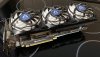
Ugh a Ventus, sorry dude. My GTX 1660 Super is a Ventus and I really dislike the fan settings. 41% (~1300 RPM) is the minimum and no hysteresis to stop them when not gaming. The 1660 Super is a great product, the Ventus design is not.
 
Yeah, the fan system is pretty average. I resolved the noise problem by just using more fans everywhere else ? but the cooling performance is disappointing for the clock levels it’s capable of achieving.
 
Yeah, the fan system is pretty average. I resolved the noise problem by just using more fans everywhere else ? but the cooling performance is disappointing for the clock levels it’s capable of achieving.

Have you tried undervolting the GPU ? I find the sweet spot for performance/efficiency is around 920mV to 950mV for Turing GPUs. With some overclocking you basically lose no performance but reduce the power usage by 20%, thus lowering noise.
 
I've not had chance to experiment with undervolting yet - I've rigged my case to improve the air flow to and across the graphics card (and slapped the backplate heatsink from my old, dead graphics card on top of the new one) and it keeps the GPU core temperature under 75 degrees C now.
 
With 250W power limit and 2 fans cooling solution, I guess it's not very comfortable sitting next to a twin jet engines :D.

For a quick overclocking+undervolting attempt, open MSI afterburner freq/voltage curve and use the OC scanner tool to get the modified curve, then flatten the curve at .925v (drag everyone freq/voltag points down to the same freq), hit apply and save your profile. Each frequency bin is 15mhz (as opposed to 12.5mhz on Pascal)

With this you can get better thermal and slightly better frame pacing since clocks are not jumping all over the place, with Turing Nvidia are enforcing stricter thermal + PL control which throttle clocks very quickly.
 
Thanks for the info - I'll give it a bash when I've got some spare time with the graphics card (it's busy running lots of tests at the moment).
 
Back