
Forward-looking: Thunderbolt 5 doubles Thunderbolt 4's bandwidth, offering 80Gbps transfer speeds in either direction. However, Thunderbolt 5's alternate mode can transmit at 120Gbps while receiving data at 40Gbps upon detecting certain devices. The extra boost currently only supports cable lengths up to two meters.
Devices that support Intel's new Thunderbolt 5 standard are beginning to hit the market. For most consumers, gaining access to the interface's 80Gbps bidirectional transfer speeds will likely involve buying or building a new PC, but adding Thunderbolt 5 support to existing systems is another option.
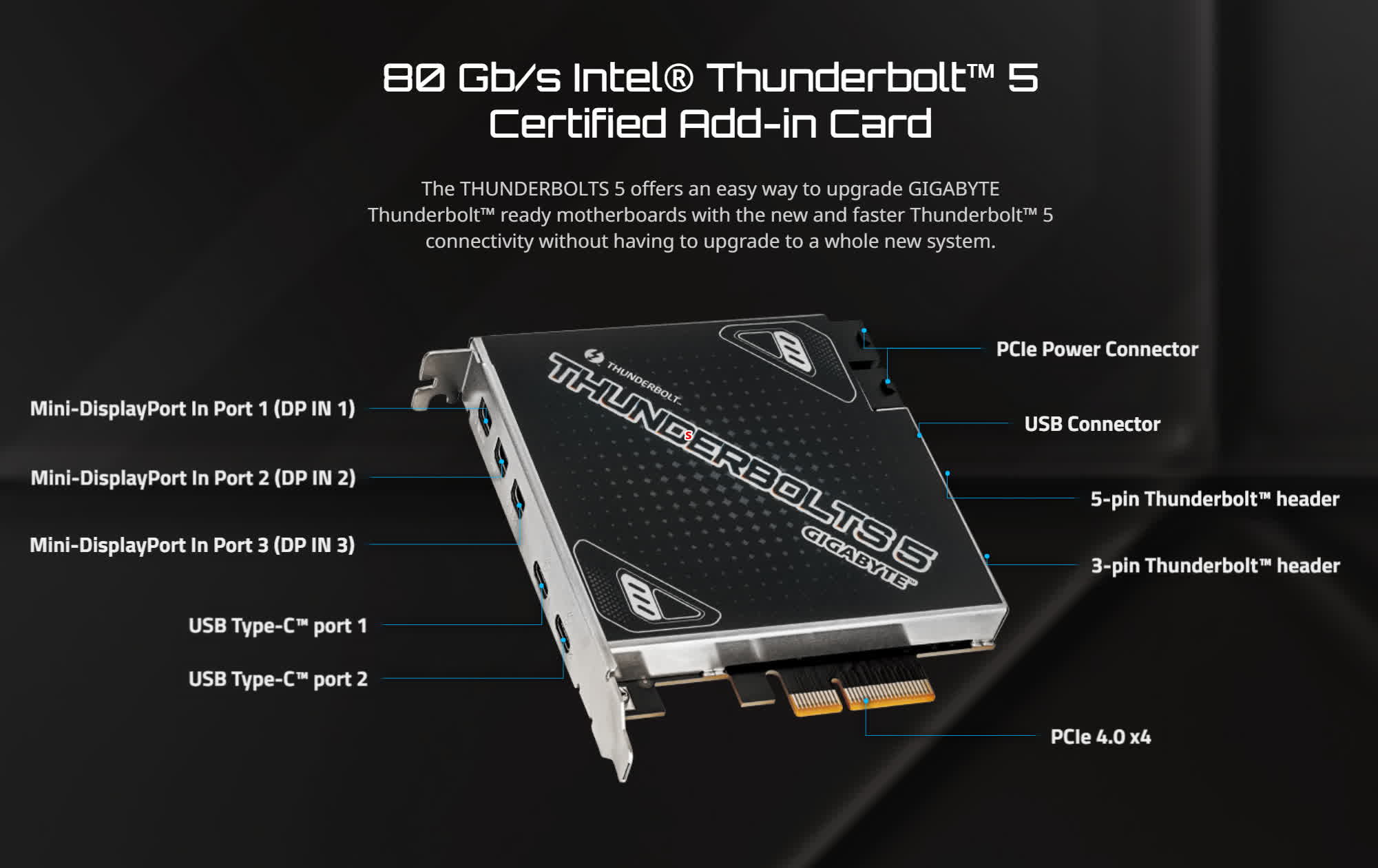
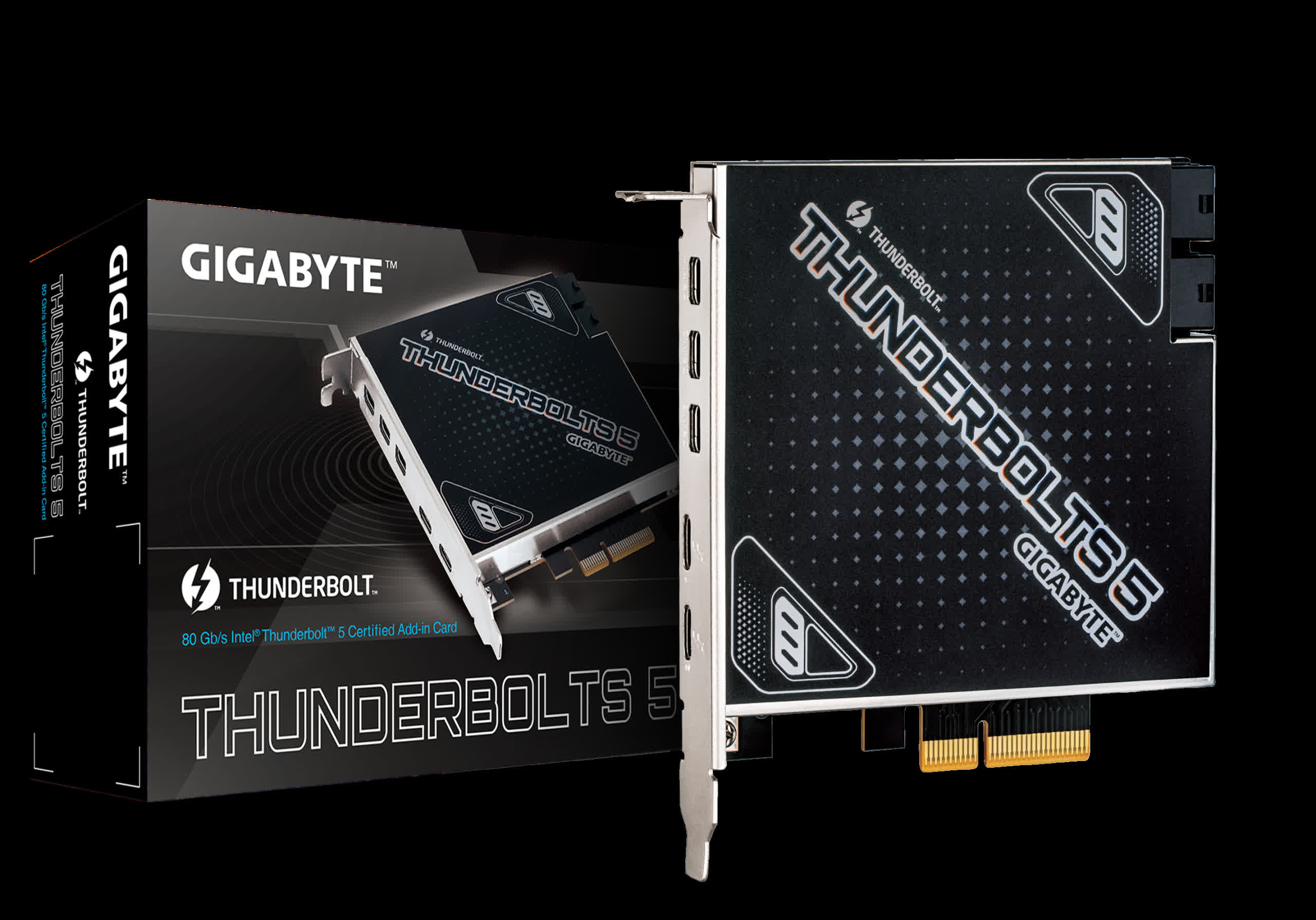
An add-on card that brings Intel's Thunderbolt 5 standard to compatible desktops recently appeared on Gigabyte's website. This PCIe 4.0 card adds five high-speed connection ports for increased flexibility. Gigabyte's Thunderbolt 5 card includes two USB-C ports and three Mini-DisplayPort outputs. Thunderbolt 5's USB-C connections can support two 4K 144Hz monitors, while the card's DisplayPort outputs can drive an 8K monitor at 60Hz via DisplayPort 2.1.
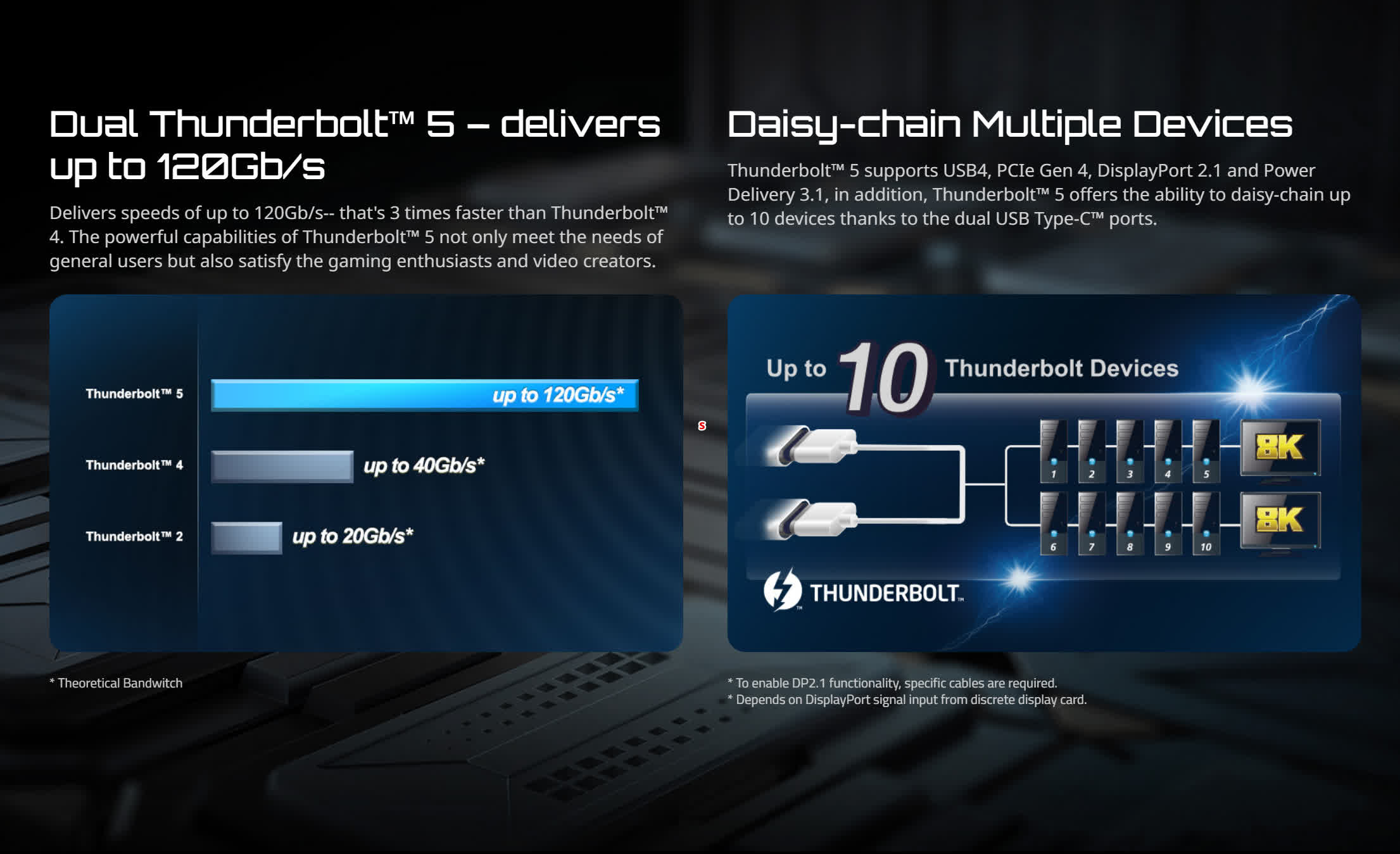
Users can daisy-chain up to five devices from each USB-C port, and Power Delivery 3.1 allows for up to 100W power transmission. Customers can also check out a similar add-on card on Asus' website – the ThunderboltEX 5. It features three DP 2.1 ports and two USB-C ports, but it also supports 130W fast charging. Future Thunderbolt 5 devices could theoretically reach up to 240W.
Moreover, Asus provides more detailed information about its daisy-chaining capabilities than Gigabyte. According to Asus, each USB-C port can handle three devices and two monitors simultaneously, or four devices with one monitor.
For early adopters, Thunderbolt 5 will likely be most useful for extra displays and fast external storage. The protocol should also support external GPUs, though users with a free PCIe slot could simply install a GPU directly.
The installation requirements for Thunderbolt 5 cards remain unclear. Users will need a motherboard with a Thunderbolt header, but Asus and Gigabyte don't mention whether their cards only support certain chipsets.
These add-on cards seem to target DIY builders who opted for more affordable Intel Alder Lake Core Ultra 200 motherboards, which only support Thunderbolt 4 out of the box. Gigabyte has reserved Thunderbolt 5 support for its flagship Z890 AI Top motherboard. As of writing, the only Thunderbolt 5 motherboard available on Newegg is the $1,000 Asus ROG Maximus Z890 Extreme.
While pricing information for the Thunderbolt 5 and ThunderboltEX 5 cards is not yet available, upgrading a lower-end motherboard with one of these cards will likely be a more cost-effective option.
Gigabyte add-on card brings Thunderbolt 5 to existing desktop PCs


