The PDF gets a makeover: Adobe integrates generative AI into everyday documents

Skye Jacobs

Posts: 1,973   +58
Staff
Editor's take: Adobe is redefining digital documents once again, this time by infusing its ubiquitous PDFs with generative artificial intelligence as a core part of the experience. With the launch of Adobe Acrobat Studio and its new PDF Spaces – virtual hubs powered by personalized AI assistants – users can now interact with their documents in ways that go far beyond traditional viewing and editing.
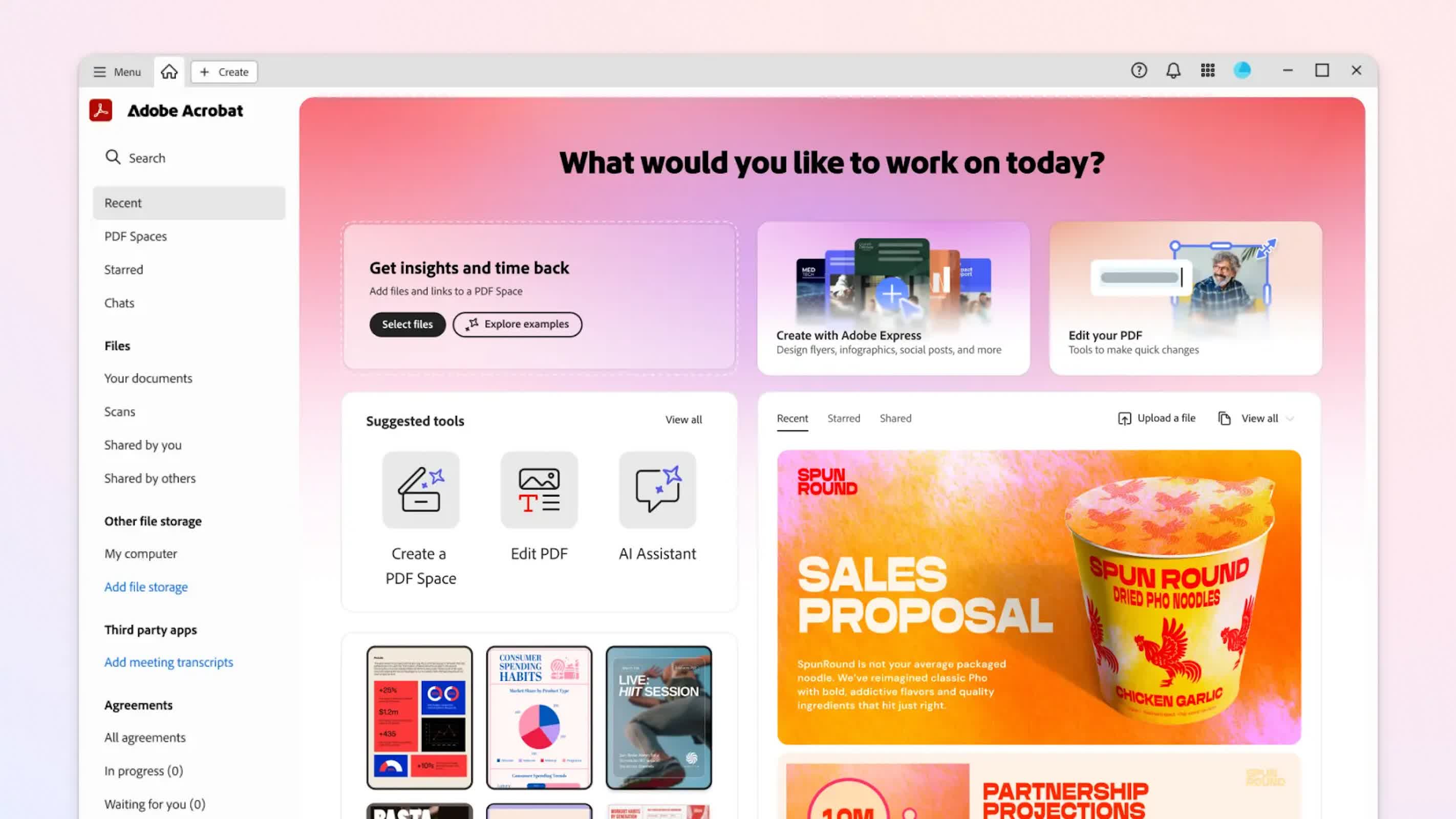
When Adobe first released the Portable Document Format in 1993, it was a transformative technology: for the first time, digital files could faithfully replicate the look and structure of physical documents, providing a trusted digital alternative for everything from government records to medical forms.

The arrival of free Acrobat software a year later sparked widespread adoption, making PDFs an indispensable standard across industries. As Matthew Kirschenbaum, English professor at the University of Maryland, told Wired, "The PDF was all about the cultural authority of print and documents that emerged out of human contexts, professions, motivations."
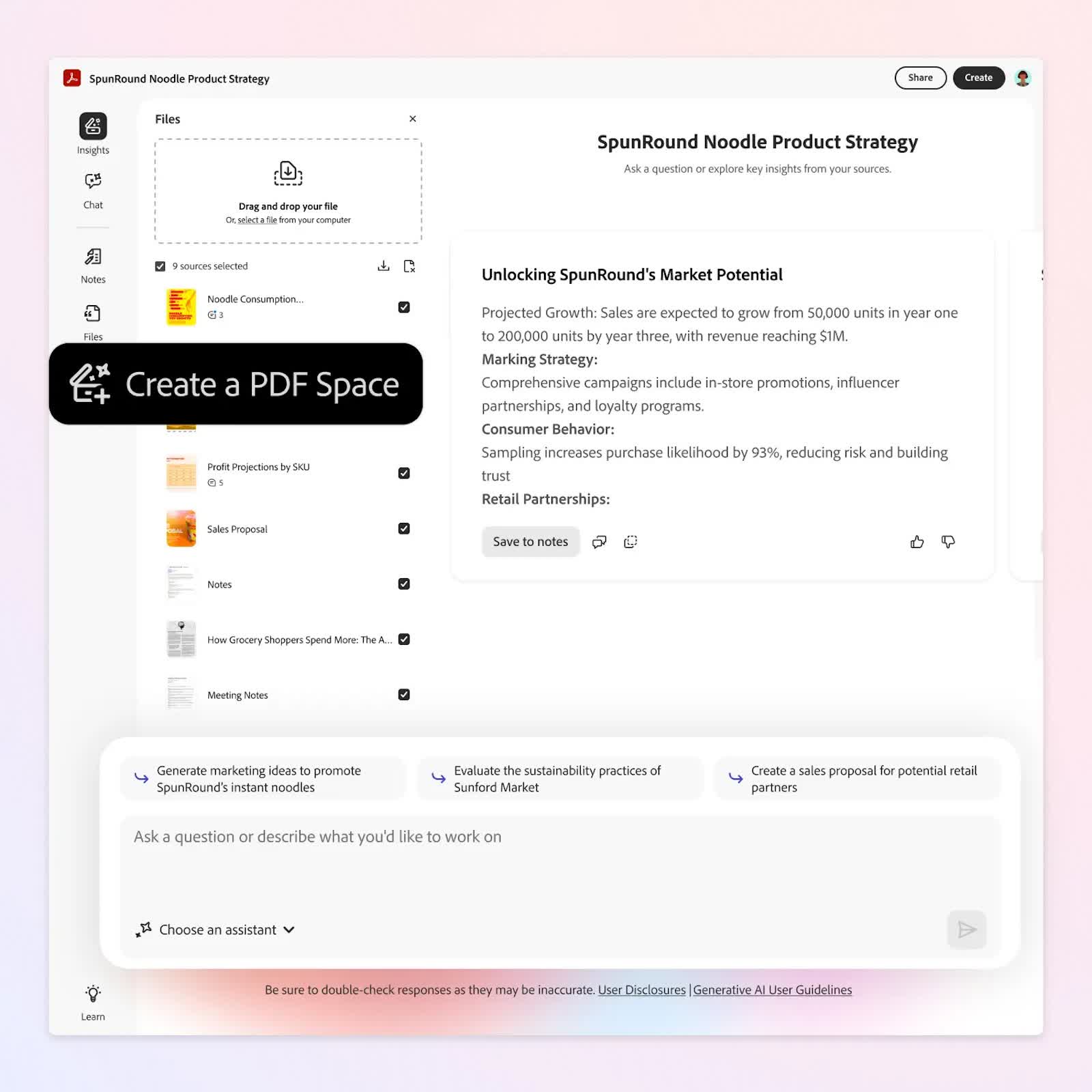
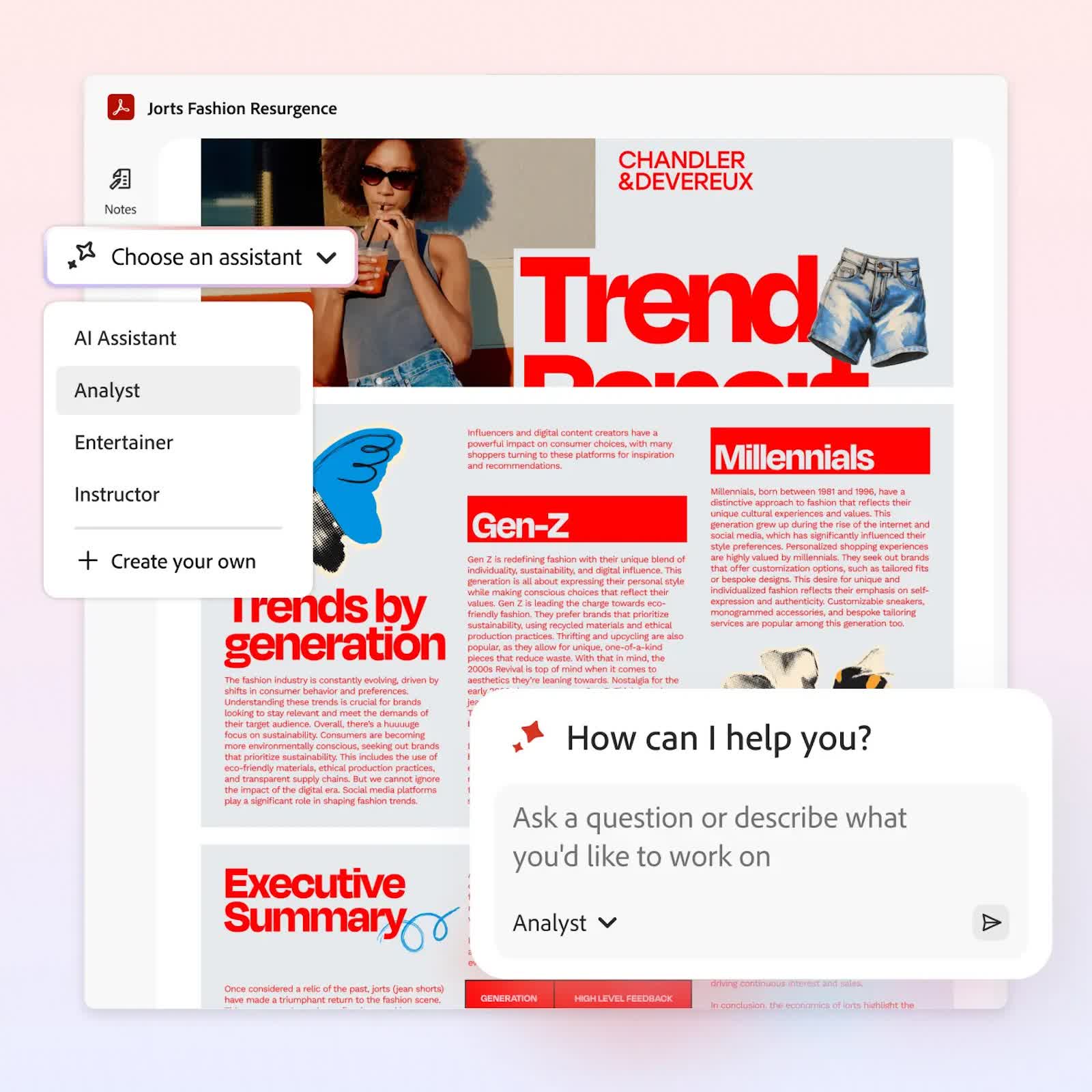
Central to Acrobat Studio are its PDF Spaces, where users can upload multiple documents and interact with a personalized AI assistant. These assistants can analyze content, generate ideas, validate information with source citations, and even add notes. Now, it's possible to share entire PDF Spaces, complete with tailored assistants, with colleagues or clients. "We're reintroducing the brand," Michi Alexander, Adobe's vice president of product marketing, said. "We've been around for 32 years now, but this is the biggest inflection point for us since launch."

The larger theme reflected in this release is the unmistakable – and perhaps inexorable – rise of generative AI across the digital landscape. As users encounter chatbots and content-creation tools embedded in everything from word processors to social media, the idea of software untouched by AI is quickly fading.
For Adobe, though, pushing technological boundaries is nothing new. The company pioneered innovations like transparency support in PDFs, which prompted a wave of industry adoption and upgrades among tech giants such as Apple and Microsoft.

But this AI-focused shift is distinct in its move away from the human-dominated processes of writing and editing, toward the more synthetic – and sometimes unreliable – terrain of machine-generated content.
"There is now AI in these very specifically human-centered document forms," Kirschenbaum said, underscoring the transformation. He warns that, much like the waning of handwriting in the face of digital communication, the nature of how users interact with documents is being fundamentally altered.

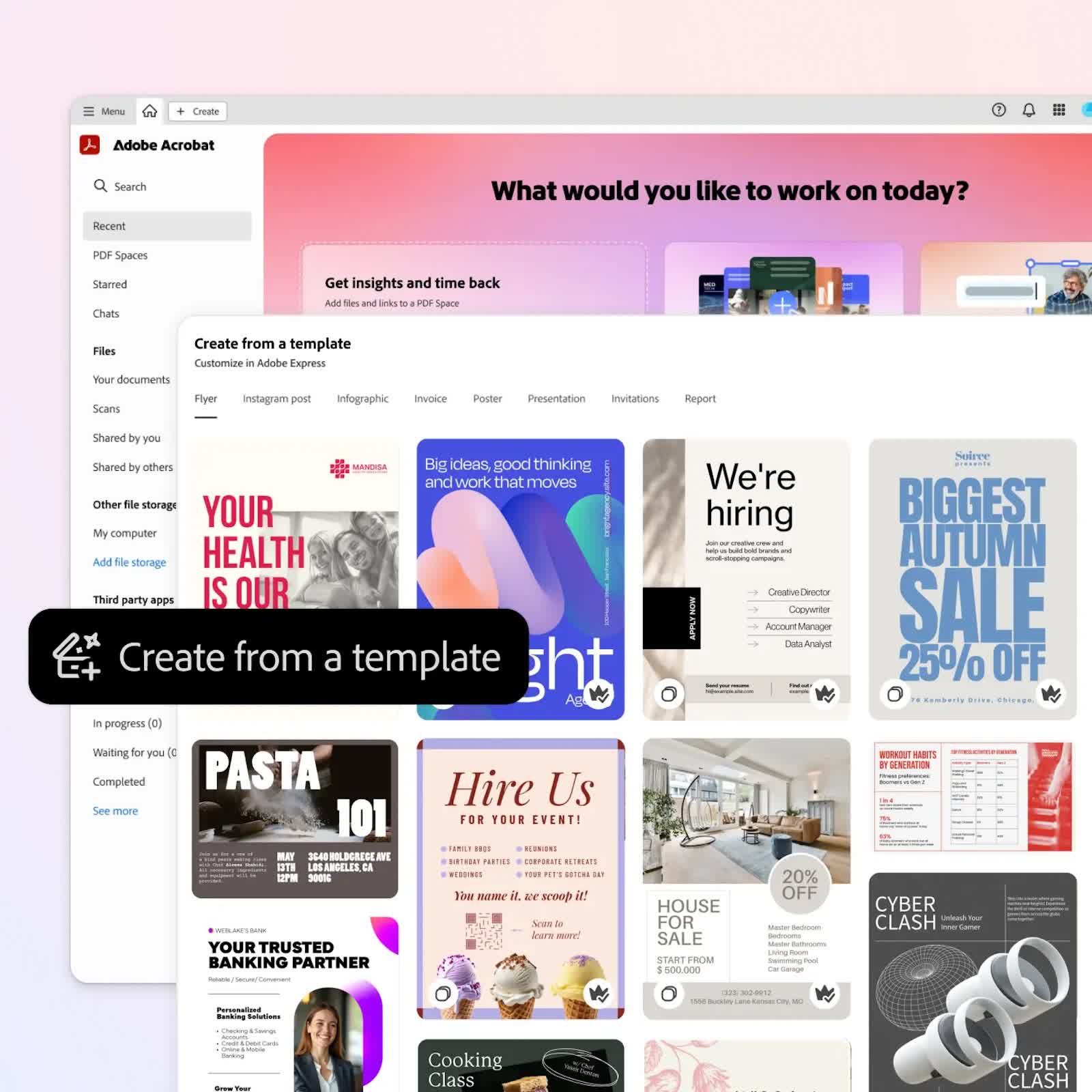
Adobe's AI offerings now extend to tools that can organize research, consolidate notes, and even suggest improvements to resumes. Acrobat Studio allows students to create flashcards and study guides automatically, while consumers can marshal data for life milestones like home buying or trip planning. Integration with Adobe Express provides users with access to business templates, AI-generated images, and tools to create polished flyers and infographics. These features are not just for the workplace; Adobe envisions the software as an everyday digital assistant, capable of streamlining decisions, clarifying information, and enhancing creativity.

Despite the scope of new features, Alexander remains grounded in the PDF's legacy while pointing toward its future: "We were the ones that created the PDF," she said. "And we really see this as our opportunity to redefine what a PDF is." Whether this transition becomes as seminal as past innovations – or simply a footnote amid ongoing software evolution – it is clear that 2025 marks a significant moment. As AI permeates the humble PDF, the era of software without generative AI has ended, closing the chapter on a more analog digital past.

Permalink to story:

 
A PDF was a way to store an accurate reproduction of documents in a way that they could be preserved, retrieved, and easily available, especially technical documents. So now, it seems they want to "improve documents" with AI. So that after several generations of sharing these documents around the web, AI will "improve" them with each copy until their useless? I counted on PDFs for reference and archival documents, not AI infused "improvements".
 
So annoying at work when all I need to do is review an image and it's in pdf format. Open the file and the asinine side bar that pops up, taking up half your image, that babbles some crap about AI....I have to click the X on it to get it to go away.

So gawd dam irritating.

I don't need some glorified search engine offering up crap I don't need and never asked for. I'm so glad that viewing pdf files is the only thing I have to ever use Acrobat for.
 
A PDF was a way to store an accurate reproduction of documents in a way that they could be preserved, retrieved, and easily available, especially technical documents. So now, it seems they want to "improve documents" with AI. So that after several generations of sharing these documents around the web, AI will "improve" them with each copy until their useless? I counted on PDFs for reference and archival documents, not AI infused "improvements".
Exactly. Does Adobe even understand their own products and customers anymore?

No one "makes" a PDF directly. At most, they edit one by combining documents, digitally signing them, redacting them, etc. PDF is the final "output" format after the generative process (be it AI or human generation), not the working document. This product makes about as much sense as a laser printer that changes your document to what it "thinks" would be better whenever you try to print from it.
 
Look for companies to stop taking PDFs with digital signatures as legitimate. This change was great for business when it was put in place in the late 90s, but with so many "helpful features" that keep getting added to everything, this kind of digital document can no longer be trusted as authentic. We'll all have to go back to showing up in person with two photo IDs to complete many transations, which is probably not a bad thing.
 
Look for companies to stop taking PDFs with digital signatures as legitimate. This change was great for business when it was put in place in the late 90s, but with so many "helpful features" that keep getting added to everything, this kind of digital document can no longer be trusted as authentic. We'll all have to go back to showing up in person with two photo IDs to complete many transations, which is probably not a bad thing.
I mean, signing a doc should still mark it as authentic. Especially if your company sets and registers a public cryptographic signature (or just use one through Adobe, if its is just you). The issue isn't authenticity. Its you might end up signing something that doesn't represent your intended work product.
 
I mean, signing a doc should still mark it as authentic. Especially if your company sets and registers a public cryptographic signature (or just use one through Adobe, if its is just you). The issue isn't authenticity. Its you might end up signing something that doesn't represent your intended work product.
It's both, actually. Many, many people will see any electronic document linked to "AI" - there is no such thing, yet - as suspect, and will no longer accept it as authentic, signed electronically or not. An actual person in front of them signing an actual document will be insisted upon. Small businesses do not have the time or legal resources to chase down fraud, and err on the side of caution. At least, my business and those with whom I do business do. One of my contractors already brought this up not long ago, and has since stopped using any electronic documents. He already has had positive customer comments on the policy, as it seems there is a lot of distrust of electronic documents, and that distrust is increasing.
 
They'll probably all get the AI nonsense eventually, but I prefer Foxit or PDF Exchange.

This is not an aid to humans, this is a slow slide to sedentary beings, too lazy to lift a finger. Doing this manually is a great way to actually understand what you are trying to write and what the papers are about. I don't need or want AI summaries. I want to work my brain.
.
 
They'll probably all get the AI nonsense eventually, but I prefer Foxit or PDF Exchange.

This is not an aid to humans, this is a slow slide to sedentary beings, too lazy to lift a finger. Doing this manually is a great way to actually understand what you are trying to write and what the papers are about. I don't need or want AI summaries. I want to work my brain.
.
I've used Foxit for a long time, but they recently made the electronic signature part a subscription service. For our business, over the long term, using the scanner that is part of our multi-function printer makes more sense than yet another subscription.

Other than that, Foxit has always seemed to open and run faster than Adobe, but that edge has been slipping over the last few years.
 
Back