This wireless eGPU claims to deliver RTX 5090-like performance over Wi-Fi

Daniel Sims

Posts: 2,638   +79
Staff
First look: External graphics cards have so far been limited by their need for high-bandwidth ports such as OCuLink and Thunderbolt 5. WiCi aims to address the issue by transmitting a GPU's horsepower over Wi-Fi. The company claims that multiple devices on a network can share an eGPU's compute for gaming and AI workloads.

WiCi recently began inviting interested parties to sign up for updates about the WiCi One, which aims to become the first successful wireless external graphics card. The device, sponsored by Nvidia's Inception Program, aims to support popular AI tools, games, tablets, laptops, and phones.

A few companies have floated eGPUs as a way to achieve desktop-class GPU performance on smaller devices such as laptops and mini PCs. However, to maintain the bandwidth a desktop GPU normally uses over PCIe, eGPUs have so far required the latest cable technologies such as OcuLink, Thunderbolt 5, and USB4, which many devices still do not support.
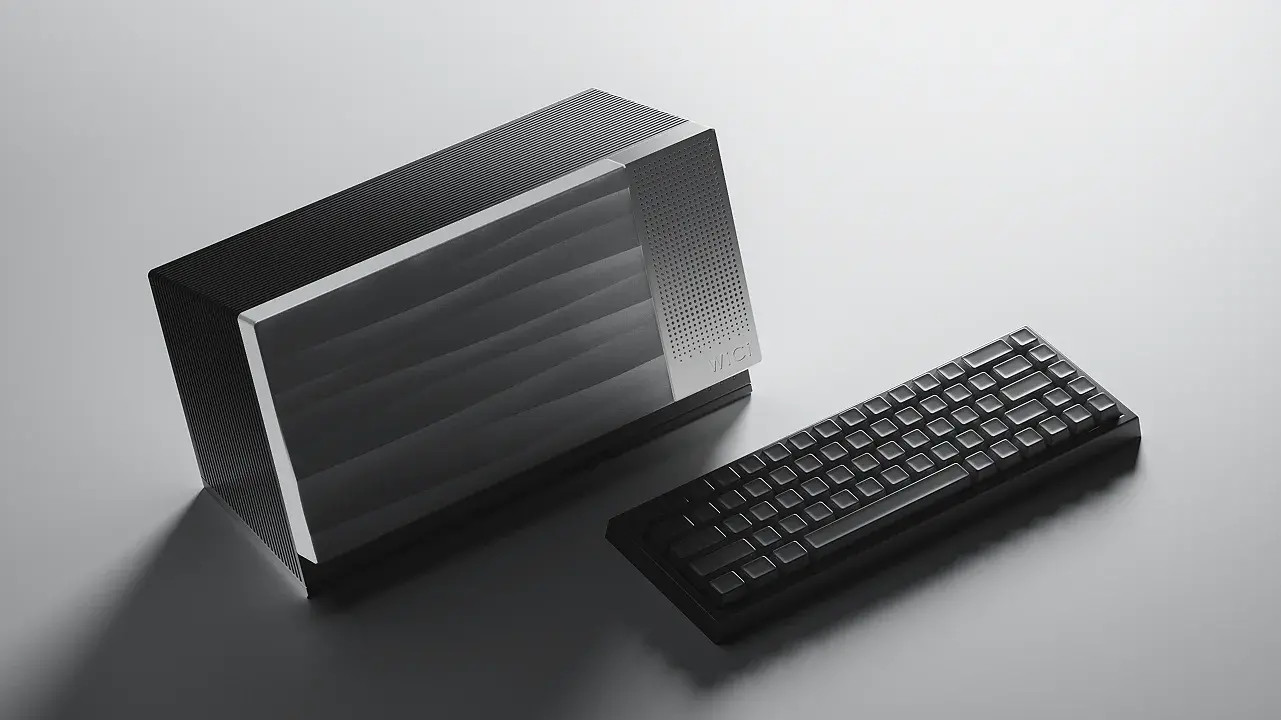
WiCi believes that Wi-Fi 7 networks can support GPU instructions across multiple devices. In one demonstration, the eGPU appears as a Wi-Fi network that a user logs into on a modest-looking laptop. Although the video does not show the exact graphics settings used, the Cyberpunk 2077 benchmark can be seen running at over 90fps. The firm says the WiCi One also handles various AI models and tools such as Hugging Face, Ollama, Blender, Unreal Engine, CapCut, OBS Studio, and more, all without modifications.

The WiCi One is expected to begin shipping in the fourth quarter of 2026 with two available models. The cheaper variant, which uses an Nvidia RTX 5060 Ti, starts at $2,000 for early birds but carries a $2,600 MSRP. Pricing information for the other version, equipped with an RTX 5090, will be available closer to launch.

According to WiCi's internal benchmarks, the 5060 Ti edition handles Cyberpunk 2077 at approximately 80fps and Black Myth: Wukong at 60fps in 4K at ultra settings using DLSS. Meanwhile, the 5090 variant achieves 110fps in Cyberpunk and 90fps in Wukong.
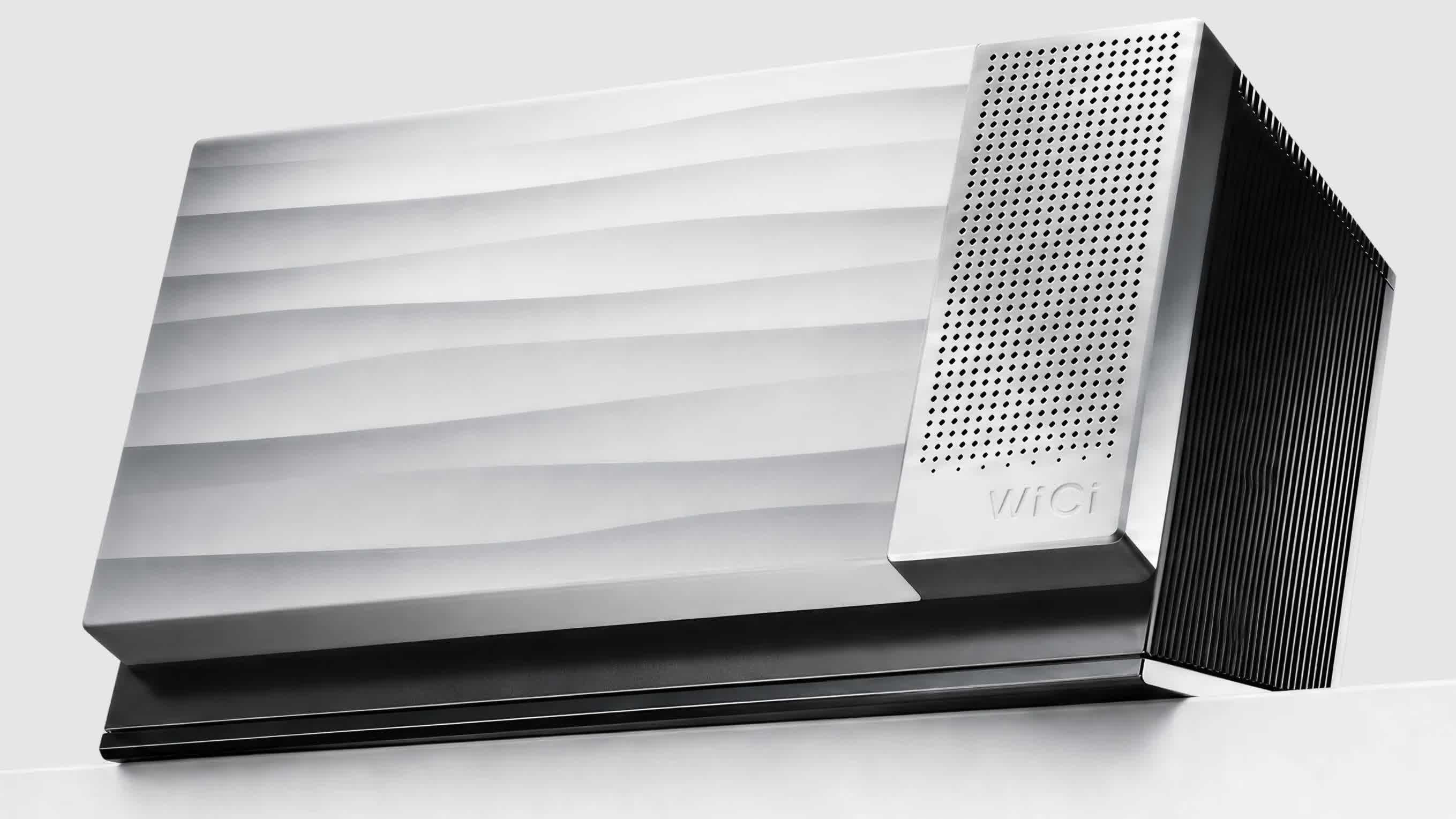
Regarding LLM throughput, the 5060 Ti edition runs DeepSeek V4 Flash at 8 tok/s and Gemma 4 at 140 tok/s, while the premium model reaches 20 tok/s in DeepSeek and more than 500 tok/s in Gemma. Meanwhile, CapCut can export to 4K at 75fps on the 5060 Ti and 90fps on the 5090, while Adobe Premiere Pro can output 4K H.264 videos at 70fps and 90fps, respectively.

Interested parties can also win a WiCi One for free by submitting ideas for use cases, with prizes going to the 10 most interesting concepts.

Permalink to story:

 
I don't think eGPUs are particularly successful, I imagine in no small part due to costs.
Who exactly wanted it wireless which is no doubt more error prone and expensive?
 
I'm guessing the 110 fps in Cyperpunk on a 5090 version is because the datastream would be too demanding for more fps.

It's probably not bullshit, but it's also pretty damn useless for a "shared gaming experience" due to the massive limitations on how much data it can transmit. It will be like a non-compressed geforce now while at the same time experiencing the same input delay as multiframe gen
 
I don't think eGPUs are particularly successful, I imagine in no small part due to costs.
Who exactly wanted it wireless which is no doubt more error prone and expensive?
I think they totally missed the mark with the massive docks.

There was a really good idea: integrated dGPUs in mobile docks. Asus did this well with the XG se4ries but they were manufacturer specific. A chinese company did a universal version but kneecapped it with a 7600m nobody wanted. If you could get normal looking, small USB C thunderbolt docks with RTX 5070 or 5080 mobiles in them, I think they would sell well.

Nobody wants a GPU dock the size of a mini ITX PC. That completely defeats the point.
 
I bought the 5060ti egpu before the price went up by $200 overnight. Running Neural rendering mod on my Onex player 3 in Uncharted 4. Looks great for a handheld lol.
This is way too expensive imo.1000079889.jpg1000079891.jpg1000079893.jpg
 
Last edited:
I'm guessing the 110 fps in Cyperpunk on a 5090 version is because the datastream would be too demanding for more fps.

It's probably not bullshit, but it's also pretty damn useless for a "shared gaming experience" due to the massive limitations on how much data it can transmit. It will be like a non-compressed geforce now while at the same time experiencing the same input delay as multiframe gen
GeForce Now runs the game on a server far away and sends you a video of it. With WiCi One, the game runs on your laptop, using a GPU across the room over Wi-Fi. The software reuses data and batches commands to reduce network traffic and waiting. The quoted ~1.5 ms is base wireless round-trip latency, not total input delay. Published Cyberpunk 2077 results at 4K Ultra with DLSS 4 are 110 fps on the 5090 and 80 fps on the 5060 Ti.
 
Steam's software engineer just dropped a new high bandwidth streaming code that improves latency by 10x to 0.1 ms at full hd and .02 ms at 4k resolutions.
Steam adds low-latency Pyrowave codec to Remote Play — new codec offers better game streaming on local networks but costs '5-10 times' more bandwidth | Tom's Hardware


No need for brute forced PC/ subscriptions hopefully coming soon.


fyi
 
Looks like everyone is forgetting about Wi-Fi Direct: you’re all thinking about Wi-Fi like a router.
7, or be, can transmit at 23Gbps. Half way between the speeds of PCIeX8 gen 4 and 5

More than enough bandwidth for most games.

 
Looks like everyone is forgetting about Wi-Fi Direct: you’re all thinking about Wi-Fi like a router.
7, or be, can transmit at 23Gbps. Half way between the speeds of PCIeX8 gen 4 and 5

More than enough bandwidth for most games.
And now use real world numbers not theoretical and then move the router a couple of rooms away
 
And now use real world numbers not theoretical and then move the router a couple of rooms away
You totally miss the point.
You don’t use a router for a WiFi Direct eGPU. The computer and the eGPU connect directly to each other.
That’s the “direct” aspect. A to B no router.

I use WiFi Direct for multiple devices, multiple printers, a game controller, scanner.
Oh, and AirDrop: that’s also WiFi direct.
My car camera system uses WiFi Direct both to connect the cameras to the recorder and for the app to access the cameras from my phone. WiFi is fast enough to handle 4 4K video feeds with no stutter or lag at 60fps.
 
You totally miss the point.
You don’t use a router for a WiFi Direct eGPU. The computer and the eGPU connect directly to each other.
That’s the “direct” aspect. A to B no router.

I use WiFi Direct for multiple devices, multiple printers, a game controller, scanner.
Oh, and AirDrop: that’s also WiFi direct.
My car camera system uses WiFi Direct both to connect the cameras to the recorder and for the app to access the cameras from my phone. WiFi is fast enough to handle 4 4K video feeds with no stutter or lag at 60fps.
You’re still ignoring that theoretical bandwidth isn’t the same as reality and the distance and walls etc
 
You’re still ignoring that theoretical bandwidth isn’t the same as reality and the distance and walls etc
Why would you not put the eGPU on the desk next to the computer?

As for theoretical, I get 17-19Gbps between my phone and computer.
Sure it depends on the actual chips and antennas, but even 10 is gonna be good enough for the majority of games.
 
Why would you not put the eGPU on the desk next to the computer?
What’s the point in it being wireless if it’s next to the PC? You might as well plug it into a TB port
As for theoretical, I get 17-19Gbps between my phone and computer.
Sure it depends on the actual chips and antennas, but even 10 is gonna be good enough for the majority of games.
Which is significantly less and requires it to stay at that level consistently. It’s not a video file that can buffer
 
What’s the point in it being wireless if it’s next to the PC? You might as well plug it into a TB port

Which is significantly less and requires it to stay at that level consistently. It’s not a video file that can buffer
99% of computers and mini systems lack the most recent TB/USB version connectivity. That’s the point cut and dry. Put the GPU on the desk and this will work perfectly fine for all but a few *****s.

If you're shoving the WiFi eGPU in a closet 3 rooms down the hall that’s on you.


I’m trying to not call bs on you, but your defence is so totally lacking real world use it’s hard not to.
I’m not being mean, I’m trying to figure out how you can’t do basic math and figure out that this is perfectly fine for 99.99999% of users.

Mainly because if you aren’t in that group of normal users you have no business having a computer you can’t add a card to. That’s self defeating stupid levels of wtf. I have a TB eGPU for my original Mac Studio. This is appealing to me as it would open up a another TB port for another drive array.

Because those that have actual knowledge and understanding can see this is a viable solution.


Anyone that would put one of these on a router connection, or in a room over, you don’t have a leg to stand on for the intended targeted audience: you’re not part of it.

This is a product clearly for people like me that have very high end but unexpandable systems. It’s a way to give us back that lost port.
 
Imagine the delay.
It's all on your local network, so nothing goes out to a data center and back. The delay is lower than what multi-frame generation adds, and because the signal makes just one hop from your laptop to the box, Wi-Fi can deliver sub-millisecond latency.
 
99% of computers and mini systems lack the most recent TB/USB version connectivity. That’s the point cut and dry. Put the GPU on the desk and this will work perfectly fine for all but a few *****s.
Most mini PCs and laptops worth their salt do have at least TB3. More than have WiFi 7 at least.
If you're shoving the WiFi eGPU in a closet 3 rooms down the hall that’s on you.
Again what’s the point in a wireless GPU 1ft from the PC?
I’m trying to not call bs on you, but your defence is so totally lacking real world use it’s hard not to.
I’m not being mean, I’m trying to figure out how you can’t do basic math and figure out that this is perfectly fine for 99.99999% of users.

Mainly because if you aren’t in that group of normal users you have no business having a computer you can’t add a card to. That’s self defeating stupid levels of wtf. I have a TB eGPU for my original Mac Studio. This is appealing to me as it would open up a another TB port for another drive array.

Because those that have actual knowledge and understanding can see this is a viable solution.


Anyone that would put one of these on a router connection, or in a room over, you don’t have a leg to stand on for the intended targeted audience: you’re not part of it.

This is a product clearly for people like me that have very high end but unexpandable systems. It’s a way to give us back that lost port.
I really don’t think you’re living in the real world here.
 
Most mini PCs and laptops worth their salt do have at least TB3. More than have WiFi 7 at least.
I believe you mean USB3.x. Thunderbolt is rather limited.
Again what’s the point in a wireless GPU 1ft from the PC?
It releases a port for other uses. What’s the point of a wireless mouse or keyboard or gamepad. Frees up ports.
I really don’t think you’re living in the real world here.
Everyone has different needs.
 
Back