Windows 11 cleared of all charges for killing SSDs, the real culprit is faulty firmware

Alfonso Maruccia

Posts: 2,513   +935
Staff
Editor's take: In recent years, Microsoft has developed a reputation for rolling out Windows updates that are dangerous, insecure, or simply unreliable. The company was even accused of "killing" solid-state drives with its August patch cycle. However, the root cause of this particular issue has now been identified.
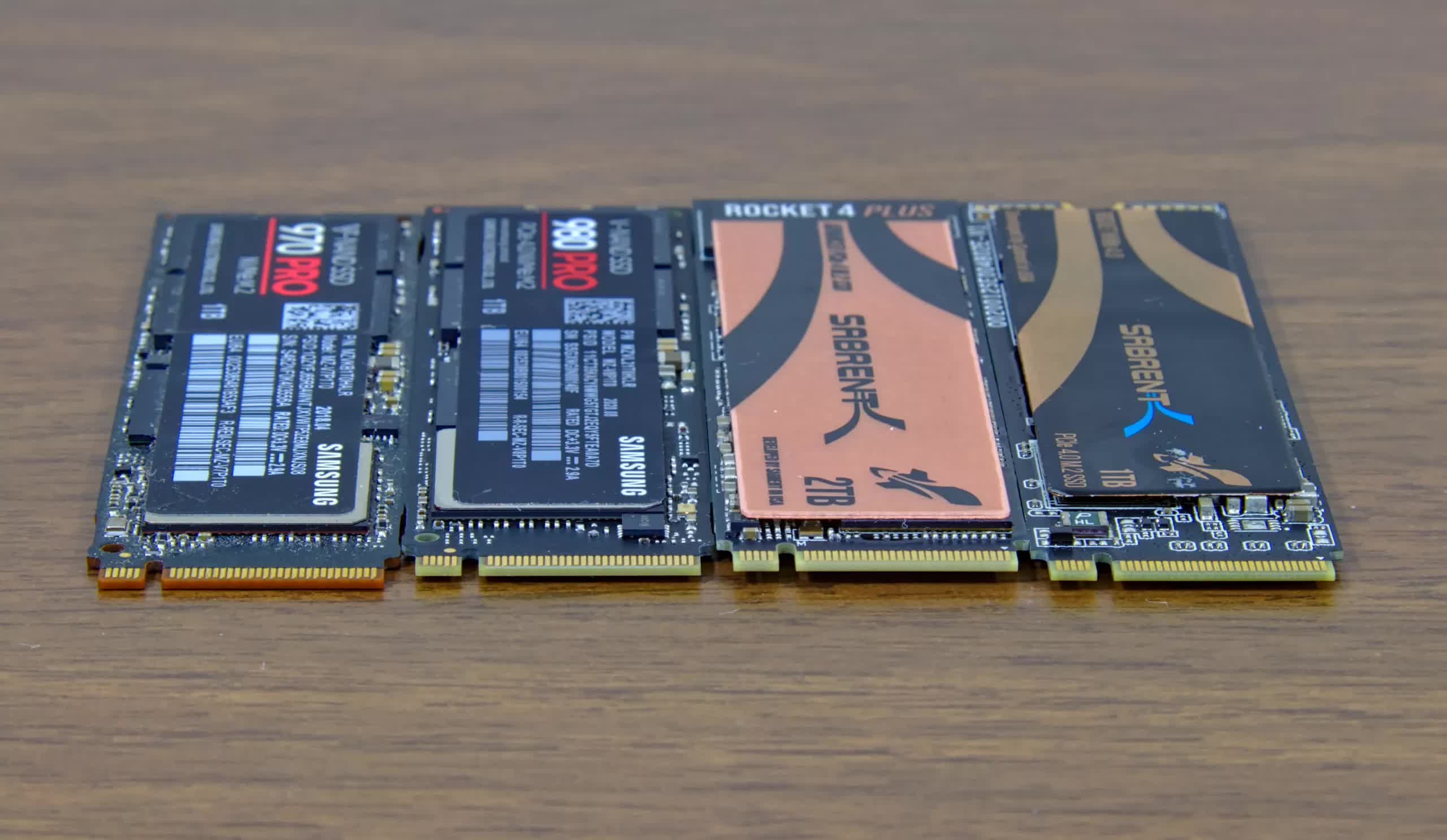
No, Microsoft's recent Windows 11 updates weren't killing HDDs and SSDs in droves. The issue is real, but it has since been traced back to the hardware used in the reports rather than the software itself. At least this time, Microsoft patches aren't to blame for making PC users' lives more miserable.

The alleged "SSD-killing" updates, KB5063878 and KB5062660 for Windows 11 24H2, were released in August. After installing them, an unspecified number of users reported system crashes during large file transfers. The finger was quickly pointed at Microsoft, an understandable reaction given the company's history of problematic patches.

However, Microsoft and its hardware partners were unable to reproduce the issue in their own lab environments. Phison, a Taiwanese manufacturer of NAND flash memory controllers and one of the potential culprits, ran more than 4,500 hours of testing and benchmarking without detecting a single bug.

A new twist in the story surfaced over the weekend when PCDIY!, a China-based hardware enthusiast group, shared its findings on Facebook. The group tested three different 2TB SSDs from Corsair, Quanta, and Apacer – all built around the same Phison PS5026-E26-52 controller.

Their results confirmed what Phison, Microsoft, and other vendors had already seen in controlled testing: the SSDs weren't actually dying, even under sustained heavy write workloads.

According to PCDIY!, Phison even dispatched four engineers to assist with the investigation. This collaboration uncovered a critical clue: the Corsair and Quanta drives were running on an unfinished, pre-release firmware version not intended for retail use.

The group speculated (and Phison later confirmed) that this early firmware was the real cause of the instability. Unlike the finalized firmware shipping on retail drives, the engineering preview caused crashes under stress. To prove the point, Phison ran the same stress tests (100GB to 1TB sustained writes) on consumer-available SSD models and reported no failures or crashes.

Permalink to story:

 
I call bs. Across all hardware and PC communities and forums I participate and lurk in, a total of about 4 or 5 members reported dead SSDs soon after installing this update, using SSDs from different models and brands. So I don't think it's that simple, and I doubt it was a coincidence, even if those affected are in the minority.

Even if some buggy firmware or controller chips are partially at fault, why weren't they affected by previous updates and were working fine before? What changes did Microsoft introduce to Windows internals in this update, that affects these controllers? I guess we will never know since all parties involved appear to be colluding to sweep this under the rug, maybe even with use of underhanded tactics.

What I find most concerning is that since they're going this route, the root cause of this problem on the Windows side probably will never be fixed. So, updating or installing a post-KB5063878 Windows 11 on a SSD, will have a bit of russian roulette element from now on.
 
I call bs. Across all hardware and PC communities and forums I participate and lurk in, a total of about 4 or 5 members reported dead SSDs soon after installing this update, using SSDs from different models and brands. So I don't think it's that simple, and I doubt it was a coincidence, even if those affected are in the minority.

Even if some buggy firmware or controller chips are partially at fault, why weren't they affected by previous updates and were working fine before? What changes did Microsoft introduce to Windows internals in this update, that affects these controllers? I guess we will never know since all parties involved appear to be colluding to sweep this under the rug, maybe even with use of underhanded tactics.

What I find most concerning is that since they're going this route, the root cause of this problem on the Windows side probably will never be fixed. So, updating or installing a post-KB5063878 Windows 11 on a SSD, will have a bit of russian roulette element from now on.
Ok, so4-5 failures. What drives were they? What controllers did they use? The Phison controller is found in a wide variety of drives from many manufacturers, per the article.
 
Ok, so4-5 failures. What drives were they? What controllers did they use? The Phison controller is found in a wide variety of drives from many manufacturers, per the article.

I can't be bothered to look right now. However I remember one of them claiming their affected SSD was Samsung branded (don't remember which model). Idk if Samsung uses Phison. A couple of others were lesser known Chinese brands, could be Phison.

Even if they are all buggy Phison firmware, some questions mentioned in my previous comment remain. Why were these SSDs working without any issues before? Why were these SSDs able to copy large files without any issues before? What changes did Microsoft introduce in this update that made these SSDs fail? Just claiming the SSDs have died because they had buggy firmware isn't an answer. Apparently, some undisclosed change in Windows 11 internals brought by this update still triggered these failures.
 
Have we heard from the original reporter (a retailer in Japan who blogged it on X)? The reports gained traction because of his detailed matrix showing it occurring on multiple drives. Did he have pre-release firmware on all of them?

That said, it is true that hardware fails every day, and once you're a big enough company (I.e., Microsoft) some of those failures are coincidentally going to be on the same day you release your software update. And once there's a news story drawing attention to your update, even more people are going to come out of the woodwork to blame your update for what is ultimately an unrelated failure.

I tend to buy that this was either never a bug, or the conditions for it are much tighter and/or less likely than initially reported. The base case of "wrote over 50GB onto a SDD over 60% full" is a case that is triggered probably hundreds of thousands of times a day by Steam downloads. If this was a genuine reproducible case we'd have seen a lot better reports of it by now.
 
That said, it is true that hardware fails every day, and once you're a big enough company (I.e., Microsoft) some of those failures are coincidentally going to be on the same day you release your software update.
Indeed, but the issue with that is one of reputation.

Do you remember a _single_ major Windows update, since the release of Win10, that didn't break something significant (for at least some users) or had a regression? I certainly can't.

Previous versions (before the cut a lot of people in QA, reportedly) weren't as bad, update wise.
 
So the question becomes how did shipping retail drives leave the manufacturer and get into the channel with non retail code?

How many people did they sell drives to with bad programming that are waiting to error out? They need to release a tool to identify the bad drives.
 
So the question becomes how did shipping retail drives leave the manufacturer and get into the channel with non retail code?

How many people did they sell drives to with bad programming that are waiting to error out? They need to release a tool to identify the bad drives.

The implication I took from here and/or elsewhere is that the affected units were never retail consumer drives.
 
I run Win10 22H2 with i9-14900K on ProArt Z790 and my Samsung SSD 990 Pro Heatsink (2 of them, Pascal S4LV008 controller) did slow down and then disappeared from system upon reboot.

I was editing video from SSD (Samsung PM893 8TB) and browsing web. Suddenly system became sluggish and one drive disappeared. I was unable to access it, but drive itself was still visible in "My computer", but errors showed up when I attempted entering non cached folders.

Restart PC and ... no boot drive detected.

Did shut down PC -> started it again and all missing drives were there.

This issue happened twice, around April/July of 2025.

I have degraded i9-14900K so initially I did blamed it for issue.

After that I did updated Win10, including update to Intel Wireless and network hw present on mobo (as separate driver updates) and moved to latest BIOS and since then I only have, from time to time, BSOD from by degraded i9-14900K but drives seams to be there.

Reason why I did updated Win10 was not because of this issue, but issue with Bluetooth not connecting to my Arduino board. After driver update (not Windows) it was connecting.
I turn off BT/WiFi when I don't use them (in Windows, enabled in BIOS).

This is very very similar, practically identical, situation to what JayzTwoCents showed in his recent (as of writing) video about this issue, but he used Win11 and AMD.

Dunno what's going on here but I think it also affect Win10, but it could be non OS related issue. I don't know as I didn't investigated it further but it seams like with mine and JayzTwoCents issue sample colourpoint is around Bluetooth.
 
Have we heard from the original reporter (a retailer in Japan who blogged it on X)? The reports gained traction because of his detailed matrix showing it occurring on multiple drives. Did he have pre-release firmware on all of them?

That said, it is true that hardware fails every day, and once you're a big enough company (I.e., Microsoft) some of those failures are coincidentally going to be on the same day you release your software update. And once there's a news story drawing attention to your update, even more people are going to come out of the woodwork to blame your update for what is ultimately an unrelated failure.

I tend to buy that this was either never a bug, or the conditions for it are much tighter and/or less likely than initially reported. The base case of "wrote over 50GB onto a SDD over 60% full" is a case that is triggered probably hundreds of thousands of times a day by Steam downloads. If this was a genuine reproducible case we'd have seen a lot better reports of it by now.
as someone who has worked in tech a very long time, the amount of times correlation was causation when it seemed like it was is astonishing low. The amount of times people claim its a patch that was released that started it all... lets just say if I had a dollar for each time they were wrong, I'd be retired. I have to constantly remind my team that correlation is not always causation as they latch onto the first thing that changed this week.

That being said I have a set of m.2 Samsung NVME drives well over 60% (nearly 80-99%) with all my games and move things around all the time between drives and have had no issues with the KB installed but yet I am just a spec in the universe.
 
Indeed, but the issue with that is one of reputation.

Do you remember a _single_ major Windows update, since the release of Win10, that didn't break something significant (for at least some users) or had a regression? I certainly can't.

Previous versions (before the cut a lot of people in QA, reportedly) weren't as bad, update wise.
TBF, I have 3 windows powerhouse gaming rigs and never had a windows patch do anything to any of my systems or negatively impact any of them.

I think a lot of people run really crap systems, tweak things that patches break or customize things and then get upset when they are negatively impacted. Akin to mod'rs who mod a game extensively and get upset when the new patch breaks their mods. Just a theory of course.

As someone who has been using windows since 3.1, I personally have not been negatively imapacted by very many patches in my life.

I do read a lot about it though. I see more impact on my work devices than personal.
 
Even if they are all buggy Phison firmware, some questions mentioned in my previous comment remain. Why were these SSDs working without any issues before?

Probably a different work pattern. Think of it like what happened with New World and GeForce 30 series cards. New World fried GeForce 3090 cards (and some others) because they were faulty and it ran a workload that they couldn't handle. It wasn't the game's fault that they fried. Even if it did something that was out of the ordinary and could be optimised to work better, it was the cards which were at fault for not handling it.

As a programmer, I encountered this kind of thing quite a few times. Things can work fine until you add something that uses the hardware in a way that hits a specific driver or hardware bug (or, in this case, firmware). You've done nothing wrong, just exposed a preexisting problem.
 
Several years ago, can't remember exactly when, but I went through a period where my drives would disappear on my Windows 10 home server.

I had a pair of 1TB SN750 drives IIRC, they were in a Supermicro motherboard, this combination had worked fine for ages, but I started having issues and discovered my data drive had disappeared, I had to power off the the server (reboot didn't bring them back), and it would come back, the OS drive would also do it at different times.

Obviously it predates the current issue, and wasn't Windows 11, so it proves these things do happen.

I've no idea what caused it, and replaced the drives and it's been fine ever since.
 
This article is clear effort to put away the finger from Microsoft. Anyone digging bit into the forums posts etc. Would see that repeated luck / randomness stops being random... so many different makers not just phison controler based ssds and so many people reporting clearly same patterns just after they received the updates....

They are not random UFO witnesses to be disregarded nor non credible average pc users. So what Microsoft has to do is first of all address these people via feedback channels and collect logs / hardware info to cross check with their engineer teams and stop damage control via social. That's total disrespect to users who paid for the o/s and demand proper checking before releases. So when the **** hits the fan, first of all an apology should be stated and deep investigation to follow, not this crap.

And to all fanboys out there, take a step back. Microsoft has a plethora of failed updates literally destroying people's work... many times. I work at business with specific policies in place e.g controlled updates after 15 days. It hit us as well. We work only with dell laptops , out of the 50 in total, we have latest models dell xps 9350 that only got hit, guess what... all of them even though they have different ssd. Drives/controller because thats a part that differs based on what batch / factory was a laptop built.

Same issue , after 3 to 6 hours simple office work outlook/ excel word / pdfs and browsing , no heavy editing etc. All of them show degraded performance until the point that users can't open browser, docked programs won't open etc. Having to power off completely the laptop by holding the power button. Next reboot the bit locker triggers (due to losing temporary the drive) and after another reboot back into windows.

Now there is no way all 8 users woke up one morning and did the exact same "user sides" actions that lead to this issue.

Some other users saw excessive I/O usage prior leading to their issue but nevertheless, Microsoft is to first come forward and explain what was changed e.g ntfs.sys has new version etc.
 
I can't be bothered to look right now. However I remember one of them claiming their affected SSD was Samsung branded (don't remember which model). Idk if Samsung uses Phison. A couple of others were lesser known Chinese brands, could be Phison.

Even if they are all buggy Phison firmware, some questions mentioned in my previous comment remain. Why were these SSDs working without any issues before? Why were these SSDs able to copy large files without any issues before? What changes did Microsoft introduce in this update that made these SSDs fail? Just claiming the SSDs have died because they had buggy firmware isn't an answer. Apparently, some undisclosed change in Windows 11 internals brought by this update still triggered these failures.
I remember some models of Samsung SSDs having major issues around 2 years ago (which were new models back then). Not sure if they fixed it or if those models are still somewhere in some stores.
 
I can't be bothered to look right now. However I remember one of them claiming their affected SSD was Samsung branded (don't remember which model). Idk if Samsung uses Phison. A couple of others were lesser known Chinese brands, could be Phison.

Even if they are all buggy Phison firmware, some questions mentioned in my previous comment remain. Why were these SSDs working without any issues before? Why were these SSDs able to copy large files without any issues before? What changes did Microsoft introduce in this update that made these SSDs fail? Just claiming the SSDs have died because they had buggy firmware isn't an answer. Apparently, some undisclosed change in Windows 11 internals brought by this update still triggered these failures.
Samsung uses their own controllers.

This really isn't a story against either, Phison and MS are not at fault, 3rd party OEMs are for sending out SSDs with beta firmware.
 
Same issue , after 3 to 6 hours simple office work outlook/ excel word / pdfs and browsing , no heavy editing etc. All of them show degraded performance until the point that users can't open browser, docked programs won't open etc. Having to power off completely the laptop by holding the power button. Next reboot the bit locker triggers (due to losing temporary the drive) and after another reboot back into windows.

That is not the "same issue" at all. I'm sorry your users are having a problem, and it may or may not be related to a recent Windows update, but it is not the KB5063878 "SSD Killer" issue being discussed here where the SSD contents are completely lost (not "degraded performance"), and the SSD is no longer operable at all (some say can be recovered by reformatting in linux), following 50 GB of writes (not "simple office work"). Your post is a prime example of how once a topic gains traction in the news it can quickly become conflated with unrelated issues that get piled onto it.

I'm not here to defend Microsoft, just want to know the precise details of any bug that might ruin my day and what to do about it.
 
Well, this time, I was wrong too, it was not windows! Cool! But it does not solve my problem. My SSD crashes when I try to write a large amount of data to it.

But still one question remains: how come I DID NOT HAVE this problem before the windows update on the EXACT same hardware? This is a really interesting question I think...
 
Armchair firmware ''experts'' with zero firmware coding experience have a argument with people who do not code windows updates ,,, newsz at 11
 
Back