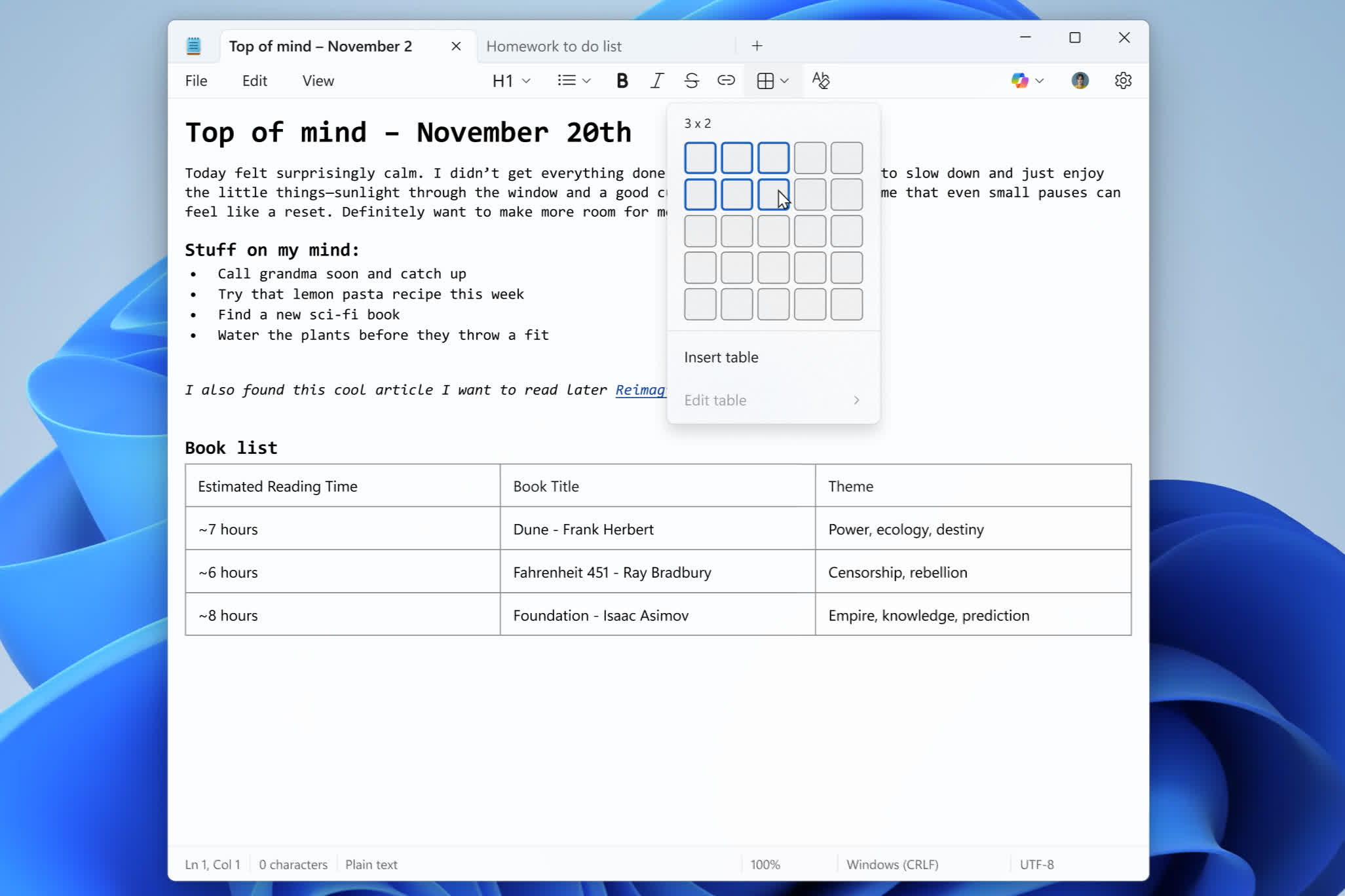
In context: Microsoft is going in some very wild directions with Windows development, with Notepad being one of the most outstanding guinea pigs in AI and design experimentations. Notepad now has the ability to add tables to textual notes, and forum users are already asking how to restore the old behavior.
Notepad recently gained new formatting capabilities, including support for tables. Redmond developers described table support as an expansion of the editor's "lightweight" formatting features. Users can now quickly insert tables in documents to improve note composition using the new "Table" option in the formatting toolbar or by entering the correct Markdown syntax. Once added to a document, users can quickly edit a table by adding or removing rows and columns. Table support is currently available only to those in the Windows Insider program, but it should soon appear in a stable Windows 11 release.

Microsoft is once again altering Notepad's nature by adding tables to what was supposed to be a minimal, no-frills text editor. The company recently deprecated and removed its other minimalist RTF editor, WordPad, leaving users without a simpler alternative unless they install a third-party app.
Trying to understand exactly what Microsoft is doing with Windows has become a fool's errand. However, you can bet your expensive RAM banks that AI is now the primary focus of Redmond's development plans.
Tables aside, Notepad is also gaining an improved AI text experience, with "streaming" results in Write, Rewrite, and Summarize. Currently, streaming support is limited to locally generated results on Copilot+ PCs. Those features require the user to log in to their Microsoft account.
Microsoft is adding more features to Windows 11's Notepad, alienating users who just need to edit plain text quickly. Oddly, the company now offers an optional command-line text editor that is even simpler than the traditional Notepad. However, its minimal interface and reliance on typed commands make it less user-friendly for most people. This contrast highlights Microsoft's push toward specialized tools while leaving basic text editing in a more fragmented state.