First look: Google is quietly transforming the Chrome browser into an autonomous platform and ChatGPT competitor with the rollout of Auto Browse. Built on Google's Gemini system, the new feature means to shift routine web interactions such as filling out forms, gathering data, and planning itineraries from the user to a digital agent.
The feature marks one of Google's most determined steps toward agentic AI, where software systems carry out tasks through context-aware reasoning and automated control of user interfaces. Auto Browse is now in preview for paid subscribers in the AI Pro and AI Ultra plans, it uses the company's latest Gemini 3 models with architecture influenced by Google's earlier experimental agent framework, Project Mariner.
When an Auto Browse task is started, Chrome spawns dedicated tabs identified by an animated AI icon. The agent can navigate across sites, follow links, and interact with form fields using simulated keyboard and mouse input.
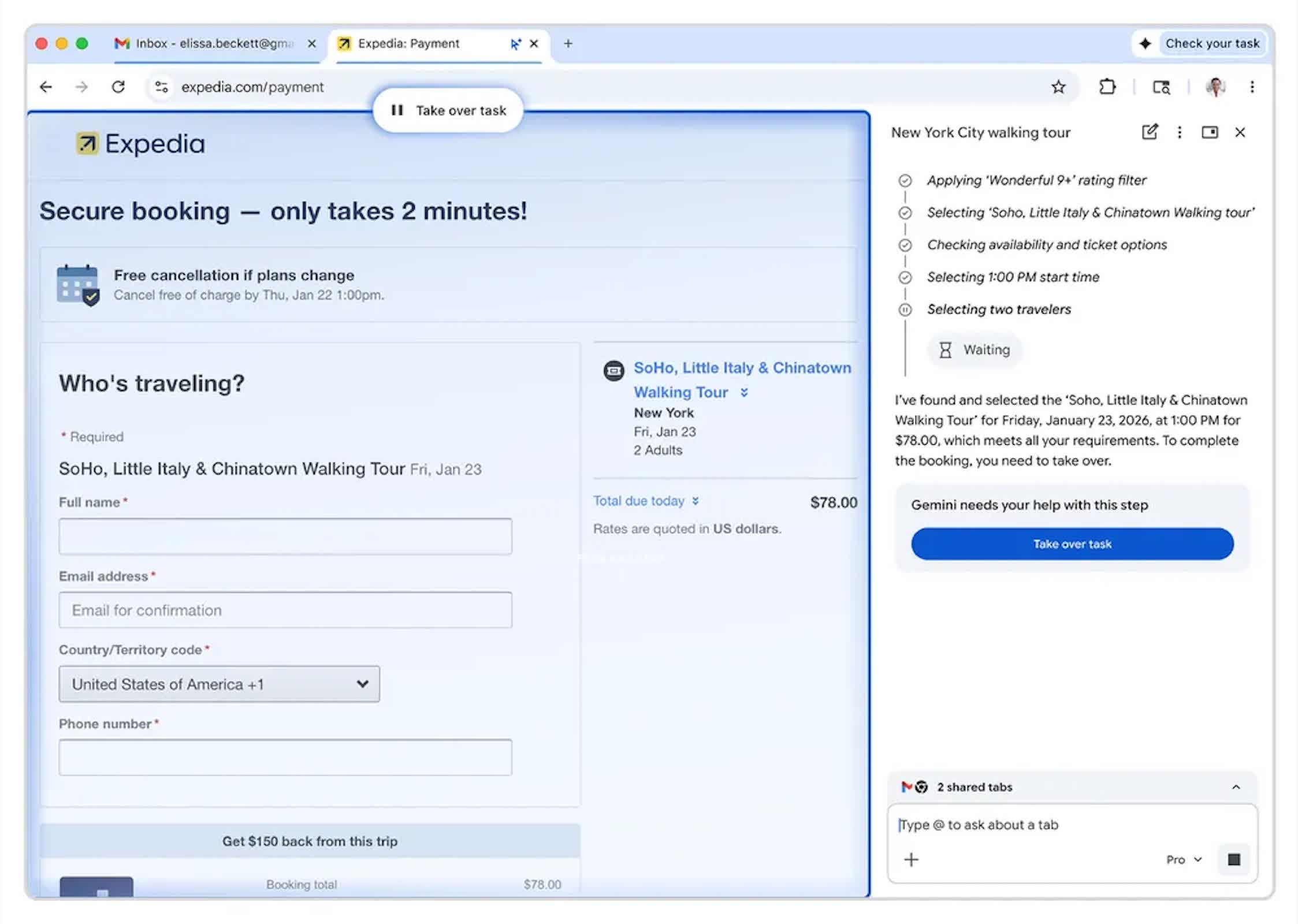
Users do not need to monitor the process; the system sends alerts once a task is complete or when permission is required for sensitive actions such as accessing passwords or initiating payments.
Much like OpenAI's Atlas tool, Auto Browse represents a new layer of abstraction between human intent and the web interface. Instead of instructing the browser directly, users describe goals, and Gemini interprets and executes them step by step. This allows multiple background tasks to run simultaneously, an approach designed to reduce cognitive load for repetitive browsing work.
From this side window, Gemini can coordinate with other Google services like Gmail, Calendar, Maps, YouTube, Shopping, and Flights, directly within Chrome.
A new interface accompanies these features. The once-static Gemini button in Chrome now opens by default in a persistent Sidepanel view rather than a pop-up, giving the AI continuous access to the current page. From this side window, Gemini can coordinate with other Google services like Gmail, Calendar, Maps, YouTube, Shopping, and Flights, directly within Chrome.
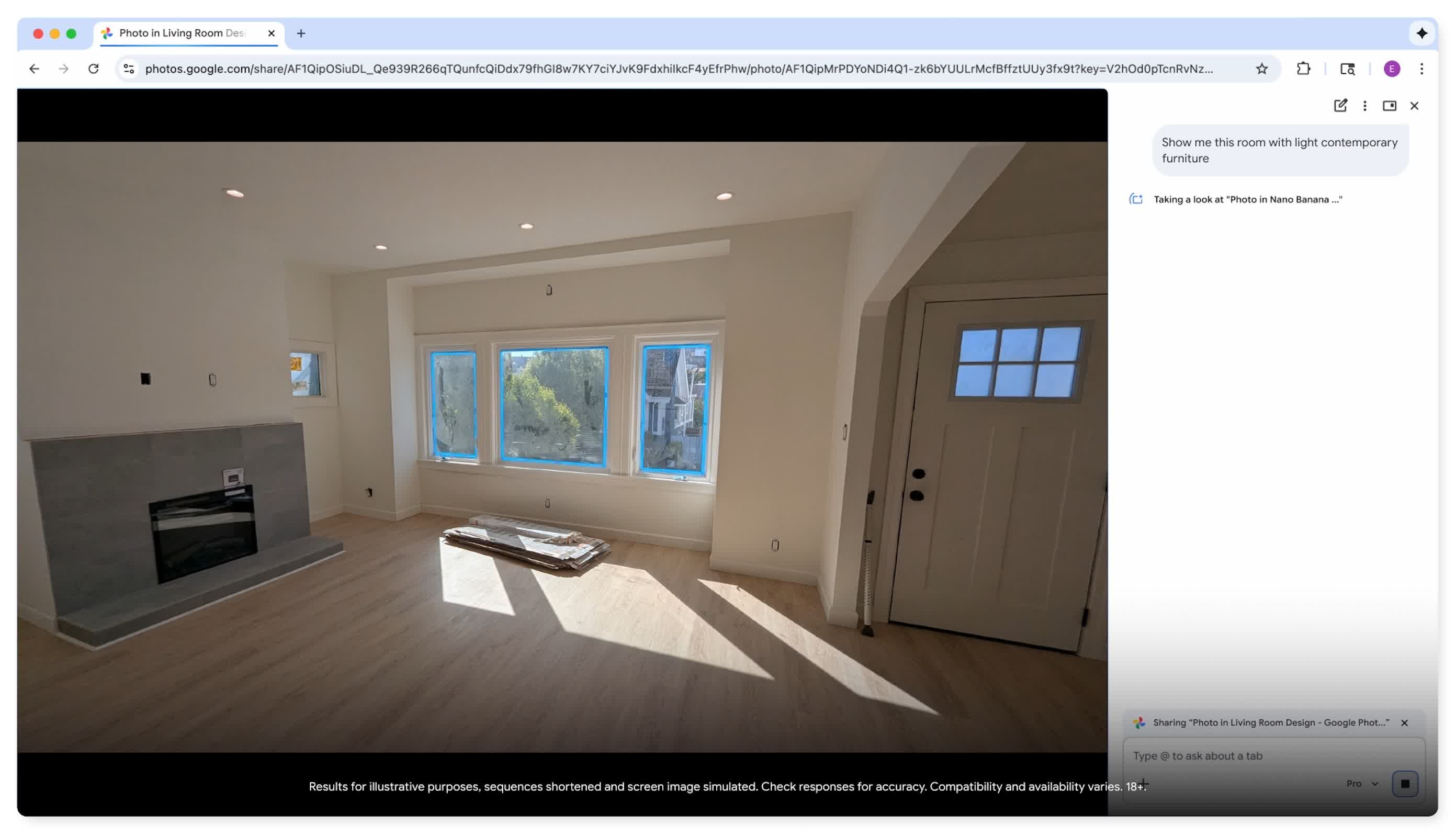
Image editing is also available via Nano Banana, enabling in-browser editing without downloading files. Users can toggle between the faster standard model and the higher-fidelity Gemini Pro when performing visual tasks.
Auto Browse's operation remains cloud-dependent however. All page interactions initiated by the agent are streamed to Google's servers for processing by Gemini models.
According to company documentation, page content may be temporarily logged to a user's account and retained in the Gemini Apps Activity data, depending on privacy settings. Google has not confirmed whether content accessed during Auto Browse sessions contributes to training future AI systems.
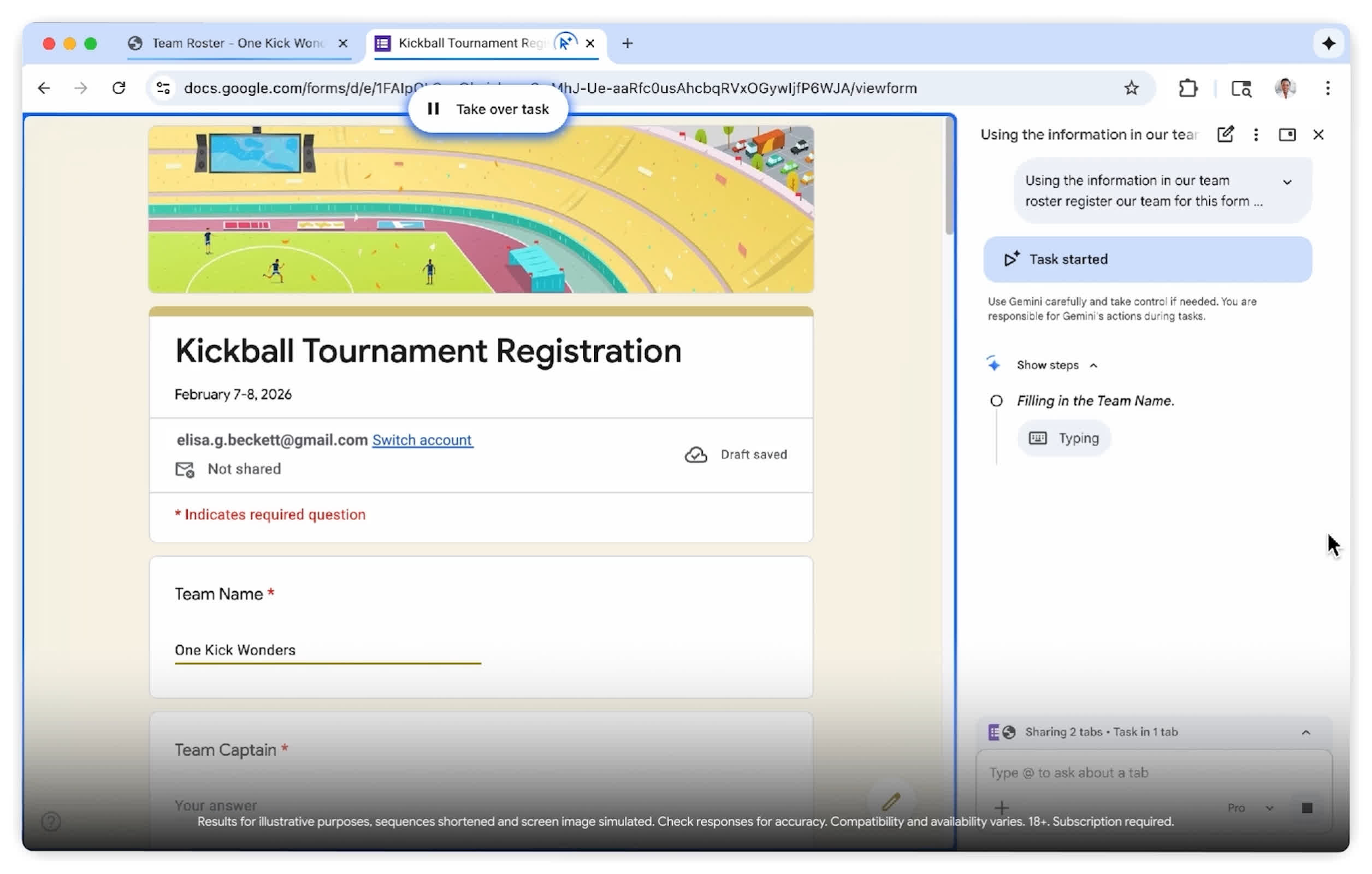
AI Pro subscribers can initiate up to 20 browsing tasks per day, while AI Ultra users get 200 daily sessions. Although the preview does not require an extra purchase, access for free-tier users has not yet been announced.
Google says protective rules prevent the AI from executing transactional steps, such as submitting payment information without explicit user confirmation. In practice, Auto Browse can identify items for purchase and fill order forms, but it will stop before final checkout.
Whether users trust an algorithm to navigate and act on their behalf, though, may determine how soon agentic browsing moves from experimental preview to mainstream use.