WTF?! Philips might have just revealed one of the most weirdly useful monitors ever. While its technical specifications are modest, the unique dual-screen setup could make it ideal for certain business scenarios. However, global release and pricing details remain unavailable.
A dual-sided monitor labeled 24B2D5300 recently appeared on Philips' UK and Ireland online storefronts. Digital Camera World reports that the panel will be available from June for £359 ($481), but pre-order options have not appeared in any region.
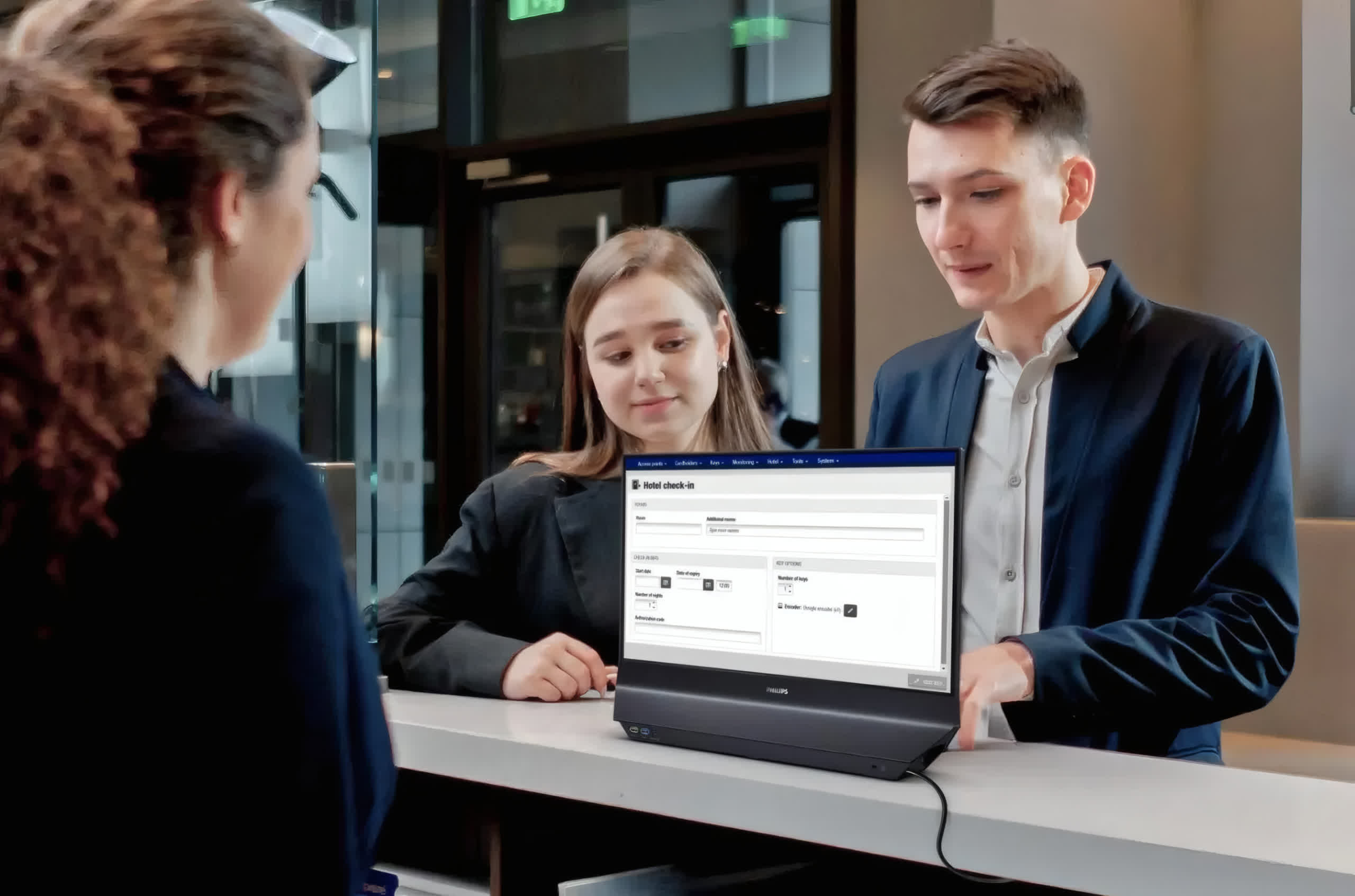
The monitor is clearly positioned for businesses first and foremost, featuring two opposite-facing 24-inch 1080p IPS panels. Still, the 120Hz refresh rate could be useful for gaming or watching sports. Philips highlights the latter in the YouTube ad above, and the manual confirms that the monitor supports Variable Refresh Rates through AMD Adaptive Sync. While the manual's VRR section lists numerous compatible AMD GPUs and APUs, Nvidia GeForce support remains uncertain.
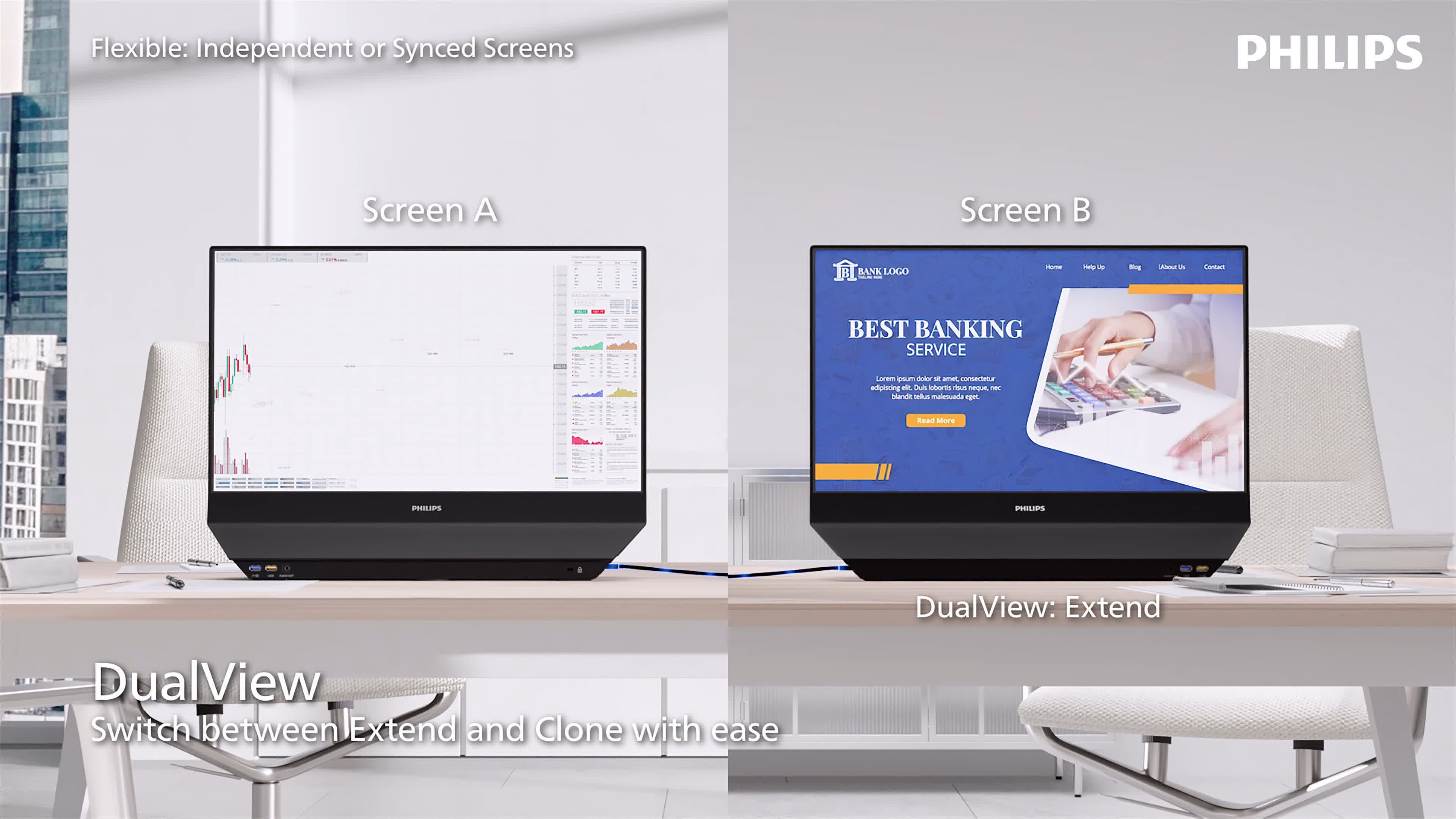
Front-desk interactions and presentations are where the device's unique design will likely shine. Its multiple display modes allow users to control what appears on each screen, delivering information to people facing them while still facing the monitor they are working on. The monitor can also swivel 180 degrees and clone content on both sides.
In DualView, it essentially works like a standard two-screen setup, except the screens are fused at the rear. Users can extend the desktop to send windows between the displays, just as they would between two separate panels.
However, another mode, called SmartView, activates a split-screen orientation on one side. Combining SmartView and DualView allows users to split one monitor while extending the desktop to control what appears on the opposite monitor. Meanwhile, the OSD Sync menu lets users adjust display settings on both screens simultaneously.
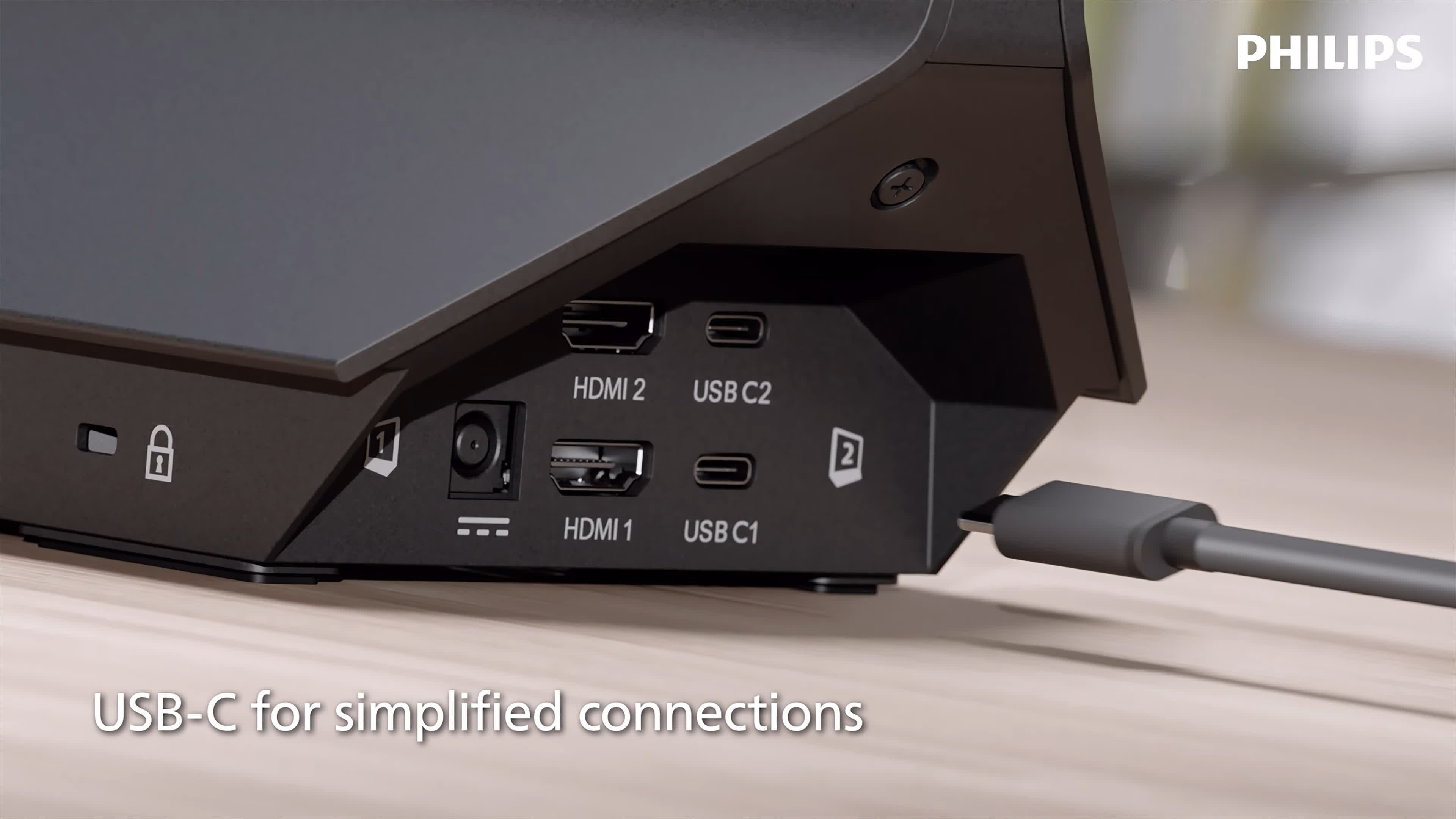
The monitor also includes enough inputs to connect to two devices simultaneously, essentially providing screens for two people while occupying half the desk space. Each side is assigned one HDMI 1.4 port and one USB-C 3.2 port, both of which support video output. Additionally, the MultiView mode displays the contents of one monitor in a picture-in-picture window in the corner of the opposite screen, allowing users to view two signal sources simultaneously. The USB-C ports can also deliver up to 65W of power to charge connected notebooks.