
In context: Windows 11 allows IT administrators to remotely wipe corporate laptops that have been lost or stolen using Microsoft's Intune device management software. Microsoft is now experimenting with a new Remote Locking option designed to protect sensitive data from unauthorized access without deleting any files.
As explained on Microsoft's Learn website, Remote Lock offers a less destructive way to protect data on lost or stolen devices than Remote Wipe. While Remote Wipe deletes all user data from a device, the new feature leaves the data untouched. If the device is recovered, its authorized user can simply sign in and pick up where they left off without losing any files.
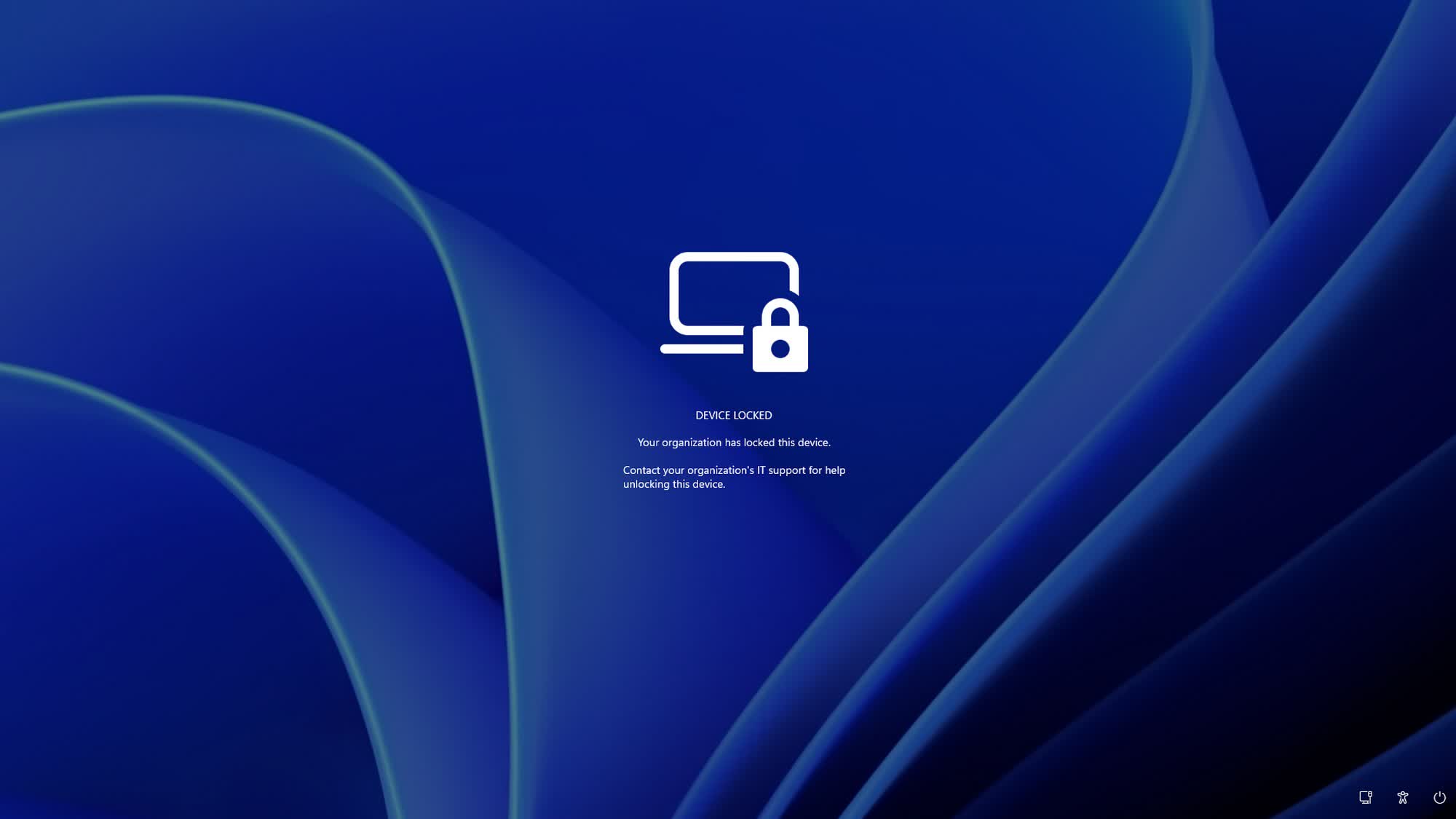
When Remote Lock is activated, Windows signs out all active sessions, hides local sign-in options, and displays a custom "Device Locked" screen, preventing users from accessing the device locally or remotely. However, locked devices remain enrolled in and managed through Intune, while BitLocker stays enabled as an additional layer of security.
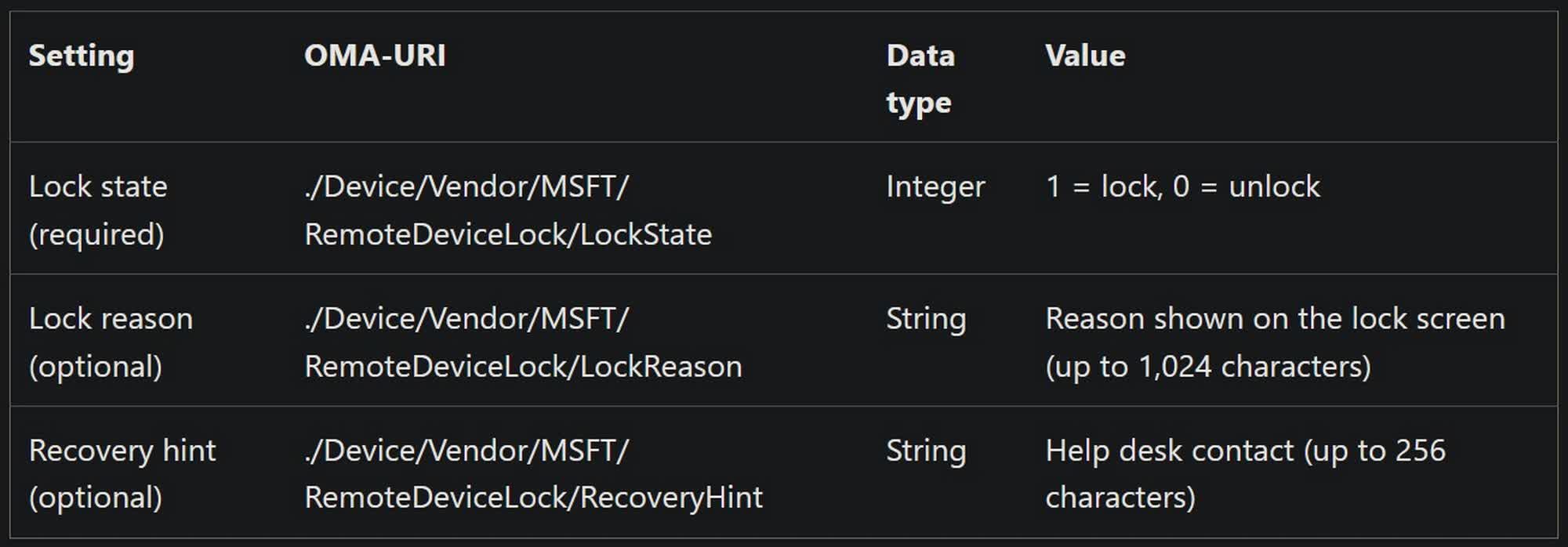
Remote Lock remains enabled across restarts and while the device is offline. Only an administrator can deactivate it. According to Microsoft, the lock can be lifted only remotely through Intune, as there is no way to unlock the device locally. The company says this restriction is intentional and is designed to prevent malicious actors from using brute-force attacks to gain access to device data.
Microsoft adds that Remote Lock does not block local boot and recovery options, such as the Windows Recovery Environment (WinRE), Safe Mode, or booting from USB drives and other media. The company also advises administrators to keep BitLocker enabled to protect data if a drive is removed or a device is reimaged.
Administrators can use Intune to configure Remote Lock on Windows Enterprise, Education, and Pro devices that are MDM-enrolled, Microsoft Entra-joined, or hybrid-joined. The read-only Status node in Intune reports the effective LockState: 0 if the device is unlocked, 1 if it is locked, 2 if the lock is pending, and 3 if an error occurred while attempting to lock the device.
Remote Lock is part of Windows 11 Insider Preview Build 29708.1001 for the Experimental (Future Platforms) channel, released on November 13. Curiously, the release notes also mention Windows 10 and Windows Server 2016, 2019, and 2022, suggesting that Microsoft might eventually extend the feature to additional platforms.