
Razer is often called the Apple of the gaming laptop industry. Like the MacBook Pro, the Razer Blade series is famed for being slim, stylish, powerful, and overly expensive. But does the Blade 18 with its RTX 5090 live up to that reputation, both the good and the bad, and can it compete with my favorite desktop replacement, the very similar Lenovo Legion 9i Gen 10?
The Blade configuration we received for review is an absolute beast of a gaming machine. In addition to packing Nvidia's flagship 24GB mobile GPU (175W TGP), there's a 24-core Intel Core Ultra 9 290HX Plus, 32GB of DDR5-6400, a 2TB PCIe 4.0 SSD, and a 99Wh battery. There's also a dual-mode 240Hz/440Hz IPS display, which we'll get to later.
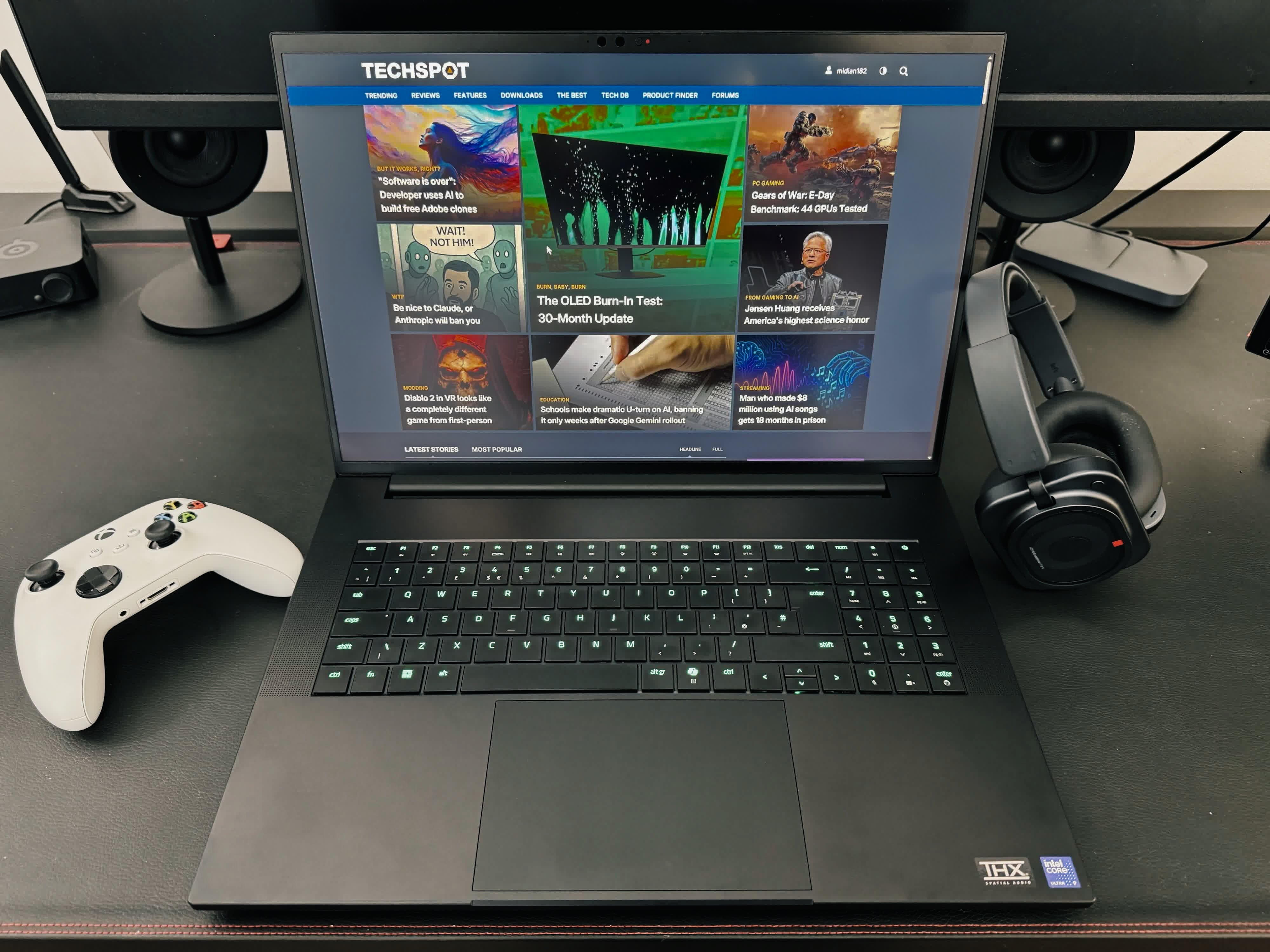
Thanks to the memory crunch, gaming laptops are priced like second-hand cars right now, but few are more expensive than this $5,400 machine.
The slim and sleek descriptors are definitely warranted here. It's amazing how Razer fits all this hardware into a chassis measuring just 15.74 × 10.84 × 1.10 inches. It's the same thickness as the Legion, in fairness, but more compact in its other dimensions.

It's also noticeably lighter at just over 7 pounds, making it easier to carry around than many other 18-inch laptops.
The Blade is stylish. The CNC-milled chassis, with its black anodized finish and illuminated green Razer logo, makes this look like the laptop Darth Vader would use. In a good way.
This chassis oozes quality and expense. There's not a hint of flex in it, and the lid stays firmly in place even when you're bashing away at the keys. It feels cool and smooth to the touch. I also like the clean look of having the power button integrated into the keyboard itself, rather than the usual massive button slapped between the keys and screen.
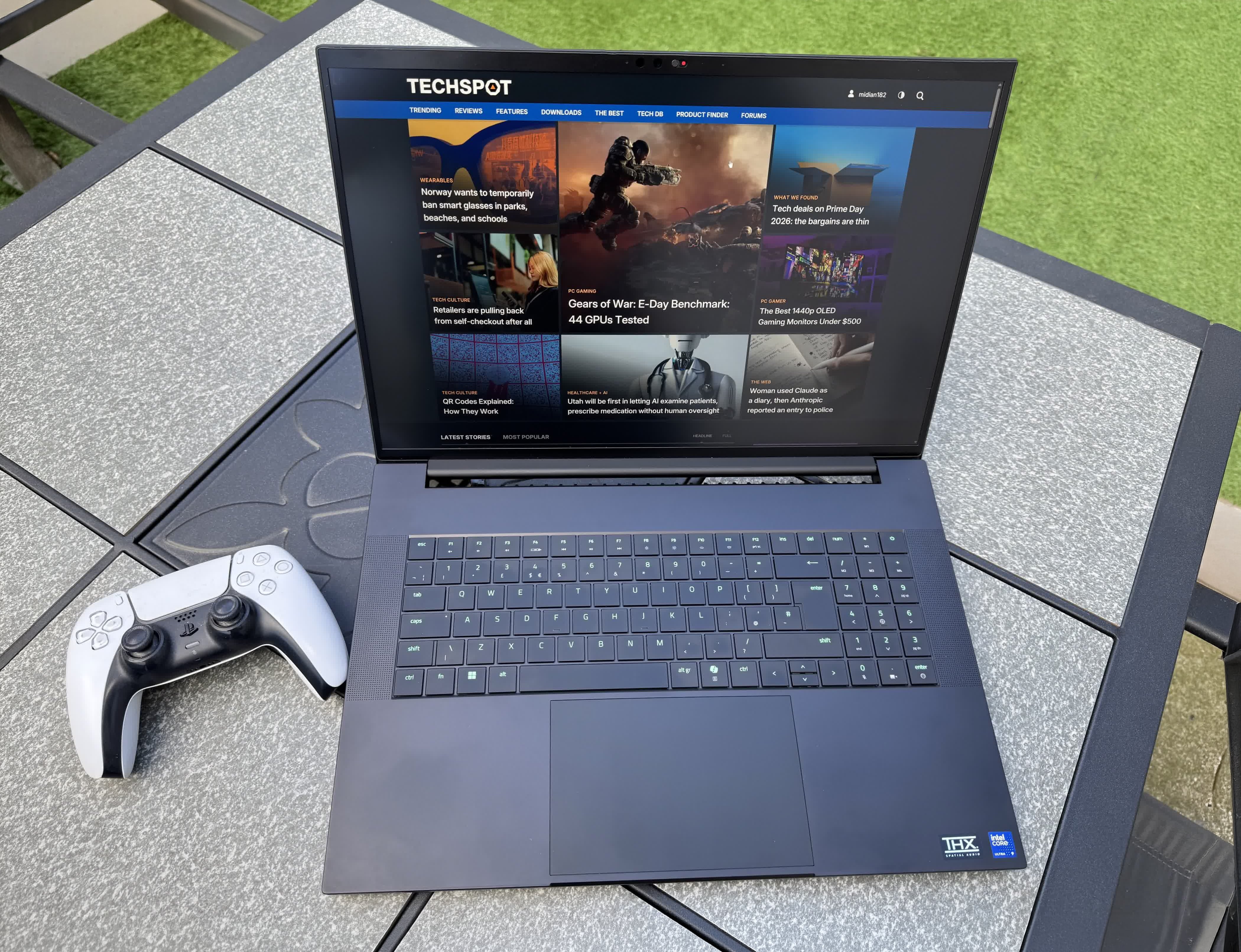
My only nitpick is that the lack of a lip makes it a little harder to open than the Legion, but Razer would likely argue that omitting it improves the aesthetics.
This is also one of those rare gaming laptops without LEDs (beyond the logo) on the outside of the chassis, so there are no rear light bars, underglow strips, illuminated vents, or edge lighting like you'd find on many rivals. Some people will likely see that as even more incentive to buy a Blade.
Connectivity, Ports, and Keyboard
The Razer Blade 18 offers a generous selection of ports, including three USB-A 3.2 Gen 2 connections, one Thunderbolt 5/USB-C port, and one Thunderbolt 4/USB-C port.
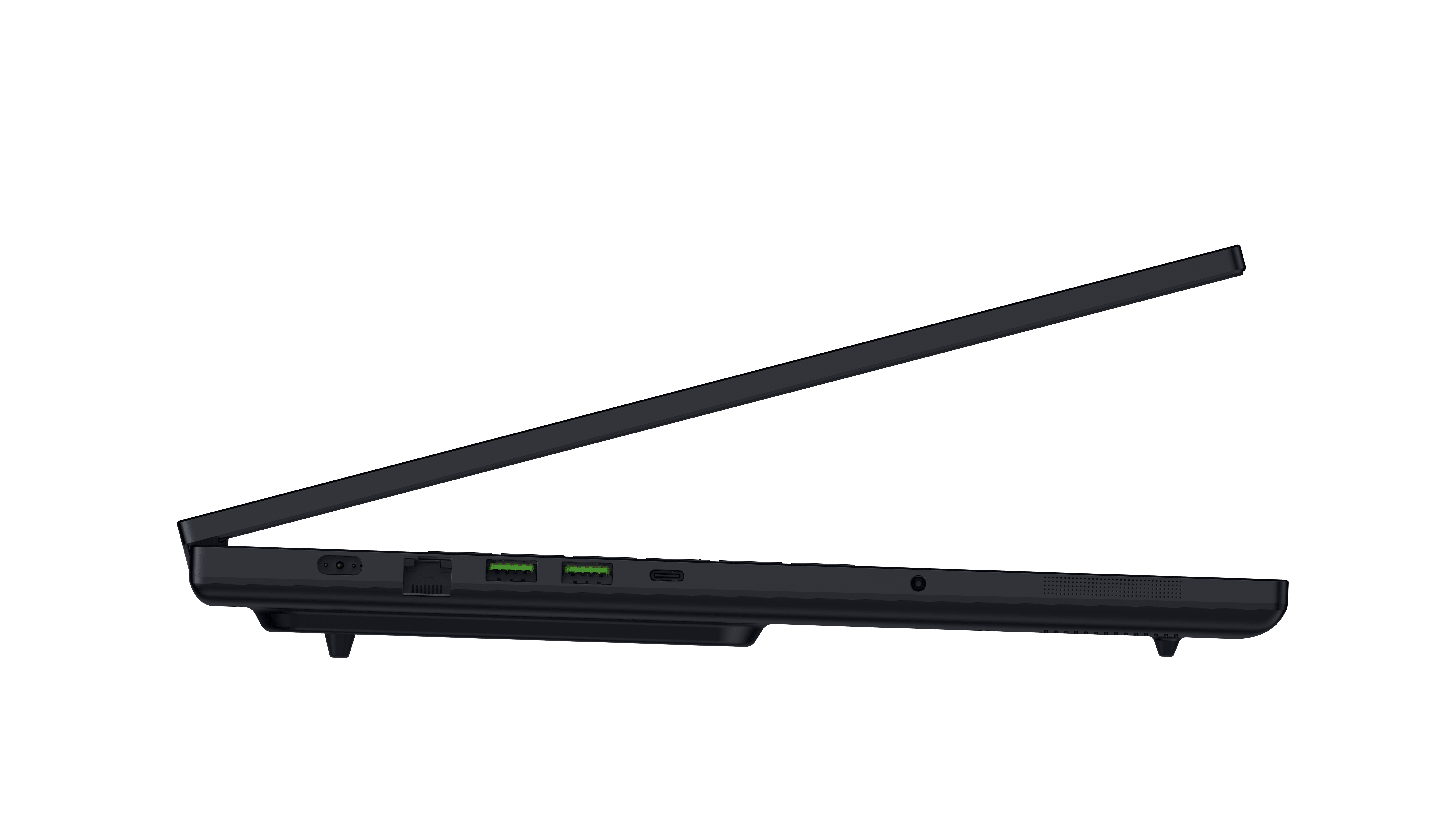
Both USB-C ports support DisplayPort 2.1 and up to 100W USB Power Delivery, although the Thunderbolt 5 port provides display output directly from the RTX 5090, while the Thunderbolt 4 port routes display output through Intel's integrated graphics. Razer doesn't indicate which Thunderbolt port is which, either.
There's also an HDMI 2.1 port, a full-size 2.5Gb Ethernet port, a UHS-II SD card reader, a 3.5mm combo jack, a proprietary power connector, and a Kensington security lock slot.

The Legion 9i Gen 10, in comparison, has one extra USB-C port, two Thunderbolt 5 connections instead of one, and supports up to 140W USB-C power delivery compared with the Blade 18's 100W maximum.
Wireless connectivity, meanwhile, consists of tri-band 2×2 Wi-Fi 7 (802.11be) and Bluetooth 5.4.
An 18-inch laptop means you get a full-size keyboard with a 10-key numpad. There's 1.5mm of key travel, and Razer's Chroma RGB lighting offers a slew of customization options.
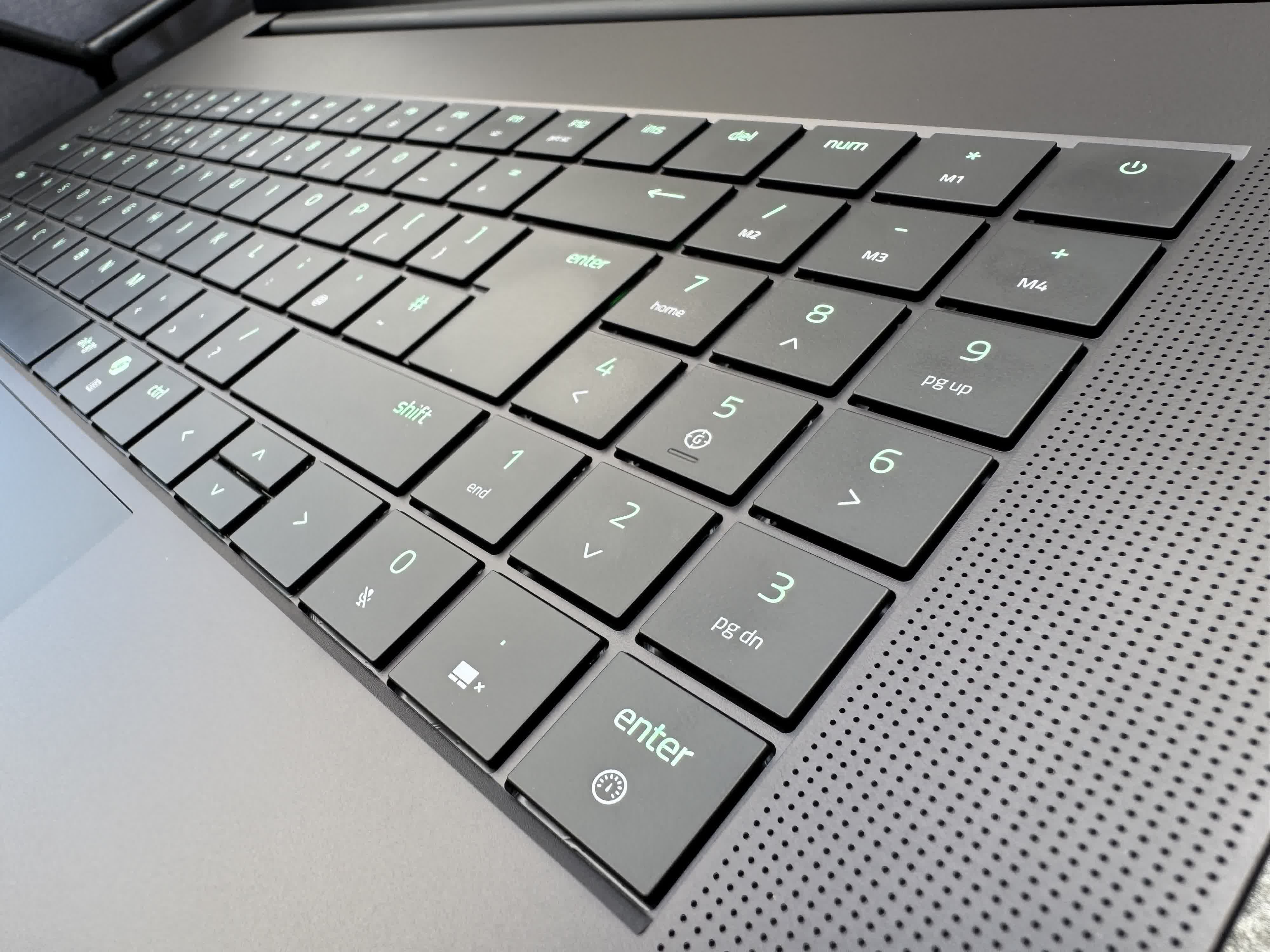
Below the keyboard sits a large glass touchpad that's responsive and pleasant to use, easily on par with the Legion's.
The Blade 18 offers a very impressive typing experience, but I definitely prefer the Legion in this department for its slightly stiffer keys and larger gaps between them. Also, despite the palm-rejection technology, there were a couple of occasions when the touchpad registered an accidental click while I was typing, but these were rare.
Display
The Blade's screen shares almost exactly the same specs as the Legion's: 3840x2400 at 240Hz, with the option to switch to 1920x1200 at 440Hz. Razer's machine is slightly brighter at 600 nits (vs. 520 nits), while both have a 3ms response time, 100% DCI-P3 coverage, and Nvidia G-Sync.

The part that puts many people off, though, is that both use IPS panels rather than OLED or mini-LED. They're the best IPS screens I've ever seen, but it's still easy to imagine that most consumers would prefer another panel type over the ability to play at up to 440Hz.
The Calman-verified, color-calibrated display looks superb on the Blade. Not OLED or mini-LED superb, but it's still super sharp, bright, crisp, and accurate.
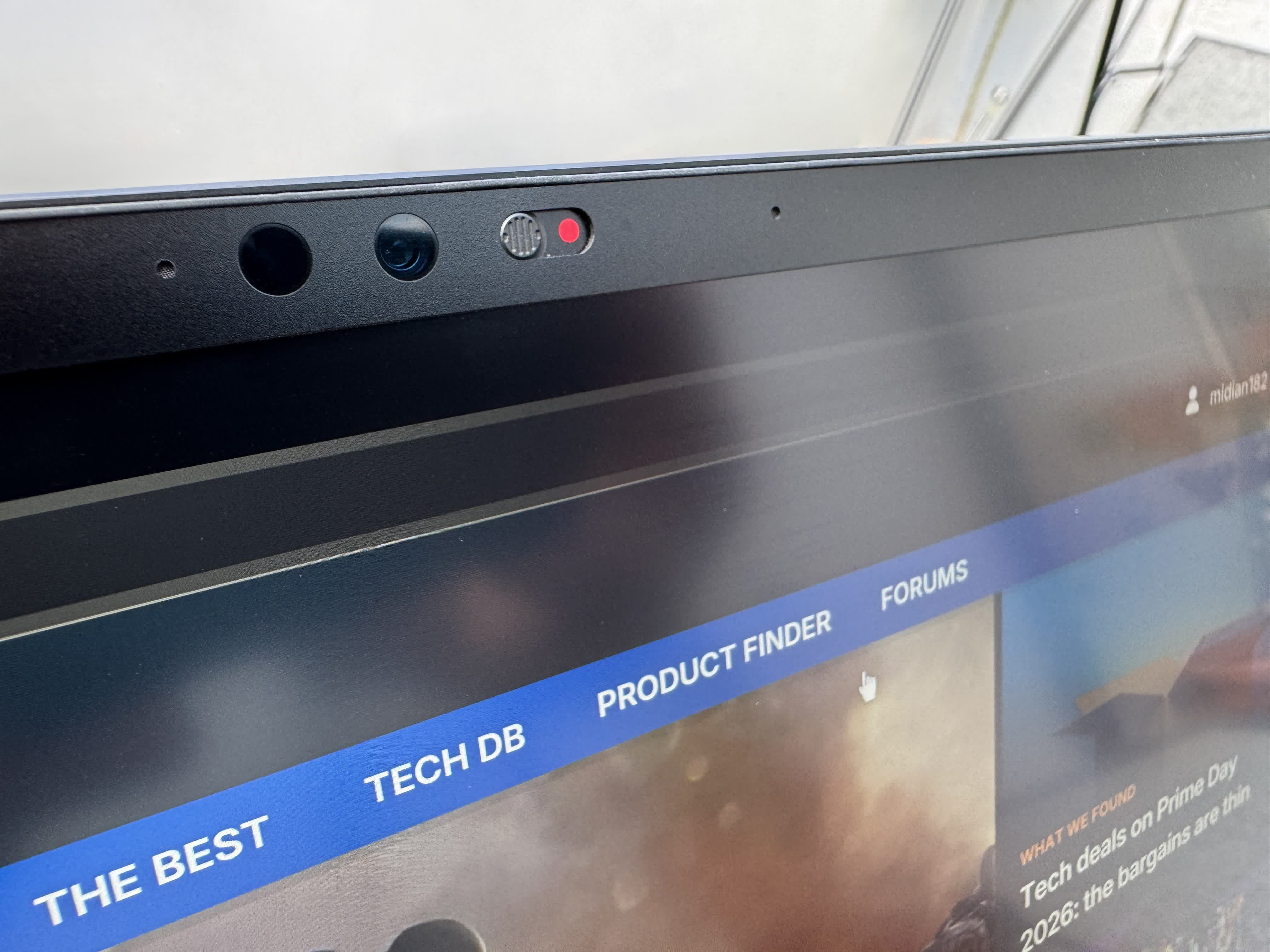
If you want to try the 440Hz mode, you'll need to use Razer's app and restart the machine, just as you do with the Legion and its app.
It's difficult to choose a favorite between the two laptops, as their screens are so similar. The Legion's does pop more because of its glossy coating. However, that also causes its biggest problem: reflections in bright rooms and outdoors, something the Blade 18 handles much better. Razer's machine is actually great to use outdoors and in bright indoor environments, with almost no reflections on the screen.
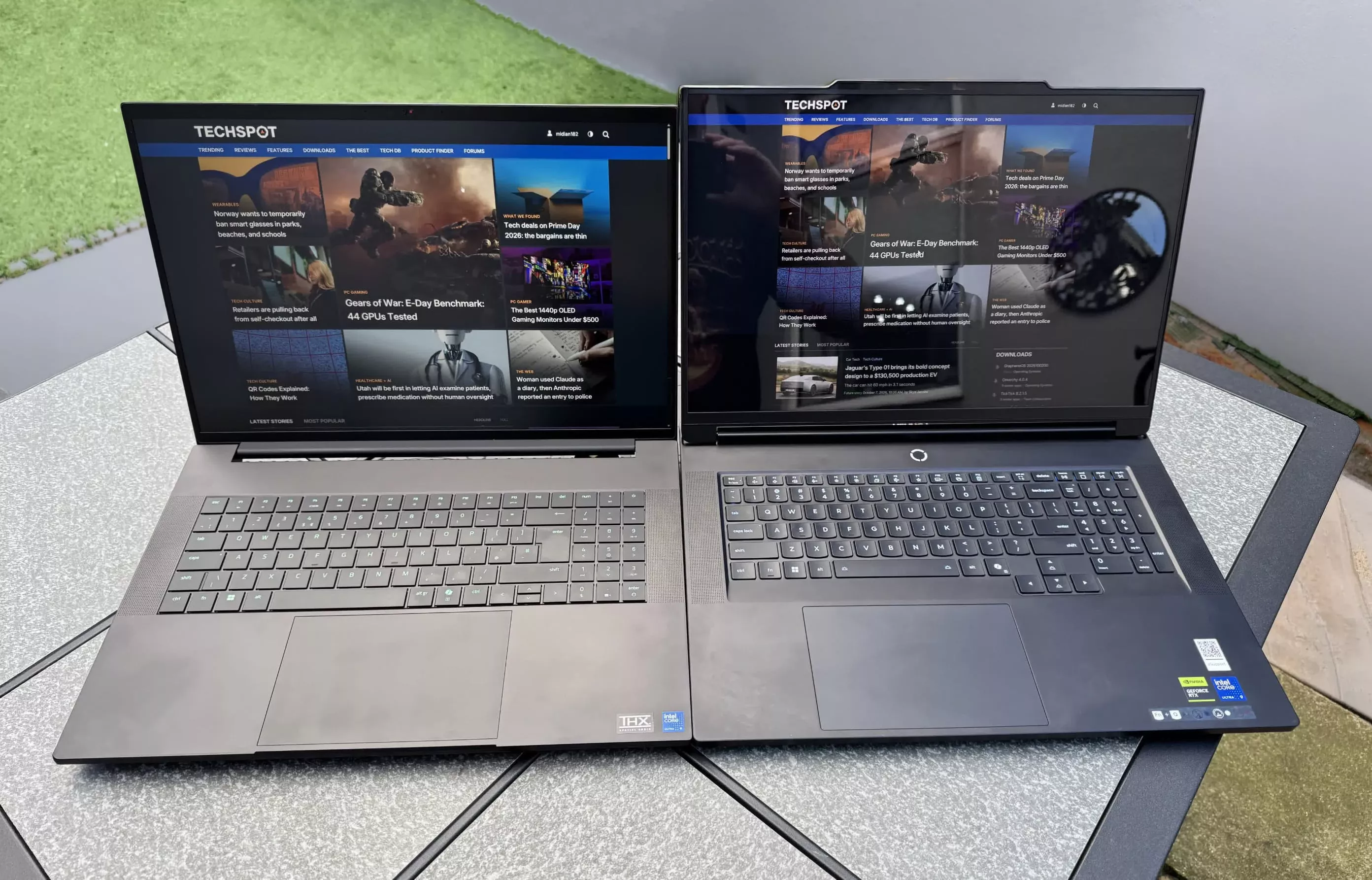
Ultimately, being able to switch to 1920x1200 at 440Hz is a cool feature to have, especially with a machine packing an RTX 5090, but how many people beyond competitive or dedicated FPS players will actually use it regularly?

Gaming Performance
Razer's Synapse software offers five performance profiles when plugged in: Balanced, Silent, Performance, Turbo, and Custom. We'll be using Turbo for these benchmarks.
A 24GB RTX 5090 paired with a Core Ultra 9 290HX Plus is always going to be a powerhouse. It's a shame I wasn't able to get the same GPU in the Lenovo laptop, which has an RTX 5080 and 64GB of RAM instead of 32GB. All titles were tested at 2560x1600 with no upscaling or ray tracing enabled.
2560 x 1600 in Turbo Mode
| Game / Scene | Settings | Avg. FPS | Min | Max | 1 % Lows | 0.1 % Lows |
|---|---|---|---|---|---|---|
| Space Marine 2 / Mission 4: Servant of the Machine | High | 113.3 | 19.8 | 160.8 | 81.6 | 54.1 |
| Black Myth: Wukong / Yellow Wind Sage boss | Very High | 73.7 | 42.3 | 141 | 49.2 | 42.8 |
| 007: First Light / Market | Ultra/High Lighting | 68.2 | 32.4 | 104.1 | 50 | 28.6 |
| Assassin's Creed Black Flag Resynced / Havana | Very High | 80.1 | 56.8 | 115.6 | 65.3 | 59.8 |
| Cyberpunk 2077 / Japantown driving | High settings | 115.6 | 14.6 | 184.7 | 84.3 | 72.7 |
| Baldur's Gate 3 / Baldur's Gate | Ultra preset | 133.2 | 73.5 | 247.6 | 87.3 | 80 |
| Assassin's Creed Shadows / Yamashiro | High preset | 75.7 | 21.2 | 139.1 | 61.3 | 54.1 |
| The Blood of Dawnwalker / Outdoors | High preset | 69.2 | 10.6 | 159.7 | 55 | 45.3 |
| Onimusha way of the sword demo / Daidara fight | Ultra preset | 99.9 | 75.9 | 121.8 | 85.3 | 80.2 |
Interestingly, the more expensive and powerful RTX 5090 Blade delivers only around 10 FPS more than the RTX 5080 Legion in most games, with an average performance advantage of ~9%, illustrating the relatively small gaming performance gap between the two mobile GPUs.
We also tested gaming at the Blade's native 3840x2400 resolution to see how the RTX 5090 handled them. Without upscaling, titles like Black Myth and First Light struggle, though several other titles were still very playable.
3840 x 2400 in Turbo Mode
| Game / Scene | Settings | Avg. FPS | Min | Max | 1 % Lows | 0.1 % Lows |
|---|---|---|---|---|---|---|
| Space Marine 2 / Mission 4: Servant of the Machine | High | 60 | 36.1 | 82.7 | 46.5 | 42.7 |
| Black Myth: Wukong / Yellow Wind Sage boss | Very High | 38.2 | 14.4 | 182.6 | 27.2 | 20.4 |
| 007: First Light / Market | Ultra/High Lighting | 42.6 | 17.3 | 90 | 35.6 | 24.8 |
| Assassin's Creed Black Flag Resynced / Havana | Very High | 48.5 | 32.9 | 98.6 | 40.7 | 38.4 |
| Cyberpunk 2077 / Japantown driving | High settings | 69.5 | 34.5 | 142.7 | 55 | 48.7 |
| Baldur's Gate 3 / Baldur's Gate | Ultra preset | 110.5 | 45.8 | 146.3 | 83.3 | 62.7 |
| Assassin's Creed Shadows / Yamashiro | High preset | 54.4 | 40.1 | 110.5 | 45.7 | 41.4 |
| The Blood of Dawnwalker / Outdoors | High preset | 42.2 | 20.7 | 132.7 | 33.2 | 10.4 |
| Onimusha way of the sword demo / Daidara fight | Ultra preset | 57.7 | 48.5 | 66.6 | 49.6 | 48.5 |
Synthetic Benchmarks
The RTX 5090 puts the Blade ahead of the Legion in 3DMark, leading by 14% in Steel Nomad and 10% in Time Spy. But that's another modest increase given the step up in GPU tier.
| Program | Test | Result |
|---|---|---|
| 3DMark | Steel Nomad | 6,411 |
| 3DMark | Time Spy | 23,948 |
| Cinebench 2026 | Single Thread | 565 |
| Cinebench 2026 | Multi Thread | 8,555 |
Despite sharing the same Core Ultra 9 290HX Plus processor, the Blade trailed the Legion by around 5% in Cinebench's multi-thread test and just 1.2% in the single-thread test.
Differences in power limits and cooling could explain the gap, as the RAM difference (64GB in the Legion versus 32GB in the Blade) is unlikely to have had much impact on the Cinebench results.
Thermals and Cooling
Packing 280W of total power into an aluminum chassis this comparatively thin and light really is impressive, but it also means things can get very hot. Despite the large vapor chamber and other cooling technologies, you start to feel the heat when pushing this Blade hard.
The area around the keyboard can hit 116-117°F, while the keys themselves can reach 109°F and the touchpad 100°F in extreme cases. The hottest areas of the Legion, in comparison, reached 109-111°F, while the touchpad and palm rests remained at around 89-91°F.
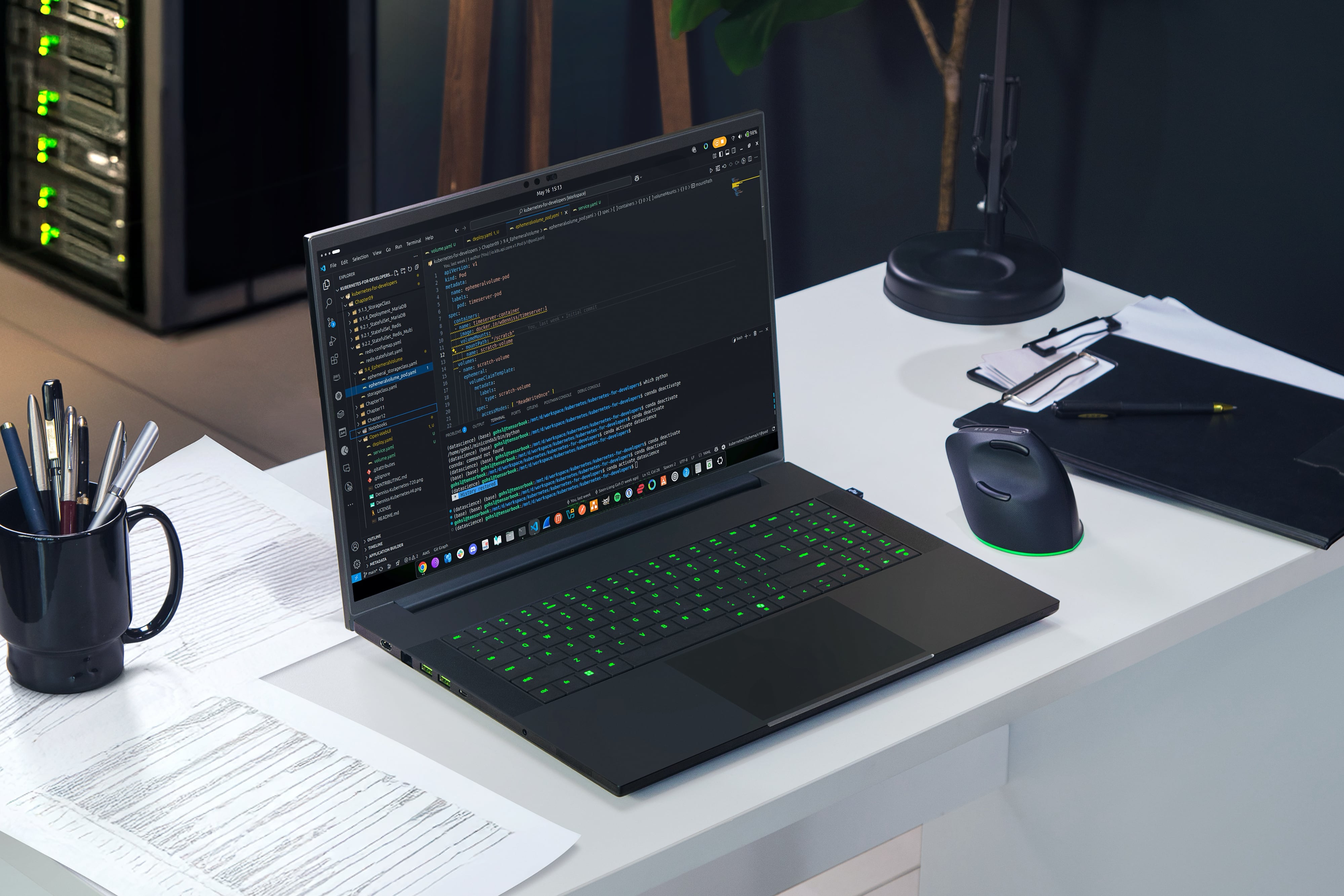
Personally, I noticed the heat in demanding games but never found the Blade too uncomfortable to use. It's something to consider, though.
During a 10-minute Cinebench 2026 multi-core run in Performance mode, the Blade 18's Core Ultra 9 290HX Plus peaked at 102°C on its DTS package sensor, with CPU power draw reaching 137W.
Package temperature averaged 79°C, but HWiNFO recorded thermal throttling, and the processor frequently hit its configured power limit. Under the same test conditions, the Legion 9i peaked at just 88°C without thermal throttling, despite reaching a higher peak power draw of 174W.
Storage Performance
Opting for a PCIe 4.0 SSD instead of a PCIe 5.0 drive like the Legion's is a bit of a disappointment in a $5,400 laptop. It's a decision that applies across the 2026 Blade 18 range, although one of its two M.2 slots supports PCIe 5.0, allowing owners to upgrade to a faster drive themselves.
The CrystalDiskMark results show excellent read and very good write performance, reaching 7,032 MB/s and 5,851 MB/s, respectively.
That's around 42% lower for reads and 55% lower for writes than the SK hynix Platinum P51 PCIe 5.0 SSD in the Legion, which reached 12,217 MB/s and 12,932 MB/s. However, most people are unlikely to notice much difference between the two in everyday use.
Battery Life and Noise
It goes without saying that gaming laptops, especially 18-inch ones, aren't really designed to spend long periods away from a wall socket. The Blade 18 performs well in this department compared to its competitors, though. It beat the Legion in our YouTube playback test, lasting around seven and a half hours compared to six hours.

Another area where the Blade beats the Legion is the noise it produces under load. I recorded an average of 48 decibels in Turbo mode, much quieter than the Legion's 57.5 decibels and considerably quieter than the Medion Erazer Beast 16 X1's 61 decibels. This is one of the quietest high-end gaming laptops I've tested.
Wrap Up
For an 18-inch laptop, the Blade 18 is ridiculously slim, sleek, and quiet, with enough power to tear through games at high and maximum settings.
It also looks beautiful, is built to survive a war, has plenty of ports, hugely impressive audio, much better battery life than you'd expect, and is lighter than many rivals, making it one of the most portable 18-inch gaming laptops.
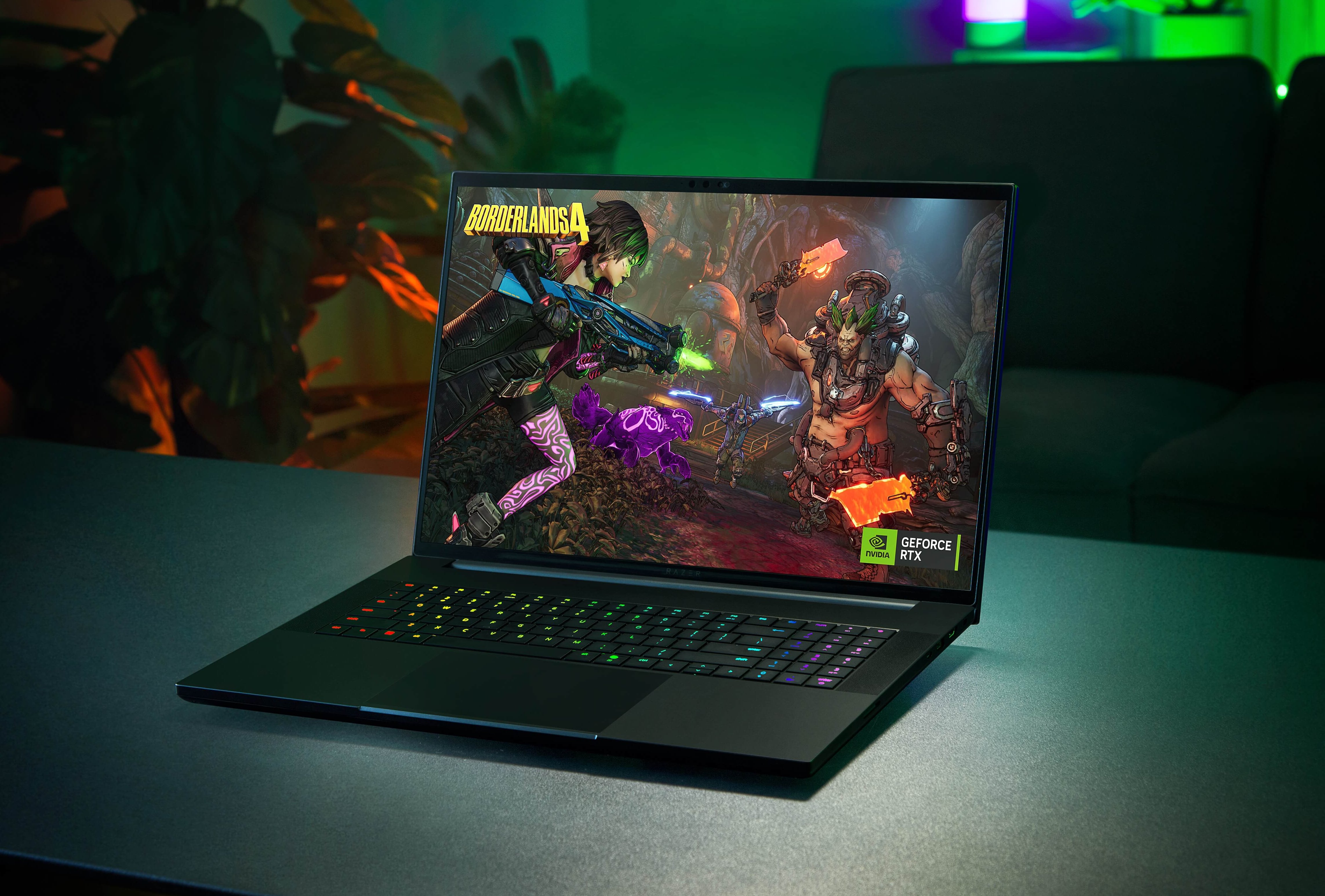
The display is sharp, colorful, and accurate, but it's still an IPS panel. For some, this could be a dealbreaker in a $5,400 laptop. And to reiterate, not everyone will care about a 440Hz refresh rate.
The Blade is also one of the hotter laptops out there, and the lack of a PCIe 5.0 SSD is disappointing at this price, as is the 32GB of RAM. Moreover, the RTX 5080 model could be the better buy, potentially offering better value for $400 less.
Ultimately, though, there's no arguing that this Blade 18 is an absolutely stunning machine, and it's hard to imagine anyone with the money to buy one would be disappointed.
Pros
- An impressive combination of power, thinness, weight, and low noise for an 18-inch laptop
- Dual-mode IPS screen is beautiful, bright, and reaches 440Hz
- Stunning looks and premium build quality
- Impressive speakers
Cons
- A price that's hard to justify
- OLED and mini-LED options would have been welcome
- Can get quite hot
- 64GB of RAM and a PCIe 5.0 SSD would be expected for over $5,000