AMD's Threadripper Pro 9995WX can run 400 copies of Doom and 8 instances of Crysis

Cal Jeffrey

Posts: 4,595   +1,682
Staff member
Editor's take: With its five-digit price tag, AMD's Threadripper Pro 9995WX is obviously built for and marketed at professionals only. But you have to wonder: how would it handle games? Can it run Crysis? With this much horsepower, the real question becomes: how many instances do you want to run?
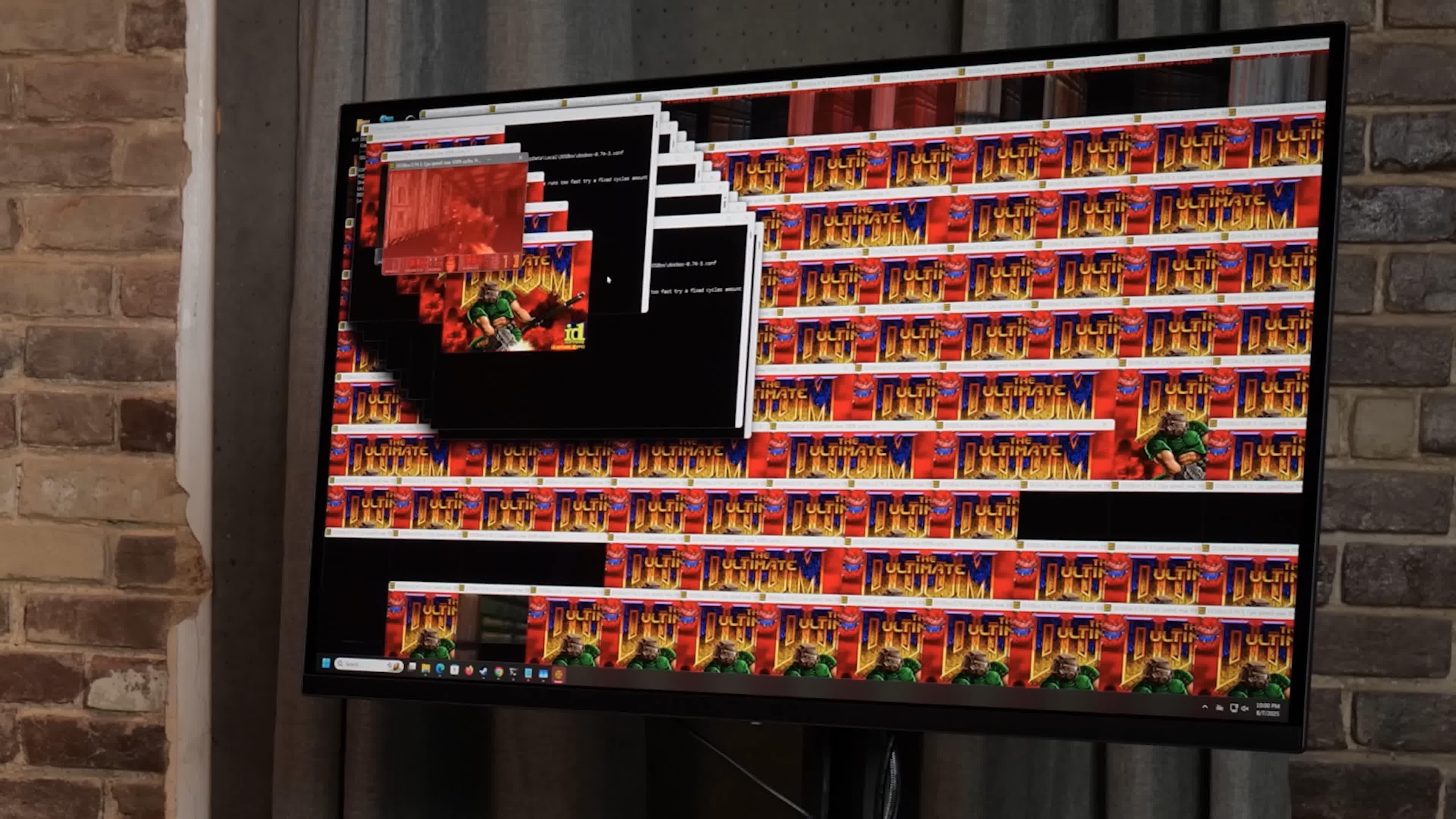
YouTube channel Level1 Techs recently put AMD's monstrous new Threadripper Pro 9995WX processor through its paces. On a whim, host Wendell Wilson launched multiple instances of Doom to see how many the 96-core beast could handle – ultimately hitting a jaw-dropping 400 copies across four virtual machines (watch the video below).

Wilson moved on to benchmarking the processor in Cinebench 24 and was puzzled to find it was running 500 points lower than expected.

The problem? The CPU was so powerful that he accidentally left 100 copies of Doom running in the background without even realizing it. Performance was snappy and quick despite the unseen workload.

Wilson didn't stop at Doom, which is not especially taxing. The game is often used as a benchmark for minimal hardware and can run on almost anything short of a literal potato.

So he went for the classic, "But can it run Crysis?" The short answer: yes. In fact, it can run eight instances of Crysis without breaking a sweat. Wilson said he could have run more, since each instance was on one chiplet with four to spare, but his setup would have needed a third GPU.

Also read: Can It Run Crysis? Why this old shooter is still talked about

With 96 cores, 192 threads, and a 5.4 GHz boost clock, this workstation CPU delivers the kind of power that would have seemed like science fiction a few years ago. AMD calls it "the world's fastest workstation processor," and this test backs that claim. It reportedly scored 186,000 in Cinebench R23, with overclockers estimating 250,000 is possible using extreme cooling.

Tom's Hardware notes that the Threadripper Pro 9995WX is a tremendous leap forward for content creators, engineers, and professionals who need massive parallel processing power (we recently reviewed the more down-to-earth $5,000 64-core 9980X and were still impressed).

Whether rendering complex 3D animations, running multiple virtual machines, or apparently hosting a monumental Doom tournament, this processor handles it all with the casual ease usually reserved for opening an email.

The fact that so many game instances could run so smoothly in the background that testers forgot they were there is a testament to CPU evolution and progress. We've reached the point where accidentally running a small gaming convention on your workstation is just a Tuesday afternoon mishap.

Permalink to story:

 
Crysis is old though. I can run it on just about any laptop at this point. CPUs are powerful nowadays even in the $500 range. It can run on a GTX 1060.
 
"accidentally left 100 copies of Doom running in the background without even realizing it"

Maybe this CPU is the solution for running all those browser tabs. 🙃

Or people like one of my coworkers, whose THREE 27" monitor screens are almost completely filled
with ICONS! She does a search, when she needs something from one of the icons. I told her create a
folder, drag all the icons into that. Every time you refresh your screen, the computer has to reload those
icons. She said she likes it that way though... (shakes head).
 
Or people like one of my coworkers, whose THREE 27" monitor screens are almost completely filled
with ICONS! She does a search, when she needs something from one of the icons. I told her create a
folder, drag all the icons into that. Every time you refresh your screen, the computer has to reload those
icons. She said she likes it that way though... (shakes head).
Had a coworker that treated their desktop as any other folder... with over two thousand items (files and folders) in the top directory. The desktop was glitching out trying to render icons on top of icons creating stacks, constantly shifting the displayed icon's order trying to make sense of it all. Generating (or regenerating) all of the live thumbnails for the office documents on that desktop also took its toll whenever it happened. That coworker thought there was nothing wrong with it either, or more accurately did not care.
 
Had a coworker that treated their desktop as any other folder... with over two thousand items (files and folders) in the top directory. The desktop was glitching out trying to render icons on top of icons creating stacks, constantly shifting the displayed icon's order trying to make sense of it all. Generating (or regenerating) all of the live thumbnails for the office documents on that desktop also took its toll whenever it happened. That coworker thought there was nothing wrong with it either, or more accurately did not care.
Oh god, whenever somebody called me because their PC was slow... this was one of the major issues (alongside 10 major browser extension that they "never installed"). And it was 100 times worse when ppl had regular slow hard drives.
 
Or people like one of my coworkers, whose THREE 27" monitor screens are almost completely filled
with ICONS! She does a search, when she needs something from one of the icons. I told her create a
folder, drag all the icons into that. Every time you refresh your screen, the computer has to reload those
icons. She said she likes it that way though... (shakes head).
While the operating system loads desktop icons, it doesn't assign a specific percentage of memory solely for that purpose. Instead, the desktop icons and their associated files are loaded into RAM alongside other active processes and programs. The amount of memory used by icons depends on the number and size of the files and shortcuts present on the desktop, with larger files and more shortcuts consuming more memory, they are basically their own worst PC Enemy
 
Back