Battery life of an HP laptop

learninmypc

Posts: 9,859   +753
Got a 2nd hand HP laptop was 8.0, now W10, from a friend in 2018. A few days ago I noticed it was UNplugged, I plugged it back in & it showed 73% plugged in. Now its showing 63% plugged in. NO access to battery or HDD so I will not take it apart to replace battery.
Will it continue to work even if battery goes completely dead? TIA, I'm guessing it will still run, but asking anyway :)
 
F.W.I.W., mousing over the battery icon, it simply says "battery meter", no % shown, Thinking about resetting it to factory & ????
 
Same laptop different situation. I decided to put it to use so I booted it up, typed in the passcode, said it was wrong, clicked ok & typed it in again, same message, I knew it was correct. Shut it down, pulled power cord out, pushed power on button for a few seconds,released , plugged it back in & booted it back up.Entered my passcode , same message, got angry, pulled power cord out 🤬pushed poweron button, plugged back in & booted it up again. It did a disk check & other things too fast to know. As of now, it will not go to desktop. It did a BIOS thing. I'm currently "trying" to do a system restore to yesterday, taking a few hours. If that fails, I have a W10 repair thing saved on a flash drive. Been working on this all day. Did try a factory reset but did not work. Any suggestions?? Hoping
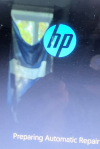
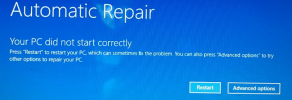
 
Last photo is too large to post, showing options of which I've tried to no avail.Continue Exit & continue to W10, Use a divice, Troubleshoot & Turn off your pc. None of the previous have worked. I even tried getting it to safe mode but nope. Helo or is it dead??
 
Last edited:
Got a 2nd hand HP laptop was 8.0, now W10, from a friend in 2018. A few days ago I noticed it was UNplugged, I plugged it back in & it showed 73% plugged in. Now its showing 63% plugged in. NO access to battery or HDD so I will not take it apart to replace battery.
Will it continue to work even if battery goes completely dead? TIA, I'm guessing it will still run, but asking anyway :)
simple,keep it pluget in on power adapter without battery like computer desktop it is work nicely
 
Last photo is too large to post, showing options of which I've tried to no avail.Continue Exit & continue to W10, Use a divice, Troubleshoot & Turn off your pc. None of the previous have worked. I even tried getting it to safe mode but nope. Helo or is it dead??
simple your harddisk is bad need new one,of course need new windows operating sistem
 
The battery has degraded and can’t hold a full charge now, so the percentage may drop even while plugged in. If it runs fine on AC power, you can keep using it.
 
Yes, most laptops will still work fine with a completely dead battery as long as the charger/power adapter is connected and working properly. The battery just won’t hold a charge anymore.

However, if the battery becomes swollen or starts causing power issues, it’s better to remove or replace it if possible. Since your laptop is older, the battery capacity naturally drops over time, so the percentage slowly decreasing is pretty normal.
 
Could be a setting that limits the charge of the battery to prolong battery life. Some pc's and cell phones have this type of setting which limits the charge to about 75% to prolong battery life. This might also limit the pc to fall below a certain percentage before it will recharge, the idea being to limit the number of discharge/recharge cycles and thus prolomg battery life.
 
Last edited:
Back