
Why it matters: If you're an Android user, you'll want to keep your eyes peeled for a devious new strain of malware that's been making the rounds. Dubbed "Brokewell" by cybersecurity researchers, this Trojan packs a seriously malicious punch and even lets hackers gain remote access to your phone.

As reported by fraud risk company ThreatFabric, the modus operandi of this malware is deceptively simple - it tricks unsuspecting users into downloading it by disguising itself as an update for Google Chrome. The fake update page looks pretty legit at first glance, using similar visuals and branding as the real Chrome update prompts. But there are some subtle telltale signs that something is amiss, like awkward phrasing and some misplaced visual elements.
Once installed on your device, Brokewell can siphon off your personal data, snoop through banking apps, and even give attackers remote control access to your phone or tablet.
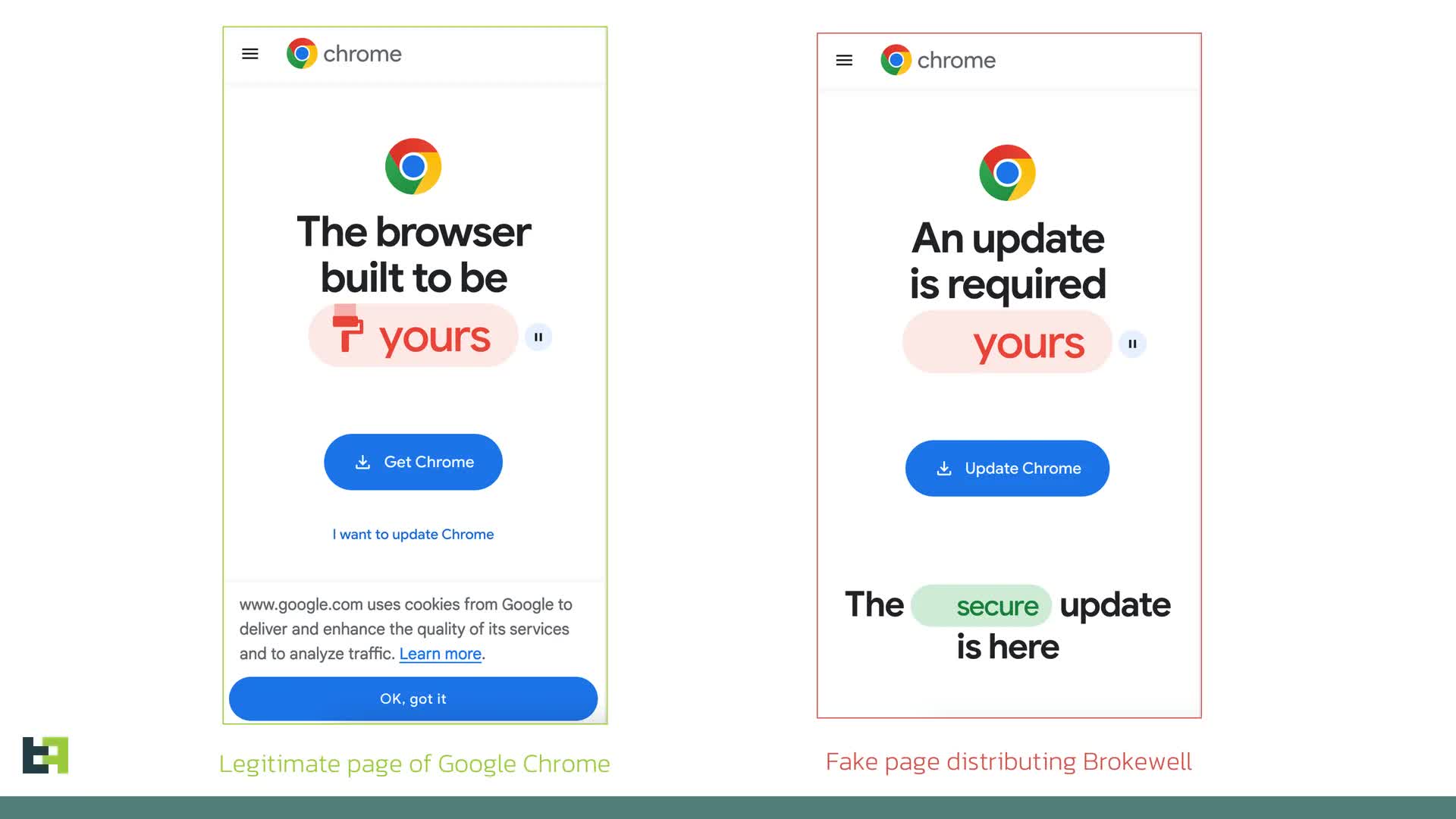
Brokewell does all this by employing some clever trickery involving overlay screens that pop up over your apps to nab login credentials and session cookies, according to the researchers. It can also invisibly log every tap, swipe, and bit of data you enter to hoover up any confidential info.
What's particularly unnerving is that Brokewell seems to be an active work-in-progress. "We anticipate further evolution of this malware family, as we've already observed almost daily updates to the malware," the researchers wrote.
The firm has traced Brokewell back to a hacker called "Baron Samedit" who is apparently selling it along with other shady tools through a shadowy online operation dubbed "Brokewell Cyber Labs." It's even got its own website.
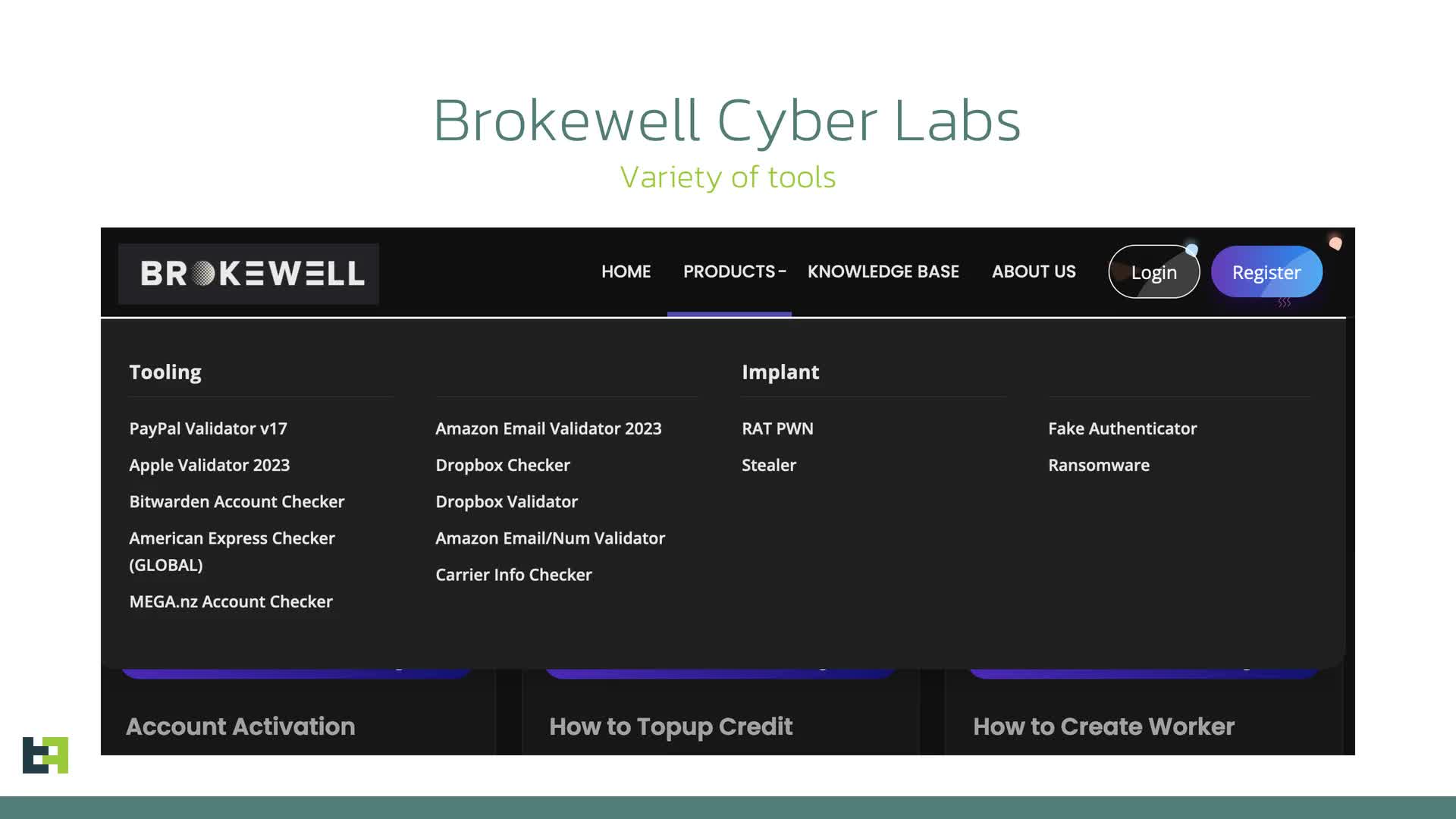
Samedit has been peddling malware like Brokewell for at least a couple of years now. Researchers also uncovered another utility they created called the "Brokewell Android Loader" that helps cybercriminals bypass restrictions in Android 13 to get malware installed.
Worse, the analysts have warned that the ability to bypass Android 13+ restrictions could proliferate among cybercriminals. Just as reading SMS messages became ubiquitous for mobile malware, circumventing OS security measures may become the new norm.
The ability for nasties like Brokewell to essentially take over your device from the inside is a capability that's in hot demand in the cybercrime underworld. That's because it allows fraudsters to perform their misdeeds directly through the victim's phone.
"Brokewell will likely be promoted on underground channels as a rental service, attracting the interest of other cybercriminals and sparking new campaigns targeting different regions," writes the analysts.
What can you do to steer clear of Brokewell's crosshairs? As a general rule, never download apps or updates from sources outside the official Google Play Store. Having Google Play Protect turned on is also a must to scan for shady apps - it's usually enabled by default and shields against most threats like these.
Devious "Brokewell" trojan masquerades as Chrome browser update to steal your banking data


