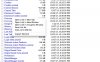
Recently Google Chrome stopped showing favicons for all my bookmark bar favorites. Since I can only fit so many bookmarks and thus I abbreviate the descriptions, the icons help me color-coding them so they're more easily identifiable and I can visually follow where I want to go as quickly as possible.

There is an easy fix to this if you reset the Chrome cache for favicons. Delete the Favicons file in the designated location:
In Windows:
C:\Users\your_username\AppData\Local\Google\Chrome\User Data\Default
**In OS X:
/Users/your_username/Library/Application Support/Google/Chrome/Default/
**To access the User Library folder in OS X, hold the Option key and then select Go > Library from the Finder menu bar.
Restart your browser and you should be back in business.
There is an easy fix to this if you reset the Chrome cache for favicons. Delete the Favicons file in the designated location:
In Windows:
C:\Users\your_username\AppData\Local\Google\Chrome\User Data\Default
**In OS X:
/Users/your_username/Library/Application Support/Google/Chrome/Default/
**To access the User Library folder in OS X, hold the Option key and then select Go > Library from the Finder menu bar.
Restart your browser and you should be back in business.