Chrome finally gets vertical tabs, plus an improved Reading Mode

midian182

Posts: 11,745   +178
Staff member
What just happened? Chrome might be the most popular browser by a massive margin, but it still lacks features that rivals have had for years. One of these, vertical tabs, is finally coming to Google's product. The feature is part of an update that also includes an improved reading experience with an immersive Reading Mode.
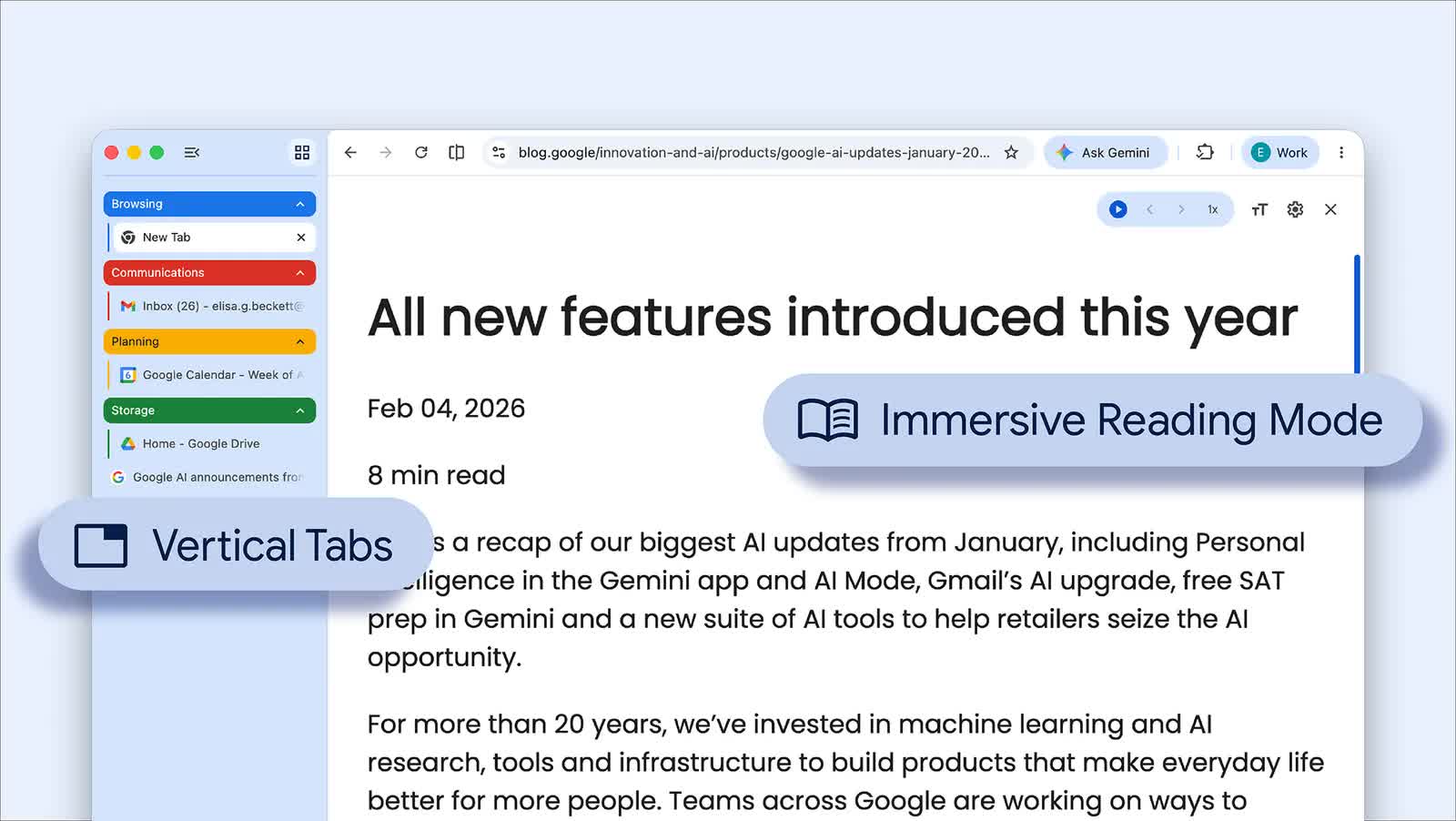
Rolling out from April 7 on desktop Chrome (download here), the vertical tabs feature gives users the option to move the browser's tab strip from the top of the window to a sidebar on the left.

To enable vertical tabs, right-click any Chrome window and select "Show Tabs Vertically," after which users can see full page titles instead of the tiny, shortened labels that appear once the tab count starts climbing.

Google says tab groups are easier to manage in this layout, and the sidebar can be collapsed into a narrow column of favicons when you want to free up screen space. Switching back to the traditional horizontal strip is just as simple.

Browsers including Microsoft Edge, Mozilla Firefox, and Brave already support vertical tabs in one form or another, and anyone who regularly works with double-digit tab counts will already know why they matter.

Google's other addition is an upgraded version of Chrome's existing Reading Mode, which the company has positioned as a tool for deep focus.

Instead of opening in a side panel, the feature now offers a full-page interface meant to cut out visual clutter and turn busy sites into a more text-focused view. It can be launched by right-clicking a page and choosing "Open in reading mode," or by selecting Reading Mode from the address bar.

Google says the new interface also includes text-to-speech controls and several customization options, including font size, typeface, color themes, and line and letter spacing. Users can also adjust playback speed and choose different voices for read-aloud.

The update feels less about flashy new functionality and more about making Chrome less annoying to use for the kinds of everyday tasks people spend hours doing. While the changes are hardly groundbreaking, both feel overdue. For Chrome users, they should be among the more practical additions Google has made to the browser in a while.

Permalink to story:

 
I have 64GB DDR5 RAM. Will it be enough for this?

Chrome runs my computer down despite having top notch components.
 
I have 64GB DDR5 RAM. Will it be enough for this?

Chrome runs my computer down despite having top notch components.

Since my last installation of Windows in July, Chrome has been banished from my computer. I use Firefox and Edge, with uBlock Origin and Control D DNS filtering. On Android, too, I got rid of Chrome and have been using Opera for over a month.
 
I blocked chrome from updating a few months before they pushed out their version that pretty much makes most adblock programs useless. Only reason I even keep it on my PC is because the wife says she "needs" to use it for access to a couple sites for her freelance jobs. I hate chrome and stick with Firefox on my phone and PC.
 
No worries, I'm sure we'll hear a hundred times "Chrome has been updated" and the ultra annoying "check out the new features" prompt even though we don't give a $&$*#.

Why do these ***** developers feel the need to tell us REPEATEDLY about "new features" and "updates". How about they STFU and stop annoying us - WE DON'T CARE and we'll find the features if we ever need them (doubtful) without all your constant pop-ups.
 
I have 64GB DDR5 RAM. Will it be enough for this?

Chrome runs my computer down despite having top notch components.

I've been using Chrome for many years on multiple systems, both powerful and not so powerful, and have never had an issue. I can't imagine what you and others are doing wrong, but the problem isn't with Chrome. It works just fine.
 
So funny reading the comments about how much people hate Google Chrome, and they use another much better browser. Meanwhile Microsoft Edge, Brave, Opera, Vivaldi and a bunch of other browsers all use the same Chromium engine that's in Google Chrome.
 
So funny reading the comments about how much people hate Google Chrome, and they use another much better browser. Meanwhile Microsoft Edge, Brave, Opera, Vivaldi and a bunch of other browsers all use the same Chromium engine that's in Google Chrome.

Well, one could compare Borderlands 4 and Expedition 33, both using the same engine.

Perhaps the UI is more agreeable or the ad-blocking support better. Take Edge. It comes with Windows, so why not use it and avoid several Google services running, occasionally, in the background? It even supports the full version of uBO.
 
Well, if there was ever a reason to use Arc Browser, or any other Chromium-based, third-party browser with vertical tabs, I guess that's about to go out the window...
 
So funny reading the comments about how much people hate Google Chrome, and they use another much better browser. Meanwhile Microsoft Edge, Brave, Opera, Vivaldi and a bunch of other browsers all use the same Chromium engine that's in Google Chrome.
It's all in the implementation....I swear by Brave, give a try.
 
Back