Editor's take: In Colossus: The Forbin Project, an advanced supercomputer becomes sentient and enslaves humankind. Colossus is also the name of the storage platform where almost all of Google's internet services reside. Though we don't know if the company took direct inspiration from the classic sci-fi movie, the connotations are still present.

In a recent blog post, Google revealed some of the "secrets" hiding behind Colossus, a massive network infrastructure the company describes as its universal storage platform. Colossus is robust, scalable, and easy to use and program. Google said the massive machine still uses tried-and-true (yet still evolving) magnetic hard disk drives.
Colossus powers many Google services, including YouTube, Gmail, Drive, and more. The platform evolved from the Google File System project, a distributed storage system for managing large, data-intensive applications, making things more manageable. Surprisingly, Google supercharged Colossus by installing an exclusive cache technology that relies on fast solid-state drives.
| Example application | I/O sizes | Expected performance |
|---|---|---|
| BigQuery scans | hundreds of KBs to tens of MBs | TB/s |
| Cloud Storage - standard | KBs to tens of MBs | 100s of milliseconds |
| Gmail messages | less than hundreds of KBs | 10s of milliseconds |
| Gmail attachments | KBs to MBs | seconds |
| Hyperdisk reads | KBs to hundreds of KBs | <1 ms |
| YouTube video storage | MBs | seconds |
Google builds one Colossus file system per cluster in a data center. Many of these clusters are powerful enough to manage multiple exabytes of storage, with two file systems, in particular, hosting more than 10 exabytes of data each. The company claims that Google-powered applications or services should never run out of disk space within a Google Cloud zone.
The data throughput in a Colossus file system is impressive. Google claims that the largest clusters "regularly" exceed read rates of 50 terabytes per second, while write rates are up to 25 terabytes per second.
"This is enough throughput to send more than 100 full-length 8K movies every second," the company said.
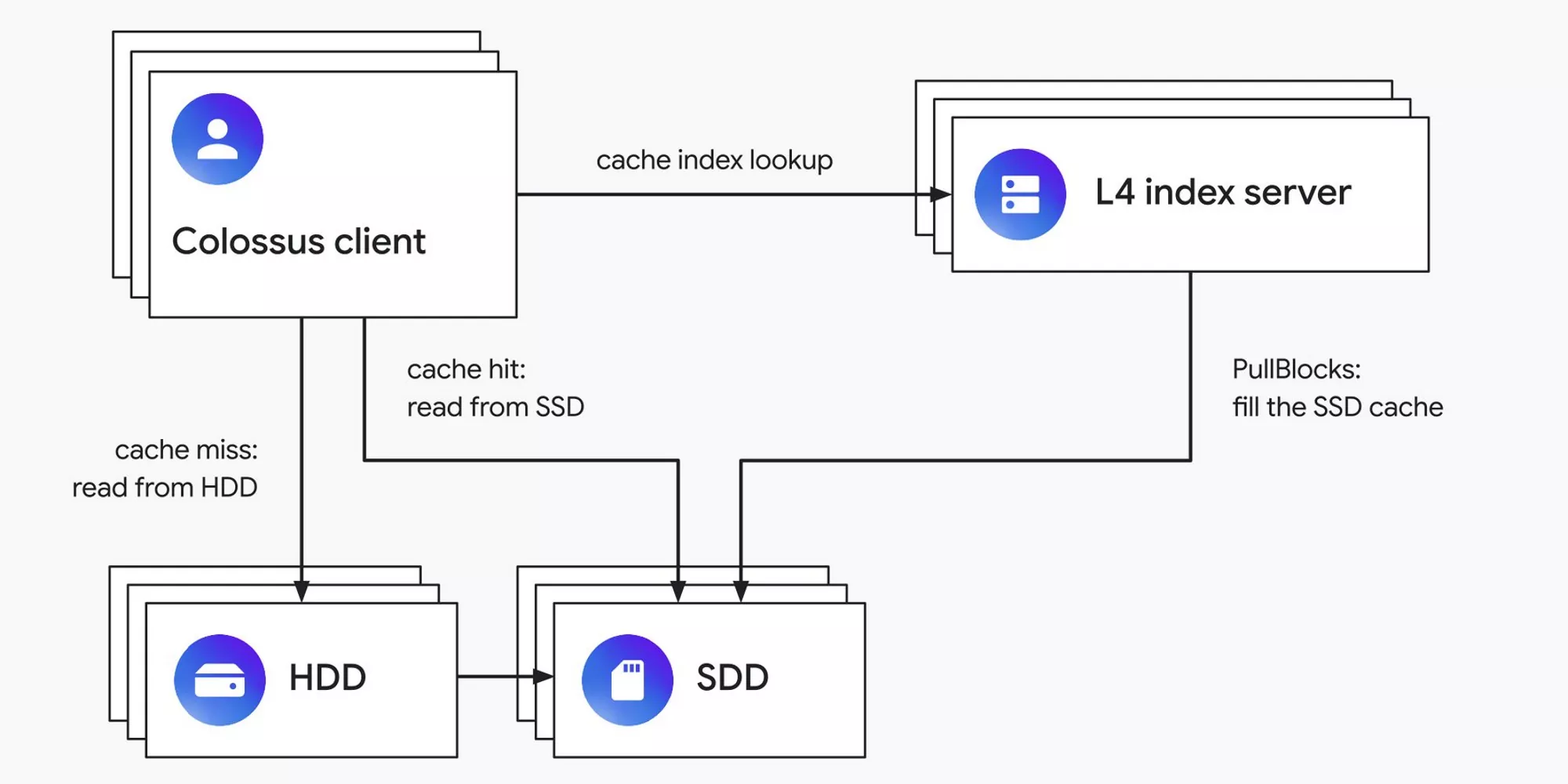
Storing data in the right place is essential for achieving this kind of over-the-top performance. Colossus internal users can dictate if their files need to go to an HDD or an SSD, but most developers employ an automated solution known as L4 distributed SSD caching. This technology uses machine learning algorithms to decide what policy to apply to specific data blocks. However, the system eventually writes any new data to the HDDs.
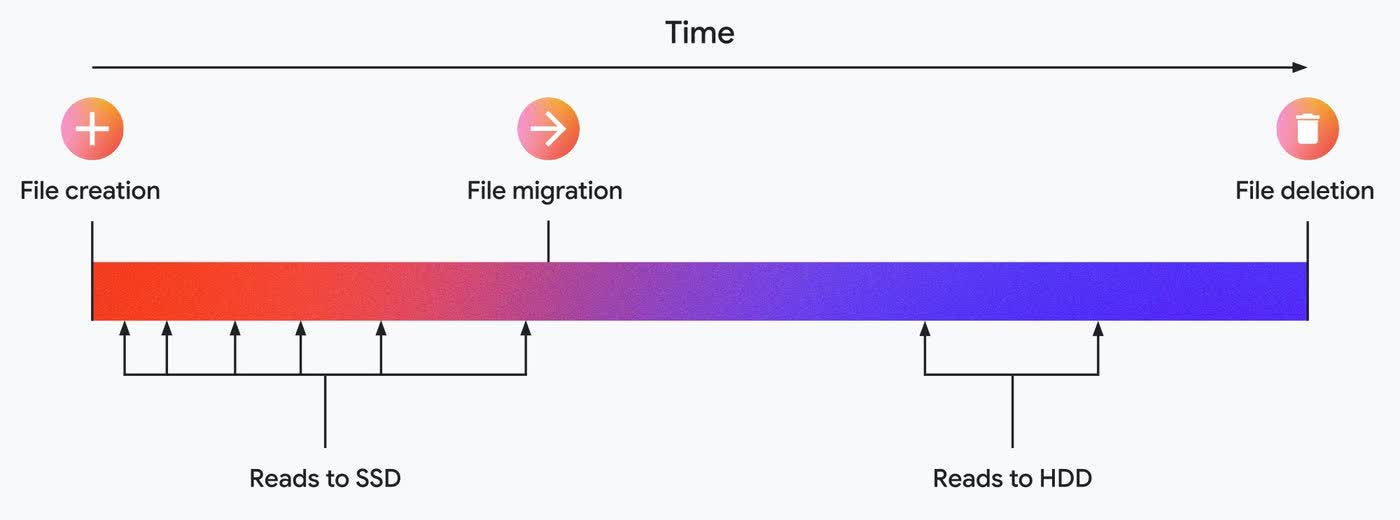
The L4 caching tech can (partially) solve this problem over time by observing I/O patterns, segregating files into specific "categories," and simulating different storage placements. According to Google's documentation, these storage policies include "place on SSD for one hour," "place on SSD for two hours," and "don't place on SSD."
When simulations correctly predict the file access patterns, a small portion of data is put on SSDs to absorb most initial read operations. Data is eventually migrated to cheaper storage (HDDs) to minimize the overall hosting cost.
"As the basis for all of Google and Google Cloud, Colossus is instrumental in delivering reliable services for billions of users, and its sophisticated SSD placement capabilities help keep costs down and performance up while automatically adapting to changes in workload," the company said. "We're proud of the system we've built so far and look forward to continuing to improve the scale, sophistication, and performance."
Google's Colossus internal storage system still relies on HDDs for storing most of its data


