Microsoft is finally fixing Windows Update's habit of downgrading your GPU drivers without asking

Alfonso Maruccia

Posts: 2,571   +956
Staff
Driver Slop: Windows users have known for some time that Windows Update can break quite a few things, including the performance and reliability of modern GPU hardware. Microsoft is trying to mitigate this particular problem with a new policy designed to avoid conflicting driver issues.
Microsoft is changing its policy to try to fix one of the longest-running issues Windows users have experienced with Windows Update (WU). In a few months, Redmond's servers should avoid pushing older graphics drivers when customers have already installed a newer software kit provided by their hardware's OEM manufacturer.

As Windows 11 users are well aware, the whole WU process has turned into a dangerous game of security roulette rather than a reliable way to keep a Windows system up-to-date. Windows Update routinely makes a mess of Windows 11 PCs, and even showing some weird error messages during the update installation process itself.

Users with capable gaming hardware are most likely to be affected by the graphics driver-related WU issue. The service is known for force-installing GPU drivers, or replacing new drivers with older releases that are officially sanctioned by Microsoft. The company explains that this behavior is expected by WU's design, although things should significantly change soon.

The Windows Update driver downgrade issue is related to how Windows has traditionally classified driver releases, Redmond explains in a recent support document. Right now, WU's logic is using four-part Hardware IDs (HWID) for targeting a potential "update," which is a broad way to identify users' hardware.
This classification defines a "highest-ranked" driver in WU's database, which can eventually replace user-installed drivers regardless of their release date. Essentially, WU does not look at the driver's date, although Windows APIs should be more than capable of identifying newer drivers over older ones.

The newly introduced policy will use a two-part HWID combined with Computer Hardware IDs "where appropriate." The change should provide WU with an easier way to identify drivers that should be installed on specific system configurations, thereby avoiding the unintended driver downgrade issues.

The policy change is expected to become part of the standard WU experience during the fourth quarter of 2026 or the first quarter of 2027, though it will apply only to newer drivers submitted for newly released devices. Furthermore, Microsoft is changing the driver delivery process for "display (graphics) drivers" alone at this point.

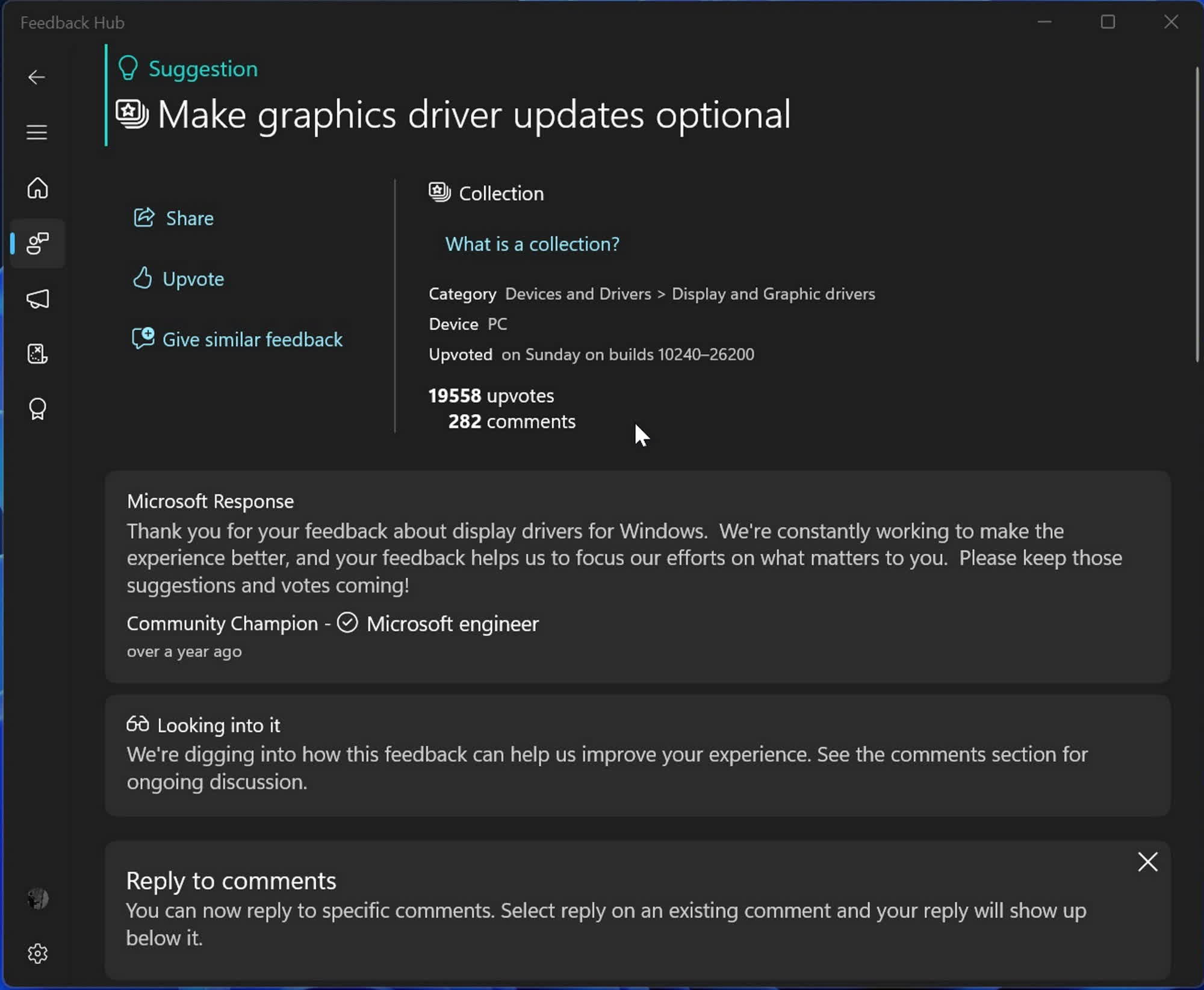
Microsoft highlights how the GPU driver downgrade issue is one of the most "popular" topics on the Windows feedback system. Users who own a Windows 10 or 11 Pro license might avoid this and other major reliability issues by quickly disabling driver installation through WU altogether.

Permalink to story:

 
Good. It was always stupid for Windows to auto install any driver if one was there regardless of age.

In the event of driver security concerns, a popup warning is a better solution than I'll just install a generic slop over this.
Patching security vulnerabilities isn't stupid. What has been shown is that there are a LOT of users that will stubbornly refuse to install updates because they are so terrified of change that they will leave devices vulnerable just to fight a one sided war against their OS.

Pop ups will just be ignored and have long screwed written about how "they control their OS and done need MS to tell them what to do".
 
Patching security vulnerabilities isn't stupid. What has been shown is that there are a LOT of users that will stubbornly refuse to install updates because they are so terrified of change that they will leave devices vulnerable just to fight a one sided war against their OS.

Pop ups will just be ignored and have long screwed written about how "they control their OS and done need MS to tell them what to do".
MS routinely f%$ked graphics drivers control panels etc with their solution though. It was complete junk and always has been. NVIDIA/AMD packages auto-updating installs dependent components. You can't just stuff around with the drivers and have a nicely working system.
 
Patching security vulnerabilities isn't stupid. What has been shown is that there are a LOT of users that will stubbornly refuse to install updates because they are so terrified of change that they will leave devices vulnerable just to fight a one sided war against their OS.

Pop ups will just be ignored and have long screwed written about how "they control their OS and done need MS to tell them what to do".
That's because on Windows auto updates are more likely to break your system and cause problems than security issues caused by older drivers or the like. Its completely reasonable for people to want to take the lower risk option. I personally have had updates screw things up multiple times, but the last time I had an external threat cause problems was when I was a teenager decades ago downloading shady stuff.
 
First thing I do after installing Windows:

gpedit.msc

Computer Configuration
Administrative Templates
Windows Components
Windows Update

Enable: Do not include drivers with Windows Updates
 
Patching security vulnerabilities isn't stupid. What has been shown is that there are a LOT of users that will stubbornly refuse to install updates because they are so terrified of change that they will leave devices vulnerable just to fight a one sided war against their OS.

Pop ups will just be ignored and have long screwed written about how "they control their OS and done need MS to tell them what to do".
Then auto install windows home people. Let the pros alone.
 
First thing I do after installing Windows:

gpedit.msc

Computer Configuration
Administrative Templates
Windows Components
Windows Update

Enable: Do not include drivers with Windows Updates
I think there was a way of doing this via the settings app, too. Not on Windows anymore, so can't remember exactly.
 
I’ve been suffering from this. I just keep reinstalling my intel and nvidia drivers every week to fix the video after windows update screes it up. It’s been pushing me to Linux, which has actually been just working for me. Imagine saying that 10 years ago.
 
I’ve been suffering from this. I just keep reinstalling my intel and nvidia drivers every week to fix the video after windows update screes it up. It’s been pushing me to Linux, which has actually been just working for me. Imagine saying that 10 years ago.
ddu. check box on right
 
Back