What just happened? Microsoft has announced several changes and enhancements coming to its official app store. The Microsoft Store can now provide additional app usage and health data, and there is a brand-new text-based interface to operate the service via the command prompt.
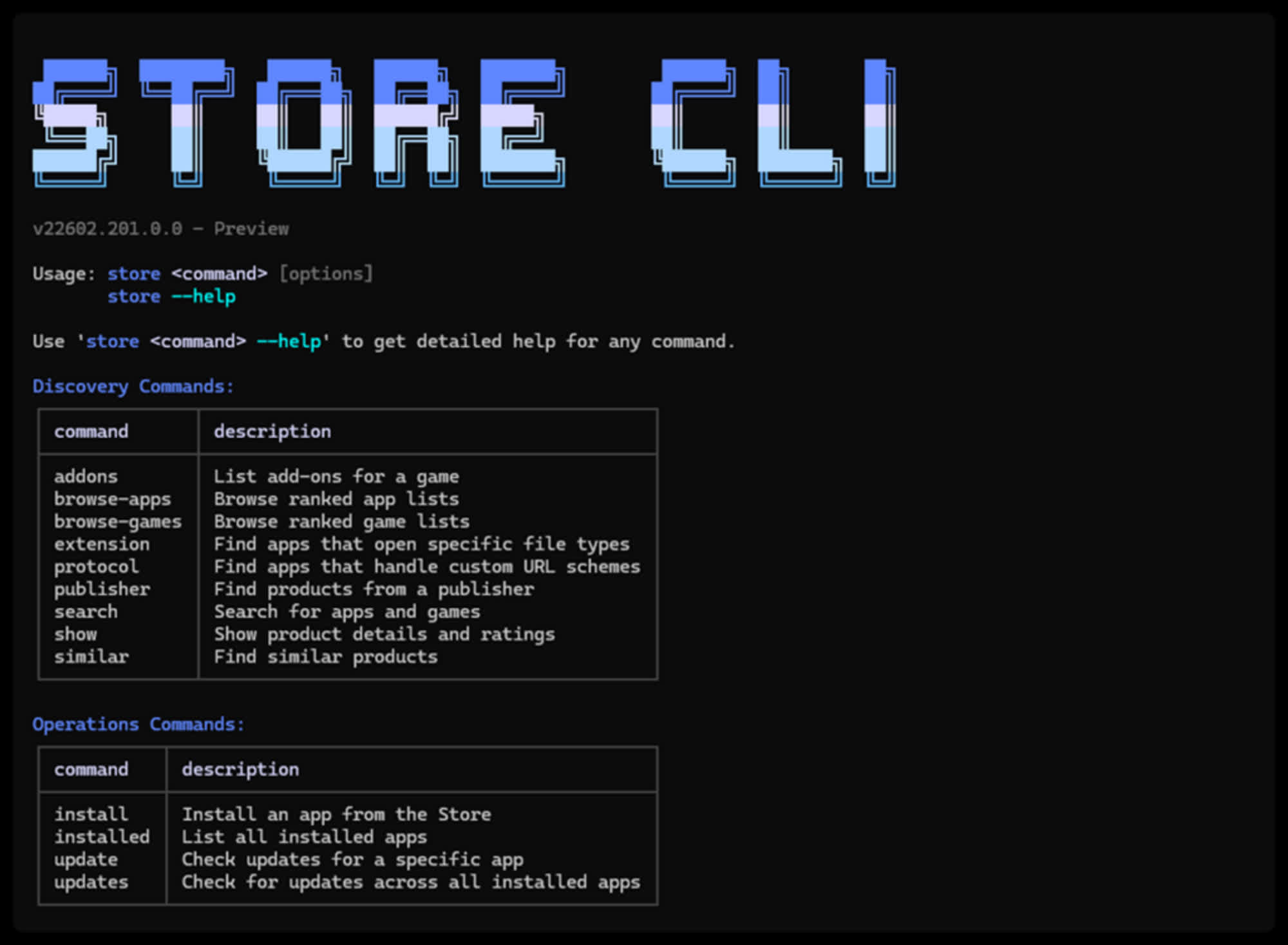
The new command-line interface for the Microsoft Store is designed to provide developers with a novel approach to app management. Officially named Store CLI, the tool includes several options for both discovering and deploying apps and software, with no need to use the cumbersome, ever-evolving GUI of Windows 11.
Store CLI's main features include the ability to browse, install, and update specific apps. Microsoft explains that a simple prompt-based command can "instantly" install an app, or even deploy the latest available version without going through any complicated GUI-based submenu workflow.
Developers and users can easily browse app lists or specific app categories, such as games. Search queries can be customized by searching for a particular file type, custom URL schemes, or individual publishers. There is even a command to look for similar apps.
Microsoft has recently made efforts to offer new prompt-based tools designed to interact with its store. Redmond also updated its powerful Windows Package Manager (WinGet) a couple of years ago with the much-requested ability to download Store apps for easier offline distribution.

The Microsoft Store is now providing a more flexible approach to app distribution and support, including the ability to update Win32-based programs. The service is reportedly surging in popularity, but Microsoft recently removed the one-time $20 fee to attract more apps and publishers.
Besides welcoming the Store CLI command-line interface, the store can now provide better analytics metrics to check how an app is behaving "in the wild." Developer insights include a much-improved Health Report, with more data about code stability. In layman's terms, programmers can be quickly alerted when customers and users are experiencing unusual crash patterns. Furthermore, a Summary Dashboard blends and consolidates different indicators about installs, ratings, stability, and more.
Finally, Microsoft is trying to improve life for developers who distribute their apps via a custom website. The new Microsoft Store Web Installer can now automatically launch Win32 applications after installation and provide greater install flexibility on enterprise-managed devices.
Microsoft is seeking additional feedback from Windows developers, promising to turn this input into even more enhancements to the Store experience. An overwhelming majority of the Windows user base would very much like to avoid critical security flaws when editing a text file with Notepad, but Microsoft is unlikely to do anything about it.
Microsoft Store gets a new command-line interface for power users


