Microsoft's own Azure CTO is still annoyed by Windows' "file in use" error

Alfonso Maruccia

Posts: 2,570   +956
Staff
Windows Internals: After developing the Sysinternals suite and many other essential tools for Windows, Mark Russinovich now serves as Azure CTO at Microsoft. However, one of the longstanding software issues he encountered throughout his programming career continues to plague Windows to this day.
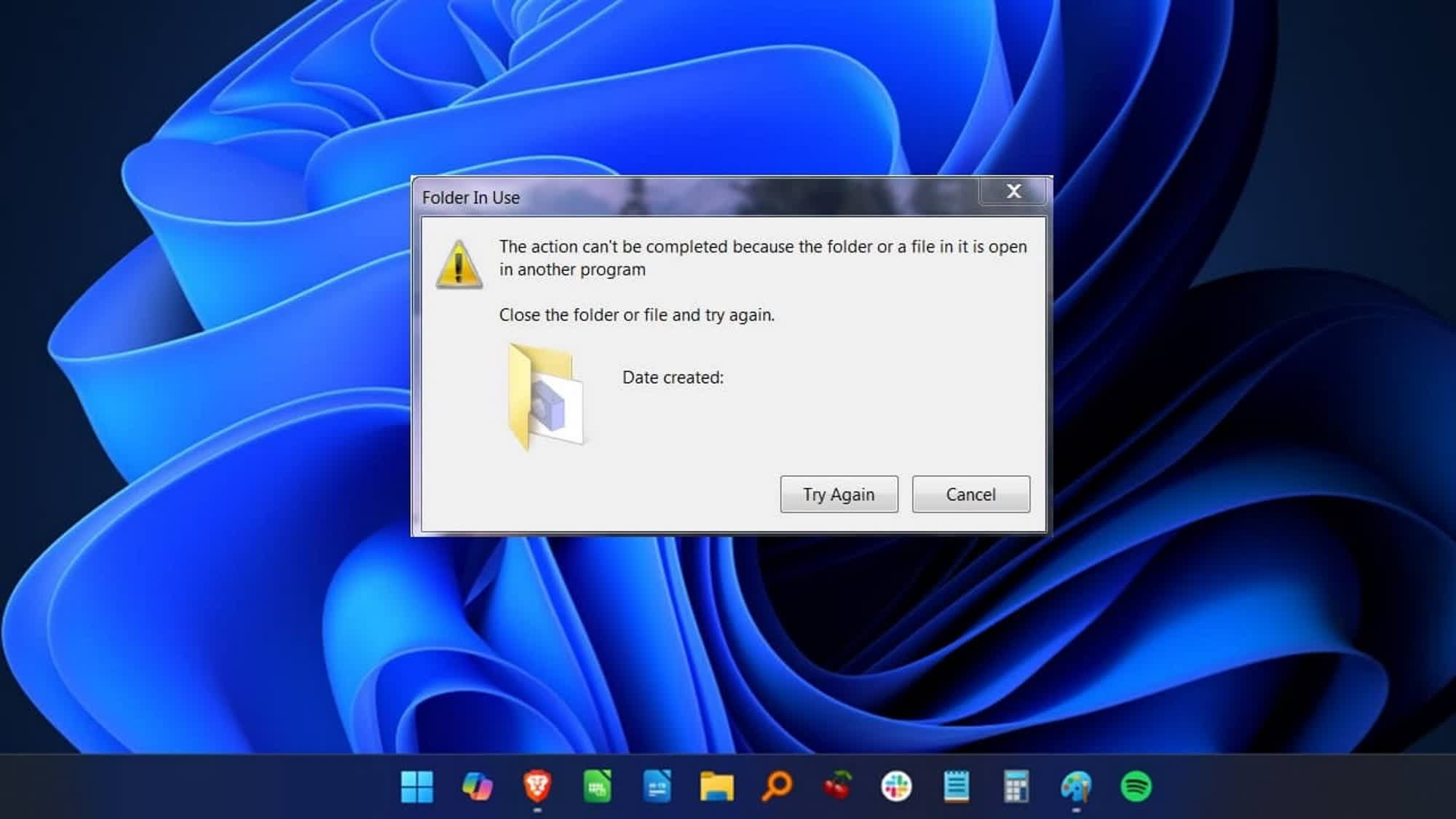
In a recent video published on the "Microsoft Developer" YouTube channel, Russinovich offered a concise explanation of what the "file is in use" error message means when Windows refuses to comply with a request. The creator of Sysmon, Process Explorer, and other popular Windows utilities discussed file handles and why Windows may have legitimate reasons to block a user's attempt to delete a file that is still in use.

Russinovich has been dealing with the notorious "file is in use" error since the 90s. He created Handle and Process Explorer to quickly diagnose and resolve this type of software issue. A handle is an abstract reference to a resource used by an application, such as a memory block, a file, or an object managed by another subsystem, including a database or the operating system itself.

When a handle is preventing a user from deleting a file, Russinovich explains, there are usually three possible explanations. First, the file may be locked by an anti-malware or antivirus program while it is being scanned. Second, the file may be in use over the local network, with another machine performing a storage-related operation.

The third explanation is the most troublesome. When a file is loaded into a process as a DLL, it may not appear as an open handle in Windows. In that scenario, determining which program is using the file can be extremely difficult.

For the first two cases, Russinovich said identifying the program holding the file should be straightforward with the help of Process Explorer. Furthermore, many third-party utilities are now available that perform the same task. After identifying the culprit, users should be able to close the application holding the handle and finally delete the stubborn file.

In the "DLL scenario," however, Process Explorer and similar tools may not provide the answer. Russinovich suggests renaming the blocked file and then replacing it with a fresh copy of the same file. In some situations, Windows allows users to rename a file even while it is still in use, which can resolve the issue.

As the co-author of several editions of Windows Internals, Russinovich's advice carries significant weight for developers and Windows power users alike.

Permalink to story:

 
After Windows 7, Microsoft doesn't have a clue, doesn't care, or are in OVER their heads. I've still got Windows 7 Pro on my almost 15yr old Acer 17"3 laptop, and I've never had one single problem with either the laptop, or the operating system! Go figure...
 
After Windows 7, Microsoft doesn't have a clue, doesn't care, or are in OVER their heads. I've still got Windows 7 Pro on my almost 15yr old Acer 17"3 laptop, and I've never had one single problem with either the laptop, or the operating system! Go figure...
This error in question goes back to '90s NT at least, and it is proper functioning: if a resource has an open handle, it should be considered still in use.
 
After Windows 7, Microsoft doesn't have a clue, doesn't care, or are in OVER their heads. I've still got Windows 7 Pro on my almost 15yr old Acer 17"3 laptop, and I've never had one single problem with either the laptop, or the operating system! Go figure...
Your entire computer will probably be taken over soon lol. Have you heard of Claude Mythos? It's finding vulnerabilities with all major UPDATED products today. I checked the CVE listings for Windows 7 and while there were hundreds each year listed for prior years, there have been exactly 0 for every year after 2023. Why? Microsoft is suppressing vulnerabilities becoming public because they no longer support Windows 7. 3 years of ESU ended on January 10, 2023.

I bet your computer is already being used as part of a botnet. You should use try Sysinternals' TCPView and see what sort of network connections your device has. I would guess your computer has more than Windows 11 in spite of its massive use of telemetry lol.
 
The Premium Assurance updates for Server 2008 R2 go up to January 2026, and unofficially, work on 7 using the Simplix UpdatePack.
I don't think that changes much; the most serious vulnerabilities are being faster than ever in 2026. And Claude Mythos (and Project Glasswing) was announced in April 2026. Even worse for Windows 7, Project Glasswing has found high-severity vulnerabilities in every operating system and web browser AFTER January 2026. This is what's public and does not account for vulnerabilities found by AI for malicious use. In addition, Anthropic points out that the discovery of vulnerabilities by AI is only expected to increase, meaning it won't be long before any Windows 7 use is being widely abused: https://www.anthropic.com/glasswing
Anthropic said:
Project Glasswing is a starting point. No one organization can solve these cybersecurity problems alone: frontier AI developers, other software companies, security researchers, open-source maintainers, and governments across the world all have essential roles to play. The work of defending the world’s cyber infrastructure might take years; frontier AI capabilities are likely to advance substantially over just the next few months. For cyber defenders to come out ahead, we need to act now.
Keep in mind that a surge in supply chain attacks in 2026 mean even legitimate websites can be compromised unknowingly, so hardening Windows 7 and solely browsing safe websites will still trigger a bad actor taking advantage of an unpatched vulnerability on your computer. It's only inevitable at this point.
 
I don't think that changes much; the most serious vulnerabilities are being faster than ever in 2026. And Claude Mythos (and Project Glasswing) was announced in April 2026. Even worse for Windows 7, Project Glasswing has found high-severity vulnerabilities in every operating system and web browser AFTER January 2026. This is what's public and does not account for vulnerabilities found by AI for malicious use. In addition, Anthropic points out that the discovery of vulnerabilities by AI is only expected to increase, meaning it won't be long before any Windows 7 use is being widely abused: https://www.anthropic.com/glasswing

Keep in mind that a surge in supply chain attacks in 2026 mean even legitimate websites can be compromised unknowingly, so hardening Windows 7 and solely browsing safe websites will still trigger a bad actor taking advantage of an unpatched vulnerability on your computer. It's only inevitable at this point.
I don't disagree. It's not advisable to use an unsupported OS to access the internet, even before the advent of today's ML-based attacks. On that broader topic, it will lead to more robust software over time.
 
Better still, simply have Windows identify the program using the file. But that is not glamourous like the Windows 11 desktop, with all of its warts to use it.
 
Back