Editor's take: Mozilla's management keeps doing an absolutely stellar job of giving Firefox users exactly what they do not want. While the open-source browser is slowly becoming a footnote in the history of internet software, well-paid managers continue implementing AI models to handle some of the most mundane tasks a web browser could possibly perform.

Mozilla introduced a new AI-based feature with the latest major release of Firefox, and things are going exactly as many expected. Firefox 141.0 adds an option to automatically organize similar tabs into groups and even suggest names for those groups. The feature uses a locally installed AI model which, according to some users, can behave erratically in terms of CPU utilization.
Over the past few days, several users have reported CPU and power spikes on Reddit. One user noted that a new "Inference" process could jump from 0.05 percent to "130 percent" CPU usage. Mozilla developers acknowledged the issue in a recent bug report, describing it as "abnormal CPU spikes" that should never occur under normal conditions.
As Mozilla explained in a recent post, AI-enhanced tab grouping is an experimental feature being introduced through a progressive rollout. The inferencing process runs entirely within the browser on the user's local machine, and of course, it can still make mistakes when identifying tab groups or suggesting names.
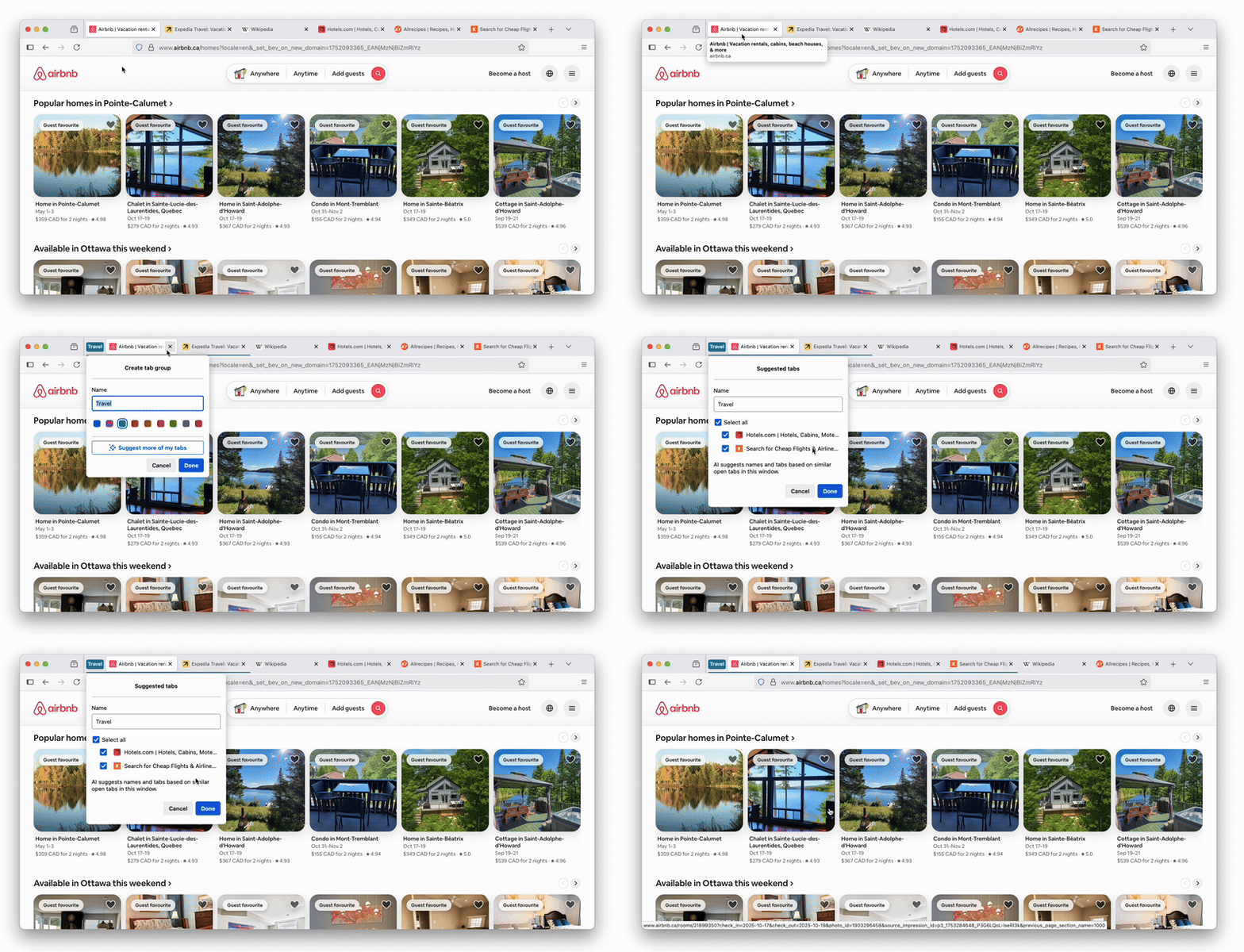
The official bug report suggests that Mozilla is determined to fix the abnormal CPU spike issue. Some frustrated users are begging the company to stop bloating Firefox with "AI horse sh*t," especially for managing trivial tasks like tab grouping.
For now, the AI tab-grouping option can be disabled by manually tweaking Firefox's settings. My own Firefox setup doesn't seem to be part of the feature rollout yet, so I haven't been able to replicate the CPU spike myself.
Mozilla has been pushing to turn Firefox into an "AI-first," privacy-friendly browser for some time, much like every other major browser maker. Chrome has its own collection of AI gimmicks, while Microsoft recently added a "Copilot Mode" to Edge. Meanwhile, AI companies like OpenAI and Perplexity are working on their own Chromium-based "AI browsers."


 After trying many thing I tried logging into those sites with Chrome and Brave and it was no problem! This lasted for a couple of months until I tried Firefox again and those logins were working again. Recently after I upgraded the wireless cards in one of my laptops and I was only getting 500Mbps with 1GBps service. I tried checking everything then finally tried download speed test in Chrome and got 997Mbps! Went to Firefox redit for help and they just said "Submit a bug report" So sad!!! I only use Firefox for backup now!!


