Nvidia 6x DLSS frame generation and dynamic modes launch in April

Daniel Sims

Posts: 2,560   +77
Staff
Recap: Nvidia recently introduced DLSS 4.5, which significantly improves upscaling image quality – though not without caveats. When the company unveiled the update at CES, it also promised to release new multi-frame generation features soon. Now, it has revealed a more concrete launch window.
The GPU manufacturer offered news outlets another opportunity to examine its upcoming motion clarity technologies in Munich this week. It confirmed to Hardwareluxx that owners of RTX 50 series graphics cards can begin using 6x multi-frame generation and dynamic multi-frame generation beginning in April.

While employing frame generation to double perceived frame rates is often useful on 120Hz monitors and TVs, 3x and 4x MFG, which Nvidia introduced with the RTX 50 series, only maintain tolerable input lag at higher refresh rates, such as 240Hz. Presumably, 6x MFG will only be helpful at rates above 360Hz, but ultra-high-refresh-rate monitors are gaining popularity among hardcore gamers. The update might enable demanding games to max out their refresh rate limits more easily.

Furthermore, making frame rates such as 300fps more attainable puts more games within range of G-Sync Pulsar, which Nvidia also demonstrated in Munich. The company previously explained that the feature uses advanced strobing to give 300Hz IPS monitors motion clarity normally only achievable at 1,000Hz. At the latest showcase, Nvidia admitted that overcoming technical hurdles and determining the proper system requirements for Pulsar took longer than anticipated.

However, dynamic MFG will likely be more helpful for those who are already implementing 3x or 4x MFG. Instead of requiring users to manually set the number of AI-interpolated frames for each rendered frame, dynamic MFG automatically determines the multiplication factor based on rendering load.

Also Read – Nvidia DLSS 4.5 vs DLSS 4: Good But Not Flawless
Users set a target frame rate, which might be the display's refresh limit, and DLSS interpolates only as many frames as necessary to reach this figure. According to Hardwareluxx, shifting between different MFG modes takes only moments and can sometimes occur multiple times per second. Nvidia's demonstration, which used The Outer Worlds 2, looked perfectly smooth.

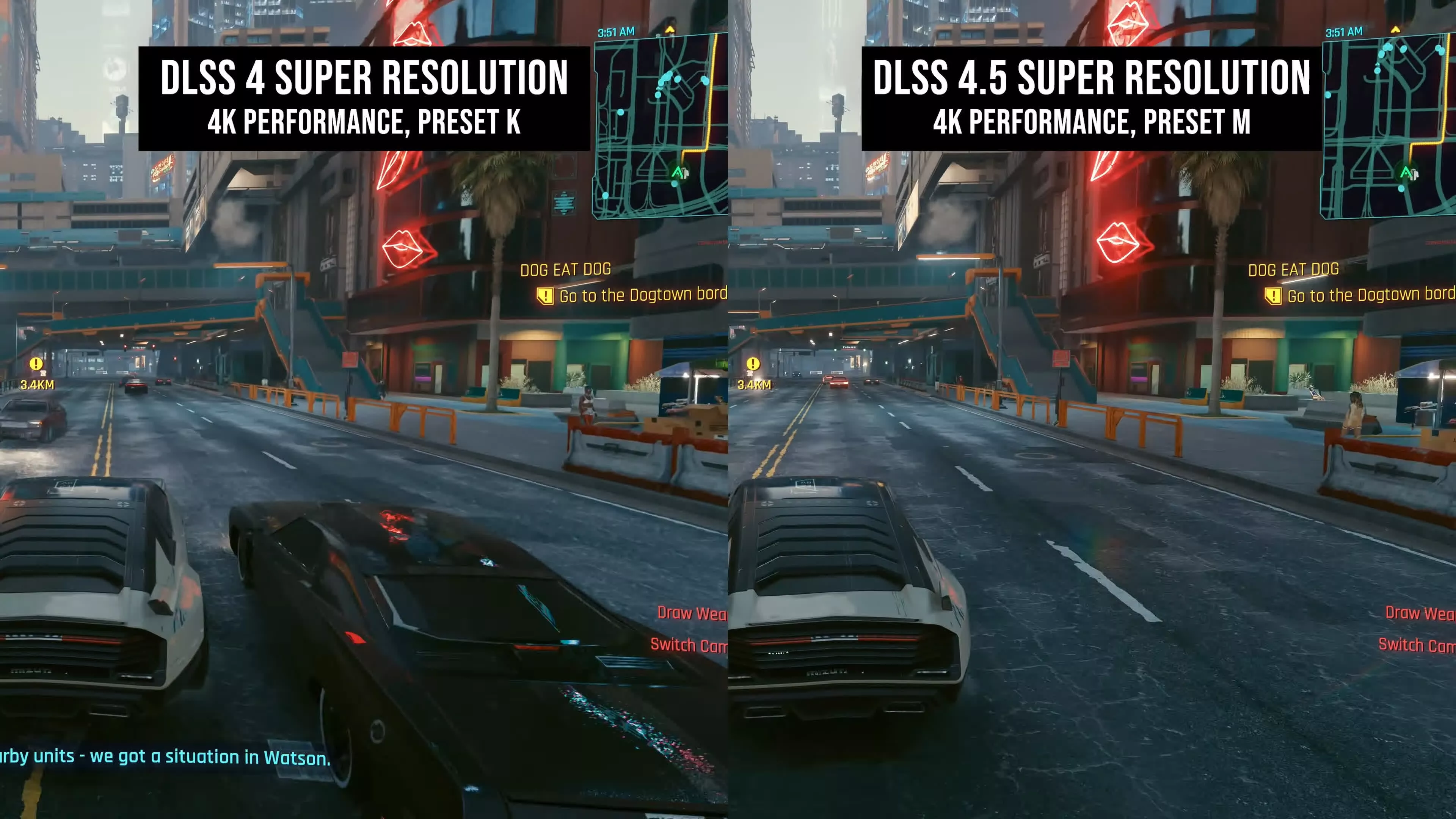
The company recently began allowing users to choose between DLSS 4 and its successor, DLSS 4.5. The shift is not automatic because the newer version is not a universal improvement.

Certain visual elements introduce new artifacts compared to DLSS 4, and version 4.5 is more demanding, especially when activated on RTX 20 and 30 series GPUs. However, TechSpot's benchmark ultimately determined that the update is a net win, particularly at lower internal resolutions.

Permalink to story:

 
1000fps sounds cool, but unless you're a squirrel on Adderall I doubt you can see it. I'm almost 40 so I've probably missed the boat on 240hz monitors. I can't see anything over 120/144
 
I'm personally interested in the dynamic mode. Especially if your framerates isn't linear in single player games. This should minimize added latency ( also ghosting and artifacts)by maximizing real frames and mitigating generated frames to dynamically fit the maximum refreshrate of your monitor.
 
Will dynamic multi-frame be available for the 4000 series as well or just the 5000 series?
 
The real benefit to me with Framegen and smooth motion is the energy savings with stock like performance. With my undervolted 4090 and smooth motion on games that do not support it I can easily hit 4k at 144hz with some crazy watt drops. I was playing the Dead Space remake only using 150-200w with 4k, everything maxed and 144hz which is crazy. 800mV at 2100mhz.
 
Last edited:
Will dynamic multi-frame be available for the 4000 series as well or just the 5000 series?
There'd be no point in porting it to the 4000s, as the point of the dynamic setup is to change the FG multiplier based on available resources between 2-6x, and the 4000s can only do native or 2x. So it wouldnt do anything.
 
I don't believe people can see a "smoothness" difference between 250FPS and 1000FPS. But people must buy the industry bull that bigger number is always better.

I can feel a latency difference between 140FPS (my normal cap) and 240FPS (my shooter cap), but I don't *see* it except in how the crosshairs follows my evading target.
 
I don't believe people can see a "smoothness" difference between 250FPS and 1000FPS. But people must buy the industry bull that bigger number is always better.

I can feel a latency difference between 140FPS (my normal cap) and 240FPS (my shooter cap), but I don't *see* it except in how the crosshairs follows my evading target.
The limit for me seems to be about 180ish fps for seeing a smoothness difference but boy I sure can tell the latency difference all the way down to at least 8ms and probably could get tighter. Maybe I should play something in cs2 to test.
 
If I understand this correctly, you could set a target framerate and it'd scale frame gen up and down to hit the target? If so, that's pretty epic for my 240hz monitor
 
File this under "whoopty doo". Gamers don't need more fake frames to try and reach useless frame rates for their new Nvidia G-Sync Pulsar monitors. We are talking about such a small fraction of gamers that are at this level where 6x frame generation can even be used. The fact is that most people can't afford the GPUs for this anyway. I am all for pushing tech, but I think this is one of those things that practically no on is asking for except for a small handful of elite/rich gamers. Personally, I am "stuck" on a 3070 Ti because dropping $700+ (now more like $1000+) to get better FPS is totally not worth it.
 
The limit for me seems to be about 180ish fps for seeing a smoothness difference but boy I sure can tell the latency difference all the way down to at least 8ms and probably could get tighter. Maybe I should play something in cs2 to test.
I think a 240hz monitor is as much as non-pro people need and a 144 or even 120 is enough for most people.

I honestly think the reason frame gen is as popular is because most people never adjust settings from the default so they don't realize they could be at a higher FPS just by selecting "medium" as the defaults always target 30 or 60. So the average joe isn't comparing 120 native to 120 frame gen but 60 native to 120 frame gen.
 
I like high refresh when I can get it. Subjectively, it makes the objects on my screen appear to be solid and the frames vanish, terrain textures no longer chug by at 60fps, etc. However, in this specific case, these are not real frames. This is fake performance cooked up in a software lab rather than skilled design on real silicon. This is useless to me.
 
I'm curious... (and please forgive my noob question)

I run a 5070Ti on a 5120x1440 144hz HDR curved SUW monitor (good enough for my 60 year old eyes), and I just set Nvidia App to recommended optimised settings for the types of games I play (Elder Scrolls Online, heavily modded Fallout 4, heavily modded Skyrim, non-modded Cyberpunk, etc) and it seems to run exceptionally well for me but I do notice the 5070Ti runs at full speed for everything, regardless of workload, seeming to always try for maximum frame rate.

My question is... Is there a setting that will now utilise all these awesome features to run the graphics card in a more energy efficient and life-expectancy manner? I.e. can I set the card to run at the "sweet spot" for efficiency and playability, and extending hopefully its life for another year or two?
Just thinking out loud because with teh future looking pretty bleak for consumer grasphics cards etc, I'd like to ensure the life expectancy of the very expensive card as much as possible.
 
File this under "whoopty doo". Gamers don't need more fake frames to try and reach useless frame rates for their new Nvidia G-Sync Pulsar monitors. We are talking about such a small fraction of gamers that are at this level where 6x frame generation can even be used. The fact is that most people can't afford the GPUs for this anyway. I am all for pushing tech, but I think this is one of those things that practically no on is asking for except for a small handful of elite/rich gamers. Personally, I am "stuck" on a 3070 Ti because dropping $700+ (now more like $1000+) to get better FPS is totally not worth it.
I see no mention of this new tech costing one penny to 5000 series owners, so what's the problem?

Just because you don't have use for something doesn't mean it's useless to all. And again, it's free - so I don't think it's meant to cater to "rich, elite gamers" lol

 
I'm curious... (and please forgive my noob question)

I run a 5070Ti on a 5120x1440 144hz HDR curved SUW monitor (good enough for my 60 year old eyes), and I just set Nvidia App to recommended optimised settings for the types of games I play (Elder Scrolls Online, heavily modded Fallout 4, heavily modded Skyrim, non-modded Cyberpunk, etc) and it seems to run exceptionally well for me but I do notice the 5070Ti runs at full speed for everything, regardless of workload, seeming to always try for maximum frame rate.

My question is... Is there a setting that will now utilise all these awesome features to run the graphics card in a more energy efficient and life-expectancy manner? I.e. can I set the card to run at the "sweet spot" for efficiency and playability, and extending hopefully its life for another year or two?
Just thinking out loud because with teh future looking pretty bleak for consumer grasphics cards etc, I'd like to ensure the life expectancy of the very expensive card as much as possible.

Set a frame cap in the nvidia app and use nvidia smooth motion for games that do not nativitly support framegen. If you're feeling even more adventurous you can try undervolting as this can greatly drop temps without impacting performance. Smooth motion might add some delay, but I don't notice it. Also don't use it with framegen at the same time. It'll also give you a performance boost.
 
Last edited:
6x More fake frames. When turned on it actually reduces your real frames to add Ai frames in between. For example: Its either 75 real frames or 110(58 real+52 ai) frames. I prefer dlss over frame gen anyday.
 
Just because you don't have use for something doesn't mean it's useless to all. And again, it's free - so I don't think it's meant to cater to "rich, elite gamers" lol
Except its NOT free.

R&D costs of that technology was added to R&D costs of Blackwell chip.
And guess where nVidia gets budget for that.
You may guess 3 times.
 
Back