RAM Specs Installation / Configuration

gracethegame

Posts: 31   +0
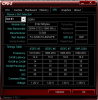
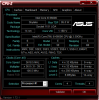
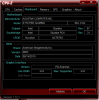
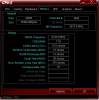
So the ram I bought F4-3200C16D-16GSXFB (http://www.gskill.com/en/product/f4-3200c16d-16gsxfb) Is configured right from what I can tell I.e. expected synopsis (attached images). When I enable XMP in BIOS I start getting BSOD all over the place. Looking at the SPD tab in CPU-Z it looks as if XMP is already enabled even though It is off in BIOS and It works fine. I guess what I'm wondering is if these specs are reasonable for the RAM I have installed, could I expect more?
 

Attachments

  • cpu-z memory.PNG
    cpu-z memory.PNG
    28.2 KB · Views: 0
  • cpu-z SPD.PNG
    cpu-z SPD.PNG
    31.3 KB · Views: 0
  • cpu-z CPU.PNG
    cpu-z CPU.PNG
    35.3 KB · Views: 0
  • cpu-z Mainboard.PNG
    cpu-z Mainboard.PNG
    28.2 KB · Views: 0
Your memory modules maybe the real problem check this link and look very carefully at the chart.
http://dlcdnet.asus.com/pub/ASUS/mb...5.1981162239.1530276279-2115306840.1530276279
Next call asus technical support speak to their tier 2 or tier 3 technical support agents.
Explain the problem to them, give them the bsod messages, see what they suggest.
https://www.newegg.com/Product/Product.aspx?Item=N82E16820231784
This is what you want in that hyperlink, since you want 16gb (8gb) per stick check newegg and amazon closely.
 
I'm a bit confused by your memory speed - shouldn't it be running at ~1600 MHz where you show 2143.9 with XMP 2.0 on? I'll have to check when I get home but accounting for DDR (so the number would be halved) you wouldn't be running much higher than 1600. I've been running HEDT for a while so I'll have to check a machine when I get home to make sure but my machine I'm on right now says 1734.9 with my F4-3466C16 RAM.
 
Gracethegame just go ahead and follow through with what I recommended, see what asus says about the problem.
 
Thanks, I checked the QVL and the ram is supported, it's practically identical to another listing (just without the RGB lighting thing going on). So what I ended up doing was returning the RAM and then I did memory tests on the replacement which failed, so I went and got a third kit of the same ram, handled everything that I threw at it. I did two burn in tests, I used Windows Memory Diagnostic twice and then I used Memtest86 twice for a total of eight passes and no errors! So I'm pretty stoked right about now, literally just finished the second run of Memtest86!
 
Hmm sounds good but if it gives you that same error like before I would call asus for troubleshooting/replacing the mobo.
 
Back