

Gimp is a cross-platform image editor available for GNU/Linux, macOS, Windows and more operating systems. It is free software, you can change its source code and distribute your changes.
Whether you are a graphic designer, photographer, illustrator, or scientist, Gimp provides you with sophisticated tools to get your job done. You can further enhance your productivity with Gimp thanks to many customization options and 3rd party plugins.
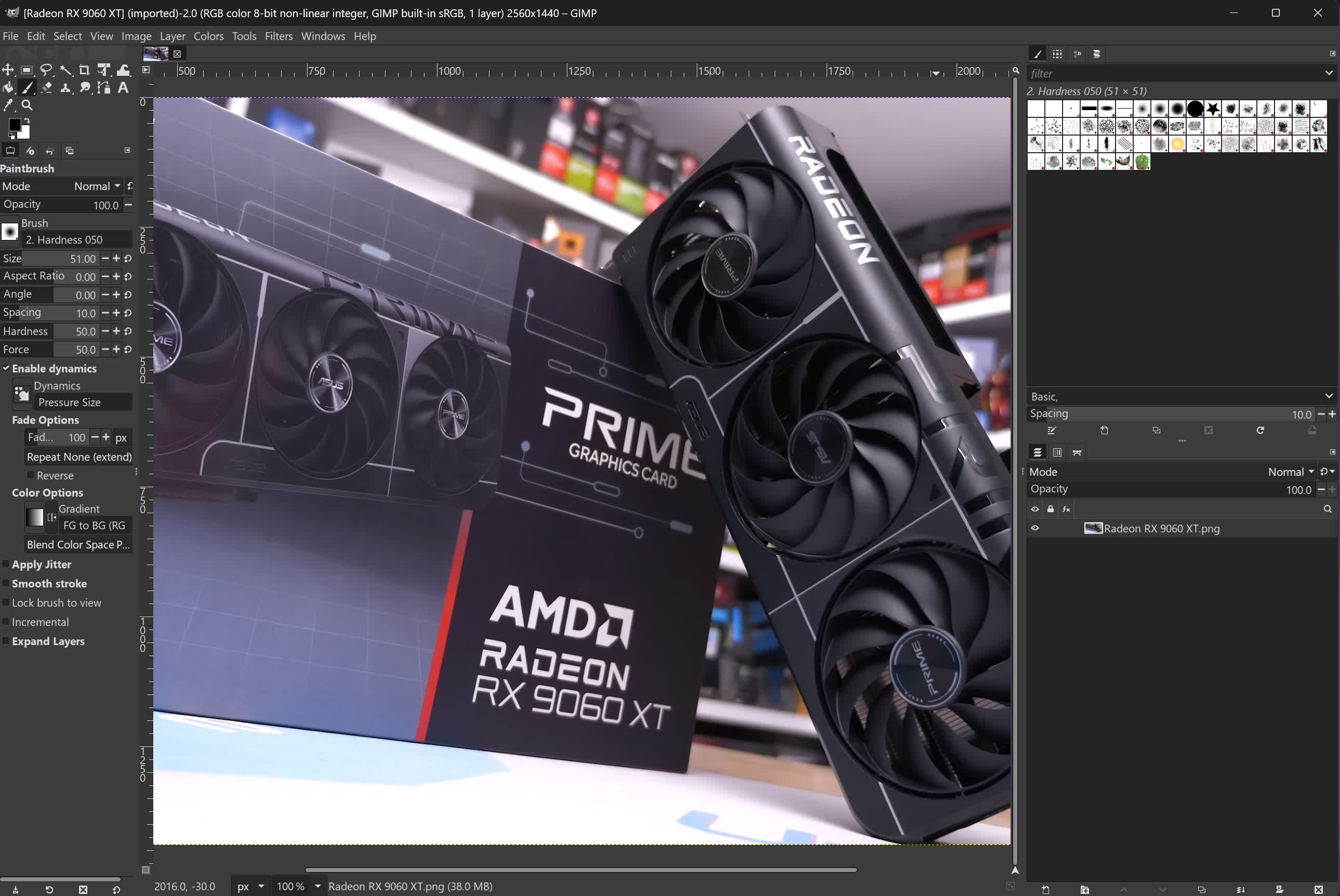
Features
Customizable Interface
Each task requires a different environment and GIMP allows you to customize the view and behavior the way you like it. Starting from the widget theme, allowing you to change colors, widget spacings and icon sizes to custom tool sets in the toolbox. The interface is modulized into so called docks, allowing you to stack them into tabs or keep them open in their own window. Pressing the tab key will toggle them hidden.
Gimp features a great fullscreen mode allowing you to not only preview your artwork but also do editing work while using the most of your screen estate.
Photo Enhancement
Numerous digital photo imperfections can be easily compensated for using GIMP. Fix perspective distortion caused by lens tilt simply choosing the corrective mode in the transform tools. Eliminate lens' barrel distortion and vignetting with a powerful filter but a simple interface.
Digital Retouching
Gimp is ideal for advanced photo retouching techniques. Get rid of unneeded details using the clone tool, or touch up minor details easily with the new healing tool. With the perspective clone tool, it's not difficult to clone objects with perspective in mind just as easily as with the orthogonal clone.
Hardware Support
Gimp includes a very unique support for various input devices out of the box. Pressure and tilt sensitive tablets, but also a wide range of USB or MIDI controllers. You can bind often-used actions to device events such as rotating a USB wheel or moving a MIDI controller's slider. Change the size, angle or opacity of a brush while you paint, bind your favorite scripts to buttons. Speed up your workflow.
File Formats
The file format support ranges from the common likes of JPEG (JFIF), GIF, PNG, TIFF to special use formats such as the multi-resolution and multi-color-depth Windows icon files. The architecture allows to extend Gimp's format capabilities with a plug-in. You can find some rare format support in the GIMP plugin registry.
Thanks to the transparent virtual file system, it is possible to load and save files to from remote locations using protocols such as FTP, HTTP or even SMB (MS Windows shares) and SFTP/SSH.
To save disk space, any format can be saved with an archive extension such as ZIP, GZ or BZ2 and GIMP will transparently compress the file without you needing to do any extra steps.
What's New
We're happy to present the first release of GIMP 3.2! This marks a year of design, development, and testing from volunteers and the community, as part of our plan to streamline releases after GIMP 3.0. We're excited for you to see the new features that version 3.2 offers!
Highlights
Here are some of the many highlights to look out for as you start using GIMP 3.2:
- New non-destructive layers!
- You can now use Link Layers to incorporate external image as part of your compositions, easily scaling, rotating, and transforming them without losing quality or sharpness. The link layer's content is updated when the source file is modified
- The Path tool can now create Vector Layers, which lets you draw shapes with adjustable fill and stroke settings.
- The MyPaint Brush tool has been upgraded, adding 20 new brushes, and it now automatically adjusts to your canvas zoom and rotation for more dynamic painting.
- A new Overwrite paint mode allows you to draw over existing colors without blending their transparency.
- The on-canvas Text Editor has a number of workflow improvements. Among them, you can now move it as needed across the canvas and utilize many common shortcuts such as Ctrl + B for bold text and Shift + Ctrl + V for pasting unformatted text. The Text Outline feature also includes more options to control the direction of the outline.
- New file format support and improvements to existing formats, such as DDS BC7 export and more layer styles imported for PSDs. Thanks to vector layers, we now also support SVG export and expanded vector options in PDF export.
- A variety of UX and UI improvements, based on your feedback and our design team's efforts. To list a few:
- Options to make the brush thumbnails use theme colors for previews, for a nicer experience in dark themes
- Ability to drag and drop images onto the image tab to open in GIMP
- Keyboard shortcut support for the Shear and Flip tools
- New System color scheme that automatically matches GIMP's theme color scheme to the one you set for your OS
- The CMYK color selector now shows the Total Ink Coverage for your color, helping you adjust during soft-proofing based on your printer's ink coverage limit.
- For script and plug-in developers, a new GEGL Filter browser has been added to make it easier to find non-destructive filters to use.
We've prepared release notes to go over all the changes, improvements, new features, and more. And if you'd like even more details, you can peruse the NEWS changelog for all 3.1 and 3.2 development releases.
