Tails helps you to use the Internet anonymously and circumvent censorship almost anywhere you go and on any computer but leaving no trace unless you ask it to explicitly.
Tails is a complete OS designed to be used from a DVD, USB stick, or SD card independently of the computer's original operating system. Start on your Tails USB stick instead of starting on Windows, macOS, or Linux. Tails leaves no trace on the computer when shut down.
Tails helps you to:
- Use the Internet anonymously and circumvent censorship
- All connections to the Internet are forced to go through the Tor network
- Leave no trace on the computer you are using unless you ask it explicitly
- Use state-of-the-art cryptographic tools to encrypt your files, emails and instant messaging
Tails includes a selection of applications to work on sensitive documents and communicate securely. It comes with several built-in applications pre-configured with security in mind: web browser, instant messaging client, email client, office suite, image and sound editor, etc.
If you are interested in giving Tails a try on your current computer without running any risk, please check out our Guide: Running Linux From a USB Drive As a Virtual Machine or Bootable Disk.
What is Tails?
Tails is a portable Linux distribution based on Debian that combines the Tor network, the GNOME desktop and several other tools to offer a secure and anonymous computer experience.
How safe is Tails?
Tails is very safe as long as you do not run it on an infected machine. Tails is designed to run from a USB stick on any computer as a completely independent OS. However, if the host computer is infected with malware such as a keylogger your privacy would be at risk.
How does Tails ensure privacy?
Tails is set up out of the box to run from your computer's memory and never stores information locally unless you configure it to. This means that every time you shut down Tails, the memory is wiped clean, deleting all traces of your work and every new session starts as a blank slate.
Can I use Tails to circumvent censorship?
Yes, you can use Tails to circumvent internet censorship and browse the web anonymously. All the applications that come with Tails (email, browser, messaging client, office suite) use the Tor network to connect to the internet, so all your activity can be hidden.
Online anonymity and censorship circumvention with Tor
Tails relies on the Tor anonymity network to protect your privacy online:
- all software is configured to connect to the Internet through Tor
- if an application tries to connect to the Internet directly, the connection is automatically blocked for security.
Tor is free software and an open network that helps you defend against a form of network surveillance that threatens personal freedom and privacy, confidential business activities and relationships, and state security known as traffic analysis.
Tor protects you by bouncing your communications around a distributed network of relays run by volunteers all around the world: it prevents somebody watching your Internet connection from learning what sites you visit, and it prevents the sites you visit from learning your physical location.
Using Tor you can:
- be anonymous online by hiding your location
- connect to services that would be censored otherwise
- resist attacks that block the usage of Tor using circumvention tools such as bridges
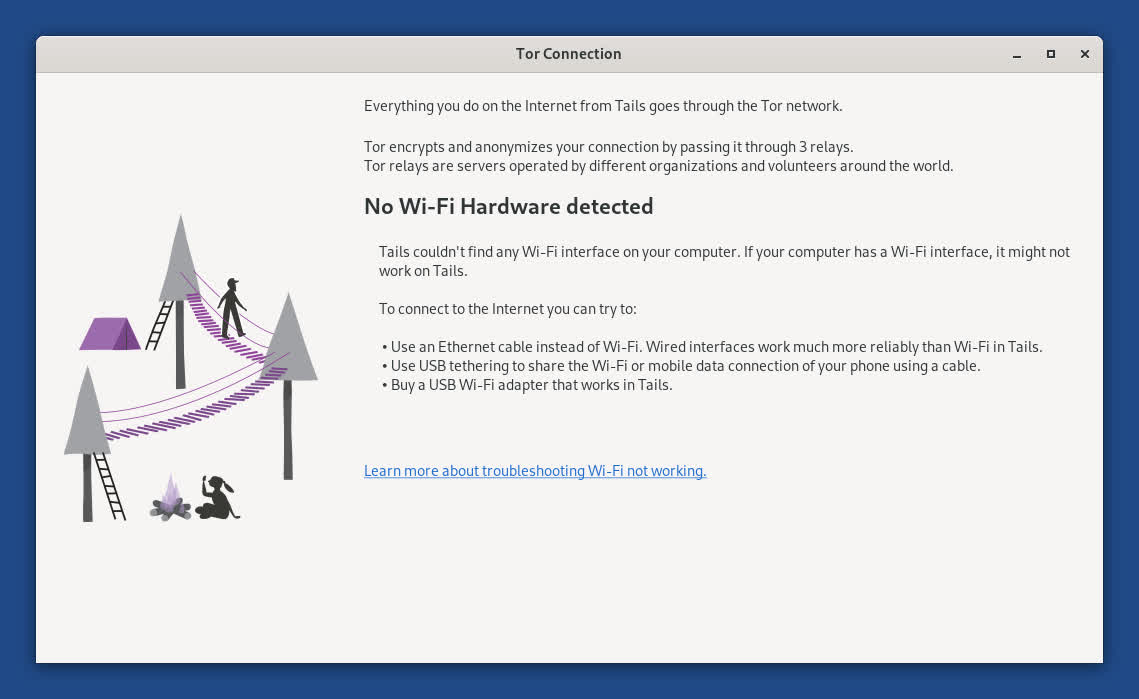
Detection of problems with Wi-Fi hardware
Problems with Wi-Fi are unfortunately quite common in Tails and Linux in general.
To help troubleshoot hardware compatibility issues with Wi-Fi interfaces, the Tor Connection assistant now reports when no Wi-Fi hardware is detected.
What's New
New shutdown procedure
Tails now uses the standard shutdown procedure from GNOME.
The standard shutdown procedure is a bit slower, but better prevents data loss.
For example, the Power Off confirmation dialog informs you if an application needs to be closed or an open document needs to be saved before shutting down.
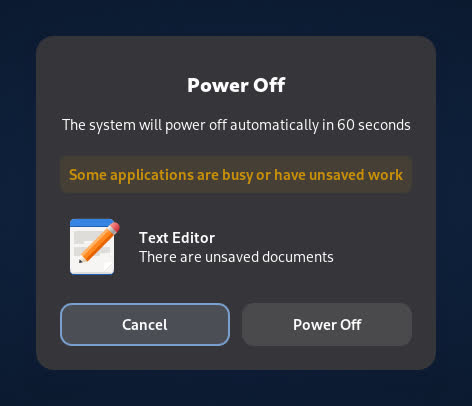
Even without confirming or saving the open documents, Tails will shut down after 60 seconds.
You can still use the faster emergency shutdown as before.
Celluloid video player
We replaced GNOME Videos with Celluloid, a more modern and reliable video player.

For added security, Celluloid cannot access the network. You can either:
- Open online videos, like MP4 and AVI files, in Tor Browser.
- Open online streaming addresses, like IPTV and HLS addresses, in VLC, installed as additional software.
Celluloid doesn't work on some computer from 2011 or earlier.
- You can use VLC instead, installed as additional software.
Changes and updates
- Update Tor Browser to 15.0.19.
- Update some firmware packages. This improves support for newer hardware: graphics, Wi-Fi, and so on.
For more details, read our changelog
Tails 7.6 changelog
- Automatic Tor bridges
- You can now learn about Tor bridges directly from the Tor Connection assistant in Tails.
- Tor bridges are secret Tor relays that hide that you are connecting to Tor. If connecting to Tor is blocked from where you are, you can use a bridge as your first Tor relay to circumvent this censorship.
- In Tails 7.6, choose Connect to Tor automatically when opening Tor Connection. If access to the Tor network is blocked, the bridge configuration screen offers a new option called Ask for a Tor bridge based on your region.
- This feature uses the same technology as the connection assistant in Tor Browser outside of Tails, which was introduced in Tor Browser 11.5 (July 2022).
- Tails downloads information about bridges that are most likely to work in your region from the Moat API of the Tor Project. To circumvent censorship, this connection is disguised as a connection to another website using domain fronting.
GNOME Secrets
- In Tails 7.6, the Secrets password manager replaces KeePassXC.
- Secrets has a simpler interface and is better integrated in the GNOME desktop. For example, accessibility features, such as the screen keyboard and cursor size, are working again with Secrets.
- Secrets offers to unlock your previous KeePassXC database automatically, because both Secrets and KeePassXC use the same file format to store passwords.
- If you miss more advanced features from KeePassXC, you can install KeePassXC as additional software.
Tor Browser 7.4.2 Changelog
Changes and updates
- Update the Linux kernel to 6.12.69, which fixes DSA 6126-1, multiple security vulnerabilities that could allow an application in Tails to gain administration privileges.
- For example, if an attacker was able to exploit other unknown security vulnerabilities in an application included in Tails, they might then use DSA 6126-1 to take full control of your Tails and deanonymize you.
- This attack is very unlikely, but could be performed by a strong attacker, such as a government or a hacking firm. We are not aware of this attack being used in practice.
- Update Thunderbird to 140.7.1.
Fixed problems
- Fix opening the Wi-Fi settings from the Tor Connection assistant. (#18587)
- Fix reopening Electrum when it was not closed cleanly. (#21390)
- Fix applying the language saved to the USB stick in the Welcome Screen. (#21383)
Tails 7.4.1
Included software
- Update the OpenSSL library to 3.5.4, which fixes DSA 6113-1, a set of vulnerabilities that could be critical. Using this set of vulnerabilities, an malicious Tor relay might be able to deanonymize a Tails user. We are not aware of these vulnerabilities being exploited in practice.
- Update the Tor client to 0.4.8.22.
- Update Thunderbird to 140.7.0.
Fixed problems
- Fix Gmail authentication in Thunderbird. (#21384)
- Add a spinner when opening the Wi-Fi settings from the Tor Connection assistant. (#18594)
Tails 7.4 Changelog
- Update Tor Browser to 15.0.1.
- Tor Browser 15.0 is based on Firefox 140 and inherits from it several new features that are particularly useful if you use many tabs:
- Vertical tabs
- Tab groups
- New address bar with improved search
- Update Thunderbird to 140.4.0.
- Update the Linux kernel to 6.12.57.
- Remove Root Console.
- To open a root console, you can execute the following command in a Console. sudo -i
- Show Don't ask again notifications only after the clock has been synchronized.
Tails 7.1 Changelog
Changes and updates
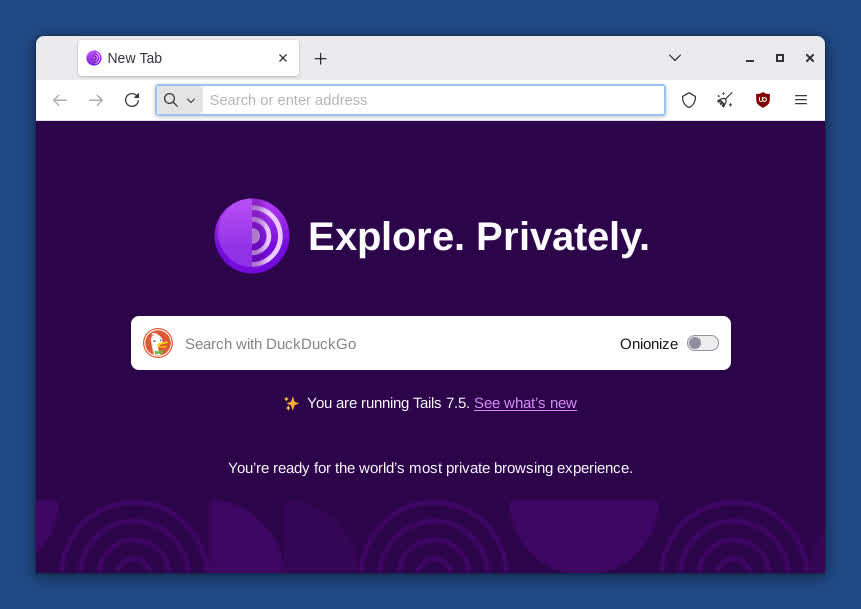
- Change the home page of Tor Browser in Tails to an offline page, very similar to the home page of Tor Browser outside of Tails, instead of an online page from our website.
- Improve the message when an administration password is required to open an application but no administration password was set in the Welcome Screen.
- Update Tor Browser to 14.5.8.
- Update the Tor client to 0.4.8.19.
- Update Thunderbird to 140.3.0.
- Remove the package ifupdown.
Fixed problems
- Hide the message "Your connection to Tor is not being managed by Tor Browser" in new tabs of Tor Browser. (#21215)
Tails 7.0 Changelog
Tails 7.0 is dedicated to the memory of Lunar (1982 – 2024). Lunar was a traveling companion for Tails, a Tor volunteer, Free Software hacker, and community organizer.
Lunar has always been by our side throughout Tails' history. From the first baby steps of the project that eventually became Tails, to the merge with Tor, he's provided sensible technical suggestions, out-of-the-box product design ideas, outreach support, and caring organizational advice.
Outside of Tor, Lunar worked on highly successful Free Software projects such as the Debian project, the Linux distribution on which Tails is based, and the Reproducible Builds project, which helps us verify the integrity of Tails releases.
Lunar will be deeply missed, both in our community and in the many other communities he participated in.
Faster startup
Tails 7.0 starts 10 – 15 seconds faster on most computers.
We achieve this by changing the compression algorithm of the Tails USB and ISO images from xz to zstd. As a consequence, the image is 10% bigger than it would be with the previous algorithm.
While testing this change, we noticed that Tails on USB sticks of poor quality can also start 20 seconds slower than on quality USB sticks.
If you are in a place where counterfeit electronics are common, we recommend that you buy your USB stick from an international supermarket chain, which should have a more reliable supply chain.
Included software
- Replace GNOME Terminal with GNOME Console.
- Replace GNOME Image Viewer with GNOME Loupe.
- Update Tor Browser to 14.5.7.
- Update the Tor client to 0.4.8.17.
- Update Thunderbird to 128.14.0esr.
- Update Electrum from 4.3.4 to 4.5.8.
- Update OnionShare from 2.6.2 to 2.6.3.
- Update KeePassXC from 2.7.4 to 2.7.10.
- Update Kleopatra from 4:22.12 to 4:24.12
- Update Inkscape from 1.2.2 to 1.4.
- Update GIMP from 2.10.34 to 3.0.4.
- Update Audacity from 3.2.4 to 3.7.3.
- Update Text Editor from 43.2 to 48.3.
- Update Document Scanner from 42.5 to 46.0.
Changes in GNOME
- Many sections of the Settings utility have been redesigned, for example Accessibility, Sound, and Mouse & Keyboard in GNOME 44
- Accessibility settings also include new accessibility features, such as Overamplication and Always Show Scrollbars.
- The Activities button has been replaced with a dynamic workspace indicator in GNOME 45.
- The Screen Reader has been improved in different ways, for example, with better table navigation and a sleep mode in GNOME 46.
- A new option to preserve battery health is available in the power settings in GNOME 48.
Removals
- Remove the Places menu.
- You can access the same shortcuts from the sidebar of the Files browser.
- Remove Kleopatra from the Favorites menu.
- To start Kleopatra, choose Apps ▸ Accessories ▸ Kleopatra.
- Remove unar.
- The File Roller utility still opens most RAR archives.
- Remove the aircrack-ng package.
- You can still install aircrack-ng using the Additional Software feature.
- Remove the Power Statistics utility.
- Remove the sq package.
- Remove the obsolete Network Connection option from the Welcome Screen.
Hardware support
- Update the Linux kernel to 6.12.43.
- This improves support for newer hardware: graphics, Wi-Fi, and so on.
- Increase the memory requirements from 2 GB of RAM to 3 GB. (#21114)
- Tails 7.0 displays a notification when the RAM requirements are not met.
- We estimate that less than 2% of users are affected.
Previous release notes
- Update Tor Browser to 14.5.6.
- Update the Tor client to 0.4.8.17.
- Update Thunderbird to 128.13.0.
Changes and updates
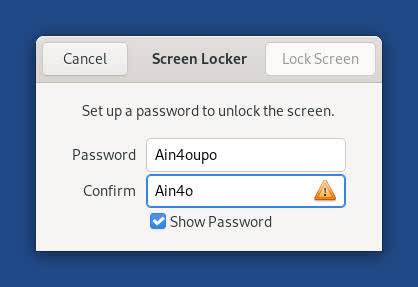
- Add a Show Password option when setting the screen locking password.

Fixed problems
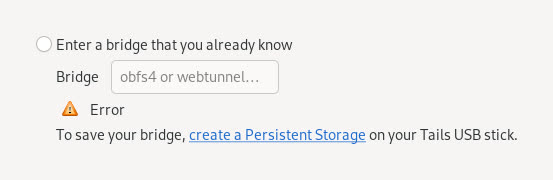
- Remove irrelevant error message when configuring bridges in Tor Connection.
- Display an empty page instead of the homepage of Tor Browser when opening new tabs in the Unsafe Browser. (#21004)
- Remove duplicated CPU microcode to reduce image size. (#21001)