

Detect hidden threats with GlassWire's Traffic Monitor and Firewall. Instantly see your current and past network activity. Detect malware, and block badly behaving apps.
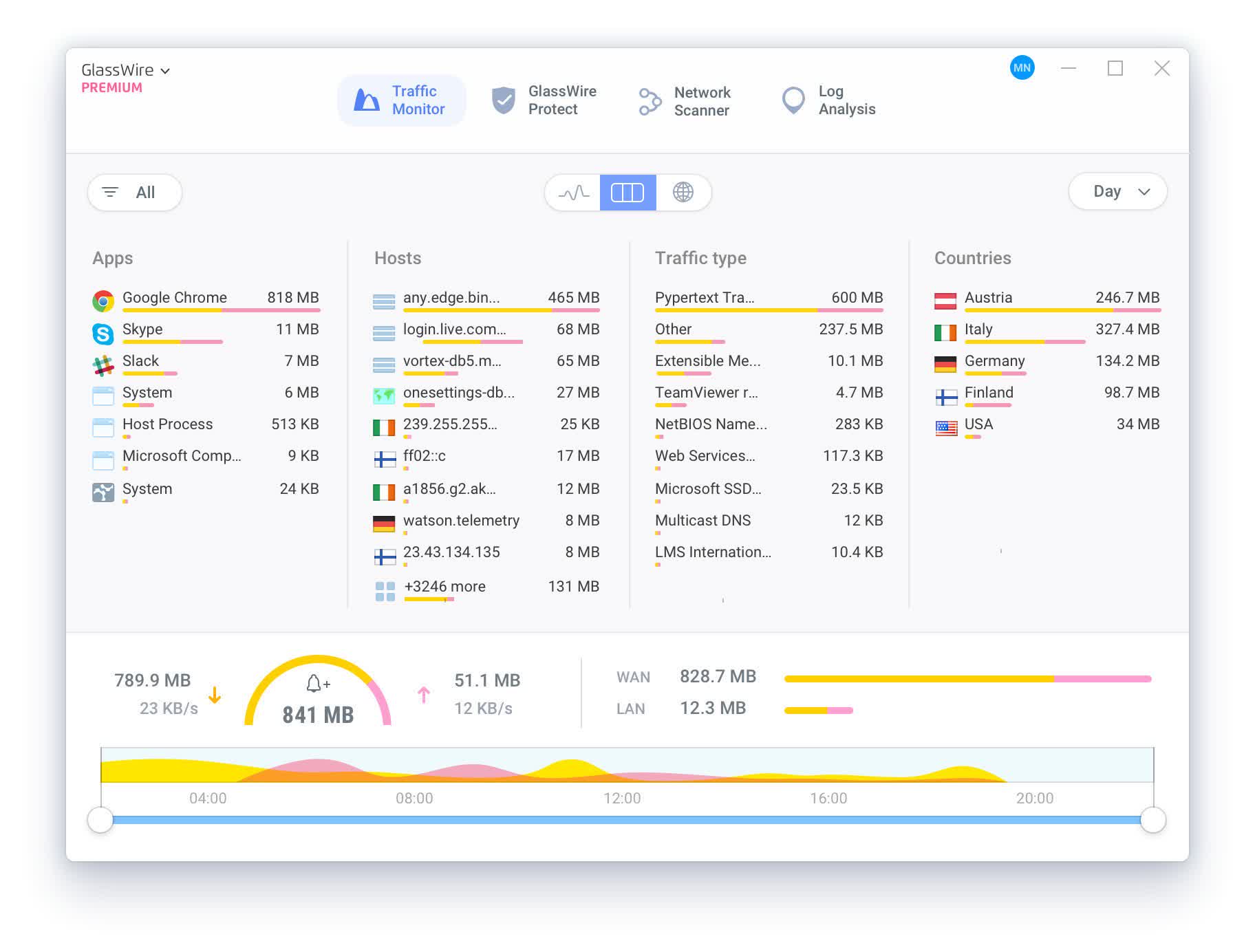
Network Monitor
GlassWire's network monitor visualizes your current and past network activity by traffic type, application, geographic location, all on a beautiful and easy to understand graph. Go back in time up to 30 days and see what your computer or server was doing in the past. Click the graph to see details of what app or network event caused a spike in network activity.
Threat Monitoring
GlassWire reveals hosts that are known threats, unexpected network system file changes, unusual application changes, ARP spoofing, DNS changes, and alerts you to the problem so you can take action. GlassWire can also remotely monitor and help protect servers or other computers far away. Install GlassWire on your server or remote PC and look out for unexpected threats or problems. If you see unexpected activity you can block it with GlassWire's firewall.
Firewall
GlassWire's firewall reveals all your network activity so you can easily see what your computer is doing in the background. GlassWire's firewall shows you what current and past servers your computer is communicating with so you can see potential threats and block them if necessary.
New connection? Get notified
Is a new application or service accessing the Internet for the first time? GlassWire politely alerts you temporarily with detailed information. If something unusual happens you can block the app with GlassWire's firewall or start a scan with your primary antivirus.
What happened while you were away?
GlassWire shows you what network activity occurred while you were away or logged out from your computer. No more wondering what your computer was doing while you were out. Just go back in time with GlassWire's graph and see exactly what happened in detail.
Remote Server Monitoring
Do you have remote servers where you host websites, applications, or games? GlassWire can monitor all your server network activity and alert you to potential threats. Also with GlassWire's usage tab you can see exactly how much bandwidth you are using in detail to help stay under your hosting company limits. Block bandwidth hogging apps or privacy violators under the GlassWire firewall tab.
Internet & Bandwidth Usage Monitoring
Is your ISP stingy with their bandwidth? GlassWire can help you stay under your limit by alerting you to possible Internet overages, plus see what apps are using up all your bandwidth under the usage tab.
Privacy is king
GlassWire helps protect your privacy by visualizing all your network activity but that's not all. Go into GlassWire's incognito mode when you don't want any network activity graphed plus you can easily clear all your network activity any time via GlassWire's history setting.
What's New
- Added automatic cleanup of uninstalled and inactive apps. In GlassWire Protect Settings, GlassWire clears firewall rules for apps you've removed (on by default) or that have gone inactive (off by default), after a threshold you choose, 30 days by default. If the app reconnects later, GlassWire treats it as new rather than restoring its old rule. Every cleanup shows up as a log entry.
- Added filters to the GlassWire Protect (firewall) list, so you can narrow it down by allowed/blocked incoming and outgoing connections.
- Added a banner on the GlassWire Protect tab when Block All mode is active, since per-app rules are paused while it's on and only take effect again once you switch modes.
- Improved the Network Scanner tab to explain when a Wi-Fi network name shows as "Unknown" because Windows Location Services is turned off, instead of leaving the interfaces list empty.
- Improved video memory capacity accuracy on the Hardware Resources tab.
- Fixed a crash that could happen when opening a right-click menu.
- Fixed an issue where popups on the Traffic Monitor tab did not show the host name or country.
- Fixed an issue where the firewall did not ask or create a rule for certain apps.
- Fixed translated text overflowing its UI element in some languages.
- Fixed a rare Windows crash (BSOD) caused by the network driver.
- Fixed a crash in the GlassWire service that could happen while processing driver data.
- Fixed a memory leak in the network driver that could build up over several days of uptime and slow down your system.
- Fixed an issue where sites could fail to load when using Cloudflare WARP or similar VPN tools.
