

Amazing sound for everything you listen to. FxSound corrects the limitations of your devices and compressed audio.
FxSound is (technically) a 90's kid at heart. It's roots are in a program called DFX Audio Enhancer, born in 1999. This audio processor was a huge hit, and sold millions. As much as we dug all the crazy colorful skins and old-school sound, it was eventually time to move into the future of audio.
With a few major overhauls and some polish, FxSound was born. We wanted to build on the pedigree and foundation of DFX, so we kept the best aspects while modernizing the sound and look. The result is the FxSound you see here today.
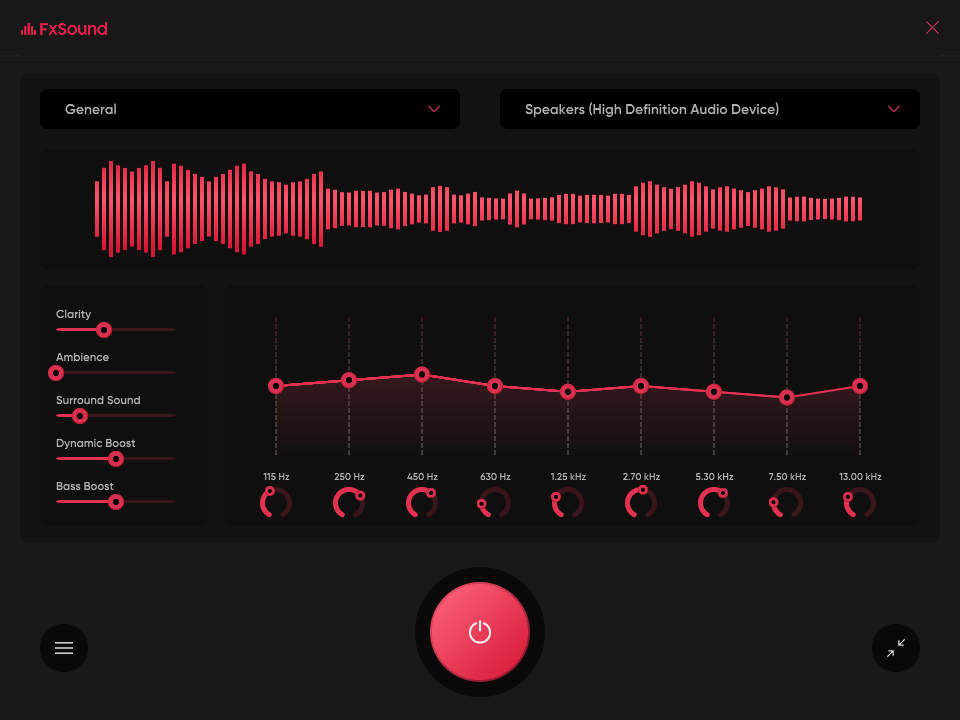
Now, we made FxSound so that you can download it, turn it on, and just watch the cool bars bounce without touching the settings. Out of the box, it's got a great, all-around tone, with a good amount of volume and space added to your sound.
But there is so much more under the hood, and with a little active effort FxSound can go from a nice audio quality booster to a fully customizable, powerful audio suite. Read on to learn more about how to use FxSound, and learn a little bit about your audio along the way.
Video Games
Surround sound to create full immersion into your virtual world.
TV and Movies
FxSound smooths and improves audio for your favorite shows and movies.
Transcription
FxSound boosts your clarity to save your sanity. Rewind less, get paid more.
EQ
Balanced your sound with our 9-band EQ with customizable center frequencies.
Visualizer
Feel your music in a new way.
Effects
Boosted bass and volume that will make your neighbors complain.
Presets
Presets professionally designed for music, gaming, movies, transcription, and more.
How does FxSound work?
Home stereo systems and PC's are built with a compromise: keep hardware affordable at the cost of quality. FxSound compensates for low quality hardware by targeting and processing sound's timbre, volume, spatial balance, and dynamics. What this means for you is clearer, louder, deeper, and balanced audio. Install our lightweight program, let it run quietly in the background, and enjoy your new audio experience.
How does FxSound boost volume?
FxSound is built to provide a dynamic yet controlled increase in volume. We prevent harmful peaking to make listening less fatiguing. Along with our equalized boost means you can increase your volume without distortion. (Unlike some other volume boosters out there).
How does FxSound improve sound quality for music?
Your music files, even ones labeled as "high quality", have some compromises. Some of the original data is removed to make the file a more manageable size. When you stream your music, even more 1's and 0's are cut out to make it fast to deliver. As such, your favorite songs become flat, dull, and lifeless.
This is where FxSound comes in. FxSound helps by giving you the highest possible audio passthrough and output. Then, with targeted EQ, you can bring up those compressed areas and return your music to its proper form.
How does FxSound help with gaming?
Video games are one of the most acoustically rich, audio-saturated situations you'll encounter. Music, sound effects, ambient sounds, spatial processing, audio cues, warnings, indicators, and dialogue all crowd into your headphones or speakers. Unless you're dropping serious coin on a hi-fi gaming setup, you'll lose detail and miss important sounds. And if you're lucky enough to have that high-end gear, you can't always dial in global settings to fit your hearing profile.
FxSound will pass your game's audio through at a higher bitrate than almost any other digital sound card. With EQ and effects, you can apply a smoother, richer, more clear experience to your favorite games. When looking to get that edge (and finally joining your high ELO friends), give FxSound a shot.
What's New
FxSound 1.2.16.0 Beta
- When output device changes, playback device volume is set to capture device (#615)
- Bulgarian language support added
FxSound 1.2.14.0
- Fix for the issue on equalizer not showing the correct frequency values from the presets
- 10 band equalizer frequency ranges are changed according to the frequencies used in the presets
