

Windsurf Editor is built for the way AI is meant to work with humans. Everything you love in Codeium and more, with unmatched performance and a user experience that keeps you in the flow.
You can think of the Windsurf Editor as the first agentic IDE, and then more. It is a new paradigm of working with AI, which we are calling AI flows - collaborative agents.
Is Windsurf's free plan good enough for app development?
Yes. The free version includes all core features without usage limits, supports multiple programming languages and frameworks, and provides access to its Cascade assistant for debugging, refactoring, and documentation. The main differences from the paid plan are likely advanced collaboration tools, enterprise integrations, and priority support.
Which languages and frameworks does Windsurf support?
Windsurf works with a wide range of languages including JavaScript, Python, Java, C++, TypeScript, and more, along with popular frameworks like React, Node.js, and Django.
Does Windsurf work offline?
Windsurf requires an internet connection for AI features, but core editing functions work offline.
How is Windsurf different from Cursor?
Windsurf is a standalone, AI-first IDE from Codeium with its own interface and a built-in assistant called Cascade that helps with debugging, refactoring, documentation, and multi-step tasks without leaving the editor. Cursor, by contrast, is a fork of Visual Studio Code that adds AI-powered features like multi-file edits, chat, and inline completions while keeping full compatibility with the VS Code extension marketplace.
Features
Flows
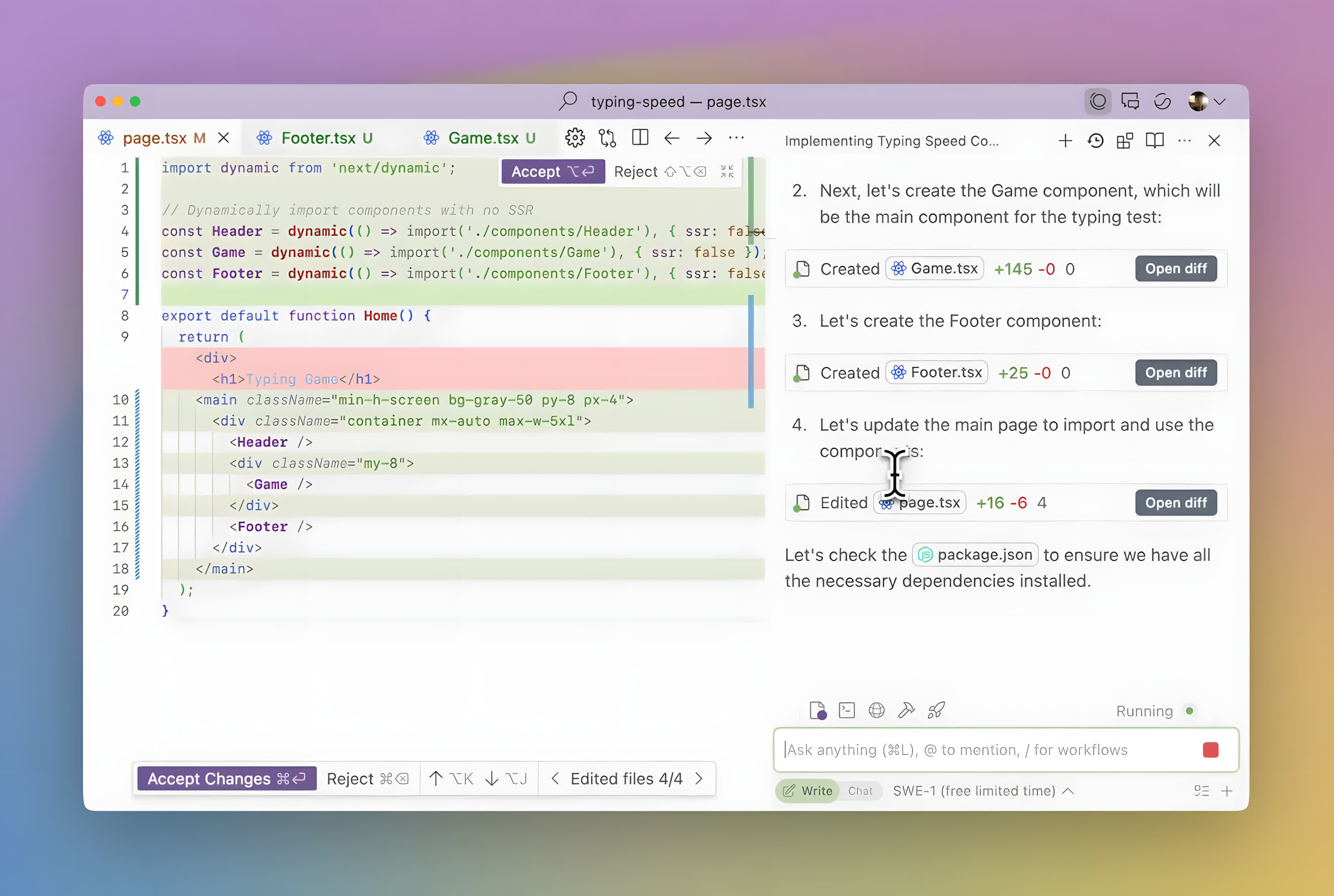
The Windsurf Editor is powered by an AI that can both collaborate with you like a Copilot and tackle complex tasks independently like an Agent. The AI is completely in sync with you, every step of the way. Flows allow the dev and AI to operate on the same state at all times, creating a mind-meld experience beyond just an assistant.
Cascade
Cascade combines deep codebase understanding, a breadth of advanced tools, and a real-time awareness of your actions into a powerful, seamless, and collaborative flow. It is the most powerful way to code with AI.
Cascade lets you build and refine complex codebases with ease. Multi-file multi-edit capability. Deep contextual awareness. Terminal command suggestions. LLM-based search tools that outperform embeddings. Implicit reasoning of your actions in the text editor. Blazing fast latency. All in one magical experience.
Full contextual awareness
Deep contextual awareness allows you to run Cascade on production codebases and still get relevant suggestions.
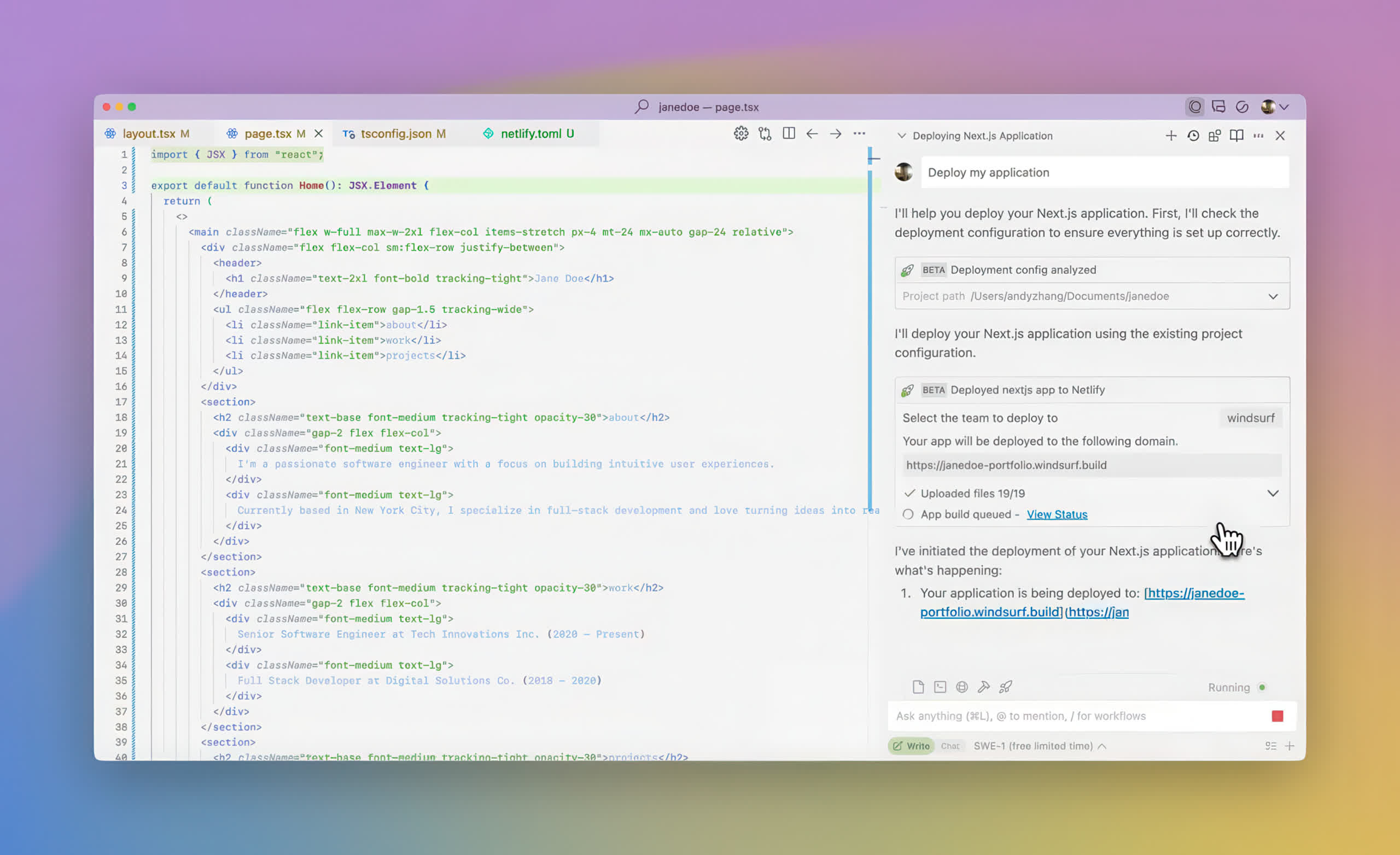
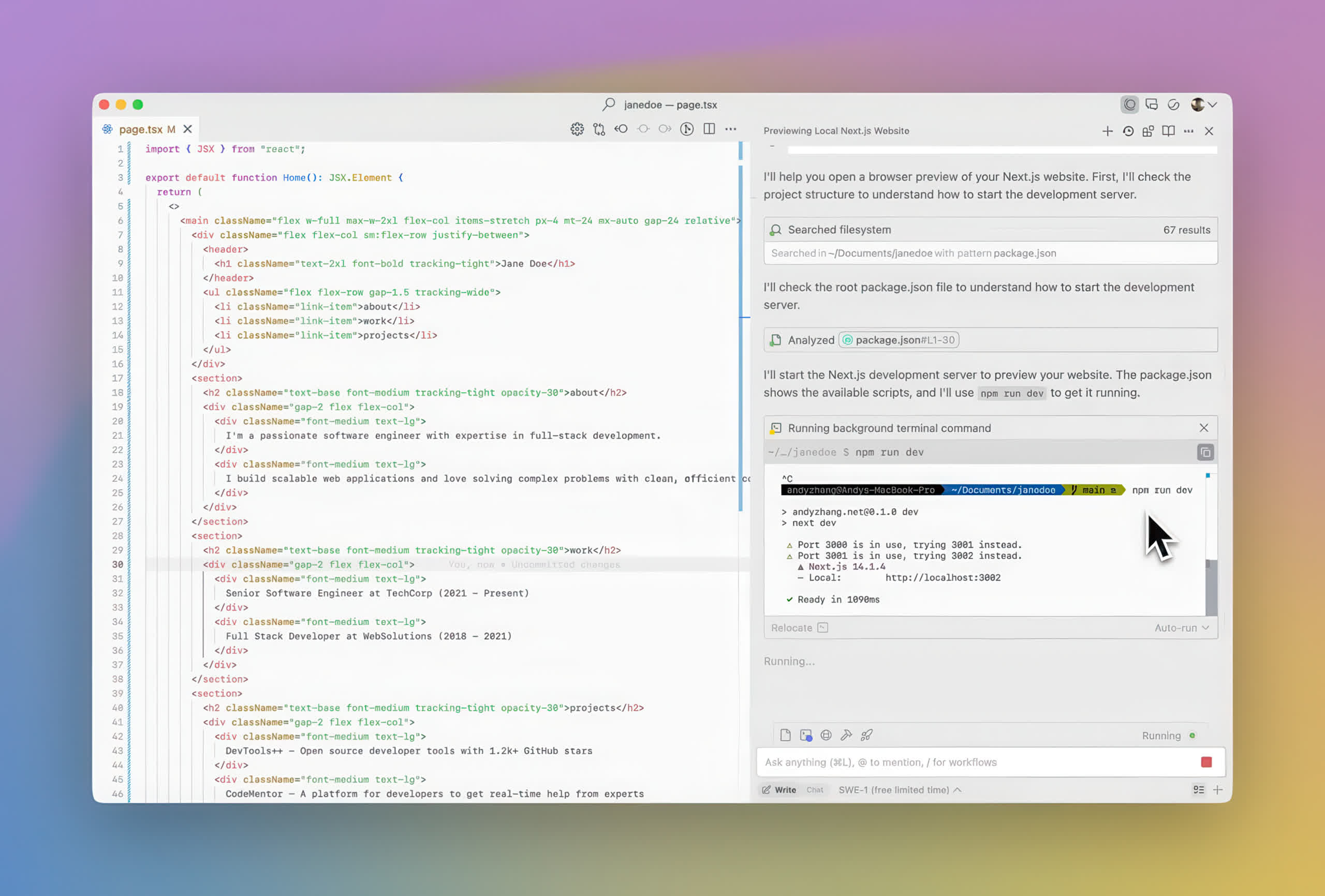
Suggest and run commands
Cascade's tools encompass command suggestion and execution, as well as issue detection and debugging.
Pick up where you left off
With automatic reasoning of your explicit actions, Cascade can pick up your work where you left off.
Multi-file editing
Coherent multi-file edits through context awareness, tool integration, and iterative problem-solving.
What's New
Auto-review Run Mode
Auto-review is a new run mode that allows Cursor to work for longer with fewer approval prompts and safer execution.
Auto-review applies to Shell, MCP, and Fetch tool calls. Allowlisted calls run immediately, and calls that can be sandboxed run in the sandbox. All other agent actions go to a classifier subagent that decides whether to allow the call, try a different approach, or ask for your approval.
Configure your run mode in Settings > Cursor Settings > Agents > Run Mode. You can also steer the classifier agent by giving it custom instructions.
Previous Release Notes
Our goal for Windsurf is to build the most powerful IDE for world-class developers. Today, we're excited to announce Wave 12, which brings us closer to that vision. Wave 12 comes with a fresh look, new features that integrate Devin's capabilities into your IDE, and a suite of updates that will make Windsurf faster, more reliable, and smarter than ever before.
Bringing Devin features into Windsurf
Our team is focused on bringing the core insights that power Devin, the world's most powerful SWE agent, to Windsurf. With Wave 12, we're excited to launch our first direct integrations between Devin and Windsurf.
DeepWiki
Another feature that we're proud to bring to Windsurf is Devin's DeepWiki. When we built DeepWiki, our goal was to build a documentation system that makes it easy for engineers to quickly understand codebases that they're unfamiliar with. But as developers, we know sometimes it's more convenient to read through the code yourself. This is what inspired us to bring DeepWiki to the IDE.
Unlike traditional language server hover cards that show basic type information and comments, Windsurf now features DeepWiki-powered cards that help you understand functions, variables, and classes as you read through the codebase. DeepWiki in Windsurf can be triggered in two different ways: you can hover over different symbols, or you can CMD/Ctrl+Shift+Click on a symbol in order to open an explanation on the left-hand side panel, which you can then easily add to your Cascade context.
Vibe and Replace
We're excited to introduce Vibe and Replace. Like Find and Replace, it starts with exact text matching, but instead of simple replacement, we apply an AI prompt to each match for intelligent, context-aware transformations. Generate documentation, rename variables semantically, or remove feature flags that adapt to each location's specific context.
As part of our ongoing work to turn Windsurf into the world's most intelligent agentic IDE, we've added numerous updates to Cascade and Tab. These updates are directly influenced by our work on Devin and should enable users to see faster and more reliable results in Windsurf.
Cascade is more intelligent
Wave 12 brings exciting new updates to the Cascade agent. First, planning mode is now automatic, with no manual toggles needed. Cascade intelligently decides when to make a plan and autonomously creates to-do lists when appropriate, directly in the chat, to scope out long-running tasks.
Second, we've revamped Cascade's tools. Edits are more accurate, and code exploration fully leverages the long context of new models. We've made Cascade faster, smarter and more reliable than ever.
Faster Tab
Our Tab autocomplete feature is now powered by a new system that makes more frequent, smarter suggestions. We've specifically worked on making the UI less invasive, deployed an improved diff algorithm, and tuned the system to be less aggressive when you're just reading code.
A new look for Windsurf
As Windsurf continues to evolve, we wanted to create an interface that better reflects its growing capabilities. Because of this, we decided to bring a new look to Windsurf. The new Windsurf UI now features all-new Chat and Cascade panels that make it easier to scan the agent's trajectory and understand its most important actions and tool calls.
Previous Release Notes:
- Windsurf now supports the GPT-5 suite of models including GPT-5 (low reasoning), GPT-5 (medium reasoning), and GPT-5 (high reasoning). They are available for free for a limited time for paying users!
Previous Release Notes:
- Minor improvements and bug fixes
Previous Release Notes:
- Windsurf now supports Kimi K2 model which costs 0.5 credits per prompt.
Cascade Memories
- You can configure rules for Cascade Memories to follow. For example, you can use rules to specify if you want Cascade to respond in a certain language, communicate in a specific style, or use a specific API
- Rules can be found in the Windsurf Quick Settings panel by clicking on "Windsurf Settings" on the status bar
- Global rules are rules that will be applied to Cascade in all workspaces
- Workspace rules are rules that will be applied to Cascade in the current workspace
- More information can be found on our docs.
Cascade Auto Run Commands
- Cascade can now automatically detect to run certain terminal commands if it deems safe to do. This option is checked off by default and can be enabled in the Settings page, accessible in the top right dropdown. This only affects Cascade responses by premium models
- Supports an allow list and deny list of commands for Cascade to run. Allow list always accept the command and deny list always requests for permission to run a command.
Extensions
- WSL support is now in beta
- Bug fixes and improvements to devcontainer support, notably on Mac
- Updates to Windsurf Pyright
Misc
- Added Cascade undo/redo for full-file accept/reject and workspace-wide accept/reject all
- One-time check to install Windsurf Pyright if Python found
