Editor's take: Despite pushing its latest Windows OS as the best software product ever, Microsoft continues to face significant resistance from millions of PC users who have declined to make the switch. Now, the company is taking steps to rehabilitate an operating system that has struggled to shed its reputation for sluggishness, a perception that has dogged it since launch.
This new optimization push comes even as the company continues its campaign to embed Copilot almost everywhere and for everything. CEO Satya Nadella has acknowledged the need to win back users who have grown skeptical of the platform. Part of that effort is a renewed focus on raw performance, particularly on older hardware where Windows 11 has long felt unresponsive.
The key piece of that effort is Low Latency Profile, a feature designed to boost CPU clock speeds in brief bursts during UI-heavy tasks. It is now available in a Windows 11 preview build. Participants in Microsoft's Insider testing program can install builds 26100.8514 and 26200.8514 (KB5089573), which bundle several new additions alongside a targeted "general performance" improvement.
Windows Latest first spotted the update, noting the new builds aim to "accelerate app launch and core shell experiences" including the Start menu, Search, and Action Center – language that closely mirrors LLP's stated design goals.
Early testing suggests the feature meaningfully improves GUI responsiveness across the Start menu, system control panels, and native Windows apps. If LLP clears the Release Preview Channel without incident, it could be folded into the main update cycle as soon as Patch Tuesday in June 2026.
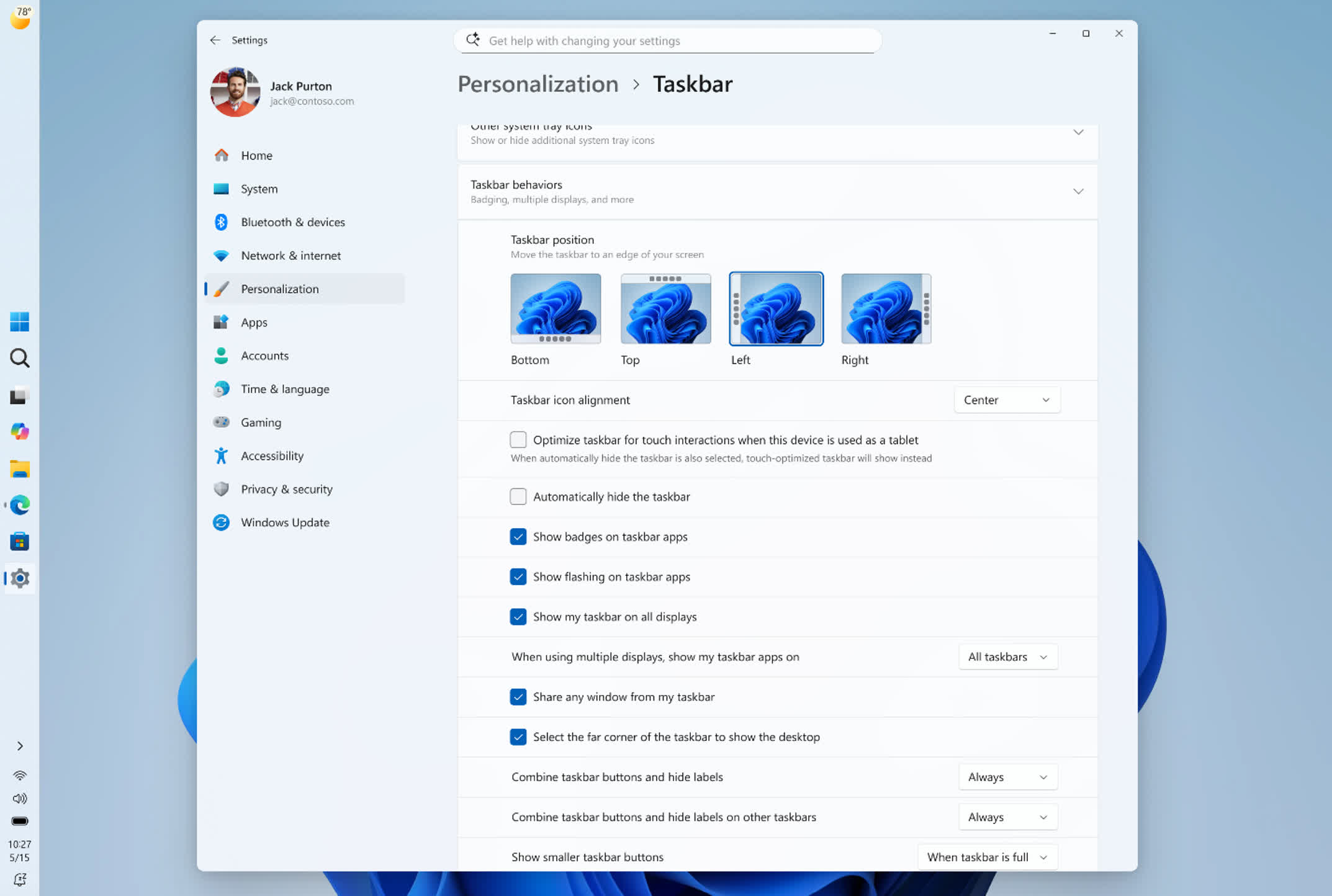
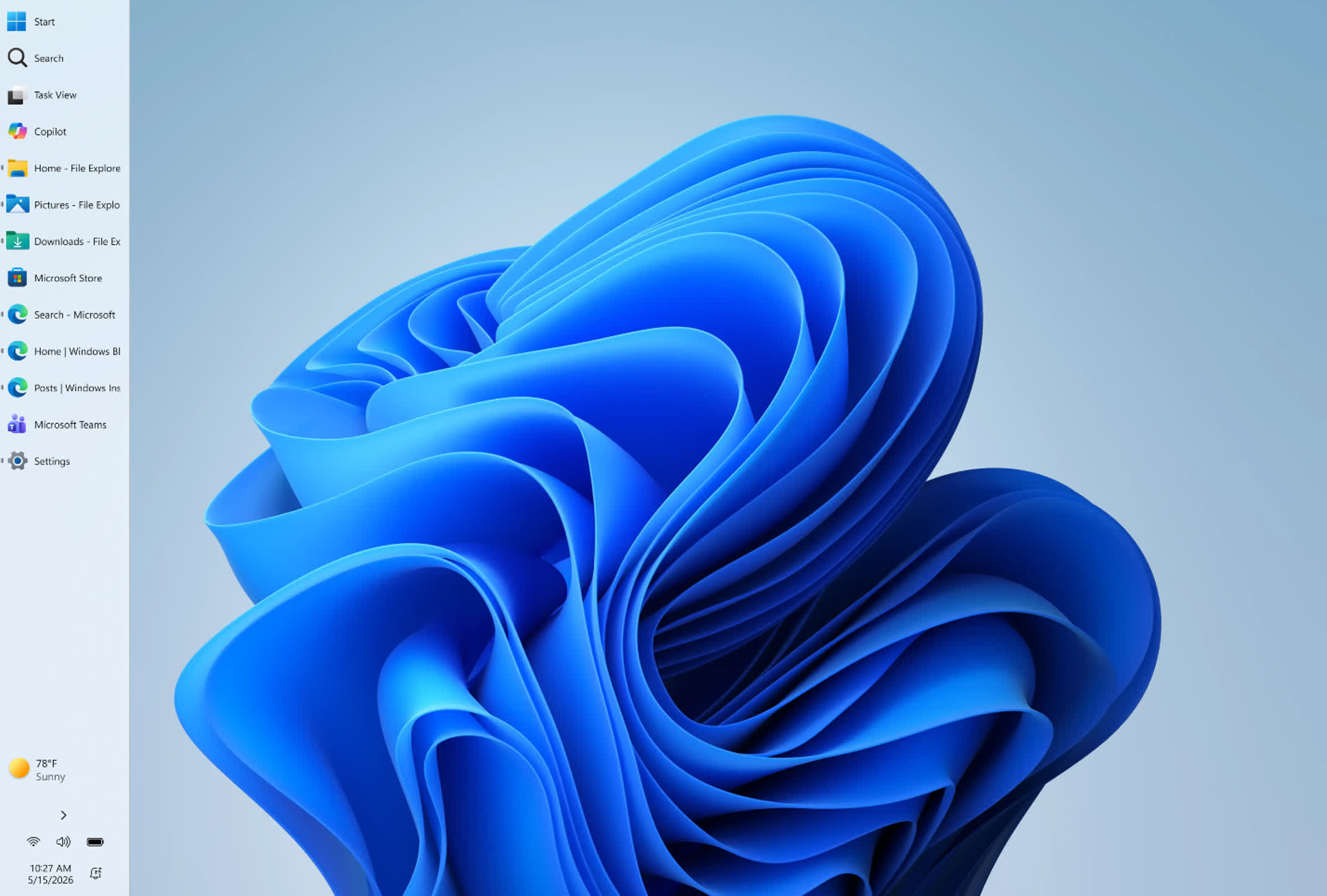
Microsoft is also revisiting one of Windows 11's most criticized regressions: Taskbar customization. The company framed the upcoming changes as a way to make the Taskbar "a more personal experience" – though in practice, Microsoft is largely restoring flexibility it stripped away when Windows 11 launched.
Users will soon be able to reposition the Taskbar along any edge of the screen, adjust icon alignment, and make other layout changes that previously required third-party tools or Registry edits. Future updates are expected to add auto-hide behavior, tablet-optimized modes, touch gestures, and a compact display option that reduces the bar's pixel footprint to reclaim vertical screen space.
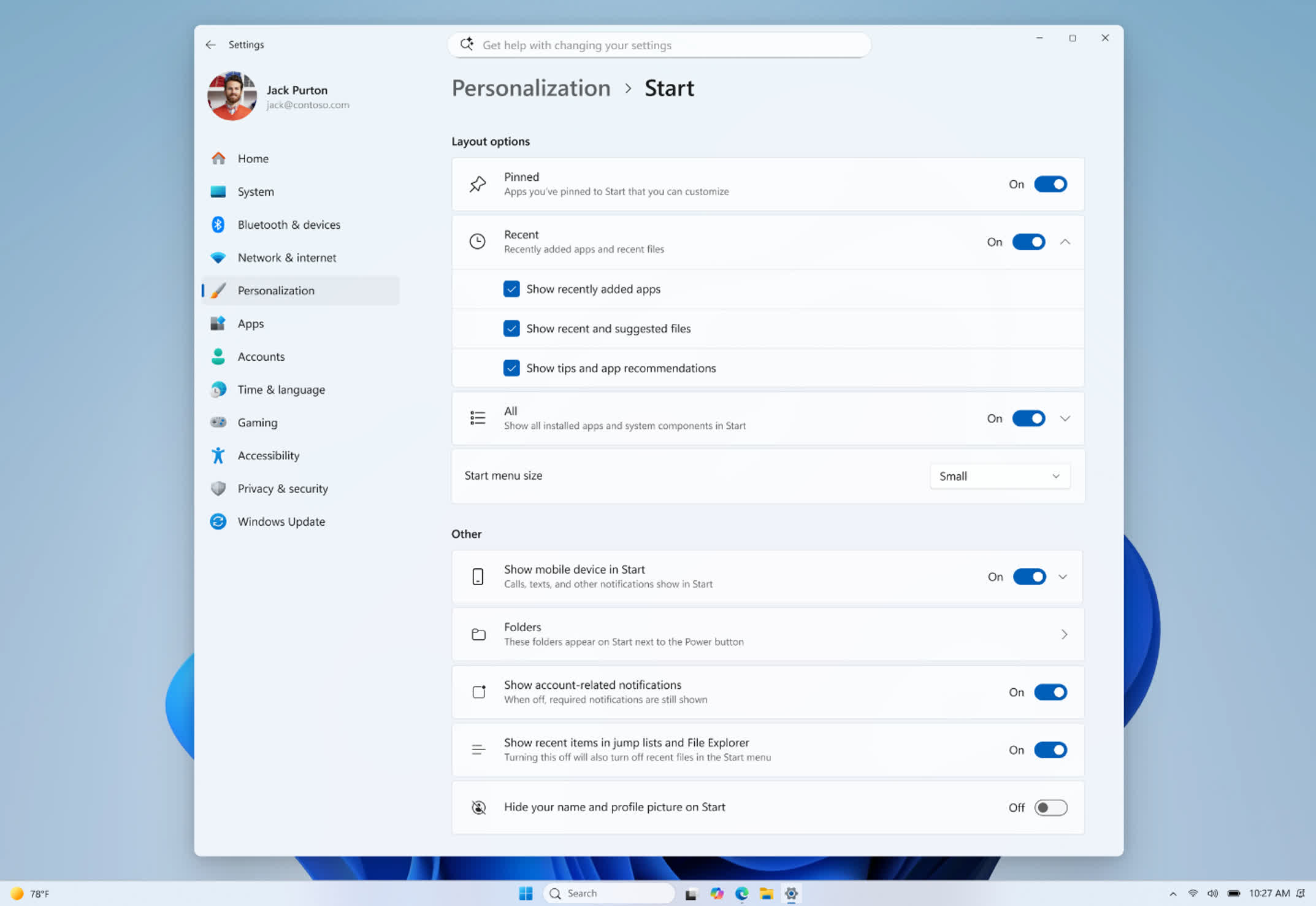
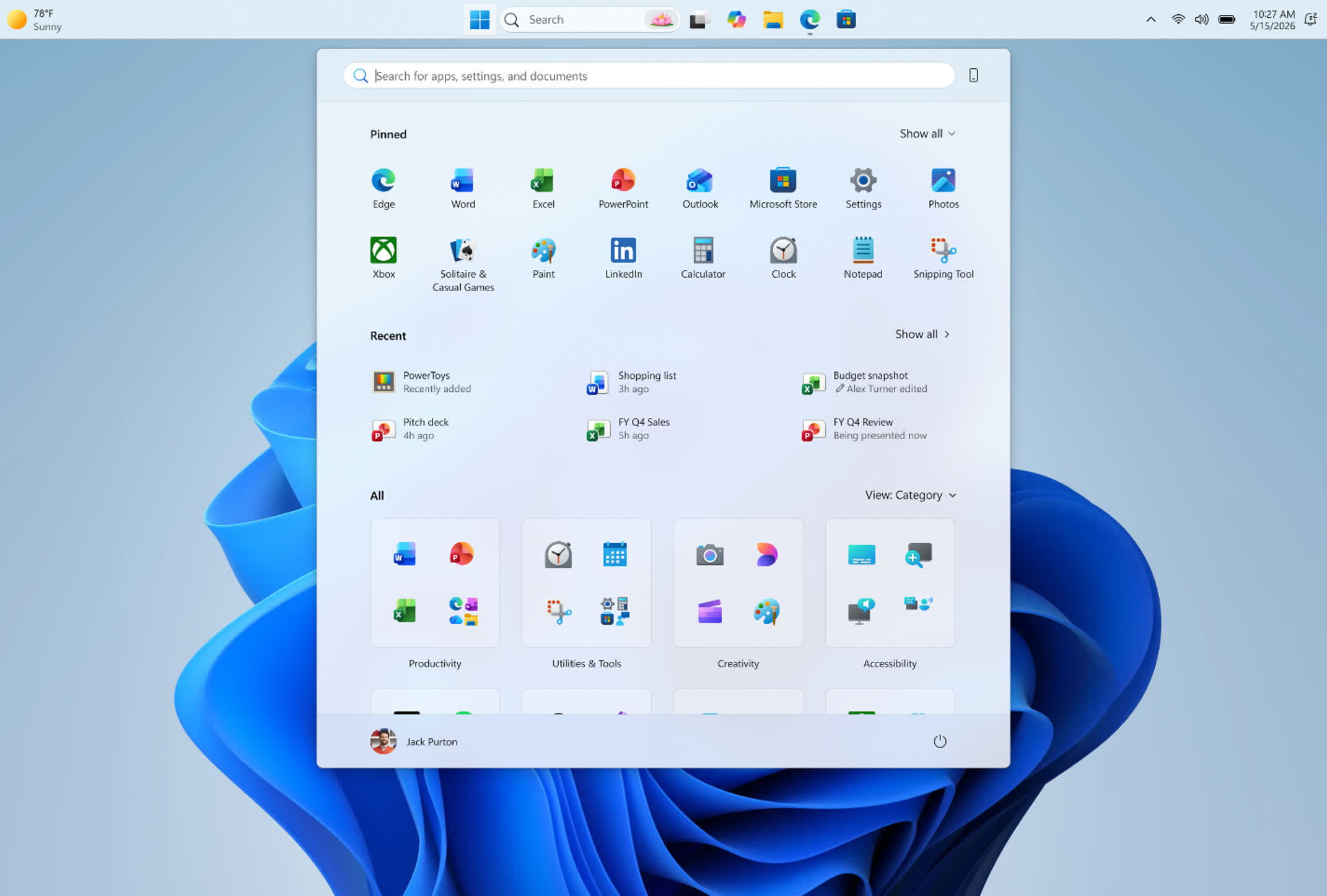
The Start menu is also in line for an overhaul, with plans for a simplified customization interface, a redesigned "recommended" apps section, and improved file relevancy.
Microsoft intends to roll out these changes incrementally to Insider testers and is soliciting feedback through the built-in Feedback Hub.