
At a time when SSDs are scarce, DDR5 pricing is spiraling, and even so-called "affordable" graphics cards feel like a distant memory, reviewing an ultra-premium RTX 5090 might seem a little out of touch. CES didn't exactly help matters either – what was once a consumer electronics showcase has largely become an AI trade show, and since January, hardware availability and pricing have only continued to worsen.
With much of the market in limbo, many PC enthusiasts are left waiting for the current AI-driven frenzy to cool off before things return to some semblance of normal.

That context matters, because what we're looking at here isn't a product most people should – or realistically could – buy. This is MSI's RTX 5090 Lightning Z, the first Lightning-branded graphics card the company has released in several generations.
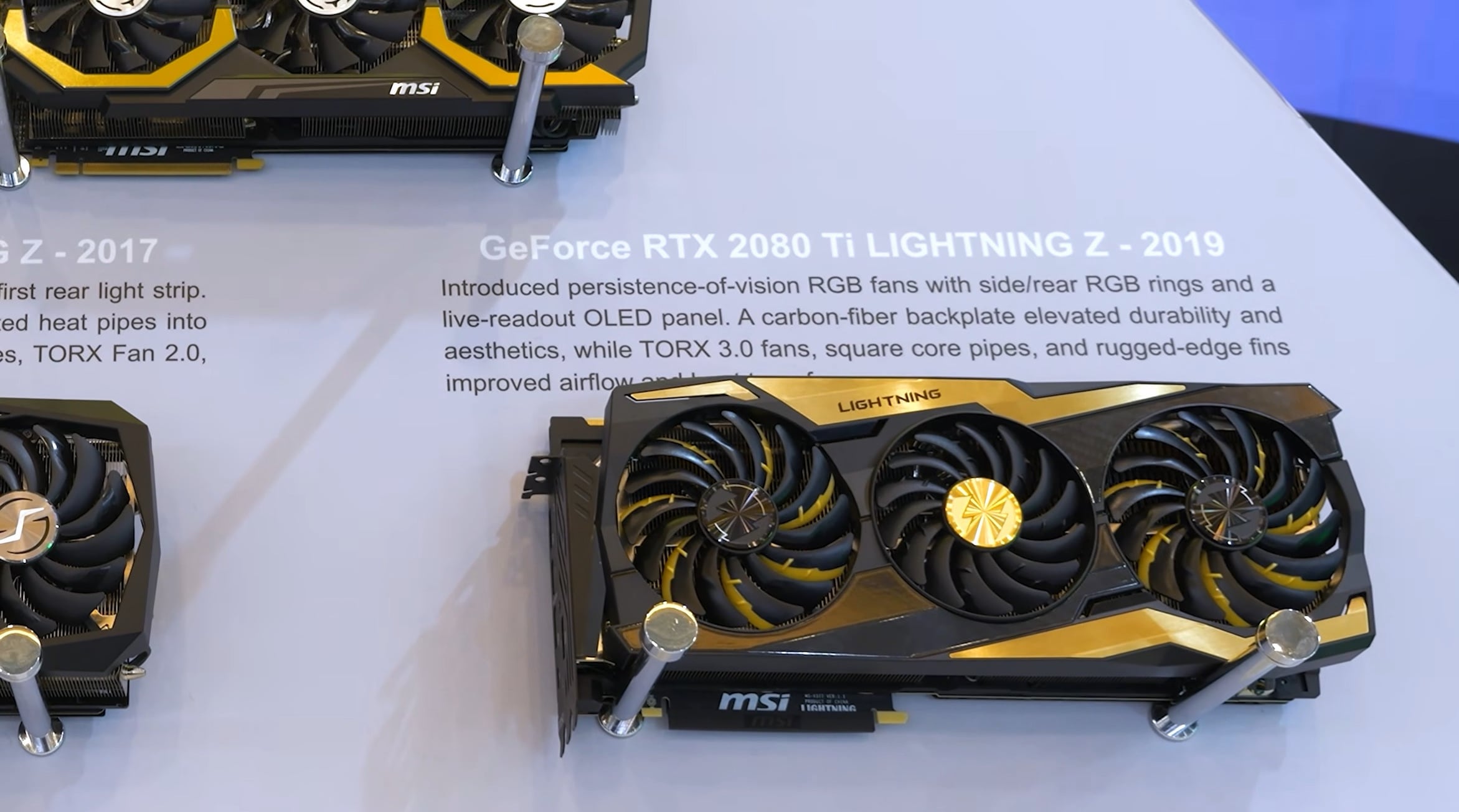
After the GTX 1080 Ti Lightning Z and a brief appearance in the RTX 2080 Ti era, the Lightning series skipped both the 30- and 40-series entirely. Its return for the RTX 50-series is deliberate and limited: only 1,300 units will be produced, with pricing that's expected to be firmly in "absurd" territory.

MSI is well aware this isn't a consumer-focused graphics card, and that's precisely the point. The Lightning Z exists less as buying advice and more as an engineering statement – a showcase of what's possible when power, cooling, and cost constraints are effectively removed.
MSI told us this is a product they're simply proud of, one designed to highlight their technical capabilities rather than compete for sales volume. In that sense, it's closer to a halo product, or even a curiosity, than a conventional GPU launch.

Think of it like the supercar segment of the automotive world. You don't really watch coverage of Ferraris or hypercars because you're planning to buy one next week. The Lightning Z fills a similar role in the graphics card space. It's excessive, unapologetic, and completely detached from the current realities of the GPU market, and that's exactly why it's interesting.

The video version of this review also doubles as an unboxing, something many of you have asked to see more of. MSI has leaned heavily into the presentation here, with a massive package, premium accessories, and a card that weighs over 4 kg once the cooling hardware is accounted for.
It's a striking first impression, but appearances only tell part of the story. Beyond the theatrics, we'll be taking a close look at the hardware itself, how MSI has approached cooling and power delivery, and – most importantly – what kind of real-world performance and thermals you actually get from a no-limits RTX 5090 design.
What follows isn't a recommendation. It's an exploration of extremes.
The Card and Features
The card weighs 2,673 grams, while the radiator and fans add another 1,293 grams. In terms of dimensions, the card is 260 mm long, 151 mm tall, and 61 mm wide, so although it's liquid-cooled, it's still very thick. The radiator measures 394 mm long, 120 mm tall, and 56 mm wide, which are fairly typical dimensions for a 360 mm radiator.

There are two high-powered 12V connectors, and as we saw, the card does come with a single adapter featuring four 8-pin inputs. It's worth noting that the card won't post if you try to use an adapter with three 8-pin inputs or fewer – you do need all four. MSI also recommends a 1,600 W power supply.
Now, something we don't love about the Lightning Z is one of its key design features: the large 8-inch display. Because MSI didn't use an OLED panel, the image looks a bit washed out, and the screen doesn't blend into the card particularly well. MSI told us they avoided OLED because it ran too hot, so there are technical reasons for the decision, but be that as it may, it's still disappointing on such an extremely premium product.

Worse than the panel choice, though, is how the screen functions. MSI uses a USB display method for all of its products that feature a screen, such as the MPG CoreLiquid P13. Even if you just want to show a static logo, the display still has to run as a monitor that Windows 11 treats like a standard screen.

You can't simply upload an image, animation, or video to the device, as you can with a product like the TRYX Panorama SE 360. This creates a real usability issue – your mouse will often wander onto the graphics card screen, and you can even accidentally drag windows onto it.


My daughter has a CoreLiquid P13 in her PC, and she got so annoyed with her mouse disappearing onto the tiny AIO screen that we ended up unplugging the USB cable entirely. Now it's just a black orb. MSI really needs to come up with a better solution, more in line with what TRYX offers on its liquid coolers. That said, if this behavior doesn't bother you, the screen may still be appealing, as it can display useful operating statistics and other information via the Lightning Hub.

Moving on from the screen, the included universal vertical mount works well, though you'll need a case with a completely open expansion area once the brackets are removed. Older-style cases often have reinforced brackets that would need to be cut out to use the vertical mount, or you'll need a different case altogether. Of course, this information is only relevant to the small group of people likely to buy one of these for gaming.
Taking the card apart is fairly straightforward. At the rear, there are seven screws – once removed, the backplate lifts off, revealing thermal pads behind the power connectors and GPU. The 246-gram backplate is made from aluminum, but to dress it up, MSI has added carbon fiber pieces. They don't really serve a functional purpose, but they do look cool.

Removing the backplate reveals the best-looking graphics card PCB we've ever seen. It's a shame you'll rarely see it, even if you're lucky enough to own one. After removing an additional ten screws, plus two on the I/O panel, the PCB lifts off the cold plate, allowing us to take a closer look at MSI's engineering showcase.
Here we find the binned GB202 die front and center, flanked by GDDR7 memory on all sides and surrounded by enough power stages to make Buildzoid weak at the knees. If you're offering a 2,500 W BIOS, it makes sense to include forty 60 A power stages – and then liquid-cool all of them for good measure.

As for the cooler, it's fairly straightforward but also extremely well designed and manufactured. As noted earlier, the cold plate makes contact not only with the GPU die, but also with the GDDR7 memory, power stages, and chokes. This is true full-card cooling, and as we'll see shortly, the results are very impressive.
The pump sits on top of the cold plate, and fan power runs inside the sleeving along the water tubes. It's a neat, tidy design that requires no additional connections. That's about as far as we can go without draining liquid, so we'll stop there. It's time to check out the results, which were recorded before tearing the card down. Let's do that.
Benchmarks
Stock Performance
After letting the Lightning Z warm up for an hour in an enclosed ATX case, these are the results. We're looking at a peak GPU temperature of just 54 °C, which is incredibly impressive when you consider the cores are clocked at 3 GHz while the fans spin at a whisper-quiet 1,000 RPM. These are, without a doubt, the best results we've seen from an RTX 5090.

1000W Extreme Bios Performance
Using the 1,000 W BIOS, which shares the same default characteristics as the 800 W BIOS, we were able to overclock the cores to a stable 3.25 GHz, around 200 MHz higher than the other RTX 5090 samples we've tested.
With a sample size of one, we can't speak for every Lightning Z, so as always, overclocking results will vary. That said, MSI has stressed that the Lightning Z series uses hand-picked silicon, so these are binned dies – the absolute cream of the crop.

For this overclock, we maxed out the fan speed at 2,300 RPM, resulting in a peak GPU temperature of just 45 °C, while memory topped out at only 52 °C. During testing in The Last of Us Part I, the GPU averaged 550 W, which is surprisingly low, so we ran a few additional games.
In A Plague Tale: Requiem, power draw averaged 770 W, pushing GPU temperatures to 52 °C and memory to 60 °C, still remarkably low given the power usage. We recorded power consumption across three games using external tools, which we'll examine shortly. For now, let's compare the Lightning Z's thermals to other RTX 5090 models we've tested.
GPU Temps
Here's how the Lightning Z stacks up against other RTX 5090 graphics cards. At stock, it delivered GPU temperatures similar to the Suprim Liquid, though it ran quieter while clocking 6% higher. Compared to air-cooled models, the Lightning Z ran at least 11 °C cooler, again while being quieter and clocking higher.

When noise-normalized, the Lightning Z really shines. It ran 4 °C cooler than the Suprim Liquid while still clocking higher, 14 °C cooler than the Aorus Master, 20 °C cooler than the Suprim SOC, and a massive 28 °C cooler than Nvidia's Founders Edition – all while clocking 14% higher.
GDDR Temps
Because the copper cold plate also cools the GDDR7 memory, temperatures are significantly lower than on previously reviewed RTX 5090s. Out of the box, memory temperatures were 8 °C lower than both the Suprim Liquid and Aorus Master. When noise-normalized, memory temperatures dropped to an impressive 52 °C... that's 12 °C cooler than the competition.

Power Consumption
Looking at power consumption, stock behavior is fairly typical despite the higher clocks. We're seeing similar overall power draw to other cards tested. Note that these figures include both GPU and CPU power, which gives a more accurate comparison when evaluating GeForce and Radeon GPUs.

When overclocked, power consumption increased by up to 16%. Some of that increase includes CPU usage, so GPU-only power draw would be slightly higher. The takeaway is simple: you'll want a high-quality PSU if you plan on overclocking this monster.
Call of Duty Benchmark
In terms of frame rate performance, the Lightning Z is impressive. At stock, it matched our custom overclocks for the ROG Astral, Suprim SOC, and Suprim Liquid, making it 7% faster than Nvidia's Founders Edition. That's not a huge uplift, but that's the reality of GPU overclocking.

There was still more headroom, though. We squeezed out an additional 6% in this test, reaching an average of 187 fps – a 13% gain over the Founders Edition. Not mind-blowing, but achieving that while remaining cool and quiet is impressive given the power draw.
Spider-Man Benchmark
Testing Spider-Man 2, we found that at stock, the Lightning Z actually beat the manual overclocks of the other RTX 5090s we've tested. Applying a custom overclock added another 4%, resulting in a 15% uplift over Nvidia's Founders Edition.

Impressive, Impractical, and Entirely the Point
That really was something, and we hope looking at this unique, limited-edition RTX 5090 hasn't frustrated anyone. We understand these cards are nowhere near MSRP right now – and likely won't be anytime soon – while even mid-range and entry-level models are a mess. This isn't buying advice.
Instead, we wanted to see what's possible when the world's fastest gaming GPU is freed from typical constraints, not just in terms of power limits, but also what MSI's engineers can produce with a near unlimited budget.

The results speak for themselves. Even while pulling close to 800 W in our testing, the Lightning Z ran cooler than most RTX 5090s do at stock, while producing similar noise levels. Beyond that, extreme overclockers have already used the Lightning Z to break 19 world records, though those results required liquid nitrogen rather than the included cooler.
The Lightning Z is undeniably impressive, but it's also a limited-edition product that no gamer should realistically buy, assuming money still matters. MSI tells us the MSRP is $5,090, which feels like a bit of a joke. A $5,090 RTX 5090? Sure, why not. Locally, that works out to around $8,800, roughly the price of a well-used 10-year-old Volkswagen Golf.

And MSI won't love this, but the 800 W Lightning Z BIOS has already leaked online and works on other RTX 5090s. You could save about $1,400 by buying a Suprim Liquid and flashing the BIOS instead, proof that even RTX 5090 buyers can be budget-conscious.
On that note, we'll wrap things up here. So far, 2026 has yet to let us down: a 5090 for $5,090 makes perfect sense.