A little background
Here's a bit of browser history that surprises even seasoned devs: Safari was first to ship a "private" mode. Apple introduced Private Browsing in Safari 2.0 alongside Mac OS X Tiger in 2005, years before "Incognito" became a meme.
The original feature was blunt but effective at a single goal: stop leaving local traces. When enabled, Safari didn't write visited pages to History, didn't keep the page cache, and avoided saving search-field text, form entries, or AutoFill data. Cookies created during the session were treated as ephemeral and tossed when the private window closed. Even the Downloads list was scrubbed (though, importantly, not your actual files).
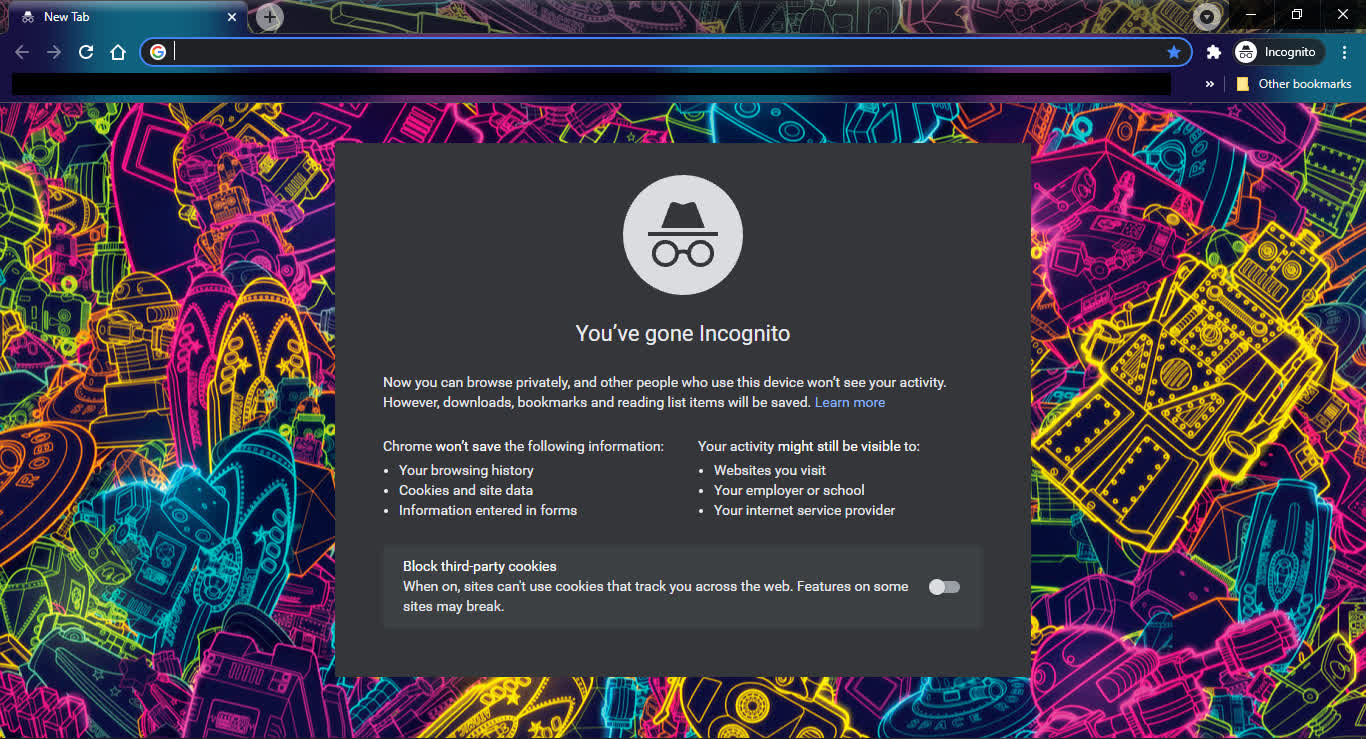
What it didn't do is equally important. Private mode never promised network anonymity. Your ISP, employer proxy, campus NAT, or the site itself could still see requests and tie them to your IP, account, or fingerprintable traits. Safari's Private mode also didn't sandbox downloaded files: if you grabbed a PDF or .dmg installer, that file lived on your drive and in Spotlight unless you removed it yourself. Think of early private mode as local-opsec for a shared machine, not a cloak of invisibility.
So why do many folks credit Google? Marketing and timing. Chrome's Incognito (2008) put a catchy name and a detective icon on a capability that had existed for years, and it shipped alongside Chrome's broader performance and sandbox story. Technically, Incognito spins up an ephemeral profile: history, cookies, site data, and form entries created in that window are discarded when you close it; extensions are generally disabled unless you explicitly allow them. Crucially, it never promised network anonymity and it never hid downloads or bookmarks you choose to save – those persist outside the Incognito sandbox.
Microsoft followed with Internet Explorer 8's "InPrivate" (2009), which actually had two parts. InPrivate Browsing mirrored the local-opsec model (don't write history, cache, form data, or cookies to disk), but InPrivate Filtering went further by detecting and optionally blocking third-party resources that could track you across sites – an early nod toward today's tracker blocking debate. The feature sparked pushback from the ad industry and ultimately shipped with conservative defaults, but conceptually it foreshadowed modern anti-tracking controls.
Firefox (2009) introduced Private Browsing soon after, and then made a pivotal change in 2015: Tracking Protection becomes part of private windows. Instead of just "don't store locally," Firefox actively blocks known tracking domains while you're private, narrowing the gap between local privacy and on-the-wire data minimization. That shift reframed expectations for what "private" should imply.
Meanwhile, Opera 10.50 (2010) innovated on UX: it let you make a single tab private (not just a whole window), enabling mixed sessions where only some tasks leave no local residue. Private tabs were clearly marked so you could run "normal" and "private" side by side without mental gymnastics, a pattern others later emulated.
From there, private modes matured beyond "don't write to disk." Browsers layered in storage and cache partitioning, stricter cookie lifetimes, and mitigations for "supercookies" and link decoration tracking.
A more recent example: Safari's "Private Browsing 2.0" (2024) strips tracking parameters from URLs during cross-site navigations in private windows, reducing how easily third parties can correlate visits via query strings or fragments. Still, the contract remains: private mode mainly controls local persistence and some tracking vectors... it won't make you invisible to sites, employers, or ISPs.