

Wireshark is the world's leading network protocol analyzer, trusted by professionals across enterprises, governments, non-profits, and academia. It provides deep visibility into network activity, allowing users to inspect traffic at a granular level – essential for troubleshooting, analysis, development, and education.
Originally created by Gerald Combs in 1998, Wireshark has grown into a thriving open-source project powered by a global community of expert contributors and volunteers.
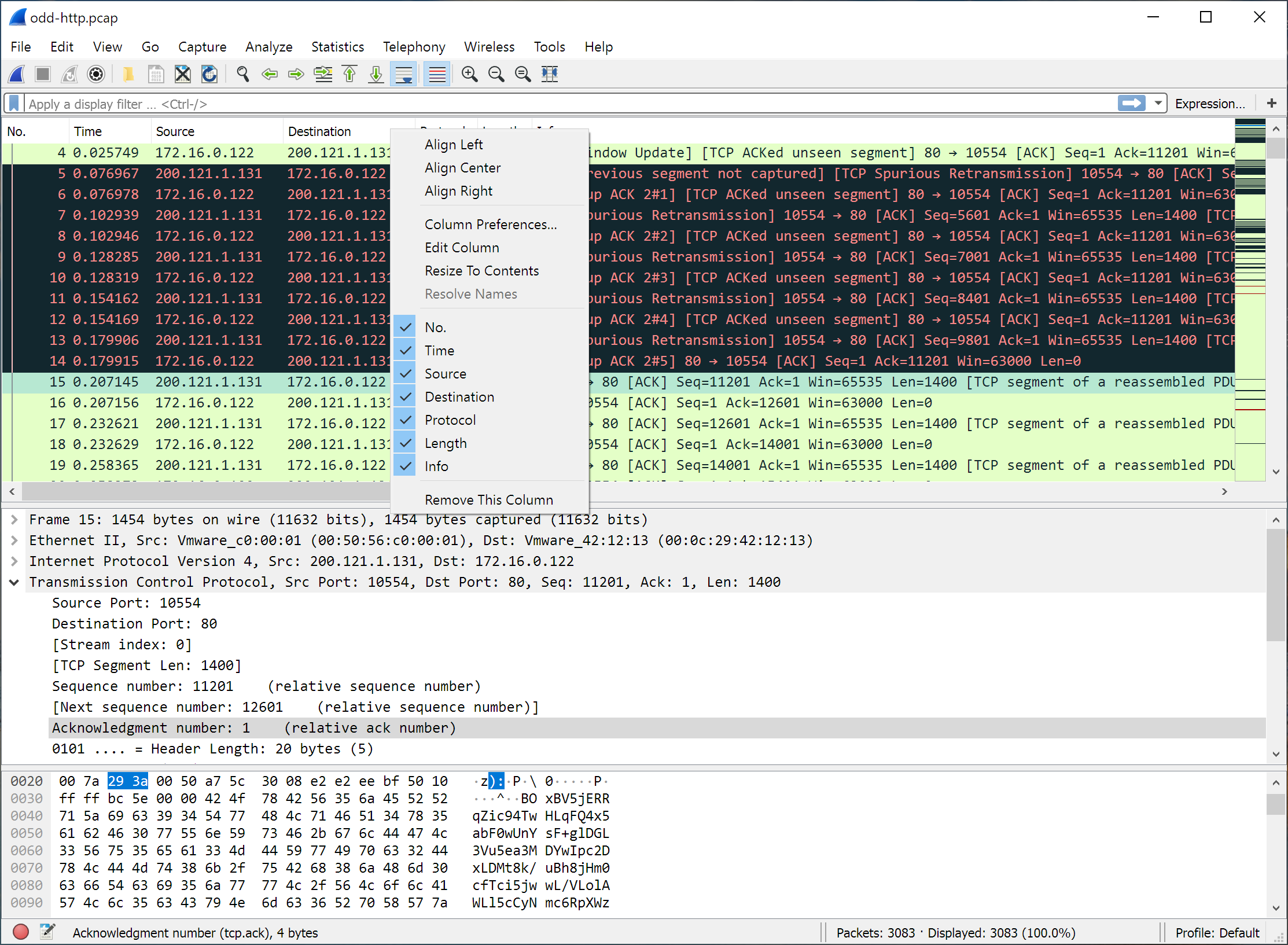
What should I look for when analyzing packets in Wireshark?
Wireshark is a powerful tool for troubleshooting specific network issues. Instead of scanning all traffic, focus on a particular problem, such as slow application performance or failed connections. Use filters to narrow down the data and look for anomalies like retransmissions, handshake failures, or unexpected protocol behaviors.
By applying filters based on IP addresses, protocols, or specific packet attributes, you can focus on the most relevant data for your analysis.
How do I filter traffic to a specific website in Wireshark?
To filter traffic for a specific website, first determine its IP address using the command nslookup [website] (e.g., nslookup www.techspot.com). Then, apply the filter ip.addr == [IP_ADDRESS] in Wireshark to isolate packets related to that site. For analyzing TCP connections, you can use filters like tcp.flags.syn == 1 && tcp.flags.ack == 0 to identify SYN packets
How can I capture traffic from specific devices on my network?
Capturing traffic from specific devices may require configuring your network appropriately. Use port mirroring on a managed switch or employ a network tap to direct the desired traffic to your monitoring system. Additionally, focusing on specific protocols, such as DNS, can provide insights into device activities.
Is Wireshark suitable for professional use in network analysis?
Yes. Wireshark is widely used in professional environments for network troubleshooting and analysis.
Features
- Deep inspection of hundreds of protocols, with more being added all the time
- Live capture and offline analysis
- Standard three-pane packet browser
- Multi-platform: Runs on Windows, Linux, macOS, Solaris, FreeBSD, NetBSD, and many others
- Captured network data can be browsed via a GUI, or via the TTY-mode TShark utility
- The most powerful display filters in the industry
- Rich VoIP analysis
- Read/write many different capture file formats: tcpdump (libpcap), Pcap NG, Catapult DCT2000, Cisco Secure IDS iplog, Microsoft Network Monitor, Network General Sniffer (compressed and uncompressed), Sniffer Pro, and NetXray, Network Instruments Observer, NetScreen snoop, Novell LANalyzer, RADCOM WAN/LAN Analyzer, Shomiti/Finisar Surveyor, Tektronix K12xx, Visual Networks Visual UpTime, WildPackets EtherPeek/TokenPeek/AiroPeek, and many others
- Capture files compressed with gzip can be decompressed on the fly
- Live data can be read from Ethernet, IEEE 802.11, PPP/HDLC, ATM, Bluetooth, USB, Token Ring, Frame Relay, FDDI, and others (depending on your platform)
- Decryption support for many protocols, including IPsec, ISAKMP, Kerberos, SNMPv3, SSL/TLS, WEP, and WPA/WPA2
- Coloring rules can be applied to the packet list for quick, intuitive analysis
- Output can be exported to XML, PostScript®, CSV, or plain text
What's New
Bug Fixes
The following vulnerabilities have been fixed:
- wnpa-sec-2026-52 Catapult DCT2000 protocol dissector crash. Issue 21270.
- wnpa-sec-2026-53 pcapng file parser crash. Issue 21285.
- wnpa-sec-2026-54 FMP/NOTIFY protocol dissector large loop. Issue 21347.
- wnpa-sec-2026-55 SSH protocol dissector crash. Issue 21378.
- wnpa-sec-2026-56 TLS ECH decryption crash. Issue 21390.
- wnpa-sec-2026-57 IEEE 802.11 protocol dissector crash. Issue 21391.
- wnpa-sec-2026-58 Z39.50 protocol dissector crash. Issue 21397.
- wnpa-sec-2026-59 UMTS FP protocol dissector crash. Issue 21398.
- wnpa-sec-2026-60 BLF file parser information disclosure. Issue 21361.
- wnpa-sec-2026-61 Multiple protocol dissector infinite loops. Issue 21275, Issue 21277, Issue 21330, Issue 21383.
- wnpa-sec-2026-62 DBS Etherwatch file parser crash. Issue 21352.
- wnpa-sec-2026-63 Ciscodump extcap crash. Issue 21375.
- The following bugs have been fixed:
- Wireshark appears in German when the system language is Dutch. Issue 20347.
- Qt: Capture filter combo box does not enforce minimum size or expanding size policy. Issue 21080.
- BACapp: Error parsing you-are request. Issue 21260.
- Use-After-Free in Ethernet POWERLINK (EPL) Dissector during profile loading error path. Issue 21267.
- Sponsor slides are not properly shown. Issue 21268.
- Buffer overlow/segfault in Catapult DCT2000 dissector via not check no_ddi_entries in header. Issue 21270.
- Fuzz job issue: fuzz-2026-05-24-14517548985.pcap. Issue 21272.
- Fuzz job UTF-8 encoding issue: fuzz-2026-06-07-14732586286.pcap. Issue 21331.
- Memory leak in alp-sample1.pcap. Issue 21343.
- Memory leak in nspi.pcap. Issue 21344.
- Heap-Buffer-Overflow in Wireshark Logcat Parser. Issue 21346.
- IPv6 Ping from Debian (among others) is dissected as "HiPerConTracer" Issue 21349.
- HEVC (H.265) dissector: bit_offset not advanced after sub_layer_hrd_parameters() causes false Malformed Packet. Issue 21362.
- dfilter_compile_full: heap-buffer-overflow READ in ws_strptime on a time literal. Issue 21376.
- Wireshark crashes with a HEAP_CORRUPTION error when using the last saved recent_common file. Issue 21379.
- Fuzz job issue: fuzz-2026-06-30-15106674620.pcap. Issue 21381.
New and Updated Features
- The Windows installers are now built with Visual Studio 2026.
