

BleachBit provides tools to manage disk space and remove unwanted files, including options for securely erasing sensitive data.
Is BleachBit safe to use with default settings?
Generally, yes. The default options focus on common temporary files and caches. More advanced cleaning features are available but may require extra caution, especially when dealing with saved sessions or passwords.
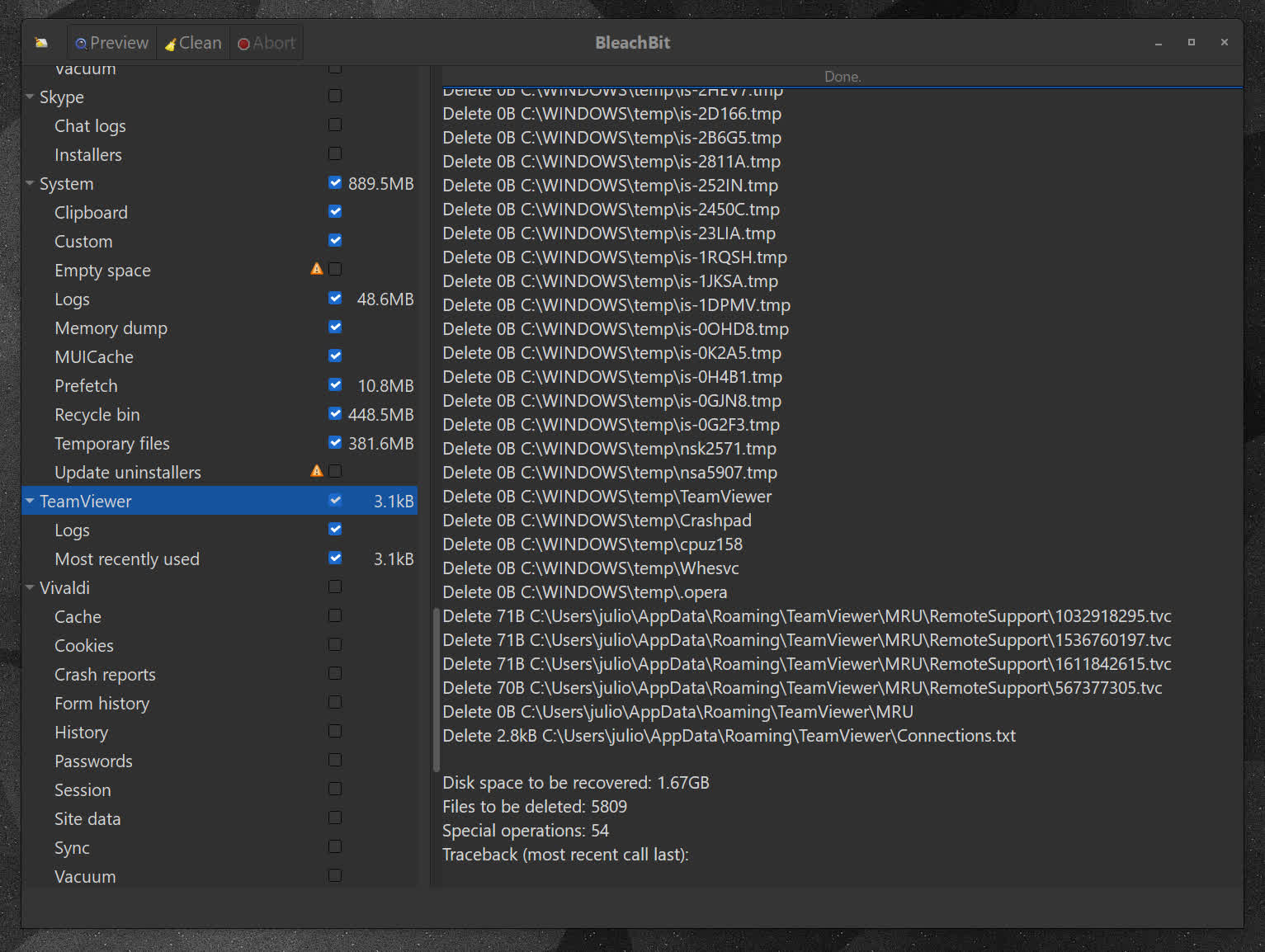
Does BleachBit work well alongside Windows' built-in cleanup tools?
While Windows handles basic system cleanup, BleachBit adds deeper application-level cleaning and more granular control over what gets removed.
Can BleachBit selectively keep certain cookies or site data?
Yes, newer versions include a cookie manager that allows you to retain specific cookies while removing others, making it easier to stay logged into trusted sites while still clearing unwanted data.
Can BleachBit be automated or used via command line?
Yes, BleachBit includes a command-line interface that allows users to automate cleaning tasks or integrate them into scripts, which is useful for more advanced or repetitive workflows.
What are the best free alternatives to BleachBit?
Several free system cleaners offer similar functionality, depending on what you need. Tools like CCleaner, Wise Disk Cleaner, and Glary Utilities provide broader "all-in-one" optimization suites, while options like PrivaZer focus more on privacy and deep cleaning.
Features
- Shred sensitive files, so one can ever read their contents.
- You always have the "Pro" version: BleachBit is free of charge
- Anonymous: you do not need to register an account
- Simple to operate: read the descriptions, check the boxes you want, click preview, and click delete.
- Multi-platform: it runs on both Linux and Windows
- What's hiding in your software? BleachBit is free to share, learn, and modify because it is open source, so there are no secrets.
- No adware, spyware, telemetry, malware, bloatware, backdoors, browser toolbars, or "value-added software"
- Translated to 68 languages
- Overwrite free disk space to hide previously deleted files
- On Windows, choose to either install or run in portable mode. like from a USB drive.
- Command line interface for scripting and automation
- Advanced users can write their own cleaners using CleanerML
- Automatically import and update winapp2.ini cleaner files giving Windows users access to thousands of additional cleaners
Use BleachBit to:
- Free disk space
- Reduce the size of backups and the time to create them by removing unnecessary files
- Maintain privacy
- Improve system performance
- Prepare system for backups by removing junk data that wastes space and time.
- Prepare whole disk images for compression (common for "ghost" backups and virtual machines) by wiping free disk space
Cleaners
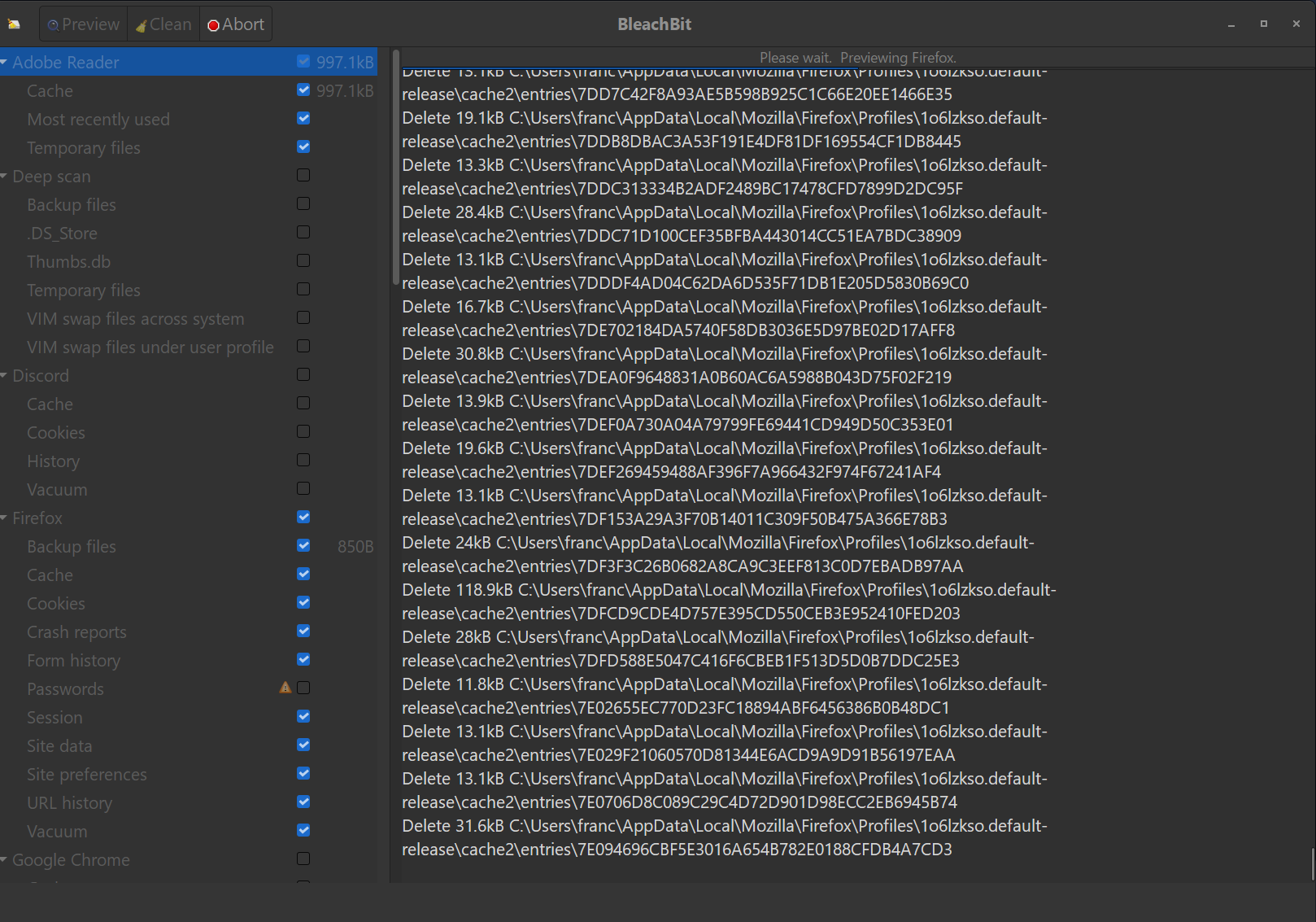
Cleaners contain the rules for cleaning specific applications, and BleachBit includes a growing list of cleaners for Google Chrome, Edge, Firefox, VLC, system logs, temporary files, and many others.
- Many more cleaners for Windows and Linux are available in the CleanerML community repository.
- Add thousands of cleaners by using winapp2.ini (Windows only).
Advanced cleaners
Going beyond standard deletion of files, BleachBit has several advanced cleaners:
- Clear the memory and swap on Linux
- Delete broken shortcuts on Linux
- Delete the Firefox URL history without deleting the whole file – with optional shredding
- Delete Linux localizations: delete languages you don't use. More powerful than localepurge and available on more Linux distributions.
- Clean APT for Debian, Ubuntu, Kubuntu, Xubuntu, and Linux Mint
- Find widely-scattered junk such as Thumbs.db and .DS_Store files.
- Execute yum clean for CentOS, Fedora, and Red Hat to remove cached package data
- Delete Windows registry keys – often where MRU (most recently used) lists are stored
- Delete the OpenOffice.org recent documents list without deleting the whole Common.xcu file
- Overwrite free disk space to hide previously files
- Vacuum Firefox, Google Chrome, Liferea, Thunderbird, and Yum databases: shrink files without removing data to save space and improve speed
- Surgically remove private information from .ini and JSON configuration files and SQLite3 databases without deleting the whole file
- Overwrite data in SQLite3 before deleting it to prevent recovery (optional)
What's New
New Features
- Add cleaning support for Visual Studio Code, Codium, Antigravity, Cursor, Windsurf, and Devin
- Add support for multiple browser profiles on Chrome and Edge
- Add cleaner for Claude Code
- Add DNS cache cleaner
- Clean AI models from Google Chrome
- When shredding a filename, reduce data remnants and speed up shredding files
- Convert Apache OpenOffice (formerly called OpenOffice.org) cleaner from Python to CleanerML
- Add options to deep scan for developers: venv, __pycache__, node_modules, and .angular
- Clear clipboard after shredding files from paste operation
- User interface and performance
- Limit the line width of long warning text
- Improve the logic that triggers the notice during startup about Expert Mode
- During deep scan, skip directories listed in the keep list to improve the speed of scanning
- Stop trying to rename files when an error is not retryable
- Respond to keyboard interrupt (Ctrl+C) when shredding filenames
- Warn when the configuration file is not writable
- Disable the chaff controls while generating chaff
Bug Fixes
- If there are errors reading the cookie keep list, then it will abort the cookie cleaning process to avoid removing important cookies
- Fix: crash in recognition of local cleaners
- Fix: GUI stops loading if recognition fails
- Fix: cleaner loading with invalid data types
- Fix crash with certain Unicode on the CLI
- Fix: escape invalid Unicode in system information output
- Fix: allow Unicode in keep/custom lists
- Fix: avoid losing custom theme icons in Vivaldi by not deleting files in the VivaldiThumbnails folder
- Fix DuplicateOptionError when restoring warning preferences
- Improve handling of symlinks in keep list (whitelist)
- Improve reliability when running external processes without waiting
Windows
New Features
- Add %WindowsSystem% variable for c:\windows\system32 and c:\windows\sysnative
- Use native APIs to clear clipboard on Windows
- Shrink the installer and installed size. Re-enable UPX file compression and remove unneeded files. These changes reduced the installer by 700KB, the portable zip by 3MB, and the installed size by 22MB (47%)
Bug Fixes
- Fix potential security issue where a malicious actor could delete arbitrary files when cleaning with elevated privileges (CVE-2026-55567). Issue identified by Zeze with TeamT5.
- Fix access denied errors when clearing the clipboard on Windows
- Fix crash with unpaired surrogate characters on CLI
- Fix anonymization of 8.3 short file names
- Fix handling of unpaired surrogates in keep/custom lists
- Improve robustness of splash screen
Other
- Update NSIS from 3.03 to 3.12
- Improve installer experience for unsupported Windows: direct them to download 4.7.0
Linux
New Features
- Add AppImage binary to run on most x86-64 Linux systems
- Improve detection of trash on Linux
- Clean Librewolf installed by official .deb
- Clean Transmission installed as flatpak
- Add cleaner for Profanity (chat client)
- Clean Flatpak localizations
Bug Fixes
- Handle disk quota exceeded (EDQUOT) when wiping a path
- Fix: could not run CLI as root under Wayland
- Improve exception handling with snap
- Fix: keep .desktop files whose Exec path is quoted
- Require XDG .desktop files to have 'Name' field
- Fix AppStream metadata
- Fix crash on startup when requests was not installed
- Add python3-requests as dependency in RPM and Debian packaging
- Read swapfile information as text
- Fix: drag and drop did not work on Wayland
- Fix detection of snap running
- Suppress ImportWarning (seen on older distribution)
- Handle BrokenPipeError in the CLI (for example, when piping to head)

