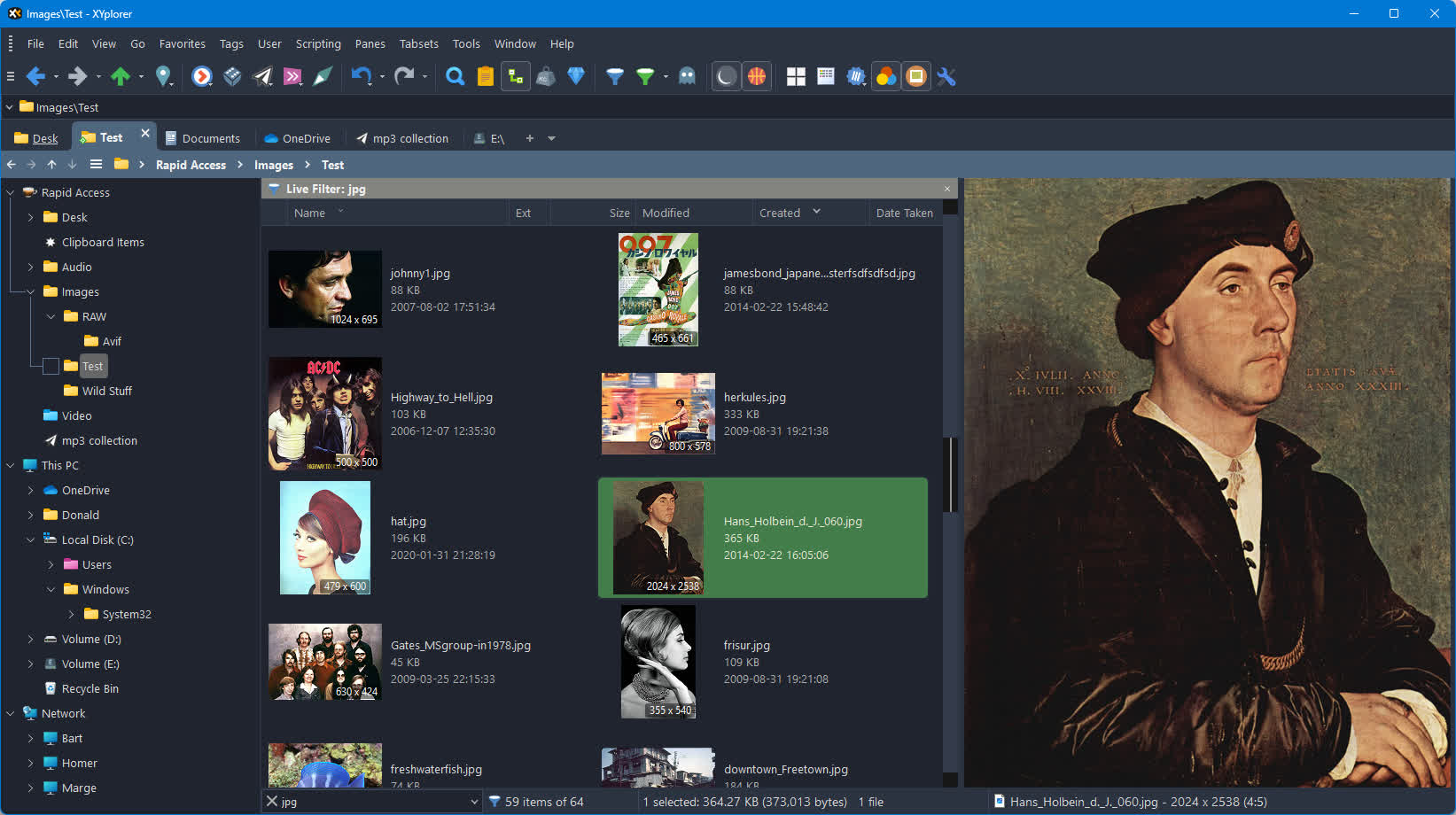
XYplorer is a file manager for Windows. It features tabbed browsing, a powerful file search, a versatile preview, a highly customizable interface, optional dual pane, and a large array of unique ways to efficiently automate frequently recurring tasks. It's fast, light, and portable.
Features
- XYplorer is a Portable File Manager. It doesn't require any installation, nor does it ever change your system or registry. Ideal for a USB drive.
- Tabbed Browsing. Cutting-edge file management using a true multi-tabbed interface.
- Dual Pane spells productivity and ease of use.
- Powerful file search with amazing speed. It supports Boolean Logic, Regular Expressions, Boolean RegExp, Content Search, and more...
- Folder View Settings. Save and auto*restore the view settings of any particular folder. Great feature, saves a lot of time.
- Mini Tree, the author's personal killer feature.
- Folder Sizes can be shown right in the file list.
- Tags and Comments let you give colors, labels, and comments to individual filenames.
- Reduce your daily routines to simple keystrokes with User*Defined Commands!
- Scripting. Advanced solutions for advanced tasks.
- One-click previews of all important image, audio, video, web, office, and font file formats.
- A powerful Favorites Panel called Catalog.
- Quickly create New Items from a configurable menu, a major time saver!
- Portable File Associations. Home is where your double-click is!
- Customizable Keyboard Shortcuts for more than 300 functions. Have it your way!
- XYplorer is continuously enhanced and users are taken seriously.
- A clean and user-friendly interface makes working with XYplorer easy and intuitive.
Duplicate File Finder
Finds duplicate files by name, date, size and/or content in any location. Spotting duplicates, especially those by content, can be useful for freeing up storage space.
XYplorer's Duplicate File Finder is implemented as filter Dupes in the Find Files tab. If the filter is active then only duplicate files are listed in the search results, i.e. files that have one or more duplicates in the searched location(s). What counts as a "duplicate" can be defined in the Dupes tab: It's either match by Name, or Date (modified), or Size, or Content, or any combination of these.
Tree Path Tracing
Always know your place in the folder tree, without even consciously looking at the tree. You might get used to it sooner than you think...
Tree Path Tracing is a revolutionary new Tree style you won't find anywhere else. Turn it on in menu Tools | Customize Tree | Tree Path Tracing to highlight the current path in the Tree. It's a visual aid to always know your place in the folder tree, without even consciously looking at the tree. The highlight color can be customized in Configuration | Colors & Styles | Tree Path Tracing. Note that there is also a toolbar button (pictured here on the left) to quickly toggle it on and off. The button's right-click menu offers all tree styles.
PSD Previews
More good news for photographers: Enhanced support for PSD Preview, Thumbnails, and Mouse Down Blow Up. Whereas previous versions of XYplorer only showed the embedded thumbnails of PSD files, now a real full size preview is supported, including full size Mouse Down Blow Up.
Note that a Codec for PSD, e.g. the FastPictureViewer Codec Pack, needs to be installed on the system (it is not included in XYplorer).
Rotate
Now you can rotate the Floating and Full Screen Preview. Works for all previewed file types, even for RAW images, PSD, TGA, PDF, and video thumbs.
What's New
XYplorer 28.00 (64-bit) has been released on 22-Sep-2025. Here's a quick introduction to the main new features:
- This is a BIG maintenance release. Many minor fixes and improvements have been made since the last major release. See the change log (about 2.7 MB) for details.
- This is the first official 64-bit release of XYplorer.