Firefox 138 turns the address bar into a command center

zohaibahd

Posts: 976   +19
Staff
In a nutshell: Mozilla has upgraded Firefox's address bar, turning it into a versatile tool that does much more than just navigate or search. This change adds new commands and shortcuts, making browsing faster and more intuitive. Let's break it down.

Firefox just gave its address bar a cool upgrade in version 138, transforming it into a versatile command center. Beyond typing URLs, users can now enter commands like clear history, take screenshots, or open downloads directly, speeding up frequent tasks without navigating menus or shortcuts.
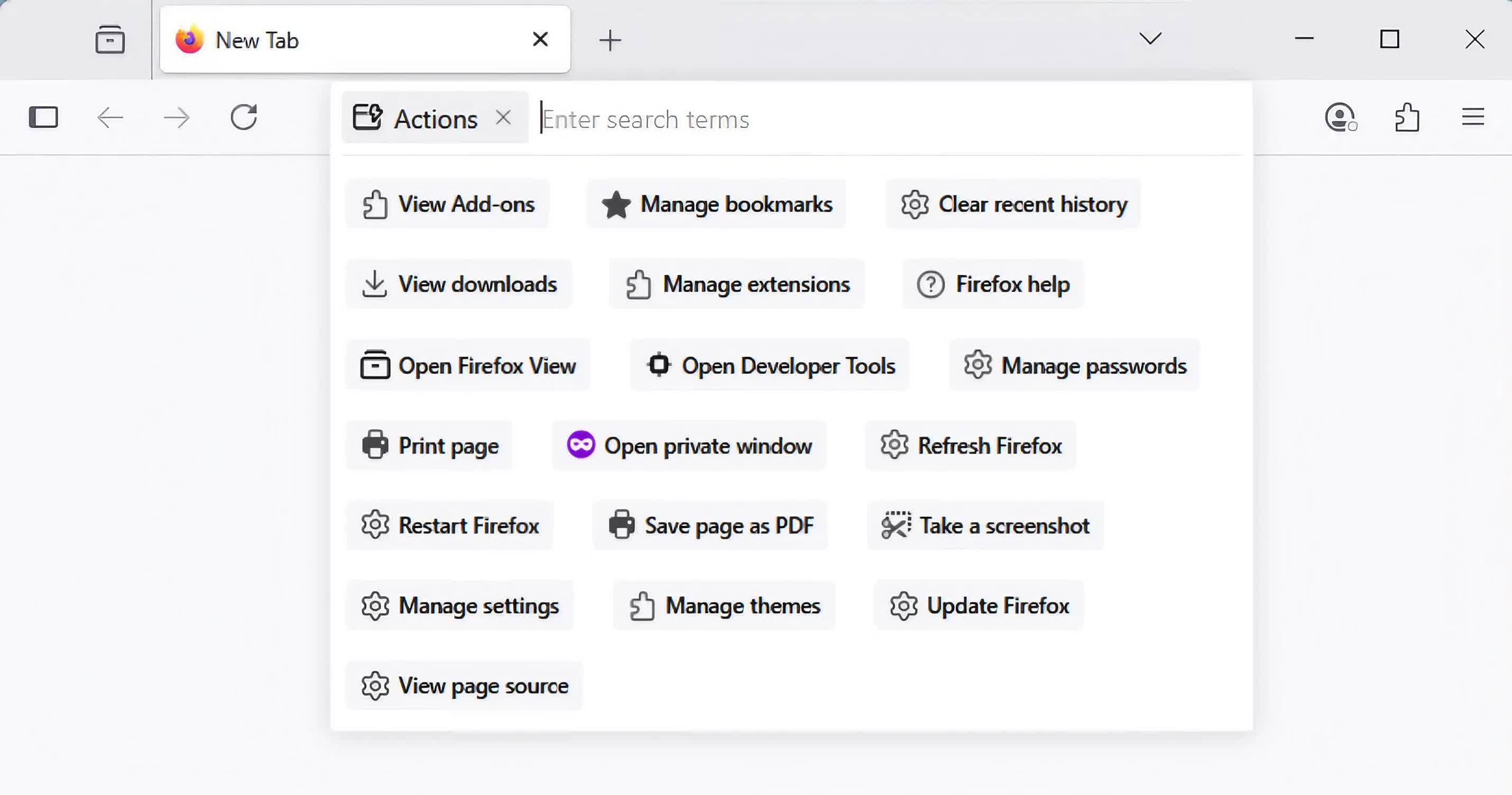
The new functionality lets users access commands by typing @action in the address bar, followed by the desired command. That prefix also opens a drop-down menu showing available actions, removing the need to enter commands manually. In addition, shortcuts like @tabs, @bookmarks, and @history let users search browser data directly from the bar. For example, typing "@bookmarks vintage cameras" displays matching results from saved pages.

Firefox has several other changes that supercharge the address bar. A new search button simplifies switching between search engines like Google, Amazon, Bing, DuckDuckGo, eBay, and Wikipedia. Users who jump between platforms to compare prices will likely appreciate this feature's efficiency.
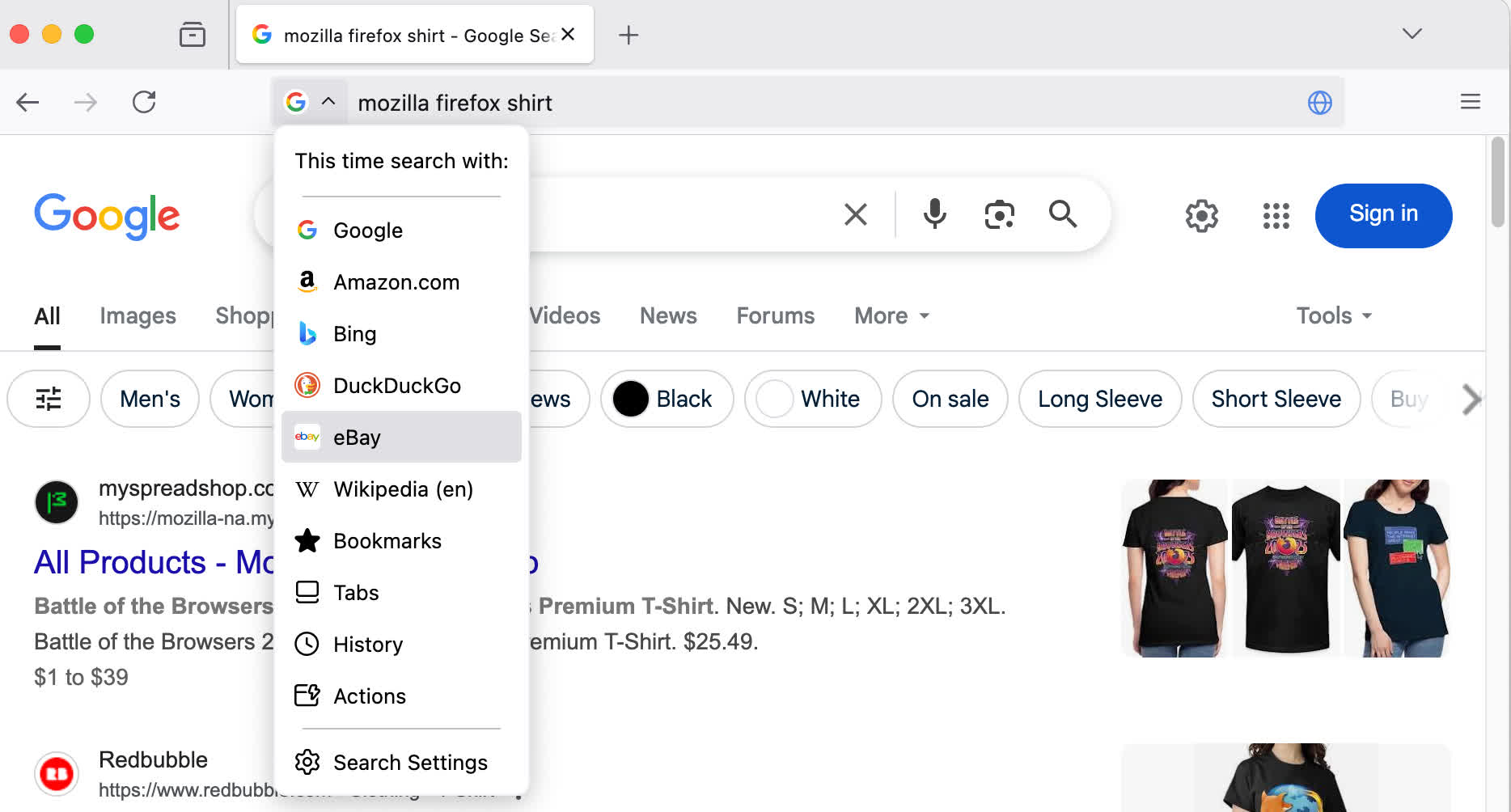
Search queries now remain visible in the address bar instead of being replaced by a long URL, giving users a clearer sense of what they searched for and making it easier to revisit or tweak queries without starting from scratch. Mozilla says this shift can improve navigation, especially when comparing results across multiple tabs. The update also trims the "https://" prefix from URLs to streamline how web addresses appear, reducing visual noise. Firefox still highlights unsecured sites clearly, keeping security cues prominent even as the interface becomes more minimal.
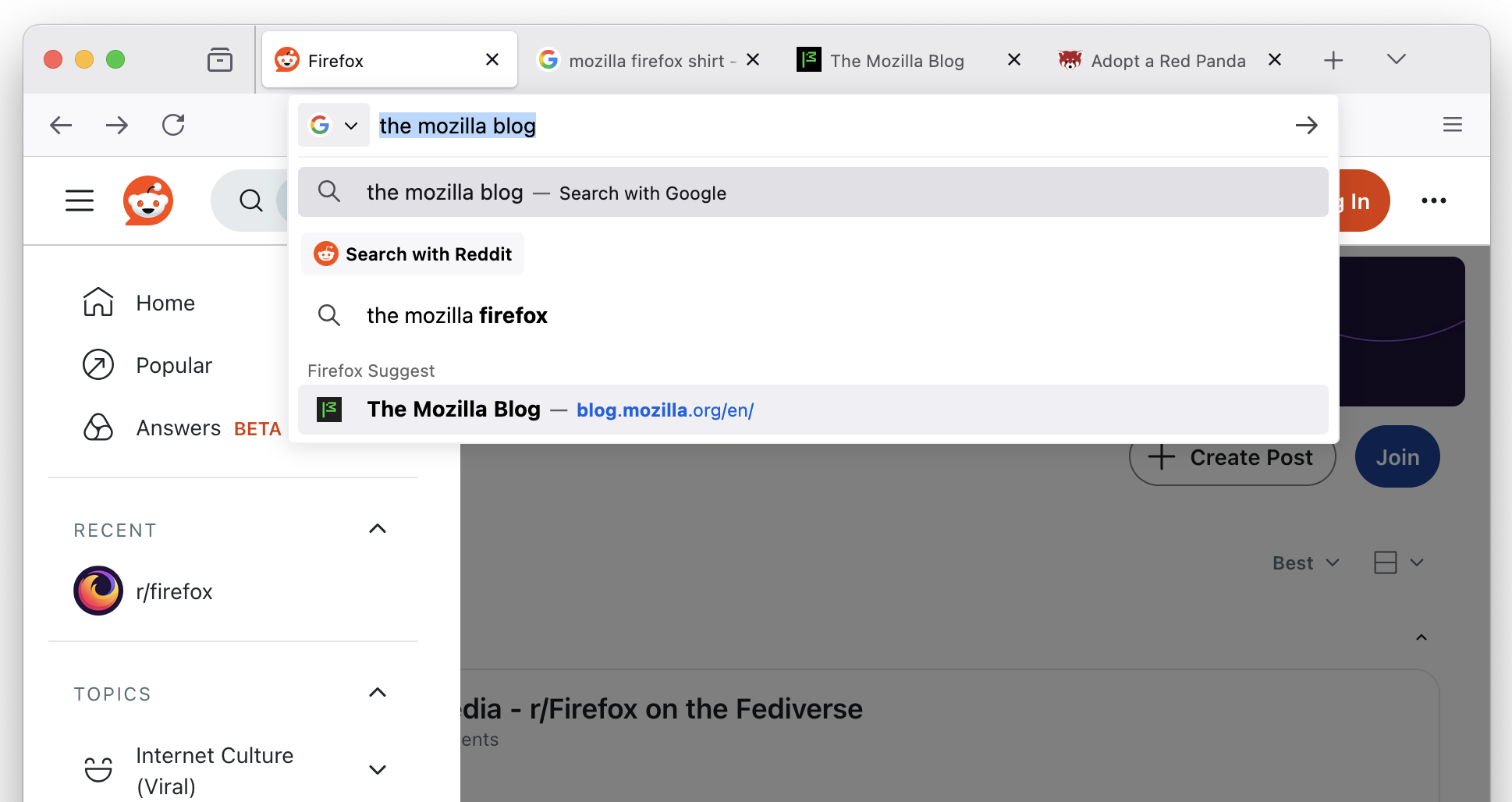
Rounding out the primary changes, Firefox now includes helpful action buttons within search suggestions. These contextual options appear based on user input and what's already open. For example, if the user starts entering the URL of a website already active in another tab, the browser may show a "Switch to Tab" button. The suggestions aim to streamline navigation and reduce tab clutter, making it easier to stay organized while browsing.

These feature updates arrive as Firefox experiences modest growth in parts of Europe. New browser choice screens – mandated under the EU's Digital Markets Act – have increased daily active users in countries like Germany and France. Mozilla says genuine competition begins with meaningful user choice, and early results suggest the message is resonating.

Permalink to story:

 
So I've been using firefox for years now across all my devices. I understand WHY they did this and I get that it's optional, but just because you can doesn't mean you should.
 
I have 138.0.4 on Win10 and don't see any of these things.

Typing commands is ... a surprising novelty. I was under the (obviously wrong) impression that GUIs exist to spare us typing commands. Maybe what follows is a text-only version of Firefox where the address bar acts as a DOS prompt.
 
It looks cool and useful. Using the keyboard can be faster than navigating some menus, and that is convenient to have all those features in a single widget.
 
Typing commands is ... a surprising novelty. I was under the (obviously wrong) impression that GUIs exist to spare us typing commands. Maybe what follows is a text-only version of Firefox where the address bar acts as a DOS prompt.
In this case, the GUI is more than sufficient, but as a Linux user, I’d argue that typing commands is far more efficient. For example, installing apps on a fresh OS can take hours on Windows; searching, downloading, and installing each one separately. On Linux, you can also use the GUI and spend hours, or you can install 100 programs at once with a single command.

sudo pacman -S firefox vlc steam discord gimp...
 
Last edited:
In this case, the GUI is more than sufficient, but as a Linux user, I’d argue that typing commands is far more efficient. For example, installing apps on a fresh OS can take hours on Windows; searching, downloading, and installing each one separately. On Linux, you also use the GUI and spend hours, or you can install 100 programs at once with a single command.

sudo pacman -S firefox vlc steam discord gimp...

Extremely useful Indeed.

Or, one can go one step further, and write a script (once) to do all the installations and use it without having to remember / write every single package name, every time.
 
I was under the (obviously wrong) impression that GUIs exist to spare us typing commands.

The main benefit of a GUI is discoverability. Instead of looking up what command to type, you just need to find and click an element on the screen that does what you want. This is often slower than typing, especially when you have to move screens or find your action in a hidden drop-down, but the trade-off is worth it for people who aren't very proficient with the keyboard or who aren't interested in learning commands.

Maybe what follows is a text-only version of Firefox where the address bar acts as a DOS prompt.
No need, the Lynx browser already exists.

But seriously, typing commands in the bar is a really cool feature. It can be hard for non-power-users to remember all of the random hotkeys (e.g. Ctrl+J), but typing a word or phrase for an action is pretty intuitive.
 
Back