Modder slaps dual CPU tower coolers onto an RTX 2060, drops temps by 31 C

Shawn Knight

Posts: 15,833   +202
Staff member
In a nutshell: Manufacturers often have to balance size, noise, and cost when deploying stock GPU cooling solutions. The end result can usually get the job done, but just barely. Third-party coolers do exist but as YouTuber TrashBench recently highlighted, you can also cash in on cooler temps with a little out-of-the-box thinking.
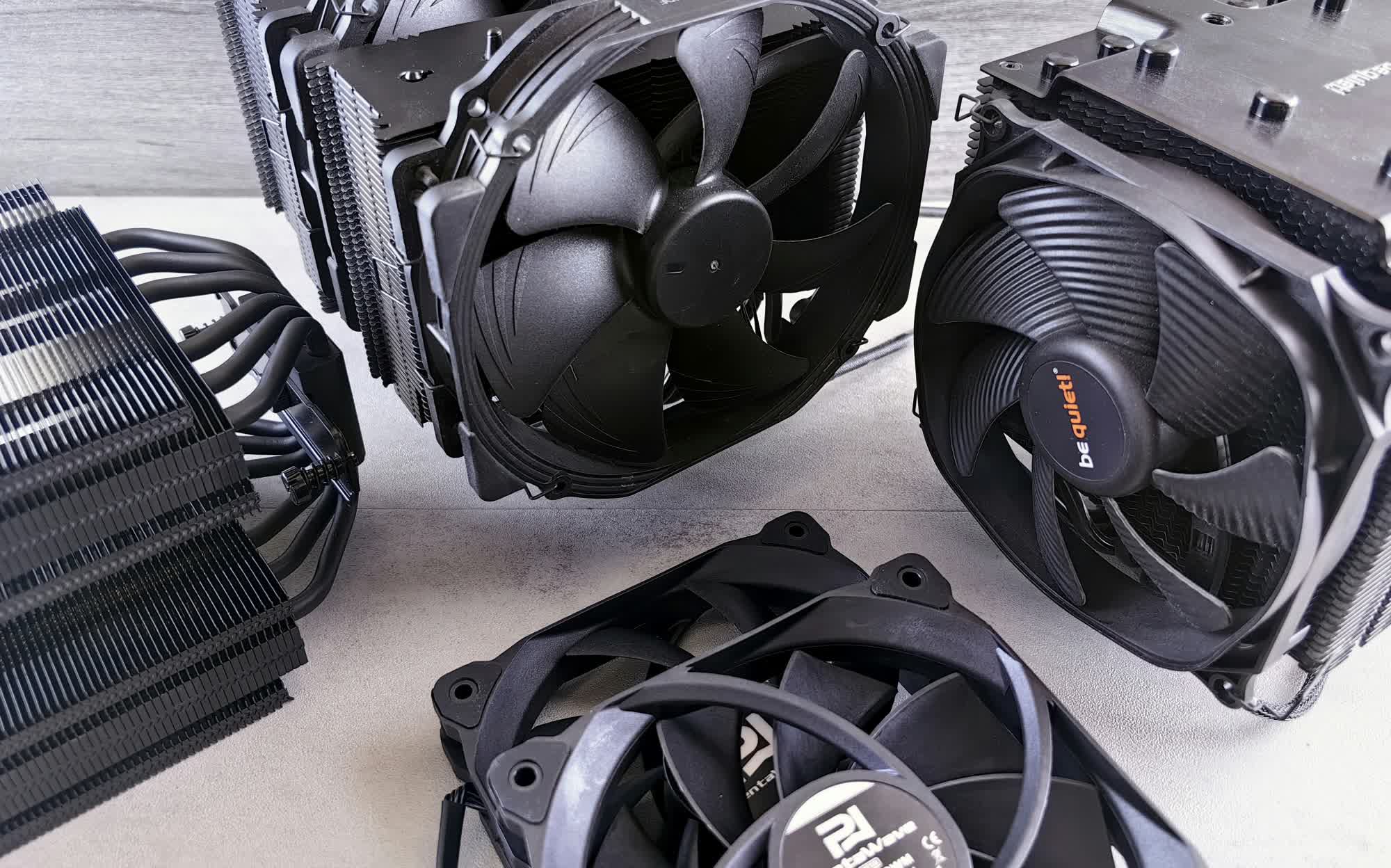
In his latest video, TrashBench took a stock Asus RTX 2060 and subjected it to some "experimental" cooling solutions. Baseline load temperatures checked in at 74 C, and he was able to get this down to 73 C just by slapping some passive heatsinks and a fan on the GPU backplate. Removing the backplate entirely cut temps by five degrees over stock, but the real fun was soon to follow.

The modder applied putty to the back of the PCB and affixed a couple of heatsinks, which brought temps down 10 C over stock. Next, he removed the stock cooler and replaced it with an oversized Thermalright CPU cooler, resulting in a drop of 27 C over stock. A second tower cooler was then added to the rear of the card, resulting in a 31 C drop compared to stock.

TrashBench no doubt went overboard, but it was more in an effort to try and find solutions that actually moved the needle. Truth be told, nobody is going to slap dual CPU coolers on a seven-year-old GPU and use it in their main gaming rig, but it is fun to see what is possible if you do.

Realistically, there are plenty of steps you can take to optimize your current setup. For starters, make sure your case has proper airflow. Strategically placed cooling fans and good cable management can lower load temps by several degrees. Removing the stock GPU cooler and reapplying a quality thermal paste will usually net you a few degrees as well without breaking the bank. Upgrading to a quality aftermarket air or water cooler can also be a solid return on investment.

As TrashBench highlights, you don't always have to overthink it – simply putting a fan on top of the card lowered his stock temps by 13 degrees.

Found is a TechSpot feature where we share clever, funny or otherwise interesting stuff from around the web.

Permalink to story:

 
I think the word we're looking for is "inconvenient" lol

Though, it does bring up the question of why there isn't much focus on also cooling the back of these cards. Especially with high end solutions like water blocks.
I can't think of any (better) solution I've seen that also makes an attempt to cool both sides of a GPU in pursuit of the best temps until now. You know, beyond having good case airflow.
 
Raijintek Morpheus II. A dedicated solution if you want overkill aftermarket air cooling for these cards that works and fits in a case. Or bodge this one, whatever works. You do you.
 
I think the word we're looking for is "inconvenient" lol

Though, it does bring up the question of why there isn't much focus on also cooling the back of these cards. Especially with high end solutions like water blocks.
I can't think of any (better) solution I've seen that also makes an attempt to cool both sides of a GPU in pursuit of the best temps until now. You know, beyond having good case airflow.
Some companies do, EK Waterblocks did a block with active backplate. I have it on my 4090, water is run around the backplate to keep the whole thing just that little bit cooler.
 
Btw. it's amazing how atrocious a lot of stock GPU coolers are. I just smoked a blower 2080 Ti myself. How is it even legal to sell such a product, really. I get it, it's designed for the data center, yada yada... except you can't even install these cards in a server, because

- the side power connector is in the way of the chassis
- the GTX driver EULA explicitly prohibits it

But regardless, the product shouldn't burn itself to death in a regular case, should it? Awful.
 
Some companies do, EK Waterblocks did a block with active backplate. I have it on my 4090, water is run around the backplate to keep the whole thing just that little bit cooler.
Ah, thanks. I wasn't aware of "full-cover blocks" (was never interested in water-cooling my rig). I only really see/hear about the front being cooled.

And in the tech videos I watch, I don't think I've noticed anyone going for much more than a front block if they bother with watercooling, or they use an AIO.
 
I think these are really neat! I think any card over 300w or so really should be water cooled by default, ESPECIALLY if you want to charge $2000 for a 5090 that'll hit 500+. There's no reason for that NOT to be water cooled! My Fury X was water cooled and it was $650!
 
I think the word we're looking for is "inconvenient" lol

Though, it does bring up the question of why there isn't much focus on also cooling the back of these cards. Especially with high end solutions like water blocks.
I can't think of any (better) solution I've seen that also makes an attempt to cool both sides of a GPU in pursuit of the best temps until now. You know, beyond having good case airflow.
I'm guessing it's restricted by some kind of specification. My partners PC has a Gigabyte B650E Aorus Stealth Ice motherboard with a Power Color Spectral White Red Devil RTX 9070 and the heatsink on the motherboard (for a M.2 slot) is right up against the backplate of the graphics card. Tagging more onto the backside would definitely lead to clearance issues.
 
Btw. it's amazing how atrocious a lot of stock GPU coolers are. I just smoked a blower 2080 Ti myself. How is it even legal to sell such a product, really. I get it, it's designed for the data center, yada yada... except you can't even install these cards in a server, because

- the side power connector is in the way of the chassis
- the GTX driver EULA explicitly prohibits it

But regardless, the product shouldn't burn itself to death in a regular case, should it? Awful.
Modern stock GPU coolers are amazing. 15 years ago, your average GPU staying under 40 DBa at full load and being only ~80c thermal average was an absolute pipe dream.

IDK what your rant about blowers is on about, plenty of old R9 290x and nvidia foudners blowers out there working just fine. You got a bad card and it failed after 8 years. That happens with high end hardware sometimes.

And rather then assuming your GPU is dead, you should send it to someone who can actually repair these. It's much more likely to be a bad resistor or SMD or capacitor on the board itself, not the processor. That is fixable.
 
Raijintek Morpheus II. A dedicated solution if you want overkill aftermarket air cooling for these cards that works and fits in a case. Or bodge this one, whatever works. You do you.
I own one. All black version. Looks great. It's main problems are incompatibility with newer GPU's and it's non-sticky VRAM heatsinks along with flimsy fan clips.

I actually tested if it would fit on my 363W 9070 XT. The mounting holes matched perfectly, but part of the retention mechanism collided with a capacitor (pressed down on it). So technically it's possible to make it compatible, but that would mean cutting off part of the retention mechanism and this would break backwards compatibility. For Raijintek it would be far simpler by just releasing an updated retention mechanism.

I did use it successfully with my big 2080 Ti that had a 375W BIOS mod (default 250W). Unfortunately AlphaCool has not made RTX 50 and RDNA4 compatible Eiswolf AIO's. They claim they have their hands full with DYI WC parts and thus dont expect Eiswolf update any time soon.
 
Back