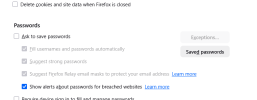
Don't use the password manager in any browser; none of the ones I have used (note: Firefox only since 2004-02-15 10:05 PM 6,500,352 FirefoxSetup-0.8.exe). But I have seen problems reported with all the rest. Use a password manager. Which one, you ask?
I have used KeePass for many years. I currently have over 300 passwords stored, the earliest being from 4 March 2009 though any earlier ones that became useless may have been long deleted and some current ones are probably years unused.
keepass.info is the web site ... use Version 2.
There's a learning curve but it's well worth it.
Advantages:
It's fully offline, so can't be hacked (unless your entire machine is compromised)
It can handle passwords for other apps besides websites. I log into Zwift, Discord, and Kindle. Surprisingly I can't think of any other that I use; most things (banking, taxes, utilities, various accounts are all browser based).
However, KeePass looks for a window title to send username and password and it starts in whatever field you parked the cursor in (usually 'Username or Email'). And it only sends keycodes; it doesn't identify itself to Firefox so even if the browser gets hacked the passwords are out of sight. It looks to the app like you just typed it in. (pretty fast typing though; I use long random passwords (32 characters or whatever is allowed if less (PayPal only allows 20 char passwords) and it only takes 1 or 2 seconds for the email and password to be entered.)) VirginPlus says no restriction on length, so I tried 256 (I like powers of 2), but that took 5 or 6 seconds and I haven't got that much patience. A password checker says 32 chars would take a gazillion years to crack, overkill maybe but I don't have to type it in and I'm future proof.
This got long; I type fast on my 44 key Atreus keyboard (all with blank keycaps), but I'm done now.
YMMV.

 So why don't it??