
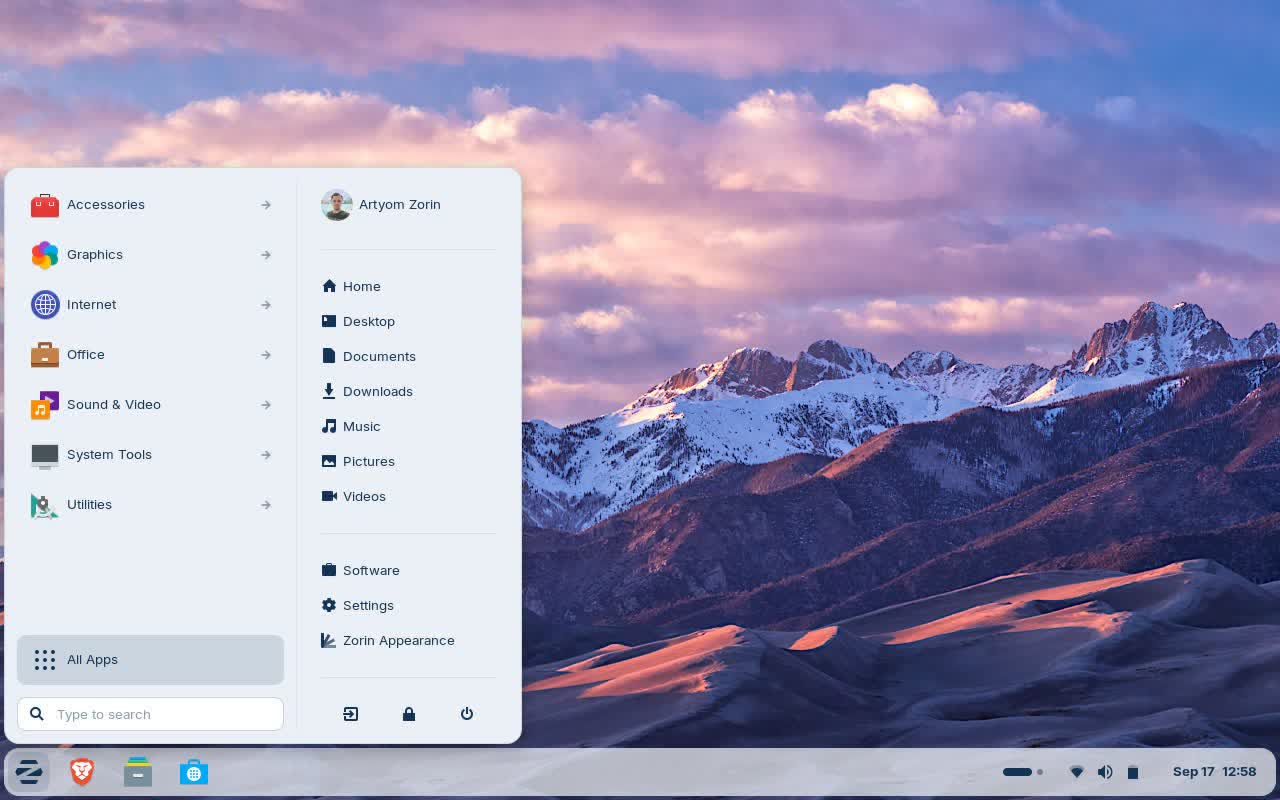
Zorin OS is designed to be easy, so you don't need to learn anything to get started. The Zorin Appearance app lets you change the desktop layout to feel like the environment you're familiar with, whether it's Windows, macOS, or Linux.
Is Zorin OS 18 a good option if I'm coming from Windows and don't want to use a terminal?
Yes. Many users report Zorin 18 "just works out of the box," with a desktop interface designed to feel familiar to Windows users and little need to touch the terminal.
Can I run Windows apps or games on Zorin OS 18?
Zorin OS 18 ships with support for running Windows applications via a compatibility layer (Wine 10 and tooling), which helps with many typical Windows apps. Some users also note games (for example, via Steam) work well for the most part. It will largely depend on compatibility issues depending on hardware/driver combination for gaming.
How easy is the installation process for beginners?
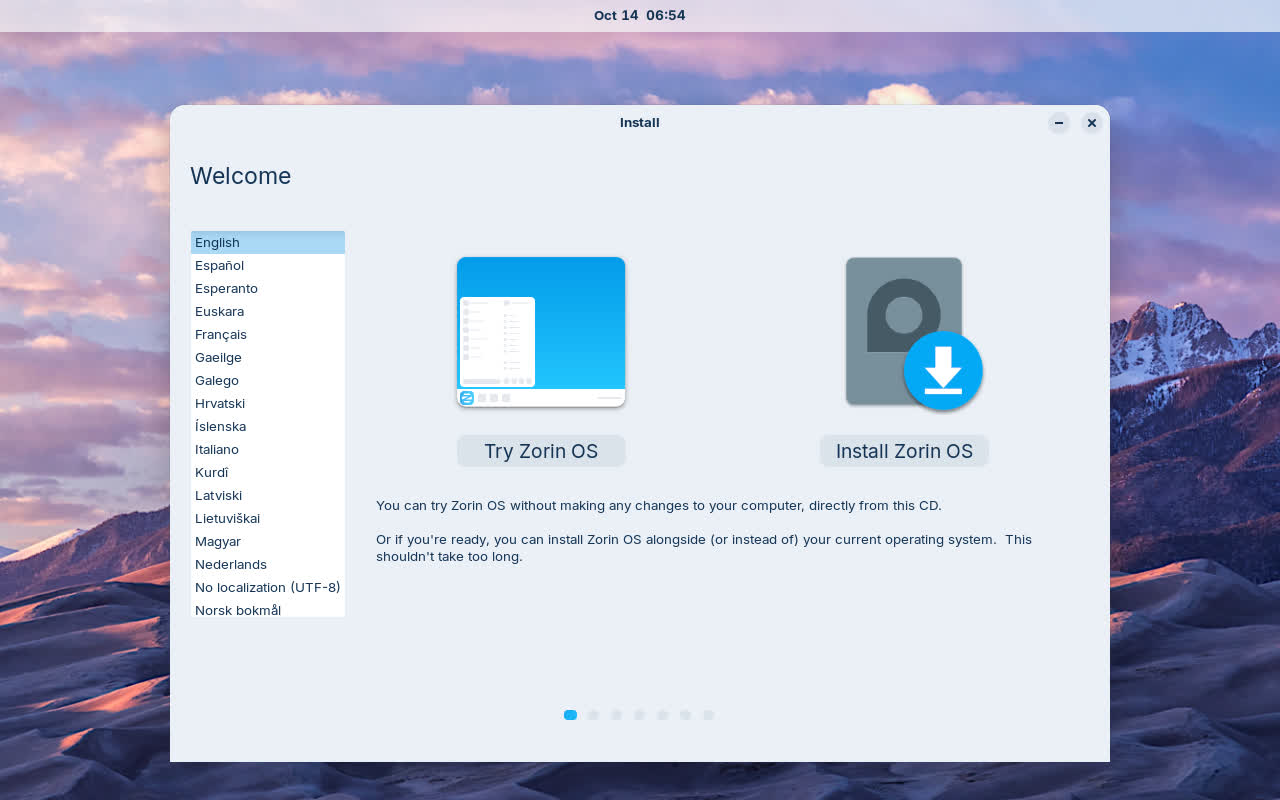
The installer is designed to be straightforward, with clear steps and automatic partitioning options. Most users can complete installation without prior Linux experience, and the system usually detects hardware drivers automatically.
How well does Zorin OS 18 handle peripherals like printers, Bluetooth devices, or external monitors?
Most peripherals are detected automatically. External displays usually work out of the box, Bluetooth pairing is simple, and many printers are auto-configured thanks to built-in drivers. In most cases, no additional setup is needed.
How is software installation handled for common apps?
Zorin OS 18 provides multiple options: a curated software store, apt packages, Flatpaks, and optional Windows-app support through a built-in compatibility layer. Most mainstream apps: browsers, office suites, media tools, communication apps, etc. install with a few clicks.
Does Zorin OS 18 work well on older or low-spec machines?
The Core and Lite editions are optimized for modest hardware. Lite, in particular, uses a lightweight desktop environment that keeps memory usage low while maintaining a modern appearance. Performance on older laptops is generally smooth as long as storage and RAM are in reasonable condition.
Features
More Speed
Your computer should work as fast as you do. Zorin OS runs lightning quick and doesn't slow down with updates. Apps open fast, so you can spend more time being productive.
Revive your old PC
The Zorin OS Lite edition is streamlined to work on computers as old as 15 years, so you can keep using your PC for longer and save money on upgrades. No TPM required.
Reliable
With an Ubuntu and Linux foundation, Zorin OS is built on the same Open Source software that powers the U.S. Department of Defense and computers on the International Space Station.
Secure
Thanks to the advanced security features of Linux, Zorin OS is resistant to PC viruses and malware. Security patches and software updates arrive quickly and are available for years to come.
Privacy-respecting
We believe privacy is a fundamental human right. That's why Zorin OS doesn't collect personal data, so advertisers and governments can't spy on your activity. Zorin OS is Open Source, so anyone can audit its source code to verify its security
A world of incredible Apps
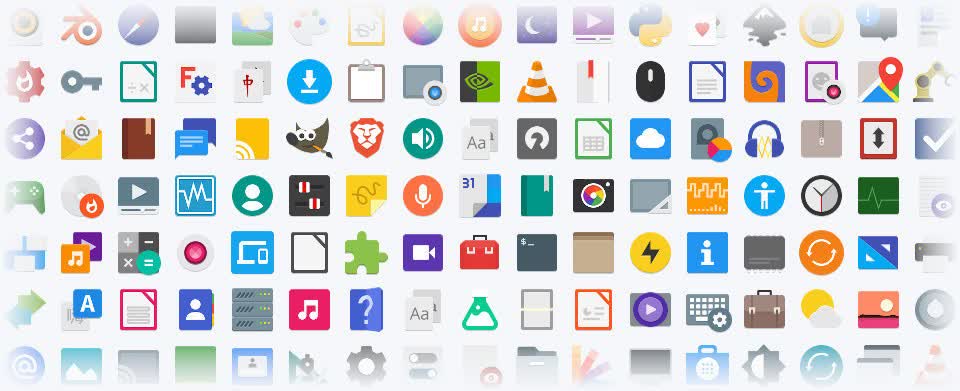
Zorin OS comes with all the essential apps you need out of the box, so you can get working right away. Discover thousands of powerful apps from the built-in Software store. You can even run many Windows apps in Zorin OS with Windows App Support.
Ready. Set. Game!
Play an enormous library of your favorite games, whether they're AAA titles or indie games. Install native Linux and Windows games from Steam, Lutris, and other sources. Zorin OS comes loaded with Nvidia & AMD Radeon graphics drivers and game optimizations, so you can get the best performance easily.
Your phone and computer work as one with Zorin Connect
Zorin Connect is integrated into the Zorin OS desktop to merge the experience between your computer and Android device. It works over an encrypted connection on your local network, so your data stays private and never reaches the cloud.
Dual boot
You can install Zorin OS alongside Windows or macOS to keep your files and apps. You'll be able to choose which OS to use at each boot-up.
Accessibility
Zorin OS is translated into over 100 languages. It includes a screen reader, magnifier, click assist, and other assistive technologies.
Compatible with your documents and files
Your documents, music, photos, and videos just work. Zorin OS comes pre-installed with the LibreOffice suite, which lets you view, create, and edit Microsoft Office documents. If you install Zorin OS alongside Windows, you can access the files on your Windows drive partition from within Zorin OS.
What's New
Zorin OS 18.1 Is Released
Faster, easier, more secure, and better than ever. We're thrilled to launch Zorin OS 18.1, just six months after the release of Zorin OS 18 and over 3.3 million downloads later.
It adds polish, new features, and better hardware support to our record-breaking version of Zorin OS. That means you'll get an even better computing experience, whether you're an existing Zorin OS user or you're starting to make the switch from Windows.
Suggested alternatives to more Windows apps
We've expanded our built-in database to detect installer files for popular Windows apps by more than 40%. It now supports over 240 apps, recommending even more tailored alternatives to sideloading their Windows executables.
For example, when you launch the Windows installer for an app like Plex, Zorin OS displays a dialog that directs you to the best way to use that app: installing its native Linux version from the Software store. It also suggests the closest native alternatives to many Windows-only apps, like Evolution Mail in place of Microsoft Outlook, for instance.
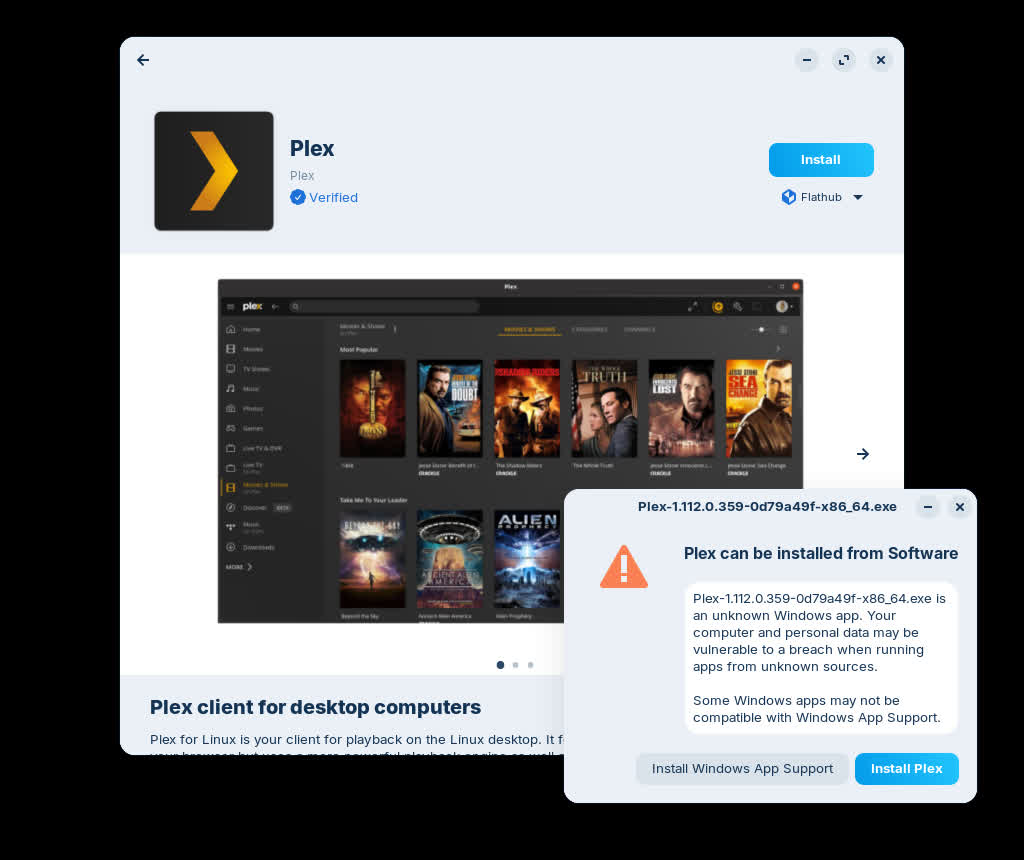
If you're migrating from Windows, this means you'll get tailored guidance on how to use the most compatible versions of your favourite apps in Zorin OS. It's one of many reasons why Zorin OS is the ideal choice for Windows users making the switch.
Many improvements to the desktop
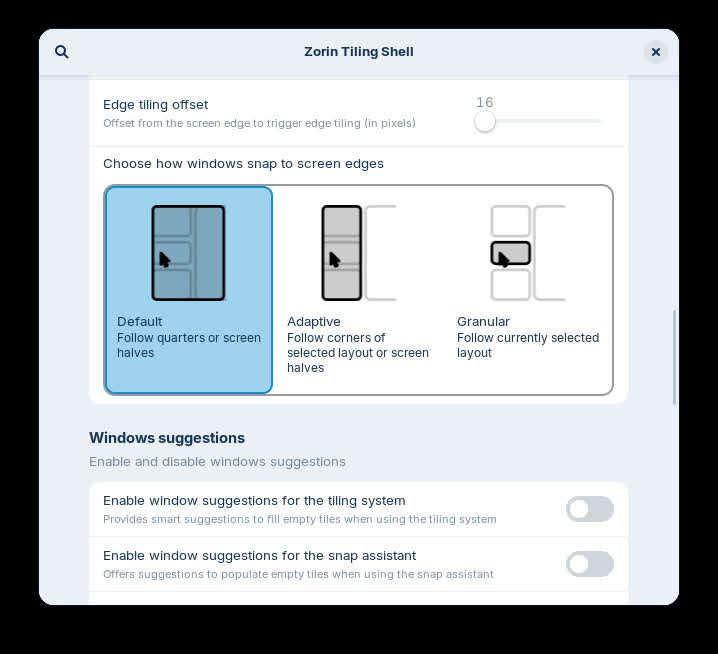
The Advanced Window Tiling feature introduces new options (accessible from the Zorin Menu → Zorin Appearance → Windows), including:
- Bring all tiled windows to the foreground together when switching to a tiled app from the taskbar or dash.
- Reorder tiling layouts from the edit layouts dialog in the Advanced Window Tiling settings.
- Enhanced edge tiling, allowing you to snap windows to your active custom tiling layout instead of only screen half & quarter tiling.
The panel now works seamlessly with right-to-left scripts. That means if you're using Zorin OS in a language like Arabic, Hebrew, or Urdu, your taskbar and panel layout will display right-to-left to match the rest of the system's interface.

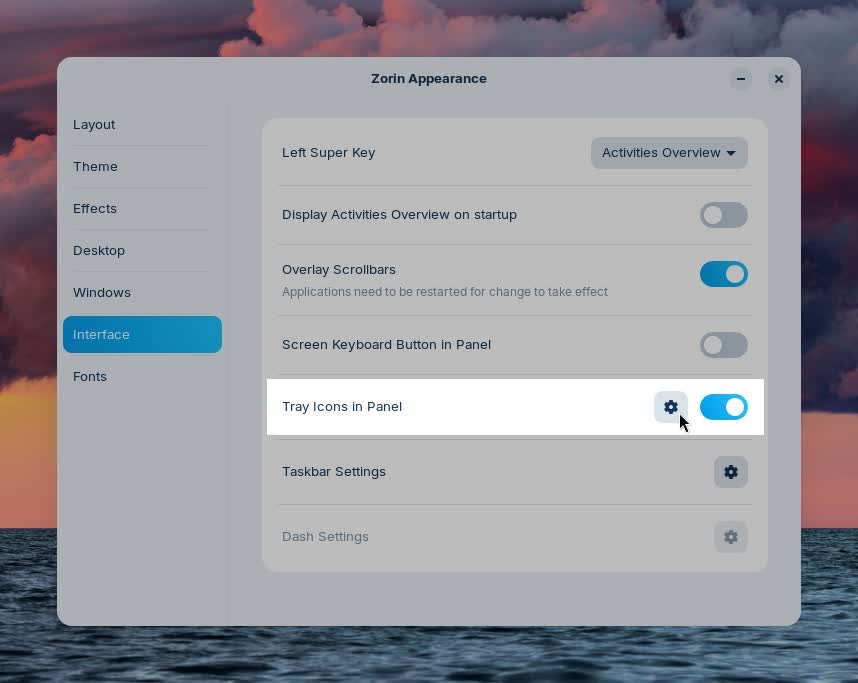
Some apps might display their own indicator icon in the panel tray, allowing you to view the app's status or quickly access its functions. To let you decide if and how they're displayed, we've added a toggle for "Tray Icons in the Panel" and settings for them to the Interface section of Zorin Appearance.
You might also notice that Zorin OS 18.1 feels a bit faster and smoother. That's because many performance enhancements and bug fixes have been implemented throughout the desktop in this latest release.
The latest LibreOffice
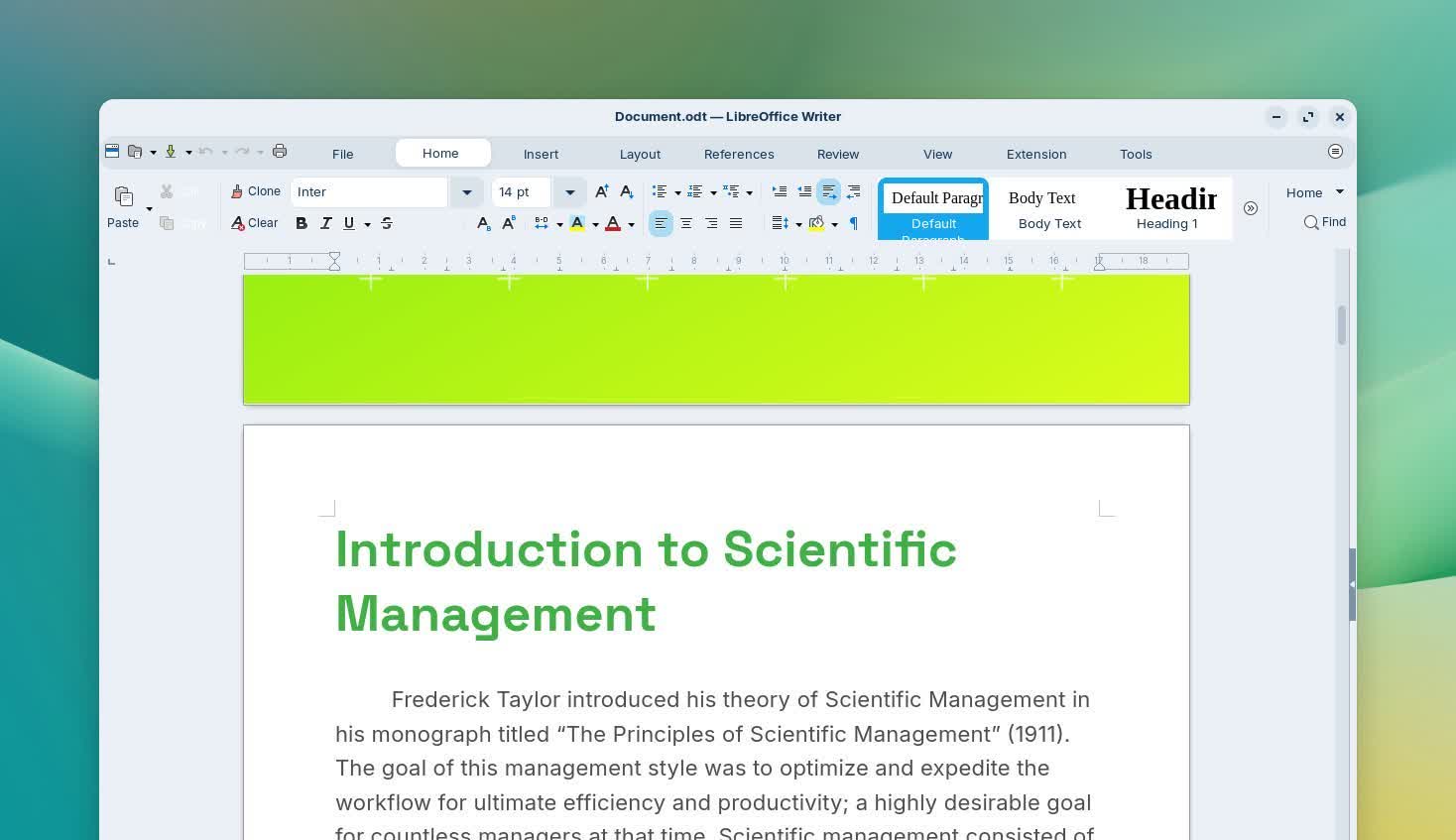
LibreOffice is one of the most essential apps in Zorin OS, and with this new release, it's getting even better. We've included LibreOffice 26.2, the newest version of the award-winning office suite.
It brings even better compatibility with Microsoft Office/365 documents, Markdown support, connector shape objects in Calc and Writer, performance boosts, and many other improvements.
With this upgrade, we're further achieving our goal of making Zorin OS the best alternative to Windows for work.
Updated apps
Many other pre-installed apps are updated in Zorin OS 18.1 for a more feature-rich experience out of the box. That also means you'll need to download fewer software updates after installing Zorin OS on your computer for the first time.
Built-in support for Flatpak, AppImage, and Snap packages ensures you'll have the latest versions of your favorite apps for years to come.
Lite edition now available
Alongside the launch of Zorin OS 18.1, we're introducing the Lite edition to our latest release series. It's our edition intended for old and lower-spec computers.
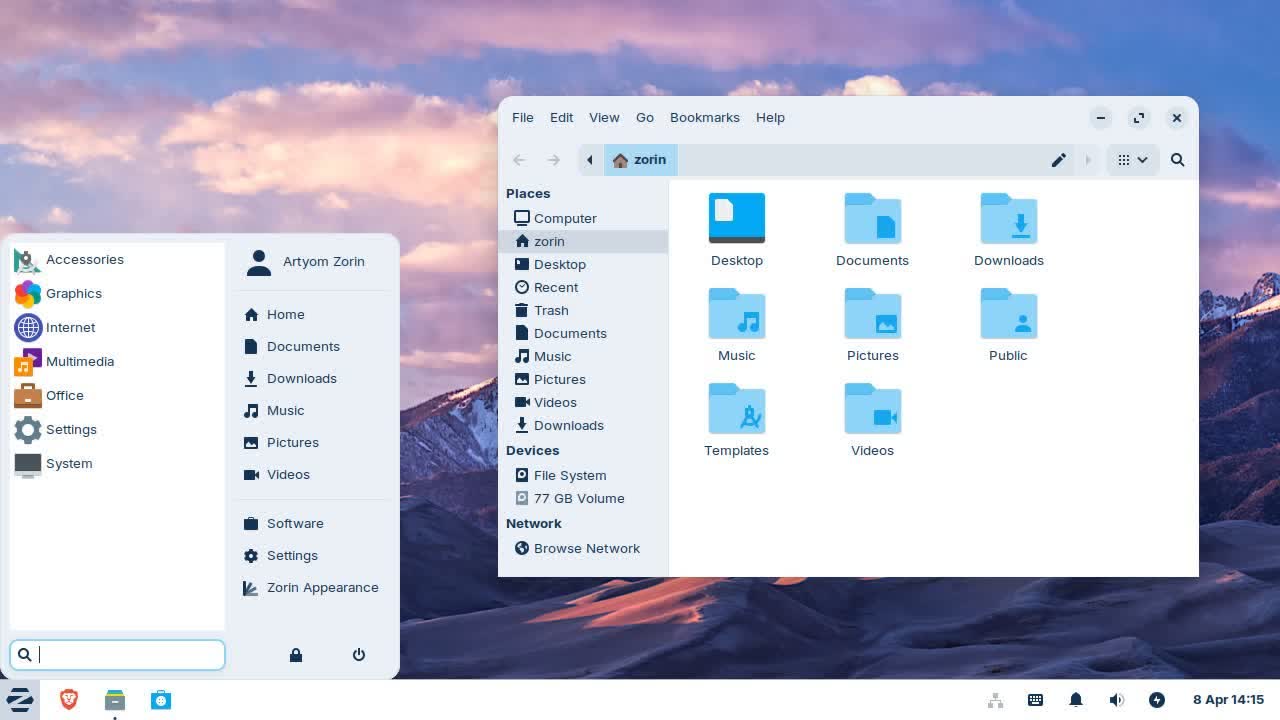
What's new since Zorin OS 17.3 Lite:
- Based on the XFCE 4.20 desktop environment. Take advantage of the major features and improvements introduced in the newer version of the upstream desktop environment.
- Redesigned File Manager app. The default interface has been streamlined to display its most useful features in a more sleek and compact way, making it better for smaller displays.
- Fingerprint reader support. If your computer has a fingerprint reader, you can now enroll your fingerprints for authentication using the new "Fingerprints" section in the Settings app.
- Updated desktop themes. The default theme has been tastefully refreshed with a more rounded appearance, giving it a sleek and inviting feel. Selected elements make use of a lighter colour palette, while backgrounds and sidebars have an increased tint, making it more comfortable on the eyes. You can also select from two new theme colours in Zorin Appearance: Yellow and Brown.
- Seamless integration with Web Apps. Turn any website into a desktop app through an easily accessible interface. Your web apps will appear in the start menu and can be used just like native applications.
Better security and hardware compatibility
Many built-in system technologies have received improvements for better security, compatibility, and performance.
Zorin OS 18.1 is now powered by the Linux kernel 6.17, the same version as in the latest Ubuntu 25.10. It comes with updated drivers to bring even better support for a wider range of hardware, such as:
- NVIDIA graphics cards
- Intel Xe3 graphics
- AMD hybrid laptop GPUs
- Lenovo ThinkPad and Samsung Galaxy Book laptops
- Apple input devices, such as the Magic Mouse 2 and Touch Bar on Intel-based MacBooks Pros
- Game controllers, including PlayStation 5 DualSense, Acer Nitro NGR200, and Turtle Beach Recon
- Gaming handheld computers, including ASUS ROG Ally, Lenovo Legion Go, and OneXPlayer
The latest security patches are also pre-installed throughout the system. That means you can have peace of mind knowing you're using the most secure version of Zorin OS ever.
Zorin OS 18.1 will continue to get support with software updates and security patches until June 2029. This makes it the perfect choice for large-scale deployments in businesses, schools, and organisations, where long-term support is vital.
Zorin OS 18 Has Arrived
A huge leap forward. Packed with improvements to make your computer more powerful, easy, and enjoyable to use. We're excited to launch Zorin OS 18 today. This major new release reimagines your PC experience with a fresh design, powerful new features, and seamless compatibility with even more of the tools you rely on. It's a huge leap forward for our operating system, which millions around the world love to use every day.
A stunning new look
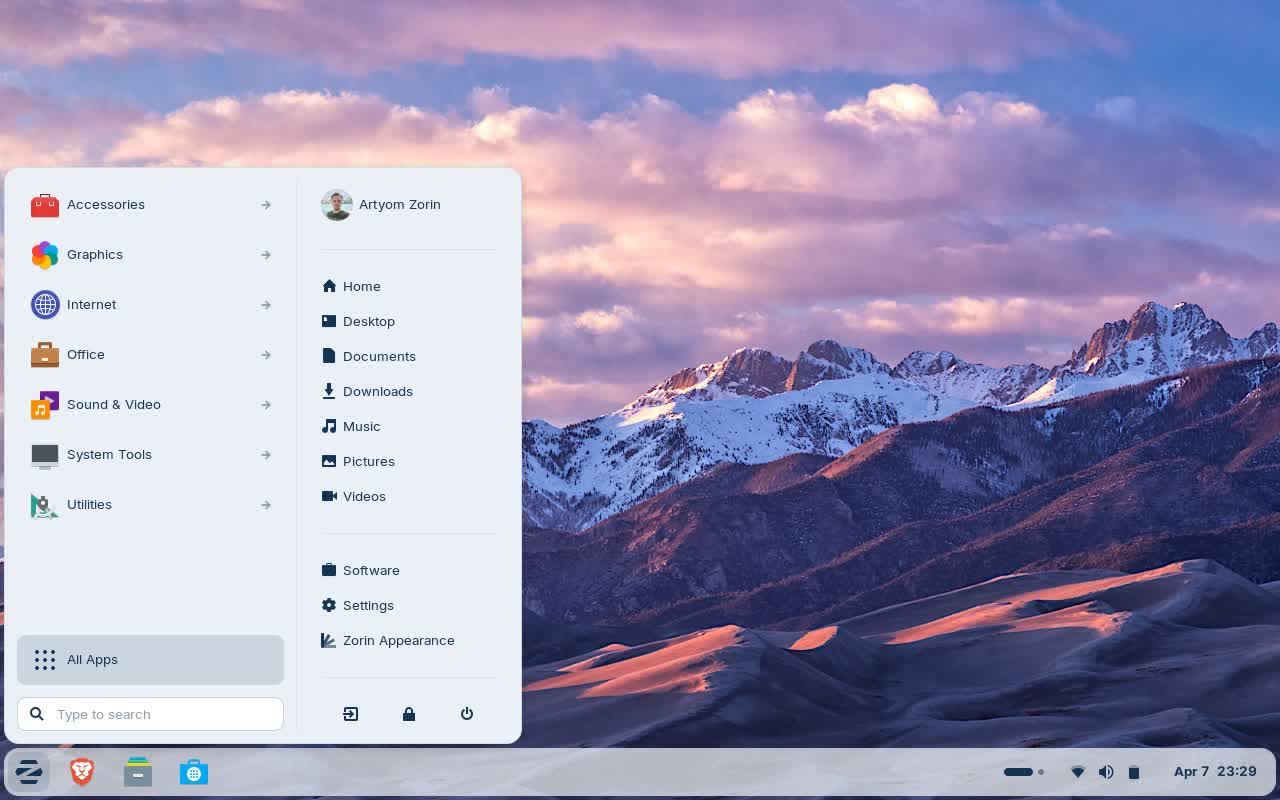
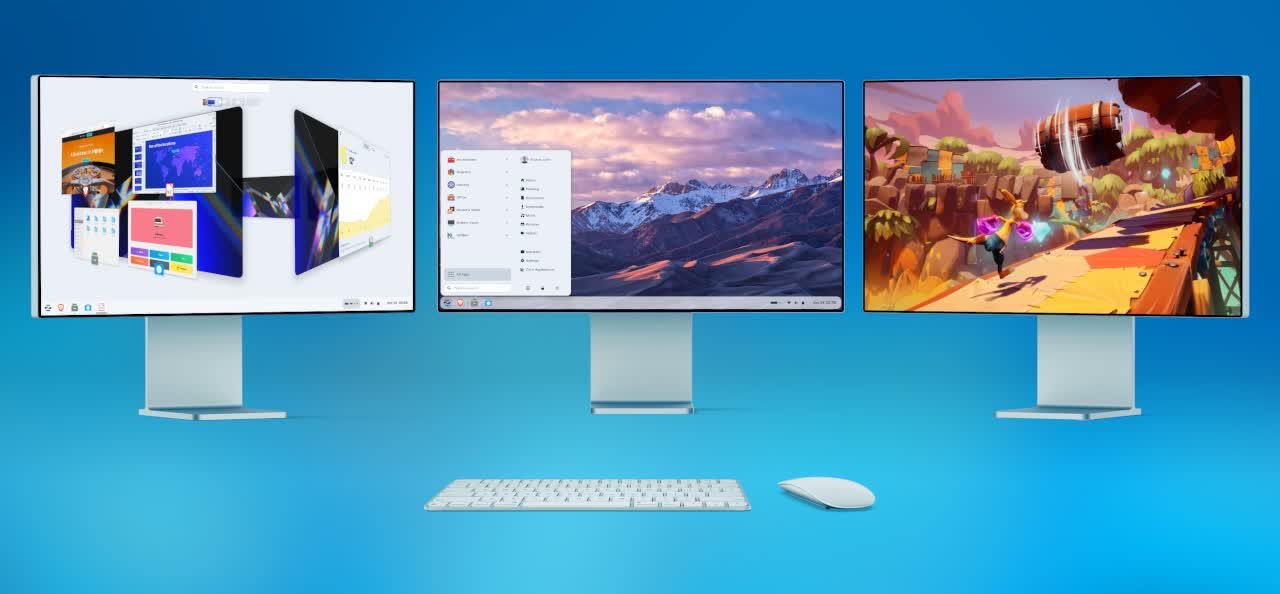
The first thing you'll notice in Zorin OS 18 is its beautifully redesigned desktop. We've retained the best parts of Zorin OS's aesthetics you know and love, and enhanced the overall look of the environment.
The default theme has been tastefully refreshed with a more rounded appearance, giving it a sleek and inviting feel. Selected elements make use of a lighter colour palette, while backgrounds and sidebars have an increased tint, making it more comfortable on the eyes.
The panel now has a floating, rounded style by default to match the system's updated visual design language. The activities overview button in the panel has evolved into a reactive workspace indicator, providing visual feedback to help you navigate between tasks more easily.
- You'll also notice many design tweaks and improvements within the apps you use every day, like:
- The Files app features an updated sidebar and reorganised controls for enhanced ease of use.
- The Settings app includes redesigned preference panels throughout, which have also been arranged to be simpler to navigate.
- The Calendar app adds a new sidebar with a concise month & events view.
- A new Camera app replaces Cheese, introducing a cleaner interface for taking photos & videos while making it easier to switch between your device's cameras.
- The Evolution mail app features a new, modernised interface that seamlessly integrates with the rest of the system.
- …and many other apps throughout the system have a refreshed design.
At Zorin, we recognise the impact that a well-designed environment can have to inspire you to do better work and think in new ways. That's why we've obsessed over the details to deliver you our most beautiful and functional operating system ever.
Advanced window tiling, made simple
Multitasking just got a whole lot better.
Zorin OS 18 introduces a powerful new default window tiling manager that helps you work more efficiently, while being simple to use.
Simply drag a window to the top of the screen, and a pop-up will appear where you can drop it on one of the predefined layouts to arrange your windows. It's that easy, no need to memorise complex keyboard shortcuts.

Seamless integration with Web Apps
With many modern apps built in the cloud, the experience between Progressive Web Apps and native apps is merging. In Zorin OS 18, these apps can now co-exist as first-class citizens.
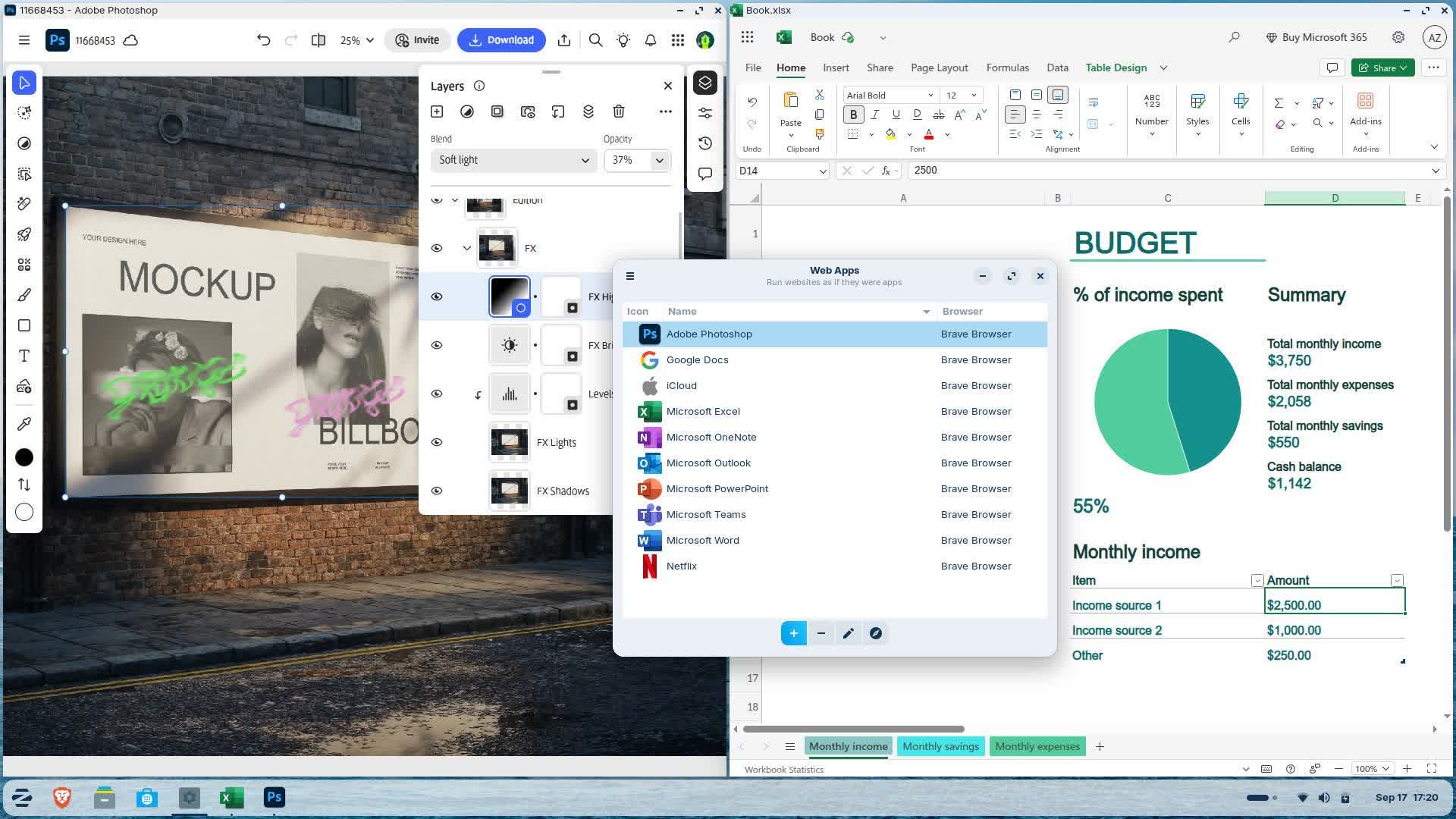
The newly built-in Web Apps tool lets you turn any website into a desktop app through an easily accessible interface. Your web apps will appear in the start menu and can be used just like native applications.
The Web Apps tool can integrate with any popular web browser as a back-end and allows you to customise the experience within each web app.
Using "Web Apps" means you can seamlessly run popular apps like Microsoft Office/365, Teams, Google Docs, and Adobe Photoshop, right from your desktop.
OneDrive files integration
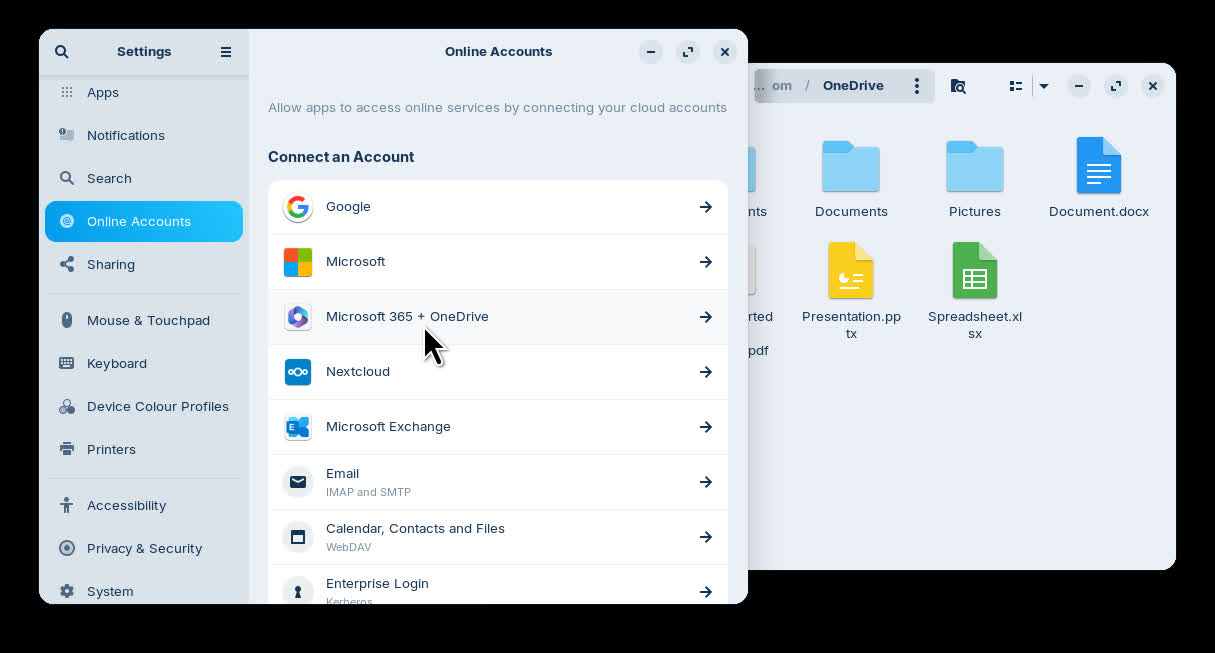
For many users migrating from Windows, being able to access their files stored in the cloud is key when making the switch. That's why Zorin OS 18 adds OneDrive file integration to the built-in Online Accounts feature.
To enable this integration, open the Settings app → Online Accounts → Microsoft 365 → click "Sign In…" and enter your login details. You'll then be able to browse and manage your OneDrive files directly from the sidebar in the Files app.
Previous Version: Zorin OS 17.3 Changelog
We're excited to announce the release of Zorin OS 17.3 today, which brings a host of improvements across the system. It introduces new features, strengthens your privacy, and enhances the entire user experience.
With Windows 10 reaching its end of life in October, millions of PCs that don't meet Windows 11's strict hardware requirements will be left behind.
Zorin OS 17.3 is built to be the ideal replacement for Windows 10. It gives these computers a new lease on life with a fast, user-friendly, and secure experience. Switch your PC to Zorin OS 17.3 today and avoid spending hundreds or thousands on a new computer.
Tailored alternatives to more Windows apps
We've greatly expanded our built-in database to detect installer files for popular Windows apps. It now supports over 150 apps, recommending even more tailored alternatives to sideloading their Windows executables.
For example, when you launch the Windows installer for an app like Obsidian, Zorin OS displays a dialog that directs you to the app's native Linux version in the Software store. It also suggests the closest native alternatives to other Windows-only apps, like the built-in Document Viewer instead of Adobe Acrobat Reader.
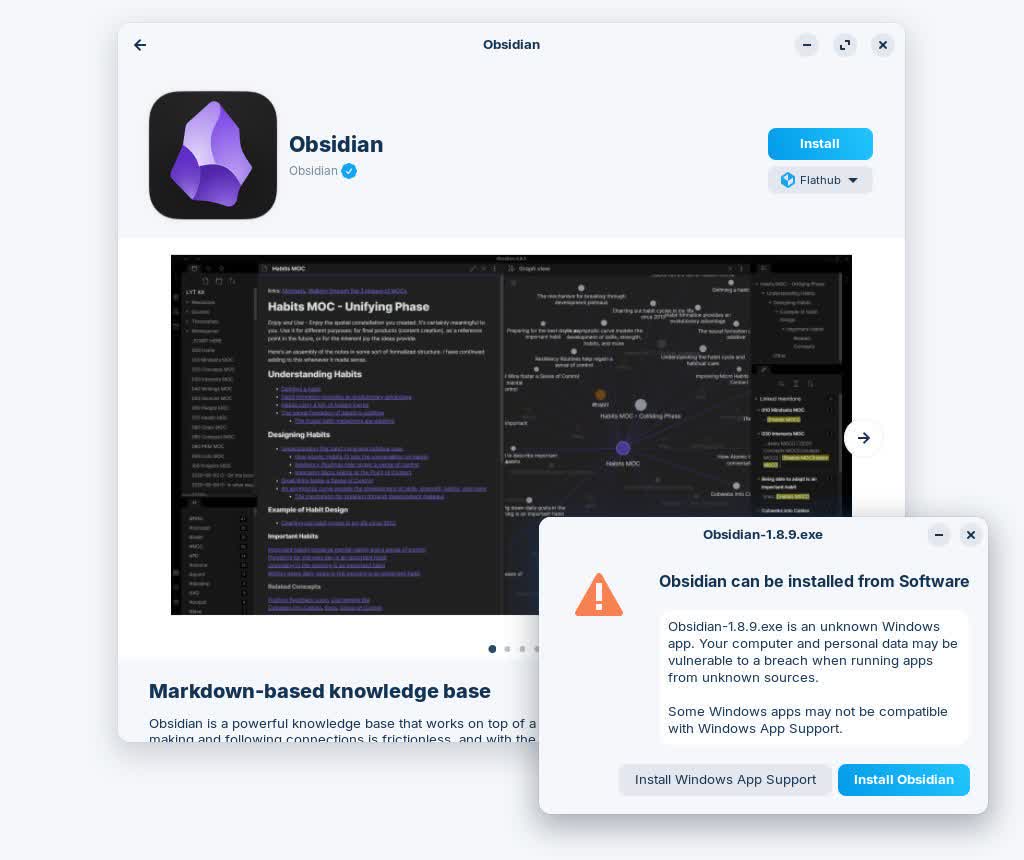
To craft the most user-friendly experience for new users, we endeavor to support the widest selection of software. This update makes it easier to run the most compatible versions of your favorite apps in Zorin OS.
A new default web browser
In light of Mozilla's recent policy changes, we no longer feel assured that Firefox aligns with our commitment to protect your privacy. This prompted us to revisit the choice of default web browser in Zorin OS 17.3. When considering an alternative default browser, we set the following requirements:
- Free and Open Source software.
- A general-purpose, full-featured web browser. It should support common use cases, including playing copyright-protected content from popular streaming services.
- Privacy-respecting.
- Popular and recognizable.
- Mature and well-maintained. This is especially important for reliability and the quick availability of security patches.
In consultation with our user community, we narrowed the selection down to one option. The new default web browser in Zorin OS is Brave.
Brave introduces a plethora of features to preserve your privacy and take back your control:
- Shields against trackers and fingerprinting to protect you from online surveillance.
- Private browsing powered by Tor for enhanced anonymity.
- Built-in ad blocker for a cleaner and more intentional browsing experience.
- Automatic blocking of third-party cookies and cookie banners.
We've also included custom default settings for Brave to improve the user experience. They streamline the browser's optional feature set out of the box and integrate its interface better into the Zorin OS desktop.
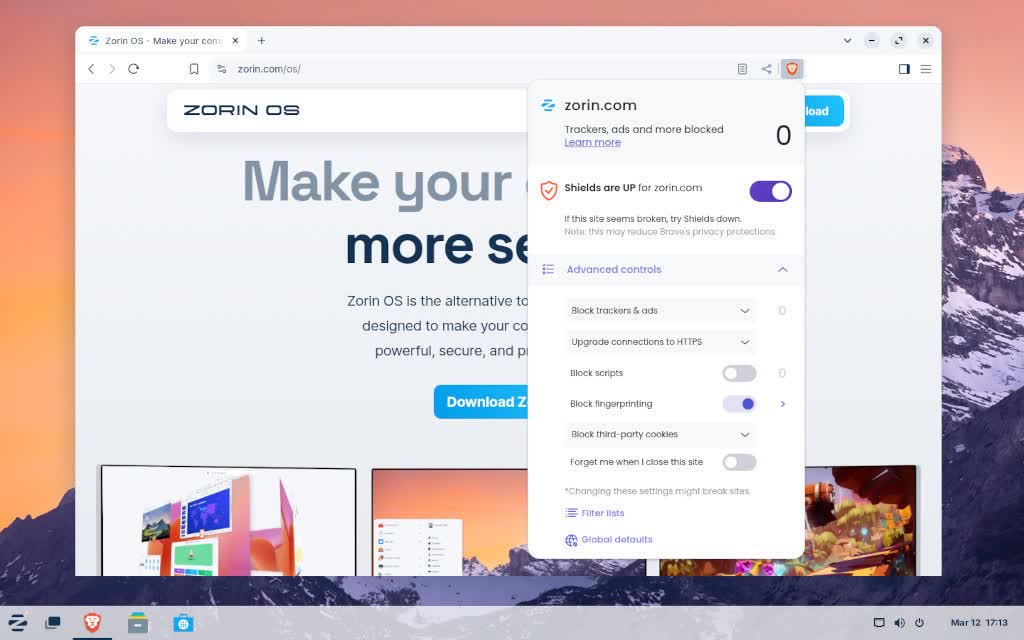
This default browser change will take effect in new installations of Zorin OS 17.3 and beyond. Existing Zorin OS users can install Brave from the built-in Software store or by following the instructions on the Brave website.
As always, you can install other web browsers in Zorin OS from the Software store or the browser's official website.
Upgrades to Zorin Connect
Zorin Connect seamlessly merges the experience between your devices, so your computer and phone work as one. It's integrated into the Zorin OS desktop and links your computer with Android devices to allow you to…
- Sync notifications between devices
- Send files and photos between your phone and computer
- See incoming phone calls and reply to text messages from your computer
- Control music and video playback across your devices
- Use your phone as a slideshow remote and presentation pointer
- Send commands to your computer from your phone
New features & other improvements
Its "Remote input" functionality lets you control your computer's keyboard & mouse from your phone. It now includes new features like middle-click, compose & send text, and a gyroscope mouse option.
The new Zorin Connect also comes with many quality-of-life refinements throughout the app:
- Share web links to disconnected computers, to be opened when they connect later
- Allow having different home screen widgets for different computers
- Send album art for playing media from phone to computer
- Direct Share targets in Android share dialogs
- Allow filtering notifications from a Work Profile
- Added more fine-grained notification channels
- Search by app name in the notification plugin settings
- Added the option to cancel a pairing request after sending it
- Accessibility improvements
- Bug fixes & performance enhancements
Improvements for touchscreen devices
To further improve the user experience on touchscreen devices, we've included enhancements and fixes throughout the system – including the taskbar and the Touch layout in Zorin Appearance.
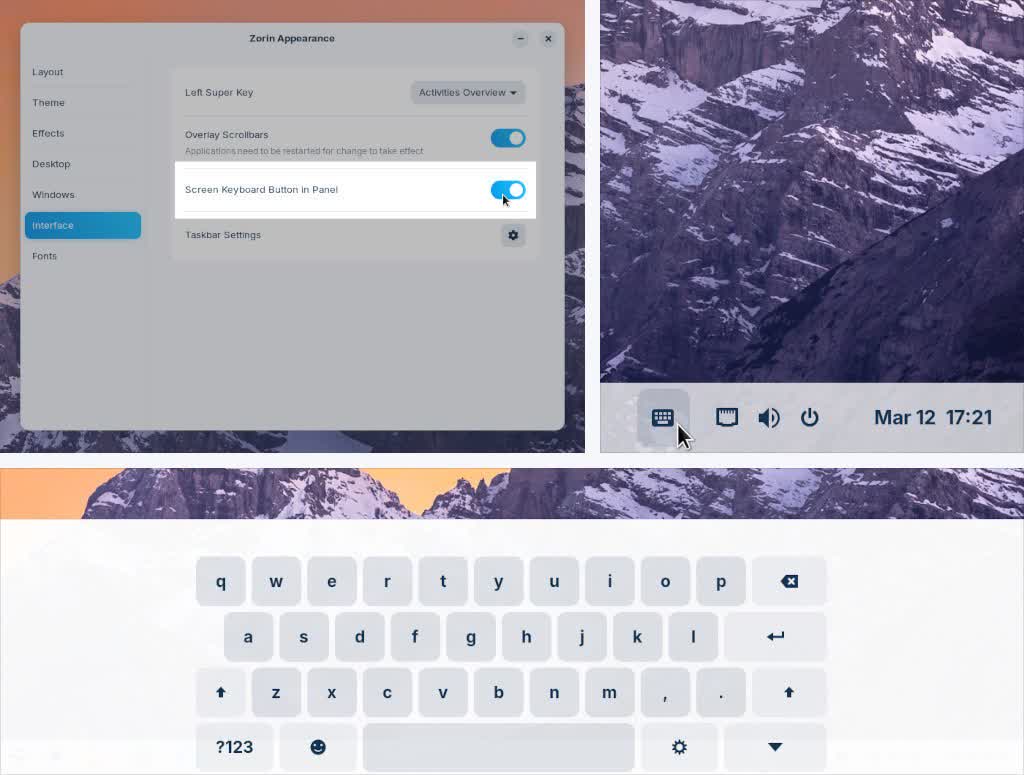
It's now possible to open the Screen Keyboard on-demand from the panel, instead of only automatically when tapping on a text field. To enable this option, open Zorin Appearance, navigate to the "Interface" section, and switch on "Screen Keyboard Button in Panel".
Updated apps
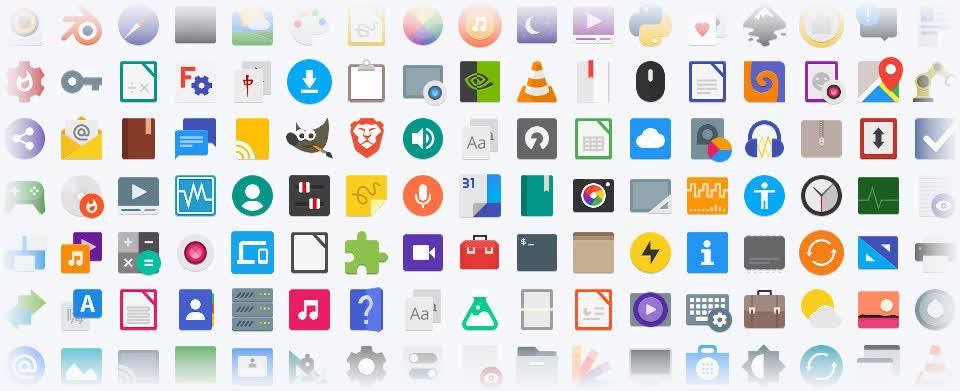
Zorin OS 17.3 comes with updates to many pre-installed apps for a more feature-rich experience out of the box. That also means you'll need to download fewer software updates after installing Zorin OS onto your computer.
Built-in support for Flatpak, AppImage, and Snap packages ensures you'll have the latest versions of your favorite apps for years to come.
Better security and compatibility
Many built-in system technologies and hardware drivers have received updates for better compatibility & performance. We've included the latest NVIDIA 570 drivers on the .iso files, which adds support for the newest NVIDIA RTX 5000 series graphics cards.
The latest security patches are also integrated throughout the system. The Zorin OS 17 version series will continue to get support with software updates and security patches until June 2027. That means you can have peace of mind knowing you're using the most secure version of Zorin OS ever, and it will stay protected well into the future.