LookinAround
Posts: 6,429 +188
How To Report the Services that run on your computer
Follow these instructions when asked to report Services on your computer- Download Serviwin. Unzip and store the files on your Desktop
- Run Serviwin.exe
- Click View->Services
- Press Ctrl+A to select all Services (All services should be selected and highlighted in the Serviwin window)
- Press Ctrl+S to save all selected services. A pop-up window appears
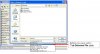
> Use the pulldown menu and changeSave As Type= Tab-Delimited File (*.txt) (see screenshot below)
> Save the file on your Desktop
- On next TechSpot post, click Upload a File button to attach it to your post