Microsoft adds a way to remotely lock lost Windows 11 laptops without wiping them

DragonSlayer101

Posts: 1,108   +15
Staff
In context: Windows 11 allows IT administrators to remotely wipe corporate laptops that have been lost or stolen using Microsoft's Intune device management software. Microsoft is now experimenting with a new Remote Locking option designed to protect sensitive data from unauthorized access without deleting any files.

As explained on Microsoft's Learn website, Remote Lock offers a less destructive way to protect data on lost or stolen devices than Remote Wipe. While Remote Wipe deletes all user data from a device, the new feature leaves the data untouched. If the device is recovered, its authorized user can simply sign in and pick up where they left off without losing any files.

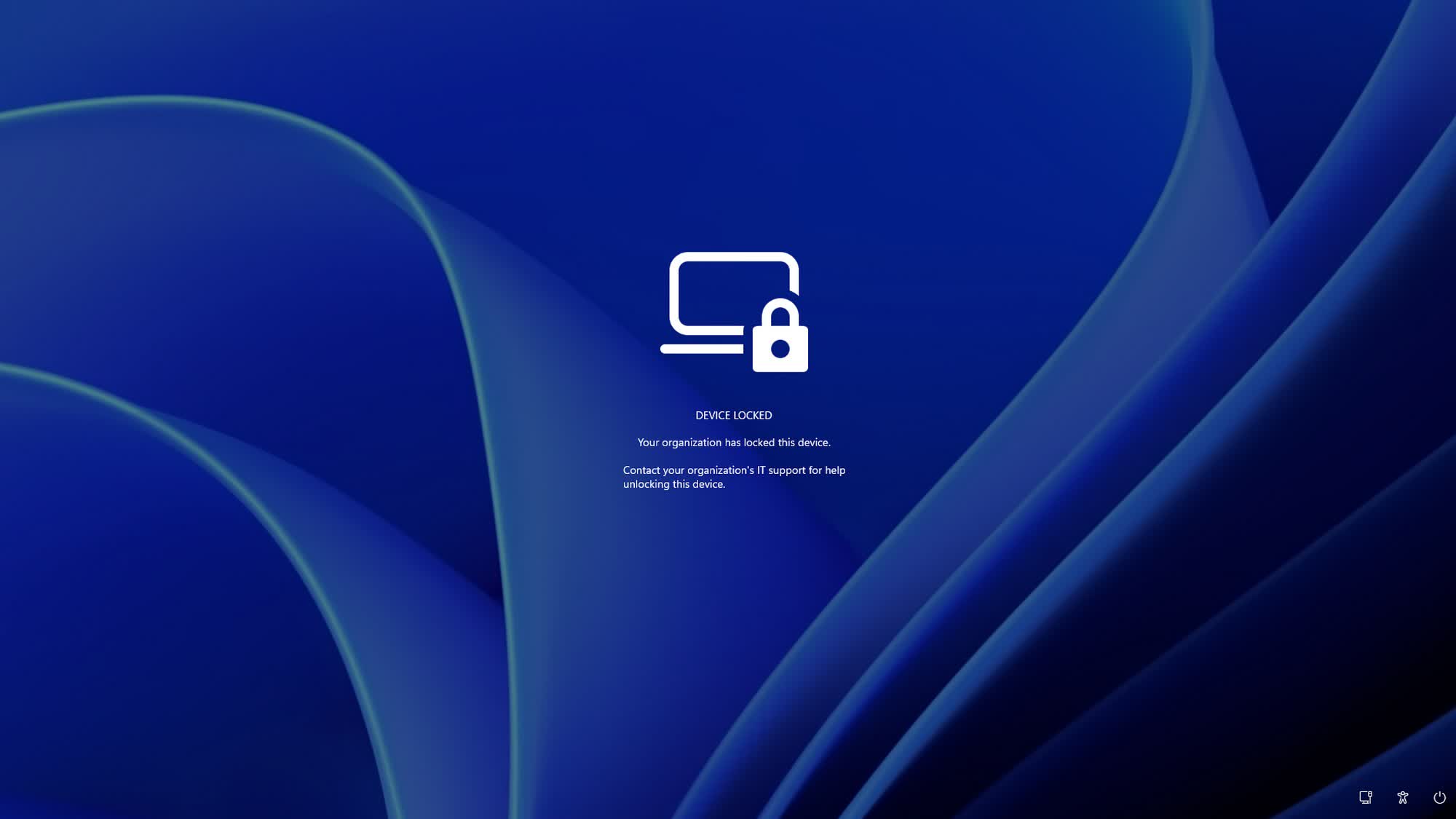
When Remote Lock is activated, Windows signs out all active sessions, hides local sign-in options, and displays a custom "Device Locked" screen, preventing users from accessing the device locally or remotely. However, locked devices remain enrolled in and managed through Intune, while BitLocker stays enabled as an additional layer of security.
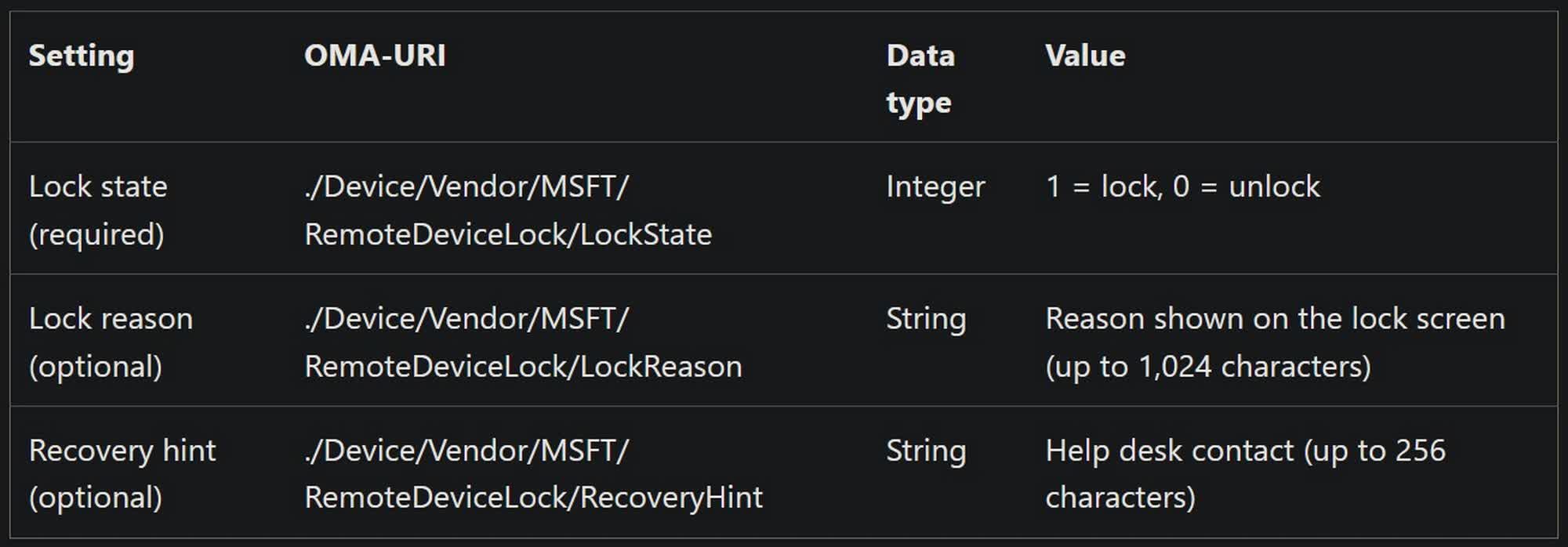
Remote Lock remains enabled across restarts and while the device is offline. Only an administrator can deactivate it. According to Microsoft, the lock can be lifted only remotely through Intune, as there is no way to unlock the device locally. The company says this restriction is intentional and is designed to prevent malicious actors from using brute-force attacks to gain access to device data.

Microsoft adds that Remote Lock does not block local boot and recovery options, such as the Windows Recovery Environment (WinRE), Safe Mode, or booting from USB drives and other media. The company also advises administrators to keep BitLocker enabled to protect data if a drive is removed or a device is reimaged.
Administrators can use Intune to configure Remote Lock on Windows Enterprise, Education, and Pro devices that are MDM-enrolled, Microsoft Entra-joined, or hybrid-joined. The read-only Status node in Intune reports the effective LockState: 0 if the device is unlocked, 1 if it is locked, 2 if the lock is pending, and 3 if an error occurred while attempting to lock the device.

Remote Lock is part of Windows 11 Insider Preview Build 29708.1001 for the Experimental (Future Platforms) channel, released on November 13. Curiously, the release notes also mention Windows 10 and Windows Server 2016, 2019, and 2022, suggesting that Microsoft might eventually extend the feature to additional platforms.

Permalink to story:

 
Fantastic news.
Chrome OS has had this feature for years. MS have taken way too long to catch up.
Unlike ChromeOS, Windows has a rich backgrounds of third party software to achieve these functions. So there hasnt been a huge drive to copy newer systems word for word. Windows also isnt a cloud OS like chromeOS is, so it's likely taken a bit more effort to pull this off without major issues.

And in case you havent noticed the Windows community is extremely......autistic, for lack of a better word, when it comes to any kind of changes or new features. They go absolutely ballistic whenever MS changes anything.
 
Fantastic news.
Unlike ChromeOS, Windows has a rich backgrounds of third party software to achieve these functions. So there hasnt been a huge drive to copy newer systems word for word. Windows also isnt a cloud OS like chromeOS is, so it's likely taken a bit more effort to pull this off without major issues.

And in case you havent noticed the Windows community is extremely......autistic, for lack of a better word, when it comes to any kind of changes or new features. They go absolutely ballistic whenever MS changes anything.
You say windows isn't a cloud OS but it's been possible to manage and push out policies to Windows devices via 'the cloud' for years. Whoever is in charge of development of Endpoint/Intune is so slow at project management and actually improving their product and services to their customers Vs the competition.
 
You say windows isn't a cloud OS but it's been possible to manage and push out policies to Windows devices via 'the cloud' for years.
That doesnt make something a cloud OS.

ChromeOS is practically useless without an internet connection and google services. It's basically a web browser with some extra functionality.

Windows is a full OS that has cloud functionality. Try setting up a chromebook with no internet, installing local software and libraries and running production software with no internet. that is where you will find the difference.
Whoever is in charge of development of Endpoint/Intune is so slow at project management and actually improving their product and services to their customers Vs the competition.
Well again, Microsoft has a rich third party industry, unlike Chrome OS, so they dont NEED to rush out these solutions. Many already exist and are entrenched in institutions already.

Furthermore Windows users have made it clear: they dont want Windows to change and will shriek and crap themselves if MS changes anything too quickly, so they have every incentive to take their time on making changes to their OS that contains vast amounts of legacy code that can break easily with major changes.

They're not exactly alone. It took both Google and Apple years on end to implement the current lockdown systems after years of requests. In the Windows space there hasnt been that much demand since, you know, third party management systems exist.
 
Back