Surprise! Windows 11 26H2 makes multitasking on 8GB PCs remarkably smooth

DragonSlayer101

Posts: 1,110   +15
Staff
The takeaway: With DRAM prices continuing to hit record highs, consumer electronics manufacturers are working on software optimizations to ensure decent performance, even on modest hardware. Microsoft recently claimed that the latest Windows 11 update makes the operating system faster and more responsive on devices with just 8GB of RAM. New reports suggest there may be some truth to that claim.
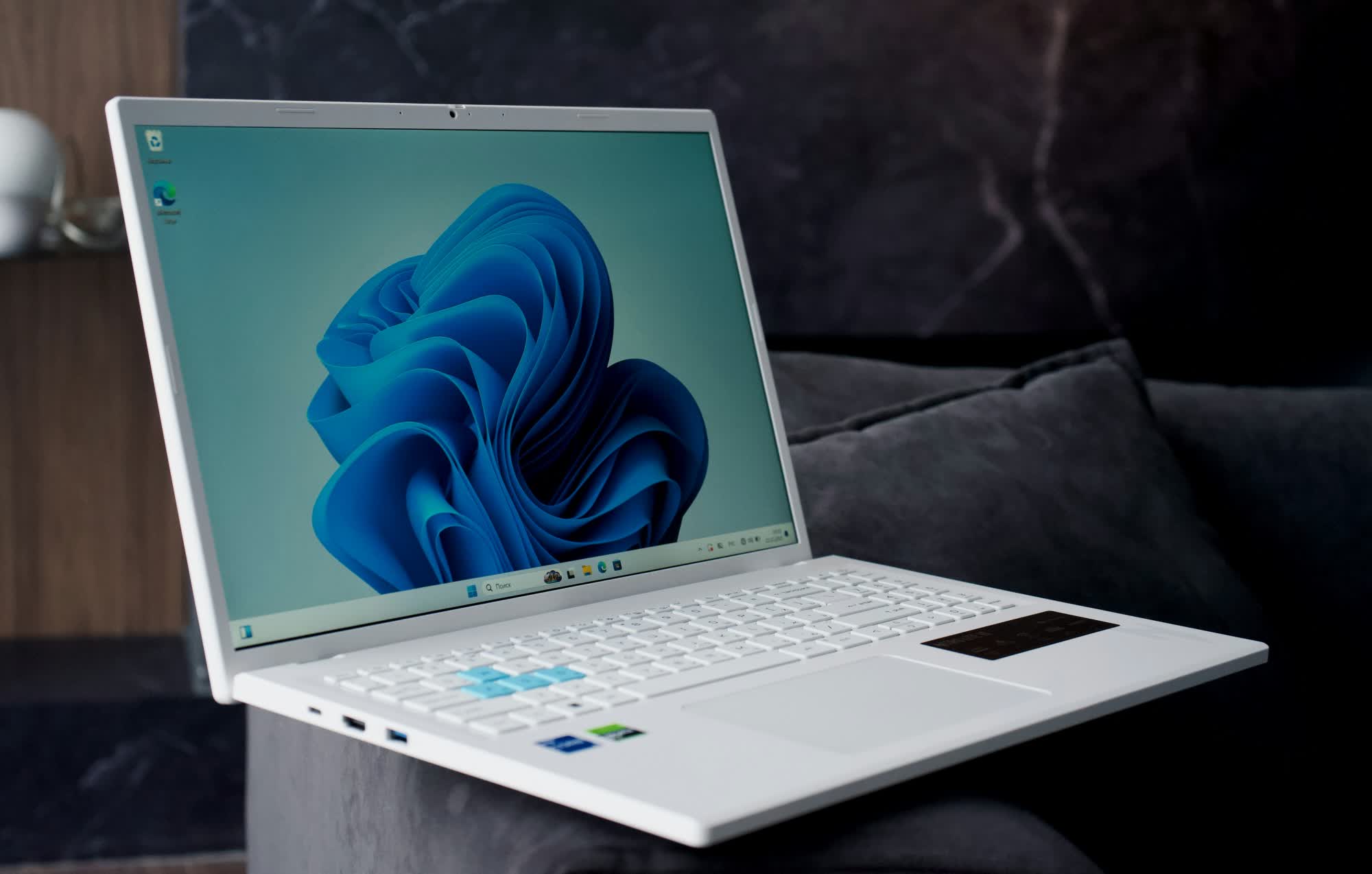
Earlier this month, Microsoft released Windows 11 26H2 with a series of optimizations that it claimed will improve performance on PCs with just 8GB of memory. According to Pavan Davuluri, Microsoft's EVP of Windows and Devices, the improvements will make Windows up to 20% more responsive and boost multitasking performance by up to 40% on devices with 8GB of RAM.
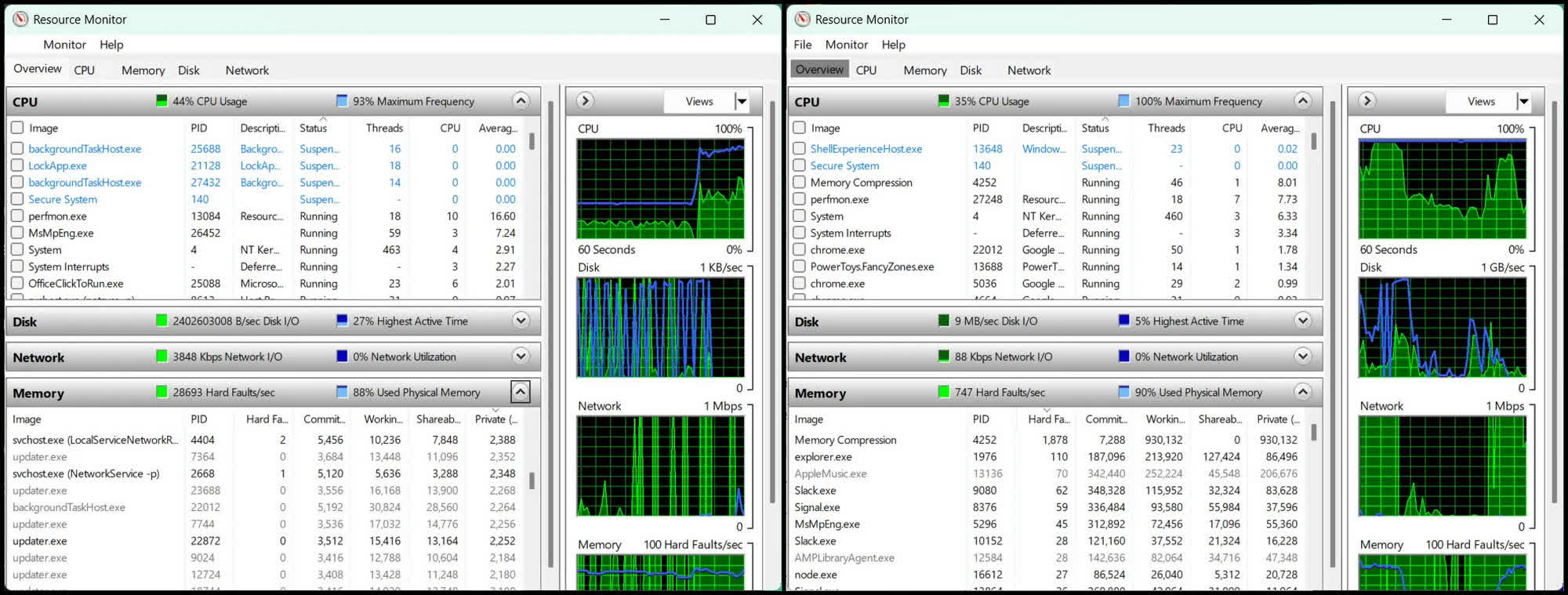
Early reviews suggest Davuluri's claims may not be just a PR exercise after all. The Verge tested the same 13-inch Surface Laptop with 8GB of RAM before and after installing version 26H2, Build 26300.9974, and found that multitasking performance improved noticeably following the update, with no apparent drawbacks.

According to the report, before the update, running 20 Chrome tabs while streaming a 4K YouTube video and using Slack and Signal simultaneously made the device extremely sluggish. Browser tabs and apps also had to reload whenever the reviewer switched between them. The fan ran at full speed, while Resource Monitor reported between 700 and 29,000 hard faults per second, resulting in a severely degraded experience.

After the update, Windows still slowed down somewhat when performing the same tasks, but the device remained usable. "I could feel things like Task View get a little less responsive, but it was the way you'd expect when taxing a system. Chrome tabs required less frequent refreshes (and) the fan took longer to kick in and ran quieter," the reviewer noted.

Explaining how Microsoft managed to reduce lag on Windows 11 devices with 8GB of memory, Davuluri said the improvements came from better memory compression and more efficient management of which apps remain in memory and which are offloaded to storage. He added that the biggest change involves how the operating system accesses data that has been paged out from RAM to an SSD.

Traditionally, when there isn't enough memory to handle all active data, some of it is moved to the SSD. Since storage drives are considerably slower than RAM, retrieving this data takes much longer than accessing information stored in memory, resulting in slowdowns that can disrupt users' workflows.

According to Davuluri, Microsoft addressed this issue in the latest update by allowing Windows to keep up to an additional 2GB of active data in memory rather than moving it to slower storage. "So an app or tab you left open is less likely to reload when you return," he explained, helping prevent interruptions and slowdowns even on devices with just 8GB of RAM.

Permalink to story:

 
It took the RAM crisis for Microsoft and other companies to be PC resources conscious.

Why did we have to wait for a crisis to happen for these companies to realize they had a massive resources deficiency and mismanagement for decades...it's not like the consumer was oblivious about it as we kept seeing the system requirements ballooning year after year.

We haven't seen the days of needing just 8gb of RAM on a PC to run efficiently since the Windows 7 days....if anything most newest computer applications were currently demanding 16gb as minimum requirements.
 
Last edited:
I was multitasking with 512mb on windows 7. I can multi-task in linux containers right now on 2gigs. I could probably get that down to under 1.

16gigs became the bare minimum because they are just terrible at making a OS and were relying on memory staying cheap. Bring it back down to 8 gigs is not impressive. Let's bring it down to 4 and I MIGHT pretend to be impressed. They did it for decades, I refuse to believe they can't do it now.
 
So basically, they improved performance under a high page fault scenario. That’s great, but how about doing something about the amount of RAM being consumed in the first place? For example, maybe make Teams use less than 1 GB by itself when I’m not even in a meeting.
 
The improvement is certainly welcome, but I think the bigger issue is being overlooked here.

Improving performance under memory pressure is not the same as reducing an operating system's memory footprint. Better paging, compression, caching, and memory prioritization can improve responsiveness, but they don't necessarily address why so much memory is being consumed in the first place.

Modern operating systems are obviously more complex than Windows 7, and comparing a lightweight Linux environment to a full Windows desktop isn't entirely fair. However, increased functionality shouldn't automatically justify continually increasing resource requirements.

Microsoft should be focusing on both sides of the equation...improving memory management and reducing unnecessary background resource consumption, including services and bundled applications.

I'd be far more interested in seeing measurable reductions in baseline memory usage, process overhead, and idle resource consumption than simply seeing improved performance when an 8GB system runs short of available RAM. TS could do this, they have the resources. How about it Steve? :)

This is a worthwhile optimization, but genuine efficiency means reducing resource demand, not just managing resource exhaustion more effectively. I think they still have more work to do, but this is a good start.
 
The improvement is certainly welcome, but I think the bigger issue is being overlooked here.

Improving performance under memory pressure is not the same as reducing an operating system's memory footprint. Better paging, compression, caching, and memory prioritization can improve responsiveness, but they don't necessarily address why so much memory is being consumed in the first place.

Modern operating systems are obviously more complex than Windows 7, and comparing a lightweight Linux environment to a full Windows desktop isn't entirely fair. However, increased functionality shouldn't automatically justify continually increasing resource requirements.

Microsoft should be focusing on both sides of the equation...improving memory management and reducing unnecessary background resource consumption, including services and bundled applications.

I'd be far more interested in seeing measurable reductions in baseline memory usage, process overhead, and idle resource consumption than simply seeing improved performance when an 8GB system runs short of available RAM. TS could do this, they have the resources. How about it Steve? :)

This is a worthwhile optimization, but genuine efficiency means reducing resource demand, not just managing resource exhaustion more effectively. I think they still have more work to do, but this is a good start.
I wouldn't say they are increasing functionality because it isn't doing anything to make my life easier. It's actually making my life harder by having systems that monitor what I'm doing and then other systems that use the information they gather on me to post advertising on my computer. Most people just use their computers to access a browser. What are they doing that makes using a browser better?
 
I wouldn't say they are increasing functionality because it isn't doing anything to make my life easier. It's actually making my life harder by having systems that monitor what I'm doing and then other systems that use the information they gather on me to post advertising on my computer. Most people just use their computers to access a browser. What are they doing that makes using a browser better?
I agree with your underlying point, and perhaps I should have distinguished between increased functionality and functionality that actually benefits the end user.

Windows has gained legitimate technical capabilities over the years, particularly in security, virtualization, hardware support, and system management. However, that doesn't mean every additional background process, service, integration, or feature provides meaningful value to the average user.

Your browser example is particularly relevant. If someone's primary workload is browsing, email, and basic productivity, why should the operating system require increasingly substantial resources just to provide essentially the same experience?

And that's really my argument. Software complexity and resource consumption should be justified by measurable benefits, not simply accepted as inevitable consequences of newer versions.

Microsoft improving memory management is a positive development, but it shouldn't distract from the equally important responsibility of controlling memory consumption in the first place.

An operating system should primarily serve the user, not require the user to continually upgrade hardware to accommodate the operating system.
 
The improvement is certainly welcome, but I think the bigger issue is being overlooked here.

Improving performance under memory pressure is not the same as reducing an operating system's memory footprint. Better paging, compression, caching, and memory prioritization can improve responsiveness, but they don't necessarily address why so much memory is being consumed in the first place.

Modern operating systems are obviously more complex than Windows 7, and comparing a lightweight Linux environment to a full Windows desktop isn't entirely fair. However, increased functionality shouldn't automatically justify continually increasing resource requirements.

Microsoft should be focusing on both sides of the equation...improving memory management and reducing unnecessary background resource consumption, including services and bundled applications.

I'd be far more interested in seeing measurable reductions in baseline memory usage, process overhead, and idle resource consumption than simply seeing improved performance when an 8GB system runs short of available RAM. TS could do this, they have the resources. How about it Steve? :)

This is a worthwhile optimization, but genuine efficiency means reducing resource demand, not just managing resource exhaustion more effectively. I think they still have more work to do, but this is a good start.
I agree. They also need to have a stern word with some third parties and maybe consider some formalised naming and shaming. Some of the drivers and baggage that come with motherboards, coolers etc etc are ridiculously resource hungry. Things like Armory Crate, (and actually almost anything by Asus), ICue (and actually almost any RGB software), HP/DELL support assistants and pointless layers of Vaseline, McAfee, Norton, etc etc Maybe they could implement some kind of warning dialog to say - you have installed X - this is currently on our red list for resource usage.
 
I agree. They also need to have a stern word with some third parties and maybe consider some formalised naming and shaming. Some of the drivers and baggage that come with motherboards, coolers etc etc are ridiculously resource hungry. Things like Armory Crate, (and actually almost anything by Asus), ICue (and actually almost any RGB software), HP/DELL support assistants and pointless layers of Vaseline, McAfee, Norton, etc etc Maybe they could implement some kind of warning dialog to say - you have installed X - this is currently on our red list for resource usage.

Who is forcing you to install all that crap? I have a ASUS M/B and never needed any of their 3rd party software to make it run. All of these bloat can easily be uninstall and avoided.
 
Back