Windows 11 26H2 is rolling out, but it doesn't add anything new, it just turns on what was already there

DragonSlayer101

Posts: 1,103   +15
Staff
The takeaway: Microsoft has officially released Windows 11 26H2 to the stable channel, rolling it out to all eligible users. The update is described as an "enablement package" that simply switches on dormant features delivered with previous monthly updates. It's a tiny 174 KB download for devices that are already up to date with all cumulative updates.
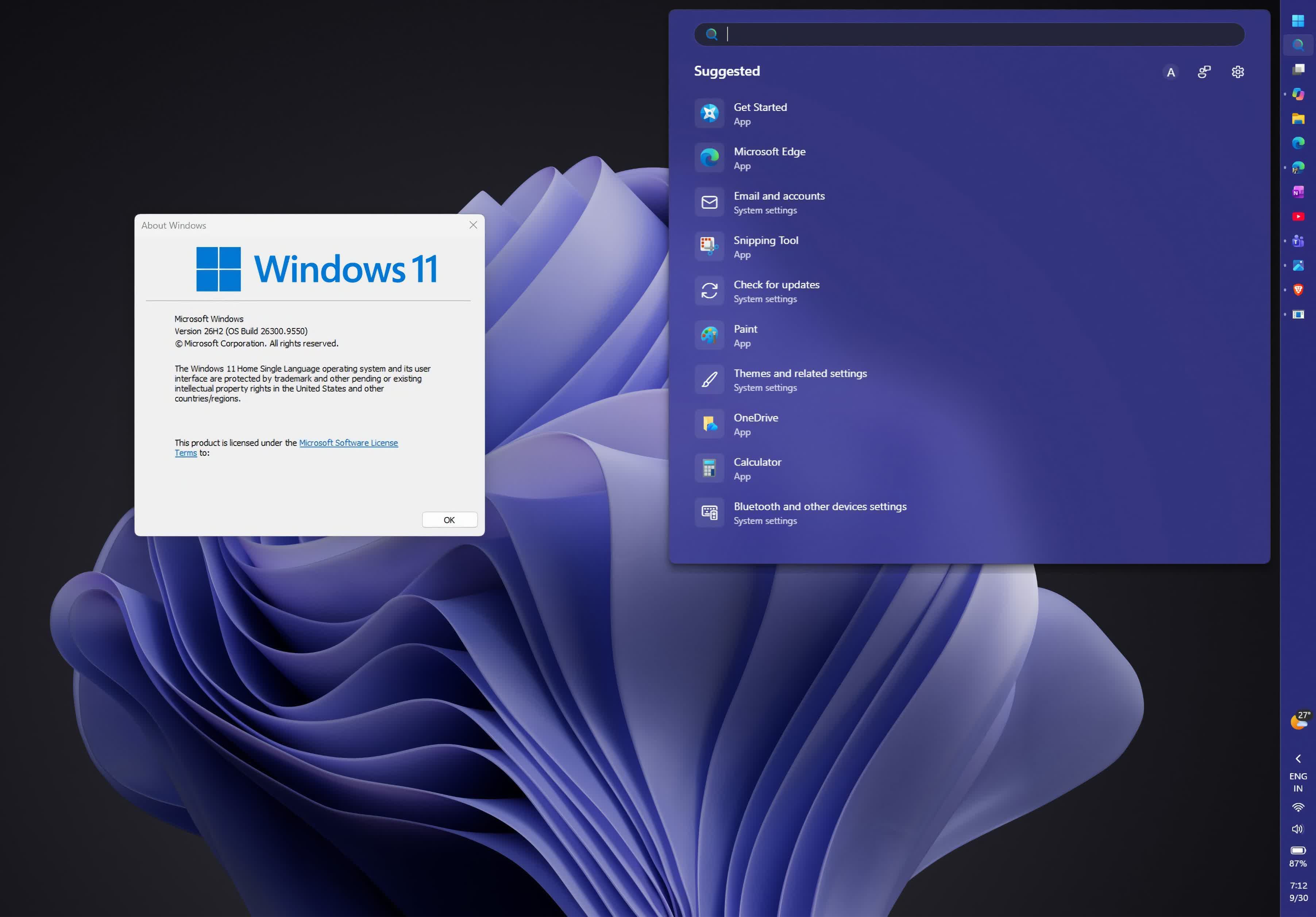
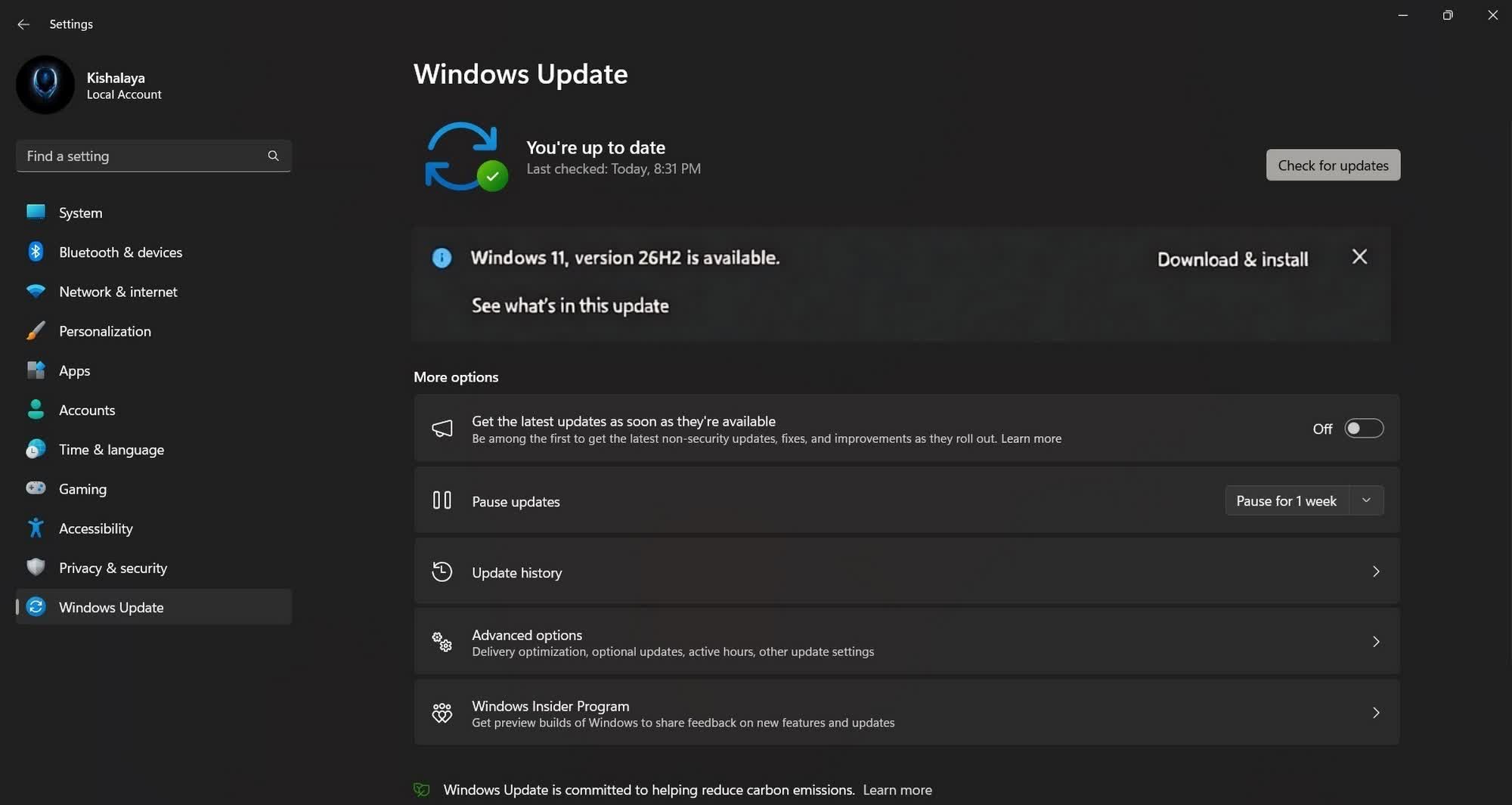
Windows will automatically notify you when the update becomes available for your device. If you'd rather not wait, open Settings, select Windows Update in the left pane, and turn on "Get the latest updates as soon as they're available." Then click "Check for updates" and hit "Download and install" if the update is offered for your PC. If you'd rather download the new ISO, download it here.

Microsoft calls version 26H2 a "predictable and low-disruption update" and insists it shouldn't raise any stability or compatibility concerns, since it shares the same underlying code as versions 25H2 and 24H2. All three are based on the Germanium release, which introduced fundamental changes to Windows 11, including deep optimization for ARM64 architecture and AI hardware.
Version 26H2 enables several dormant features across the Start menu, Taskbar, File Explorer, Windows Search, Gaming, Task Manager, and Networking. It also activates AI features in Settings, Task Manager, Narrator, and more, along with multiple personalization options, accessibility tools, productivity boosts, and security upgrades.

One of the biggest advantages of 26H2 is its improved support lifecycle. Despite sharing the same servicing branch as 24H2, the new version extends support for Windows 11 Home and Pro editions to October 2028, while devices running 25H2 and 24H2 will remain supported until October 2027 and October 2026, respectively.

For Windows 11 Enterprise and Education, support for 26H2 will run through October 2029, compared with October 2028 for 25H2 and October 2027 for 24H2. Windows 11 26H2 IoT Enterprise will also be supported until October 2029.
Earlier this year, Microsoft detailed how its Windows team has been prioritizing performance and stability over new features, following persistent complaints about crashes, compatibility issues, and sluggish performance.

According to CEO Satya Nadella, the company is trying to win back users by focusing on "core features and fundamentals that matter most to our customers."

Masthead credit: Windows Latest

Permalink to story:

 
Does this "turn on" the EASY way to reprogram the co-pilot key back to the right CTRL key?
 
So, what's the verdict? Are things stable? I was going to wait on it and keep hiding the (annoying) blue update icon for a bit lol
 
The enablement package approach makes 26H2 sound more like a smooth transition than a major Windows upgrade. I’m actually more interested in the longer support period and the focus on stability, especially if the underlying code is largely the same as 25H2.
 
I'll just stick with my Win 11 IOT thank you. Works great (well, in as far as any Microslop product can be said to do so).
 
In other words, it opens the backdoor of the trojan horse? Once again, I'll have to uninstall a bunch of "helpful" features that I never requested or wanted. Will avoid for as long as I can
 
I had to clean down a family members old Windows 10 PC yesterday to get rid of it. It had an Intel 6700k, 16GB of 2400Mhz RAM and a Samsung 950 nvme drive. A good machine in it's day but over a decade old.

My main surprise was how responsive it felt. The UI still seemed really nice and clean with very little bloat and was very easy to switch back to. When I put a clean Windows 10 install on (because MS arbitrarily killed 6th gen CPU's which they could very easily have allowed to run Windows 11), I was able to use just a local account with no password which is great to sell the machine with. I had a few nags for location services etc but little else. I didn't notice a single Windows 11 'feature' that I missed. It just felt better, cleaner and faster than my supposedly much faster AM-5 PC... Windows 11 really was the ruination of MS OS's. It's a shambles.
 
I had to clean down a family members old Windows 10 PC yesterday to get rid of it. It had an Intel 6700k, 16GB of 2400Mhz RAM and a Samsung 950 nvme drive. A good machine in it's day but over a decade old.

My main surprise was how responsive it felt. The UI still seemed really nice and clean with very little bloat and was very easy to switch back to. When I put a clean Windows 10 install on (because MS arbitrarily killed 6th gen CPU's which they could very easily have allowed to run Windows 11), I was able to use just a local account with no password which is great to sell the machine with. I had a few nags for location services etc but little else. I didn't notice a single Windows 11 'feature' that I missed. It just felt better, cleaner and faster than my supposedly much faster AM-5 PC... Windows 11 really was the ruination of MS OS's. It's a shambles.
I'm not disagreeing with you here, but people have been saying this forever, Windows Vista ruined Windows, Windows 8 ruined Windows, and now, Windows 11 ruined Windows.

The truth is, you're still using it, you haven't moved to a different operating system, you haven't given Microsoft an incentive to do things differently, so they will continue to do the bare minimum whilst making most things worse.

I'm sure Windows 12 will come out and everyone will sing it's praises because that's the cycle for some reason.
 
I'm not disagreeing with you here, but people have been saying this forever, Windows Vista ruined Windows, Windows 8 ruined Windows, and now, Windows 11 ruined Windows.

I will again plant my flag on the hill and say Vista was fine so long as you weren't holding on to your E8600's or older Dual-core CPUs. Yes, UAC was overtuned, and drivers at launch we not great, but by SP1 it was *fine*.
 
I will again plant my flag on the hill and say Vista was fine so long as you weren't holding on to your E8600's or older Dual-core CPUs. Yes, UAC was overtuned, and drivers at launch we not great, but by SP1 it was *fine*.
I think the biggest issue there was Microsoft advertising old XP machines as "Vista Ready", when they really weren't, so people bought these machines, upgraded to Vista to find their machine was now extremely slow.

On top of that, Vista was the new way of how drivers interacted with the OS, and a new folder layout for a lot of stuff, so developers needed to learn all of this.

I remember getting onto Vista when it first launched and I didn't have many issues really. I remember installing Company of Heroes and the extra "DX10" upgrade disc that only worked with Vista because of the DirectX upgrade.
 
I'm so done with W11 lol. I'm moving to a different place. So I setup a "metered" connection for up to 20GB through my phone. Disabled updates, and guess what.

Stupid thing roasted 19GB of updates in exactly these days through my metered connection lol and attempts to install it. There goes my mobile data. It's unbelievable what a F-up windows 11 has become.
 
I think the biggest issue there was Microsoft advertising old XP machines as "Vista Ready", when they really weren't, so people bought these machines, upgraded to Vista to find their machine was now extremely slow.

On top of that, Vista was the new way of how drivers interacted with the OS, and a new folder layout for a lot of stuff, so developers needed to learn all of this.

I remember getting onto Vista when it first launched and I didn't have many issues really. I remember installing Company of Heroes and the extra "DX10" upgrade disc that only worked with Vista because of the DirectX upgrade.
I remember. I agree the "Vista Ready" thing backfired horribly. And yeah, drivers took a bit to adjust. And yeah, some games needed .dll patches to get working (like the early C&C games). But once you got past the initial teething problems, outside of the aggressive UAC, I never had a problem with it.
 
I'm not disagreeing with you here, but people have been saying this forever, Windows Vista ruined Windows, Windows 8 ruined Windows, and now, Windows 11 ruined Windows.

The truth is, you're still using it, you haven't moved to a different operating system, you haven't given Microsoft an incentive to do things differently, so they will continue to do the bare minimum whilst making most things worse.

I'm sure Windows 12 will come out and everyone will sing it's praises because that's the cycle for some reason.
I agree about Windows Vista - it didn't ruin windows, it was just a little half-baked on release and took a while for everybody to get up to speed with the new drivers. Windows 8 was awful. The UI was an abomination and sure enough it all got canned on Windows 10 which was also mostly fine. But Windows 11 feels different - for a start they are saying it's the last windows there will ever be. It no longer feels like the OS is a product you buy because it's a good thing to have. It's basically almost free if you look around a little and MS never make any effort to stop these low-cost keys because it just doesn't sell when users are expected to pay for it and MS now have adopted Google's model of give them something for free and then rinse them in every way you think you can get away with. The confrontational computing and dark patterns in Windows 11 are everywhere and trying to keep any control over it is almost impossible.
 
The headline feature is that support now lasts until October 2028. Microsoft has finally figured out that the best new feature is not breaking my stuff.
 
DON'T GET YOUR HOPES UP!!! Downloaded the Windows 11 26H2 ISO and installed the upgrade, but ZERO features enabled due to the gradual roll out.
 
The enablement package approach makes 26H2 sound more like a smooth transition than a major Windows upgrade. I’m actually more interested in the longer support period and the focus on stability, especially if the underlying code is largely the same as 25H2.
I agree than an enablement package *should* be smooth. BUT, turning on "dormant features across the Start menu, Taskbar, File Explorer, Windows Search, Gaming, Task Manager, and Networking. (and) It also activates AI features in..." several tools--What Could Possibly Go Wrong? Right, Microsoft?
(I'm looking at your track record for only the past 2 years... not pretty.)
 
DON'T GET YOUR HOPES UP!!! Downloaded the Windows 11 26H2 ISO and installed the upgrade, but ZERO features enabled due to the gradual roll out.

Ha! I was able to rezize my start menu!! Then it hard froze my PC during a Malwarebytes Custom C: drive scan. But my start menu..., just can't stop staring at the beauty of it. Thanks MSlp.
 
I will again plant my flag on the hill and say Vista was fine so long as you weren't holding on to your E8600's or older Dual-core CPUs. Yes, UAC was overtuned, and drivers at launch we not great, but by SP1 it was *fine*.
Dual-core was a novelty on most computers when Vista released. Mostly only enthusiasts or companies were running it. Same with more than 512MB of RAM.

Most people were still running single core models that were far slower than the aforementioned dual-core E8600 (this launched ~1,5 years after Vista) with only 512MB of RAM. That is why Vista ran like crap on their PC's.

I moved to Vista when it launched. I had way above average Athlon X2 3800+ Dual-Core (from 2005, so not even the fastest Conroe), 2GB of RAM and high end 7900 GTX dedicated GPU.
 
Back