

This powerful, multi-platform Git client assists Git newbies as well as it makes experienced developers more productive.
Does SmartGit support GitHub?
Yes, SmartGit works with different Git repositories like GitHub, Bitbucket (and BitBucket Server), GitLab, Azure DevOps, or other hosting providers.
What are the best SmartGit alternatives?
GitKraken offers Windows, macOS and Linux applications just like SmartGit. Other favorites like SourceTree and GitHub Desktop are compatible with Windows and macOS but do not offer a Linux client.
Is SmartGit free?
SmartGit is free for non-commercial use by open-source developers or students. For commercial use you will need to buy a license or a subscription.
Is SmartGit compatible with Linux?
Yes, SmartGit runs on 64-bit systems of Windows, macOS and Linux.
Features
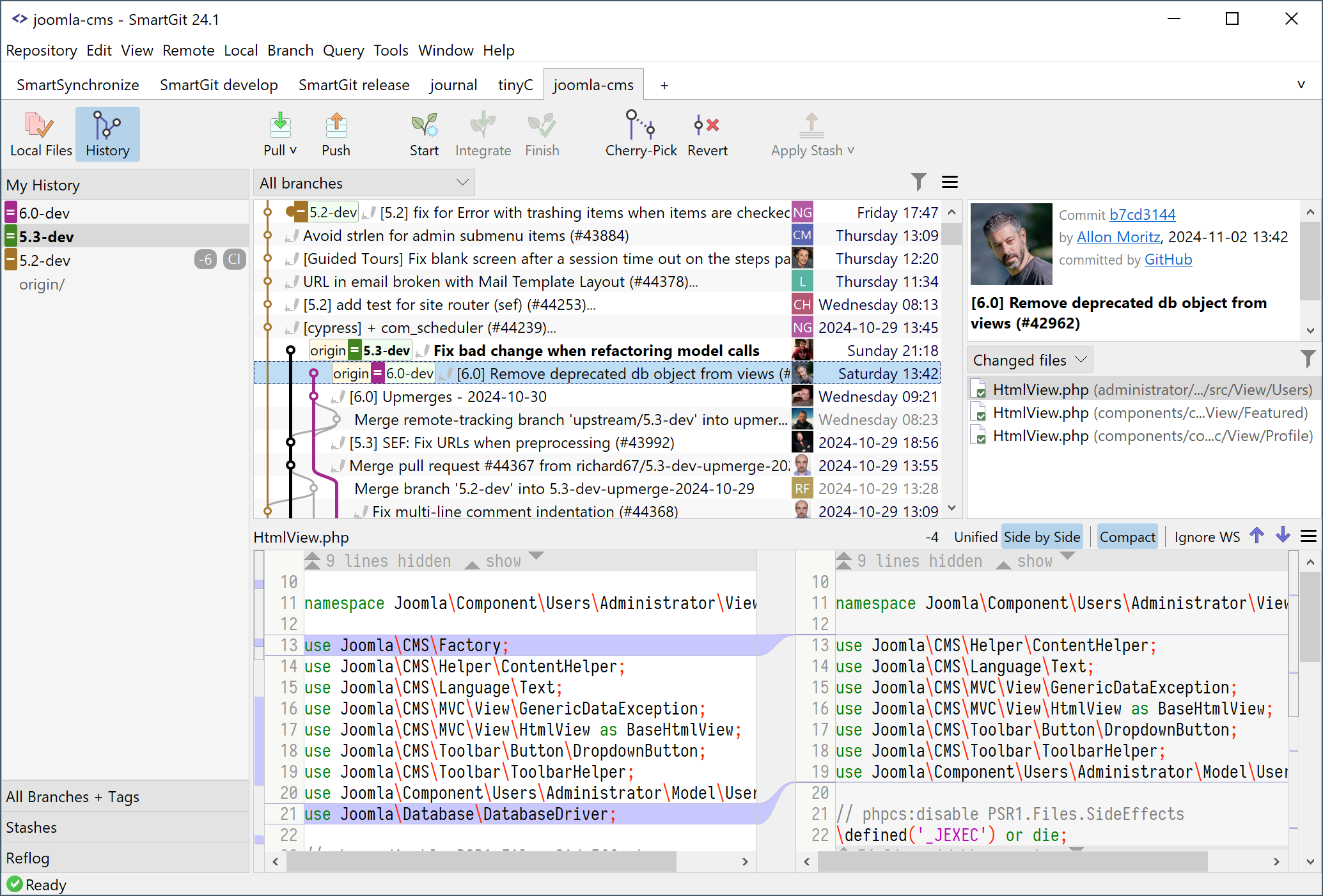
- Graphical merge and commit history
- Drag and drop commit reordering, merging or rebase
Use your SmartGit license on as many machines and operating systems you like. SmartGit is free for non-commercial use and runs on macOS, Windows and Linux.
Everything Included.
No need to install and configure additional tools.
SmartGit includes:
- Command line Git client (Windows, macOS)
- Graphical Merge and Commit History
- Git-Flow
- SSH-client
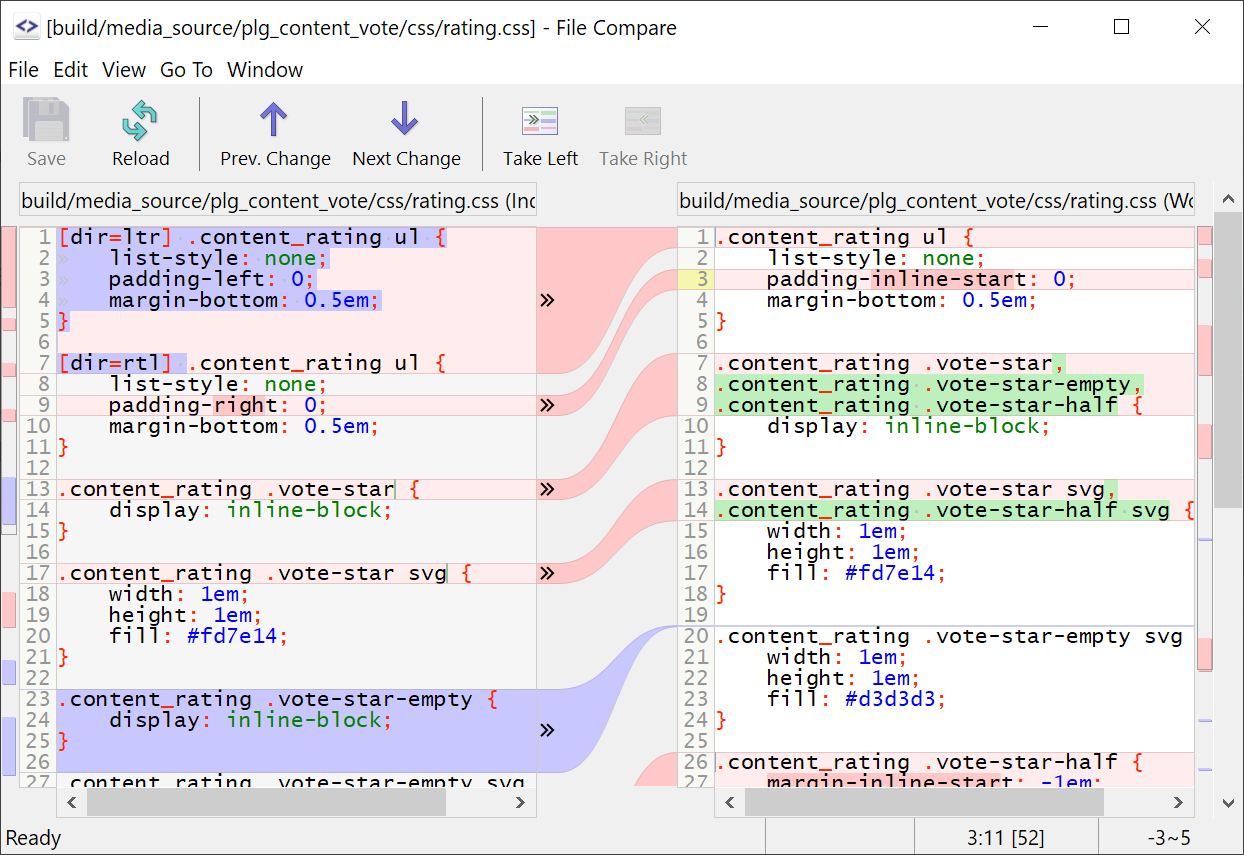
- File Compare
- File Merge ("Conflict Solver")
Adapt to Your Needs and Workflows.
A commercial Git client should support your work-flows. You can customize SmartGit in various ways:
- Preferences for Merging, Rebasing
- Layout of certain views,
- External tools,
- External or built-in Compare or Conflict Solver tools,
- Keyboard shortcuts,
- Toolbars,
- Syntax coloring,
- Light and dark themes
Interacting with popular platforms.
SmartGit comes with special integrations for GitHub, BitBucket and BitBucket Server (former Atlassian Stash) to create and resolve Pull Requests and Review Comments.
Of course, you can use SmartGit like any other Git client with your own Git repositories or other hosting providers (e.g. GitLab).
Simplicity.
Focus on what is really important: SmartGit/Hg will ask only when it needs a decision, but doesn't bother you with underlying technical constraints.
All inclusive.
There is no need to install and configure additional tools: SmartGit/Hg comes with a built-in SSH client, a File Compare and 3-Way-Merge.
Powerful features.
Reorder commits before pushing, commit individual lines within a file, resurrect lost commits and many more.
One for all.
Use SmartGit/Hg for Git, Mercurial or SVN. On Mac, Windows and Linux. Purchase once and use on all of your favorite platforms.
Popular webservices.
Clone from GitHub, Assembla and other hosting providers. Identify team-mate commits by their gravatars.
Optimal overview.
See your repository state at one glance: your working tree, Git's Index, available branches, which commits need to be pushed.
What's New
Improvements
- AI integration:
- Models: supports OpenAI Responses API (e.g. required for 'gpt-5.3-codex')
- Models: supports 'responseFilter' configuration
Fixed Bugs
- AI integration:
- Commit annotation: possible internal error if the repository becomes invalid during background processing
- Commit annotation: possible internal error if the tab is closed while processing
- Commit annotation: possible error if notes already exist for the annotated object
- Commit message generation: possible internal error when closing the repository while generation is in progress
- MiniMax: some tokens might be dropped
- Models: 'parameters' entries containing '.' were interpreted literally instead of creating a nested JSON object hierarchy
- Ollama: very short responses (like "yes"/"no") might not be processed
- Ollama: possible error "Object 'content' not found"
- Bundled Git (Windows): incorrectly used 'core.longPath' instead of 'core.longpaths'
- Changes view: possible internal error related to concurrent modifications
- Graph: dragging a commit from another branch to cherry-pick no longer works (regression since 24.1)
- Linux: could not launch if a monitor had > 200% zoom
- Log (File): possible internal error related to Tag Grouping 'Single Patterns' configuration
- Log window: possible internal error when reusing a disposed log window
- Push:
- Push To: may not work or even crash for certain refs
- Tag: annotated tags were pushed as plain tags
- Refresh:
- GC notifications and similar messages could be ambiguous regarding the affected repository
- Graph: possible internal error for specific Git Notes contents
- possible internal error for invalid macro definitions
- Status: '.gitattributes' 'working-tree-encoding' was not honored consistently
- Working Tree: false-positive modifications were reported for files with 'working-tree-encoding' in '.gitattributes'
- Working Tree: quoted or escaped patterns in '.gitattributes' were handled incorrectly
- Working Tree: invalid attributes definitions were not handled properly
- Working Tree: possible internal error related to corrupted '.git/index' files
- Repository Settings, Credential Helper: misleading tooltip wording
- Stash, Rename: possible error "unknown switch -..." in backup logic
- Azure DevOps: possible "client secret is expired"
Other Noteworthy Changes
- Changes view: low-level property 'changes.honorWorkingTreeEncodingOnStage' to honor '.gitattributes' 'working-tree-encoding' when staging
- Linux: tooltip background now provides better link readability

